Bring Your Faded Travel Memories Back to Life with AI
Can you remember your family trip when you were a child? Or have you ever flipped through your parents' honeymoon travel album? There’s something magical about old travel photos—they hold not just images, but memories. The breeze on that Greek island, the aroma in a Parisian café, the silence of the Alps or the leisure of Hawaii... Maybe it’s the trip your grandparents took back in the 60s, or your first solo adventure. Perhaps it was a long time ago, but sometimes it feels like just yesterday. Over time, these precious photos often fade, get scratched, or become damaged. What if you could restore those memories in seconds?
Meet PicMa Studio's Smart Restore—the AI-powered feature designed to instantly repair your old, worn-out photos with just one tap. No more lamenting over faded photos. Now you can breathe new life into your most cherished journeys. With Smart Restore, you can preserve your family's travel heritage and share restored memories with younger generations.
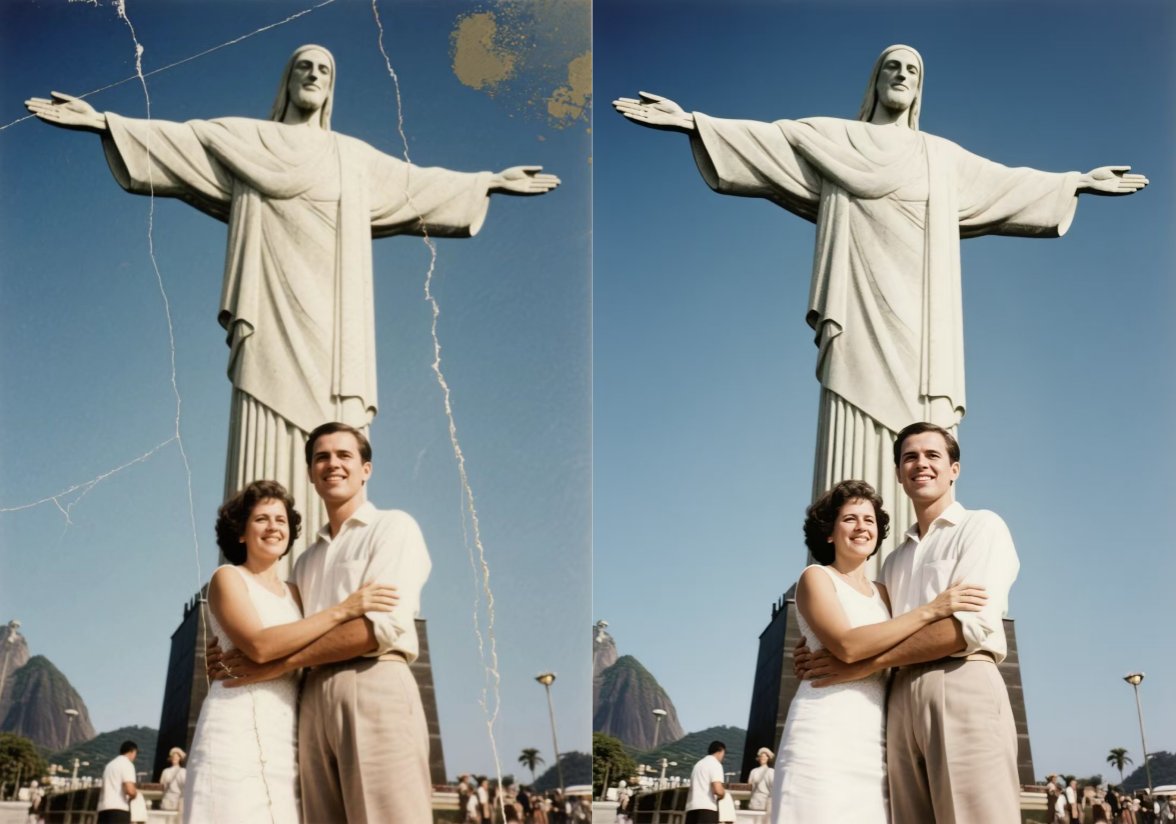
How to Restore Your Travel Photos in 3 Steps:
To restore your travel photos doesn't take much effort, just follow these 3 simple steps:
- Visit the PicMa Studio website and find "Smart Restore" in our toolkit
- Upload your photo and brush over the damaged part. You can describe how you want the photo to look (Optional but recommended)
- Click "Restore" and see your results within seconds
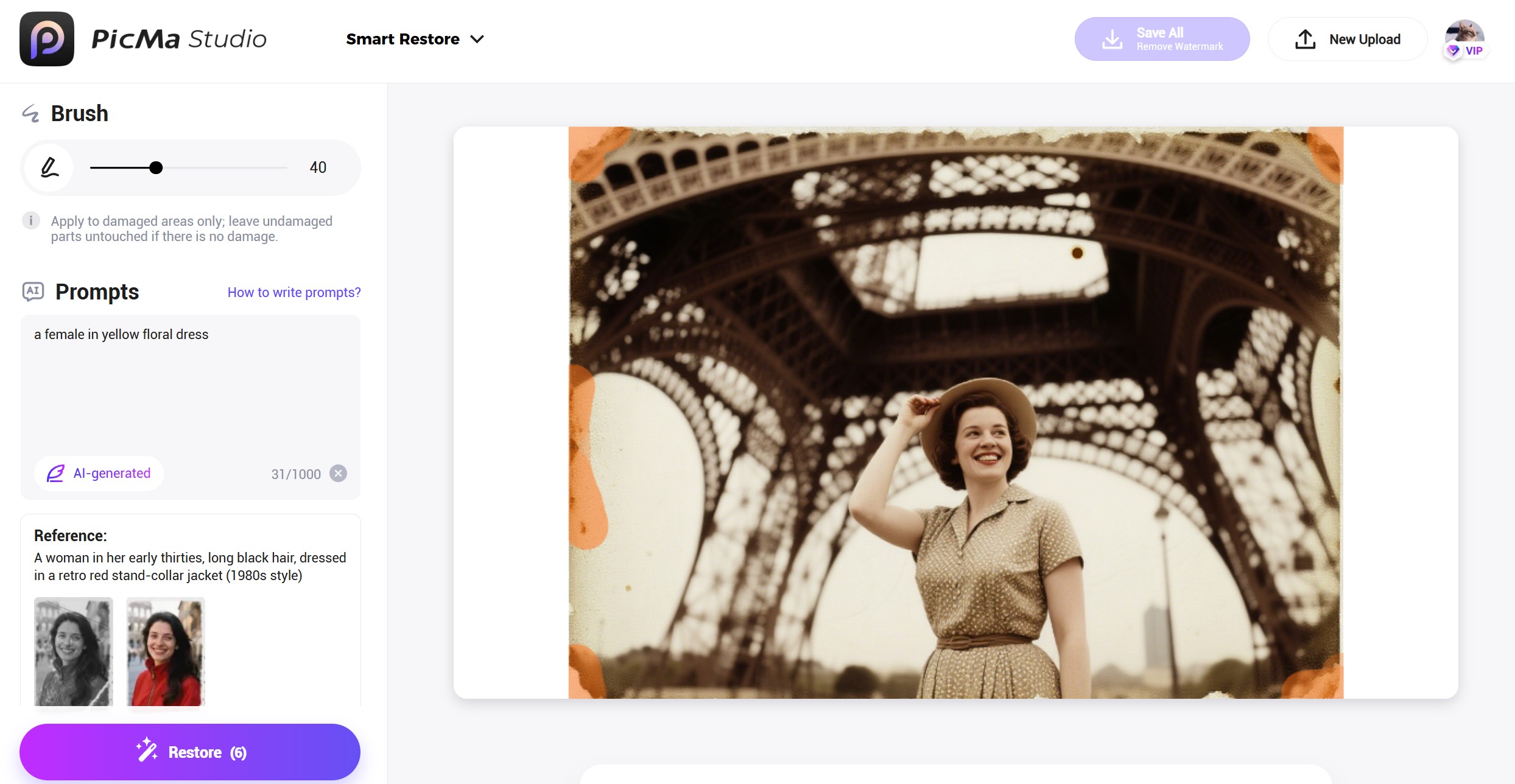
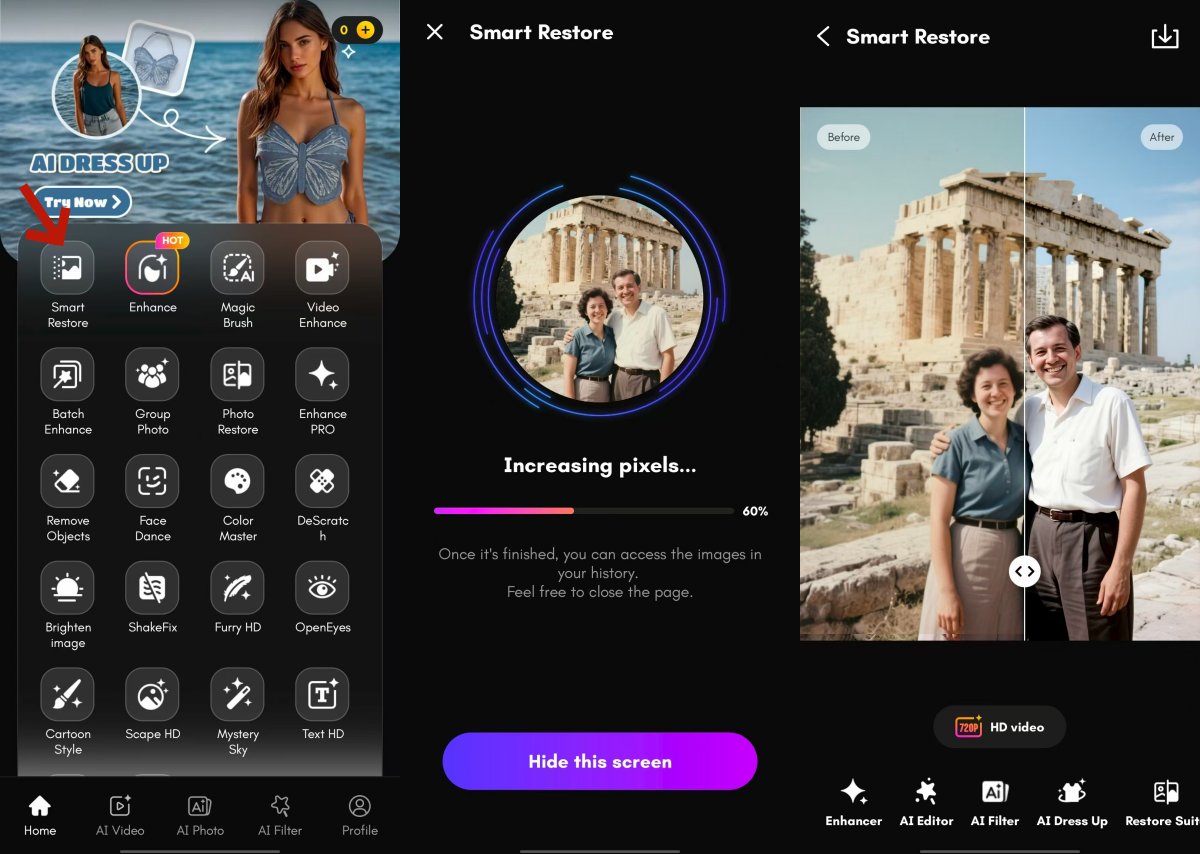
Now this function is also available in our mobile app "PicMa". For app user, here's what to do:
● Download PicMa from the Apple Store or Google Play
● Tap "Smart Restore" and upload your travel photo, then the AI will start to work itself
● Preview and save your newly restored memory—all in seconds
What Can You Use Smart Restore for?
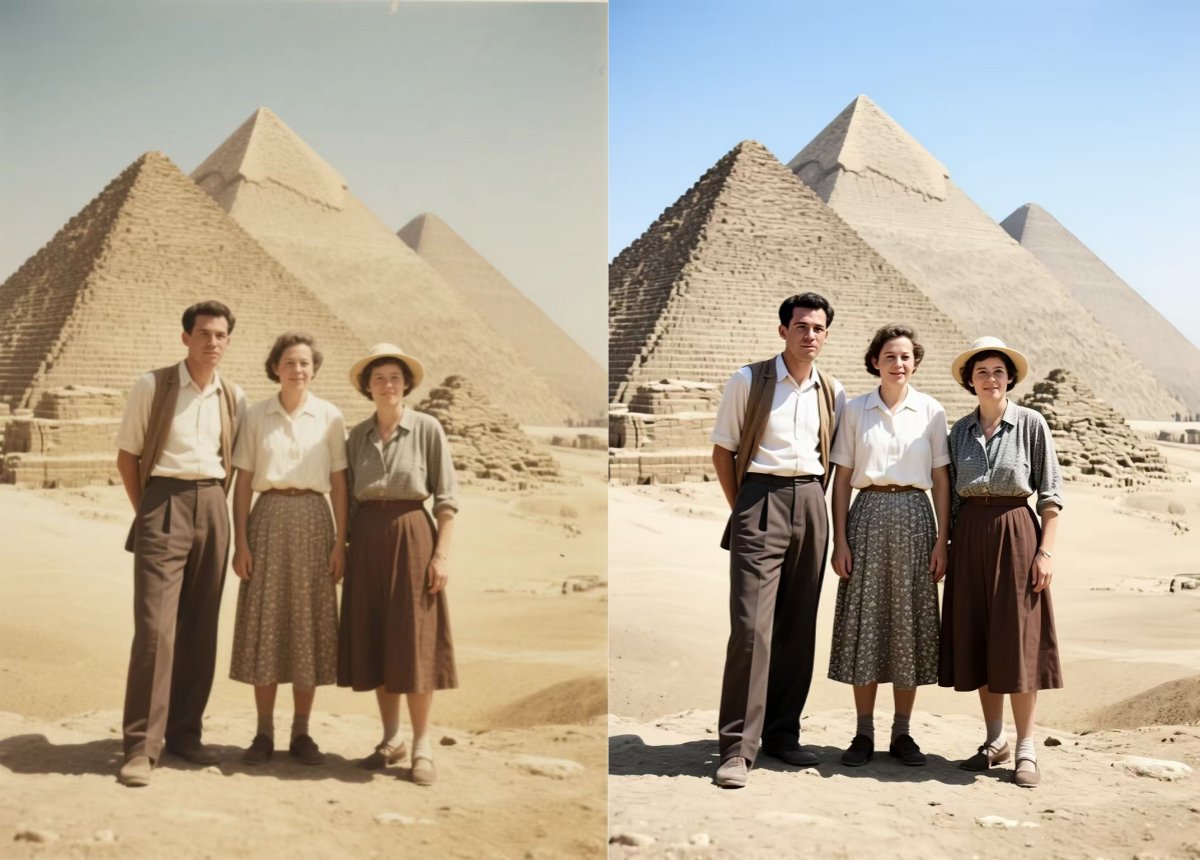
Using advanced AI models, Smart Restore analyzes the content and context of your damaged photo. It recognizes faces, landscapes, architecture, and even color patterns that have deteriorated over time. This tool can intelligently removes scratches, stains, and tears, and reconstruct damaged areas. All of this happens automatically. You don’t need to be a photo editing expert—just select your picture and let the AI do the rest.
Don’t let time erase your adventures. Revive your journey memories with Smart Restore!
Frequently Asked Questions (FAQ)
Q1: Is Smart Restore free to use?
A: Yes, Smart Restore is completely free for all users on the PicMa Studio website or within the PicMa app.
Q2: Will the restored photo look artificial?
A: Not at all. Smart Restore prioritizes natural-looking repairs. It respects the original texture of the photo and ensures color balance.
Q3: What types of old travel photos can be restored?
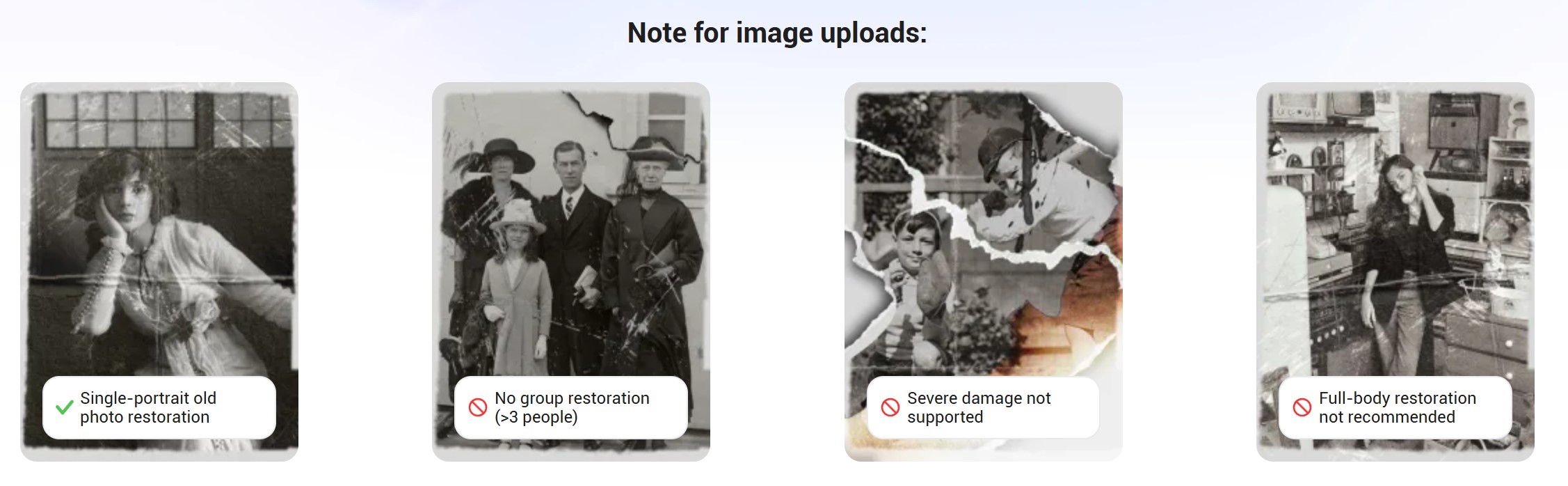
A: The feature can handle scratches, tears, creases, stains, faded colors, and missing sections in photos. It works well with landscapes, portraits, group photos (preferably with fewer than 3 people), and even black-and-white images.
Q4: Can it really fix severely damaged photos?
A: This tool excels with moderate damage but may struggle with large missing areas or unrecognizable content. You can refine the results by further editing.
Q5: How does it differ from Enhancer or Color Master?
A: Enhancer focuses on improving clarity, Color Master adds color to faded or black-and-white photos, while Smart Restore integrates both and uses AI-generated content to reconstruct missing parts.


Related Readings:

 133
133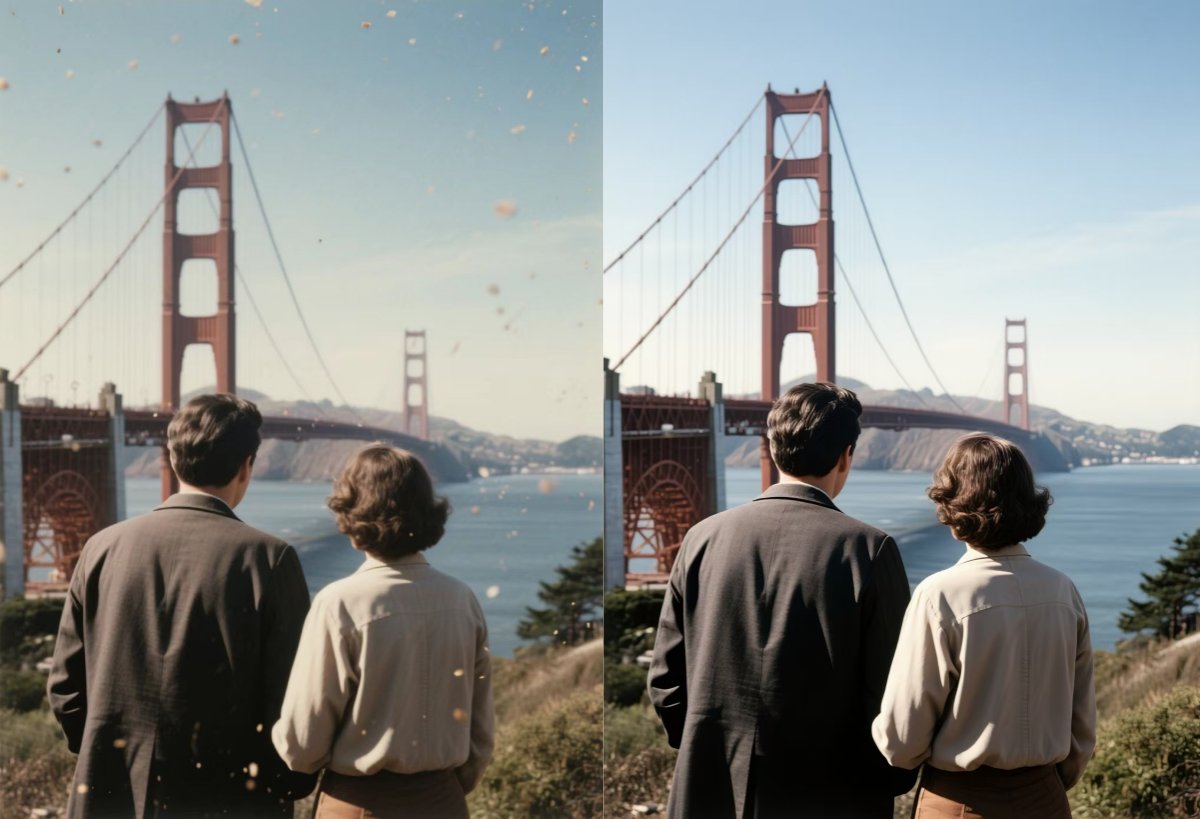

 English