In many old family albums, paper envelopes, or forgotten drawers, there are photos that have suffered the wear of time. These images may carry the only visual memory of a grandparent, a childhood summer, or a long-past family gathering. Unfortunately, paper photos are fragile—subject to tears, folds, stains, and fading that gradually obscure the stories they hold.

Restoring damaged photos used to be a time-consuming, expensive task, often requiring professional skills or outsourced services. But with the advancement of image recognition and reconstruction technologies, photo restoration is now more accessible than ever—faster, easier, and available to everyone.
This article walks through a free, user-friendly approach to repairing torn or damaged photos using intelligent digital tools—no special software or technical skills required.
Common Forms of Photo Damage and Why Restoration Can Be Difficult
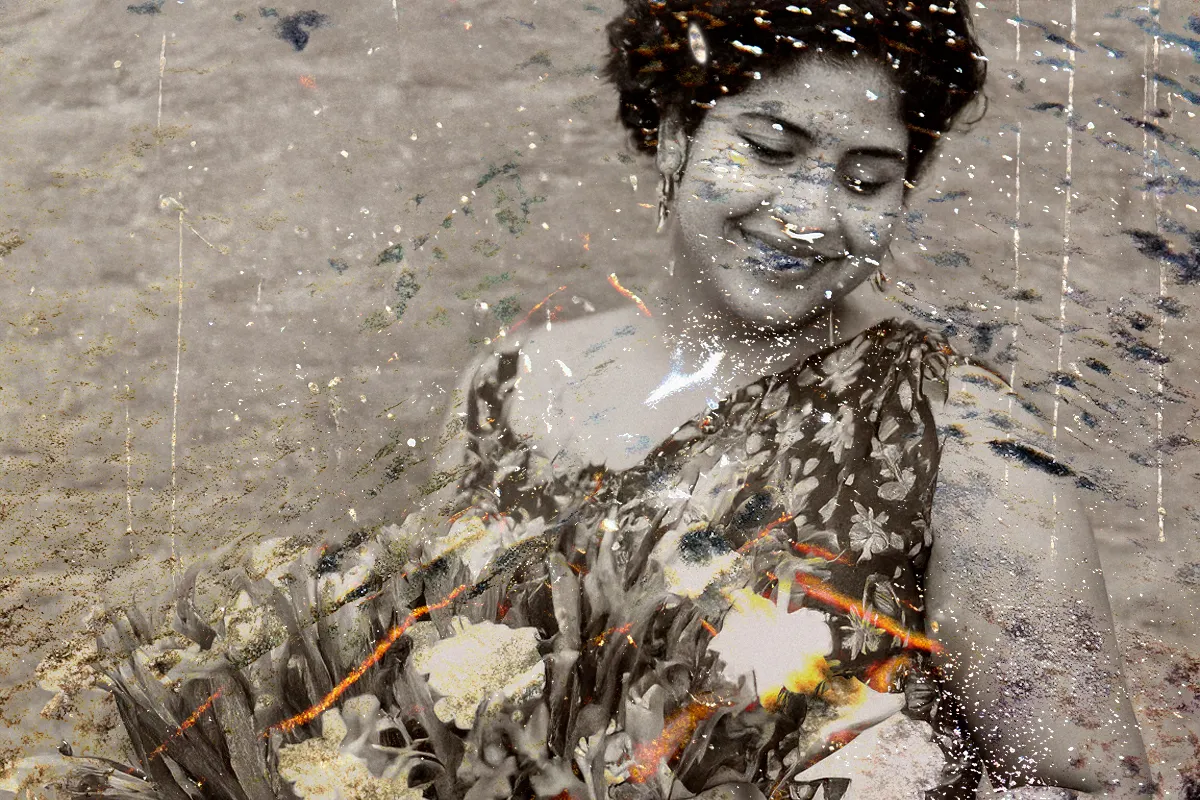
Physical damage to printed photos is often inevitable. Film-based prints are vulnerable to moisture, light exposure, air oxidation, and pressure. Over time, this results in cracked paper, missing corners, faded tones, stains, and even mold spots. Once these issues appear, they’re not reversible through physical means.
Traditional digital restoration typically involves advanced tools like Photoshop. A professional editor may use healing brushes, cloning tools, and manual reconstruction to repair missing areas and remove scratches or discoloration. While effective, this process is time-intensive and requires significant expertise.
Outsourcing restoration to a photo studio is another option, but the cost per image can be high—especially for severely damaged photos or large batches.
As a result, many people who want to repair old photos simply never do, discouraged by the learning curve or the price.
Intelligent Restoration Offers a Practical Alternative
Recent breakthroughs in AI-driven image restoration have made it possible to repair photo damage automatically. Using pattern recognition, texture synthesis, and contextual inpainting, these systems can detect cracks, tears, folds, and smudges—and reconstruct missing pixels in a seamless and natural way.
Instead of relying on manual intervention, intelligent restoration allows everyday users to restore complex damage with a single upload.

One of the most practical solutions in this field is PicMa’s Smart Restore—an accessible, AI-powered feature designed specifically for restoring damaged photographs. It offers a streamlined, user-friendly workflow with high-quality output.
How to Use PicMa Smart Restore to Repair Damaged Photos
You can access this feature directly from the “Repair Damaged Photo” section on PicMa website, or through the PicMa app on iOS and Android. This is the web label used for the Smart Restore function, making it easy to locate.
The restoration process involves just a few simple steps:

1. Digitize the original photo
Use a scanner or a smartphone camera to convert the physical photo into a clear digital file. Make sure the image is well-lit, flat, and in focus for the best results.
2. Upload the photo to PicMa Visit the Repair Damaged Photo section on PicMa’s platform and upload your image. The system will automatically analyze the damage and perform restoration—no manual marking required.
3. Preview the result
Within seconds, you'll receive a side-by-side comparison of the original and restored images. Basic restoration is free to try, and you can decide whether to download the high-resolution version or continue enhancing it.
No technical background or software installation is needed—just an internet connection and your photo file.
Going Beyond Repair: Additional Tools for Enhancement
In many cases, restoration is just the first step. PicMa also provides a suite of enhancement tools to further improve both photos and videos—especially useful when dealing with aged, low-resolution, or color-damaged materials.

These tools include:
· Photo Enhancer: improves clarity, removes noise, enhances color, and restores facial details in portraits. It also supports colorizing black-and-white images.
· Video Enhancer: designed to enhance resolution and stabilize frame quality in low-quality or old video clips.
· Stable Motion AI: optimizes motion-based content by reducing jitter and enhancing frame continuity.
All enhancement features are available on the same platform and can be used together for a complete restoration and enhancement workflow.
Restoration Begins with Preserving Memories
What once required advanced skills and specialized software is now a simple, accessible task. Thanks to AI-based tools like Smart Restore, anyone can restore damaged photos in minutes—and bring clarity back to moments that might otherwise fade away.
Whether you're organizing old family archives, preserving a historic photo collection, or repairing a single childhood snapshot, PicMa offers a reliable, high-quality, and free way to begin.
Visit PicMa website or download the PicMa app to get started.


Related Readings:

 538
538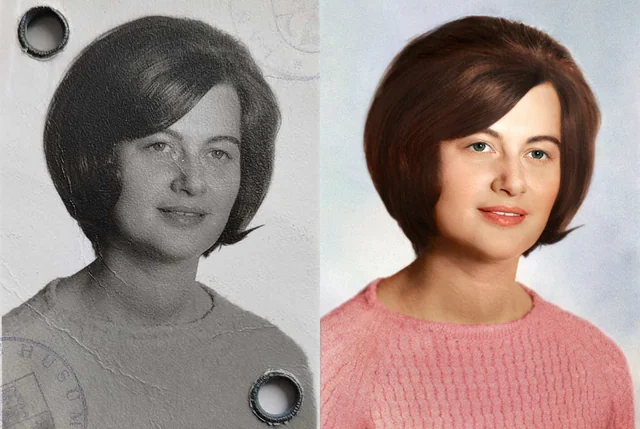

 English