Why Old Wedding Photos Matter So Much
Old photos can tell stories which you're not so familiar with. They're precious memories from the past, and perhaps the most important part is our parents' or grandparents' wedding photo. It’s more than just an image; it’s the foundation of your family, a testament to love, and a promise for the future. The wedding photo is a bridge to the past. For your elders, it’s a vivid recall of their youth and the best souvenir of their life event. For you, it’s a window to their history, which deserves better protection.
But time is not always kind to these physical memories. Decades of sunlight, humidity, and unintentional handling can leave their mark. Cracks, folds, and spots wear away the cherished moments, obscuring the joyful details you long to see clearly.
Bring Old Love Story Back to Life with PicMa
But what if you could turn back the time? What if you could wipe away those years of damage with a single click? At PicMa, we asked ourselves the same question. Our answer is Smart Restore – an AI-powered feature designed to bring back to life your most cherished old photos, and we are thrilled to offer it to you completely free of charge.
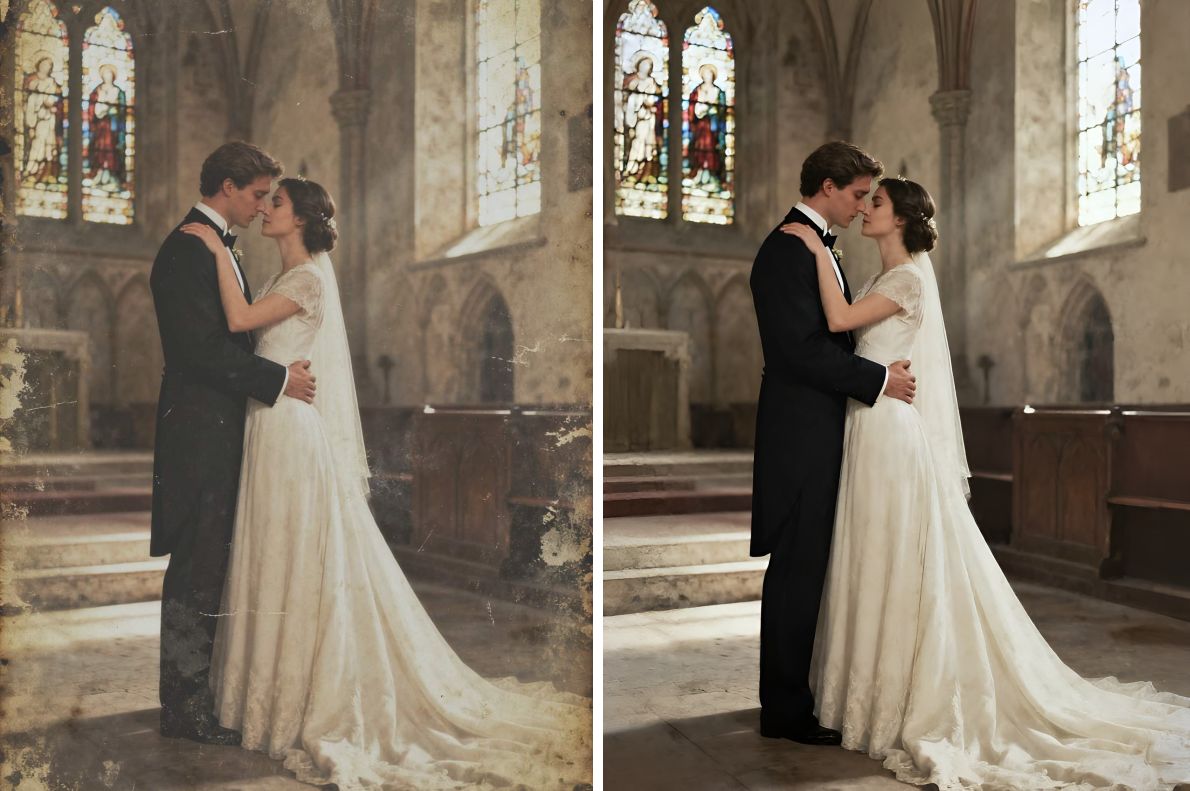
We’ve designed Smart Restore to be as effortless as the moment the original photo was taken. You don’t need to be a tech wizard or a photo editing expert. All you need is just one picture.
Imagine the look on your grandparents' faces when you present them with a crystal-clear version of the photo they thought was lost to time. It shows the true essence of their love story.
How to Restore Your Photos in Seconds
- The process is incredibly simple:
- Go to the PicMa Studio website and find the Smart Restore tool
- Upload a faded wedding picture from your computer
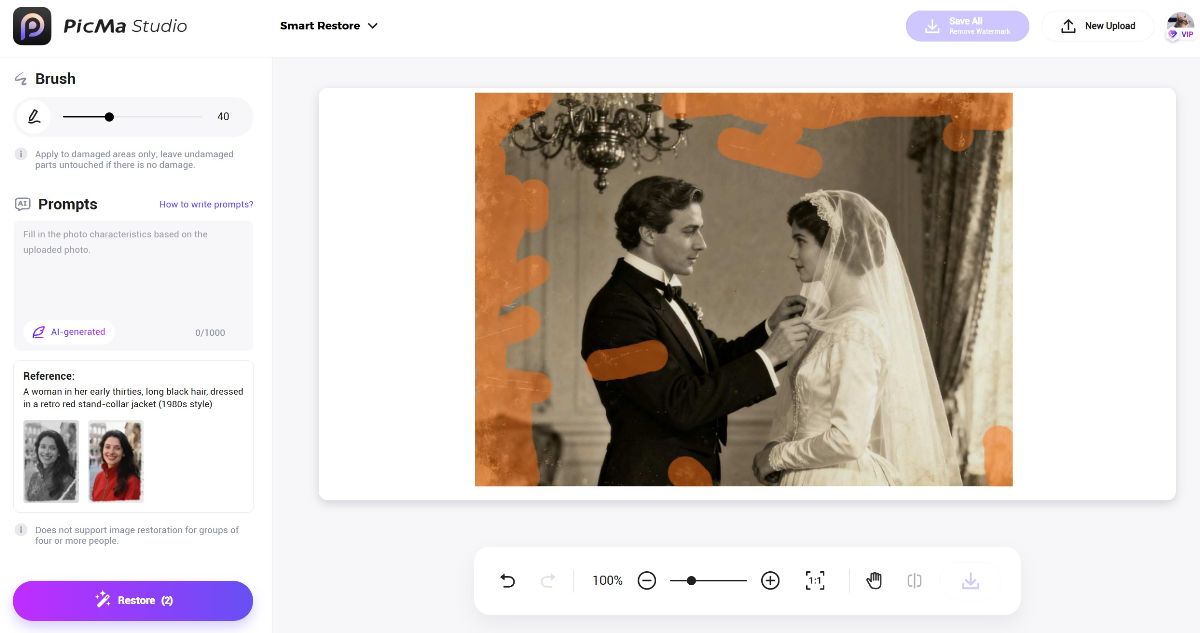
- Brush over the damaged part and describe the original look of the picture if necessary
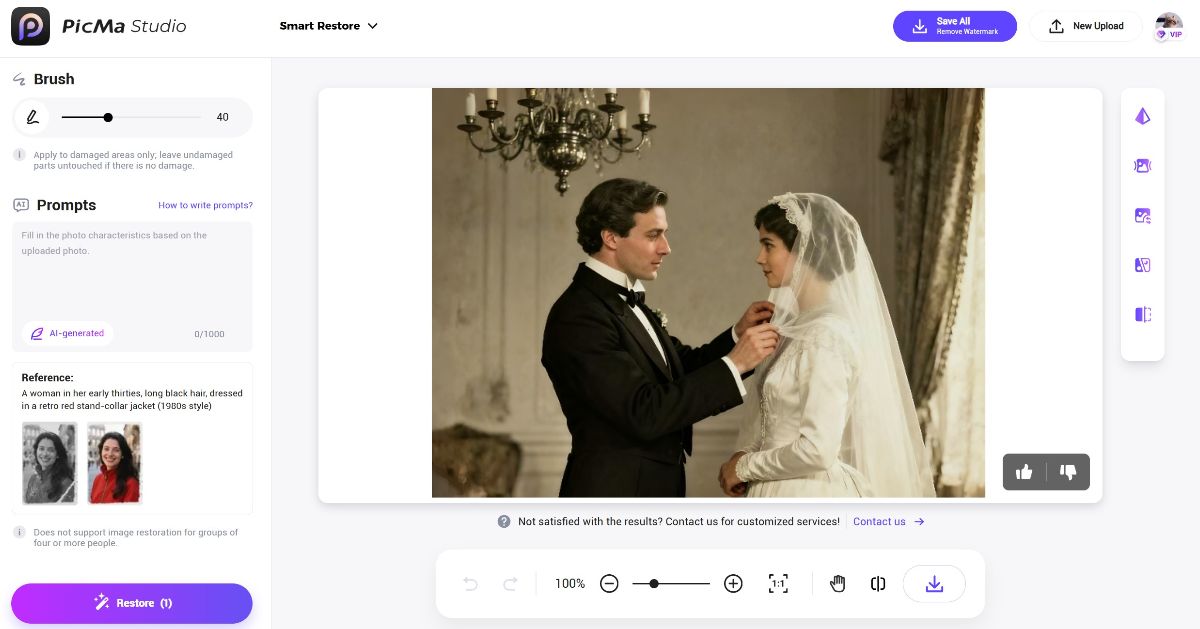
- Hit "Restore" to activate the AI. In mere seconds, witness the miracle happen
- Download your perfectly restored, high-resolution photo
Quite amazing, right? You can also access this function on your phone:
While web access offers more precision, app access is more convenient.
What Does Smart Restore Fix?
Our AI is specially trained to handle the common issues that plague old photos:
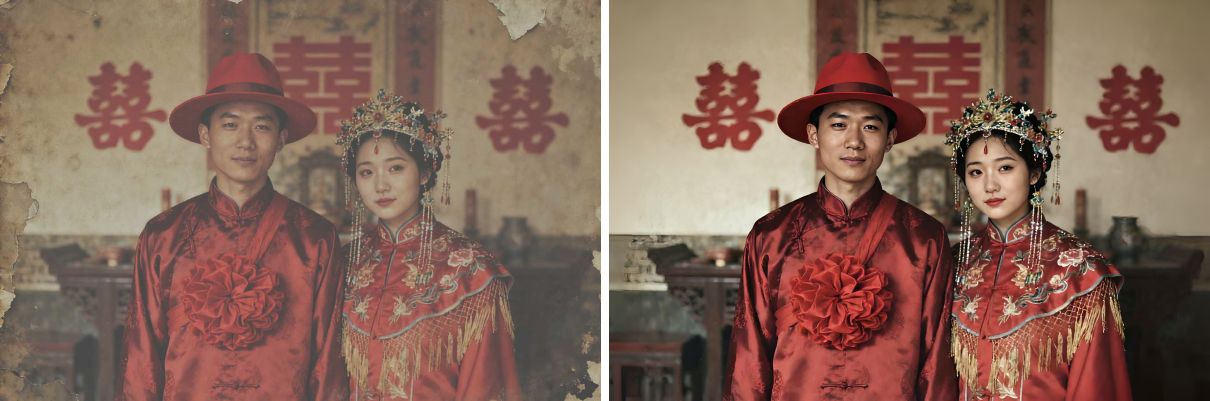
- Color Correction: It recolors faded or even black&white photos, endowing them with vibrant colors.
- Scratch & Tear Repair: It intelligently heals cracks, folds, and creases, making them disappear seamlessly.
- Sharpening Details: It enhances blurred facial features, making every pixel of details clear and shiny.
- Noise & Spot Removal: It clears up grains and noise for a clean, crisp finish.
The result is a stunning, vivid photo that retains all the emotion and authenticity of the original moment, just as it was meant to be seen.
Don’t let those beautiful memories continue to fade. Try PicMa's free Smart Restore feature, and give your family a perfect wedding anniversary gift.
FAQ (Frequently Asked Questions)
Q1: Is Smart Restore really free?
A: Yes, absolutely! The Smart Restore feature on PicMa is 100% free to use on both the web and the mobile.
Q2: What image formats do you support?
A: You can upload common formats like JPG, PNG, and BMP.
Q3: How do I get the best results?
A: For optimal restoration, start with the best possible scan or photo of the original. The image resolution should be greater than 100*100 and less than 2048*2048. The persons in the picture should be at least identifiable and group photos (more than 3 people) are not recommended.
Q4: Can Smart Restore fix a photo that is torn in half?
A: Our AI is excellent at repairing cracks and missing pieces within a photo. However, if the image is separated into multiple physical pieces or it's severely damaged, the result might not be that desirable.


Related Readings:

 210
210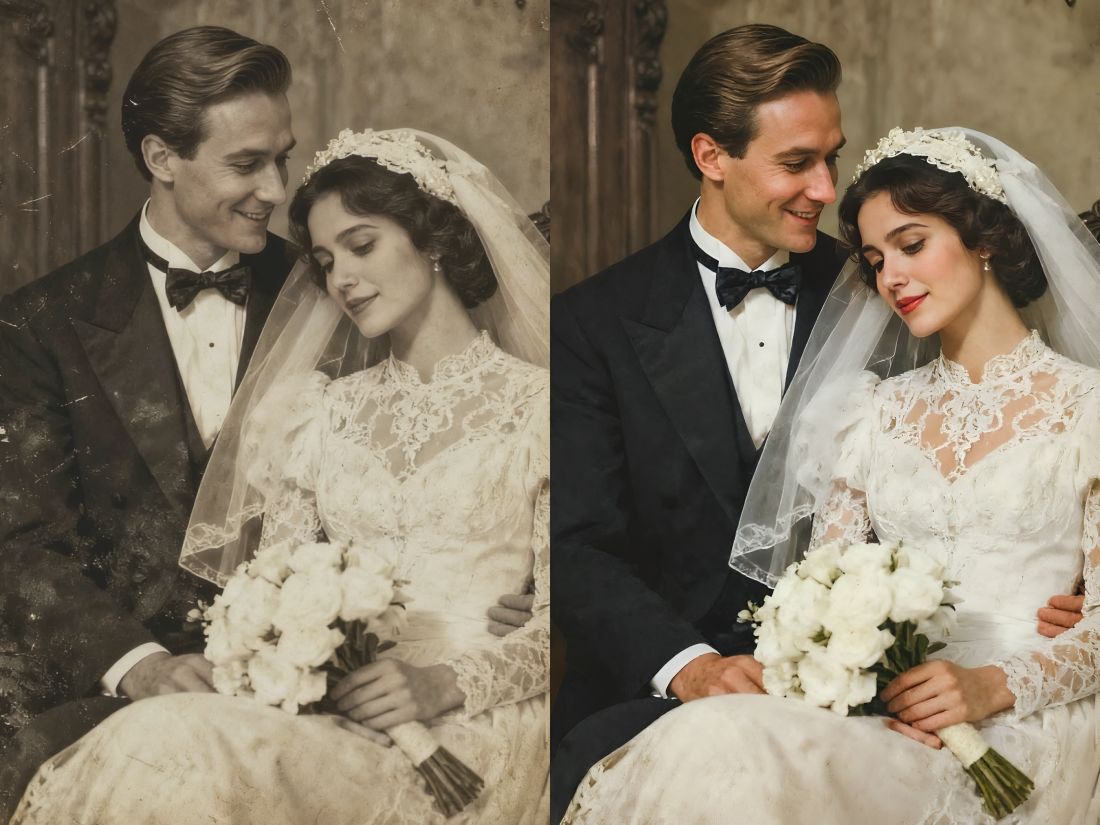

 English