Bad days don’t wait for perfect lighting: the pot catches fire, a prank turns into a jump-scare, chaos sneaks into the frame. Instead of hiding it, flip it. In PicMa, stay positive auto-generates photorealistic, tongue-in-cheek selfies—kitchen’s on fire and I’m still smiling; a clown’s chasing me and I’m still taking a photo. One tap inside the app, and you’ve got meme-ready content that turns stress into laughter.
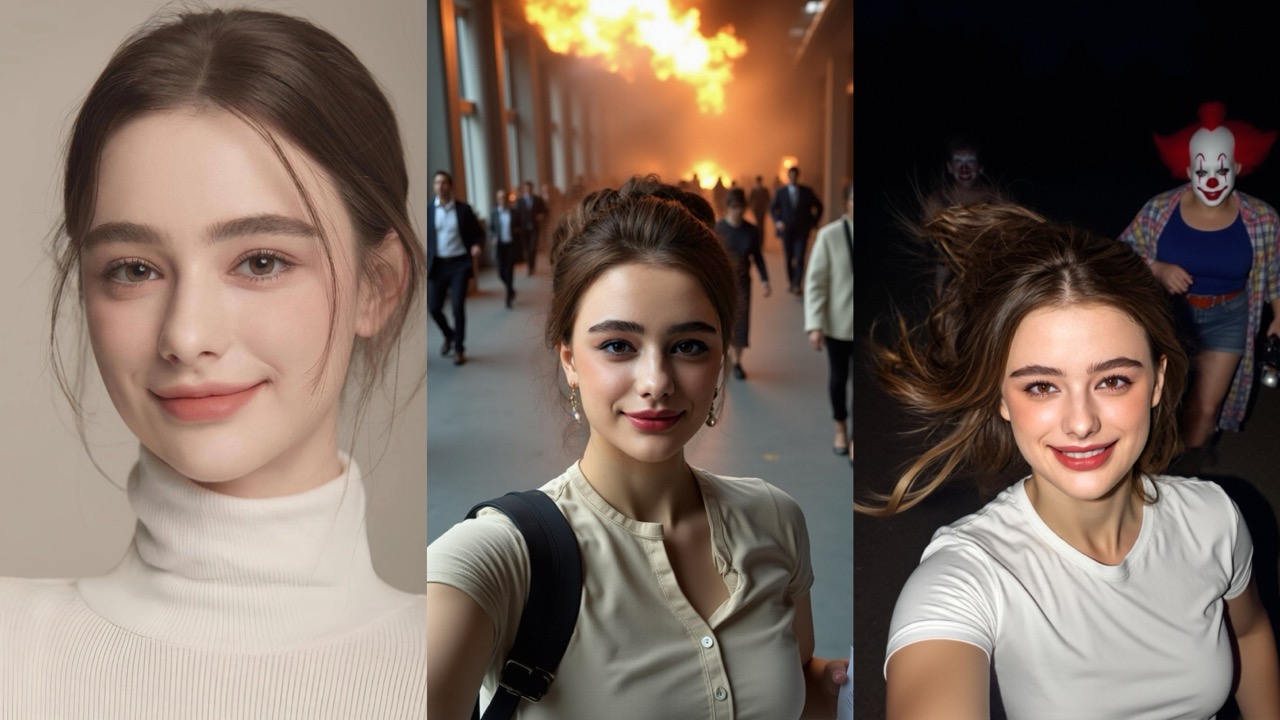
What it is and Why it works
Stay positive is an AI scene generator in PicMa. It creates fictional crisis-comedy shotswhere you stay calm and camera-ready. Stress gets reframed into light, shareable humor—perfect for Stories, Reels, or group chats. Because scenes are synthetic, you enjoy the catharsis without documenting real danger.
Generate in PicMa: Simple Steps
1.Download and open the PicMa app via AppStore and GooglePlay to find stay positive in the AI photo section.
2.Pick a preview or go random. Tap a thumbnail to Get this look (faster in that exact style), or choose Get Random Photos to receive 6 photos across different looks.
3.Generate and review. In seconds you’ll see photorealistic “still-smiling” scenes (e.g., kitchen fire, clown chase, city chaos).
4.Save and share. Export in platform-friendly sizes; re-roll anytime for fresh variations.
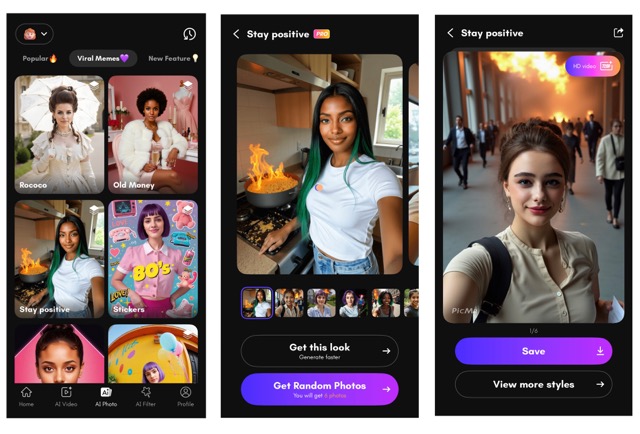
After completing the steps above, if you want to switch from stay positive to a more everyday style, you can also try the AI generation modes below.
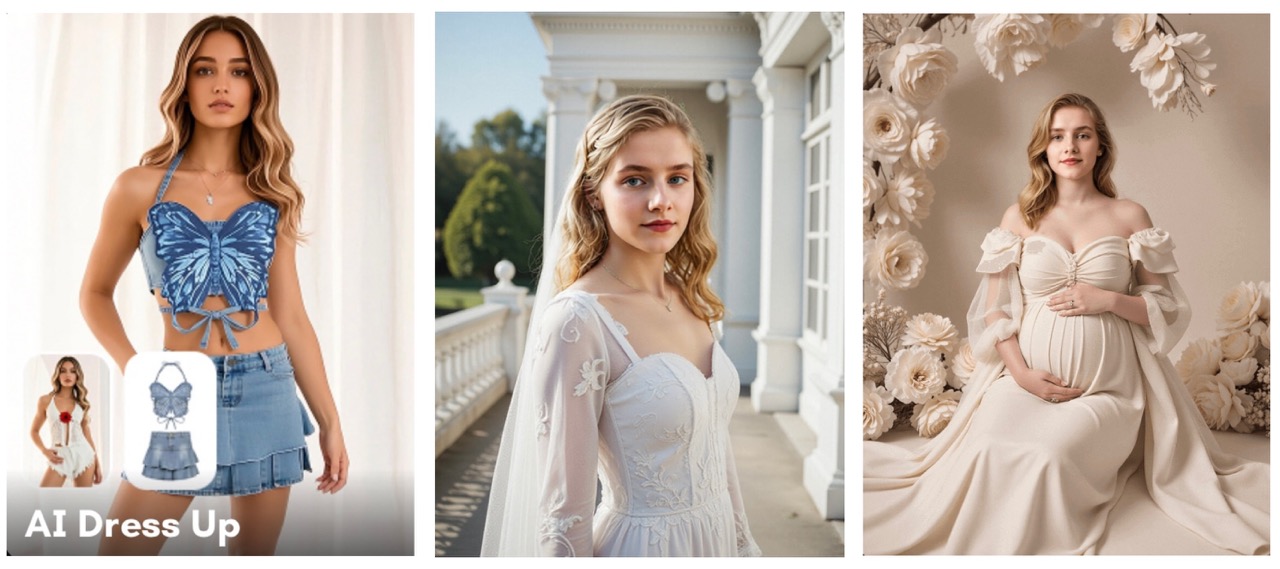
More AI Photo Modes: Lifestyle & Fashion
- AI Dress Up: Instantly try clean tees, streetwear, or seasonal looks—great for style boards, thumbnails, or shopping decisions.
- Wedding Portrait: Elegant bridal portraits with venue-style backdrops for announcements or concept previews.
- Pregnancy Portrait: Tasteful maternity-style images with gentle poses and lighting—explore keepsake aesthetics in a low-pressure way.
Frequently Asked Question of Picma AI Photo
Q1:Is “Stay positive” free?
A:It’s under PRO in PicMa. Pricing/benefits may vary by region/app version—check the in-app PRO page.
Q2:What are the benefits of PRO?
PRO gives you full access across PicMa: it unlocks all features, lifts the cap on AI photo generation so you can create unlimited images, includes bonus video credits to jump-start your video edits, and offers cheaper pricing on additional video-credit packs—perfect for frequent posting or batch creation.
Q3:Can I add my own captions or logos after generation?
A: Yes—use PicMa’s text/sticker tools to overlay short lines or a small logo before exporting.
Q4: The results look off or repetitive—what can I try?
A:Switch to a different preview, re-generate for variety.For any other issues, contact us.
When life gets messy, make it memorable: use PicMa to turn mishaps into photoreal, meme-ready moments that land in one glance. You can also try AI Dress Up, Wedding Portrait, or Pregnancy Portrait to switch up the style.


 163
163

 English