Autumn arrives quietly: warmer drinks, softer light, checked scarves and the sudden urge to give every profile picture a seasonal update. The only problem is that creating a convincing fall portrait usually requires the right outfit, location, weather and timing.
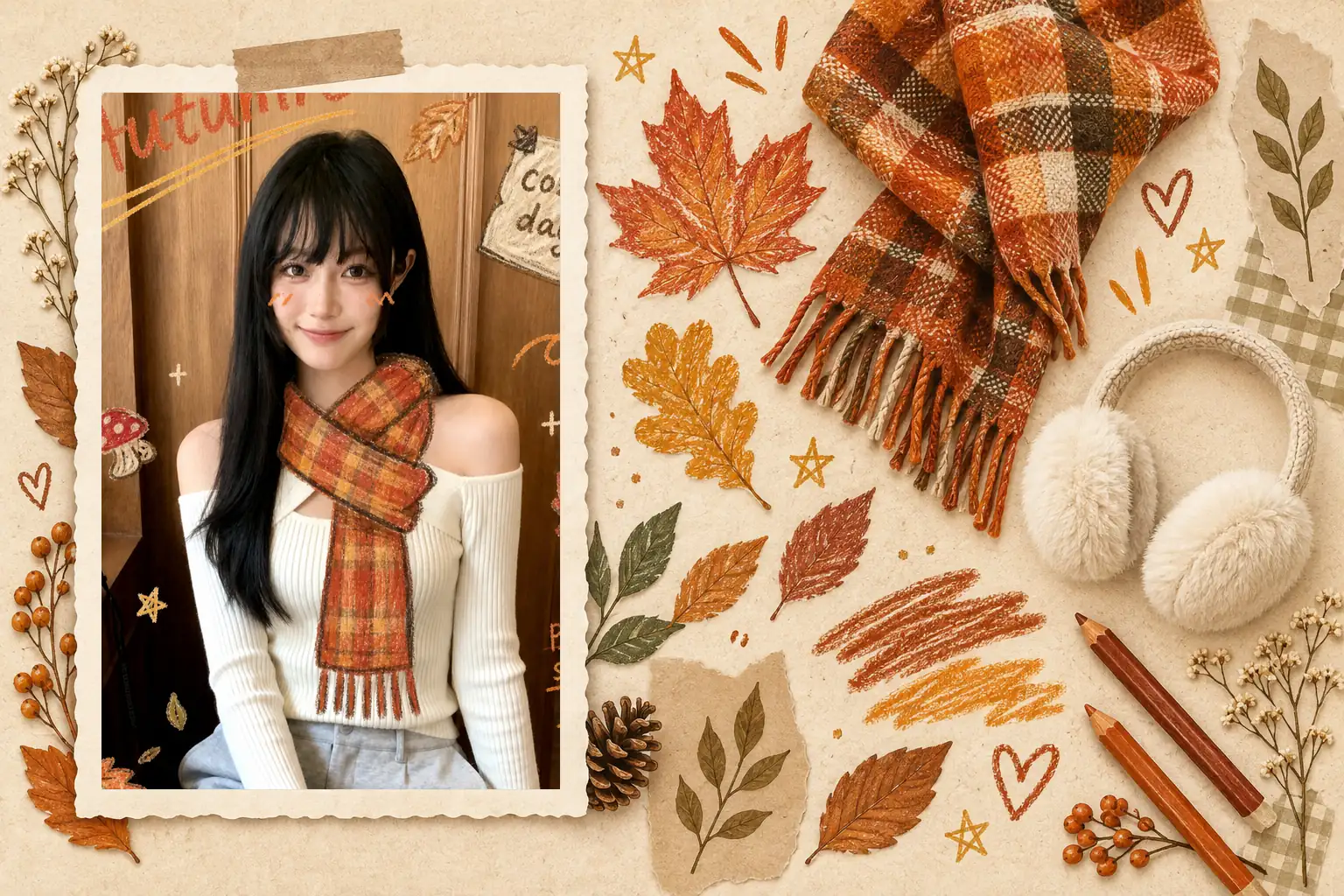
PicMa’s new Autumn Doodle style offers a more playful approach. Upload one photo, and it turns your portrait into a cozy fall scene decorated with hand-drawn leaves, hearts, stars and seasonal details. The result sits somewhere between an autumn photograph and a page from a personal sketchbook.
The Fall Photo Trend Feels More Personal This Year
Traditional autumn portraits often rely on forests, pumpkins and carefully planned outfits. They can look beautiful, but they sometimes feel too polished for an everyday social profile.
The appeal of an AI doodle portrait is its informal character. Autumn Doodle combines recognizable seasonal colors—burnt orange, warm brown and cream—with imperfect crayon-like drawings. A scarf may look hand-sketched, while leaves and small notes appear around the subject like additions to a journal.
That makes the style especially suitable for Instagram posts, seasonal avatars, digital diaries and casual profile updates. It captures the mood of fall without looking like a formal themed photoshoot.
What PicMa’s Autumn Doodle Does to Your Photo
PicMa Portrait Studio or PicMa APP uses your uploaded image as the starting point and applies the Autumn Doodle look around the subject.
The finished portrait can include warm plaid accessories, autumn leaves and playful handwritten decorations. Rather than hiding the original person beneath a heavy effect, the style keeps the face at the center and builds the seasonal atmosphere around it.
For the best starting image, choose a photo with a clearly visible face and reasonably even lighting. A selfie, a waist-up portrait or a simple indoor photo can all work. Complicated backgrounds and strong filters may distract from the hand-drawn details.

How to Create an AI Autumn Portrait in Three Steps
You do not need to plan an outfit or write an image prompt.
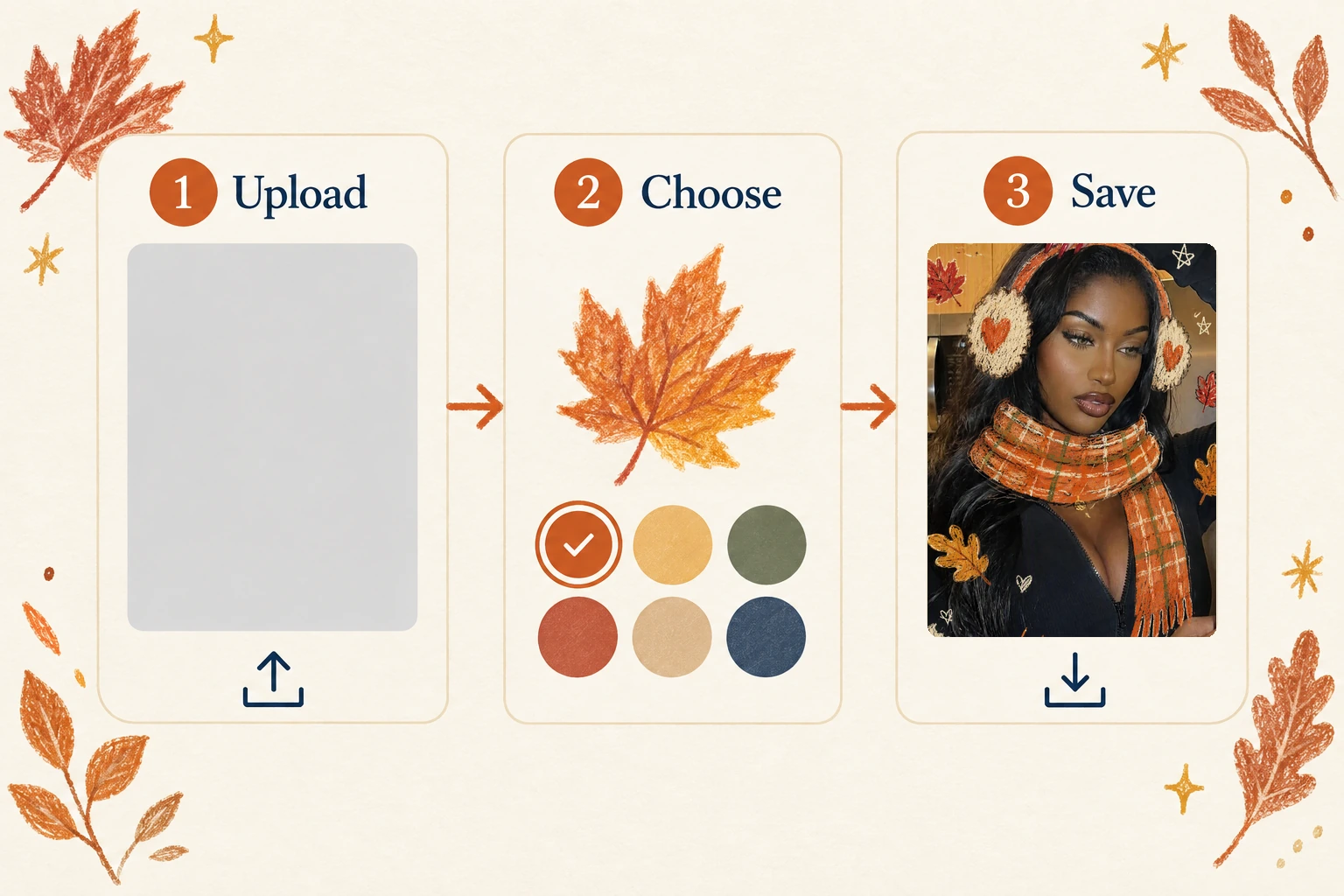
Step 1: Open Portrait Studio.
Visit PicMa’s AI Portrait Studio or PicMa APP from the homepage.
Step 2: Choose Autumn Doodle and upload a photo.
Use a clear image in which your face is easy to recognize.
Step 3: Generate and save your portrait.
Review the result and download the version you want to use.
The whole process is deliberately simple. Most of your decision-making happens after generation: choosing the portrait that best matches your personality and where you plan to share it.
Where an Autumn Doodle Portrait Works Best
A square Autumn Doodle image naturally suits profile pictures and social feeds. The warm palette also works well as a seasonal messaging avatar, playlist cover or digital journal image.
Try matching the portrait to the tone of your account. A close selfie can produce a bold profile image, while a half-body photo leaves more room for scarves, leaves and doodles. If you plan to add a caption later, choose a result with a little visual space around the subject.
One practical note: treat the generated portrait as creative seasonal content. Check facial details, hands, accessories and background elements before sharing, especially when the image will represent you publicly.
Ready to give your camera roll an autumn update? Try Autumn Doodle in PicMa Portrait Studio and turn a simple photo into a cozy fall portrait with a hand-drawn twist.


FAQs
Do I need to wear autumn clothes in the original photo?
No elaborate styling is necessary. A clear photo matters more than already wearing a scarf or autumn-colored outfit.
What kind of photo should I upload?
Use a recent, well-lit image with an unobstructed face. Skip strong beauty filters if you want the result to feel more recognizable.
Is Autumn Doodle only for profile pictures?
Not at all. It can also work for social posts, digital journals, seasonal greetings or simply giving an old selfie a new fall mood.

 41
41

 English