Bring Stained Photos Back to Life with One Click
Physical photos are vulnerable to damages. We might have accidentally smudged them with water stains, coffee spills, or ink. These stubborn stains don’t just ruin the image—they obscure precious details of your personal history. But what if you could easily remove those stains and restore your photos to their original condition?
Thanks to advances in AI technology, saving stained photos is now simpler than ever. With Smart Restore, PicMa’s free AI-powered tool, you can erase stains, discoloration, and other physical damage from your photos with just one click.

Take a Look at PicMa's Smart Restore
Traditional restoration methods often required professional skills, which usually came with a high cost. But those days are now a thing of the past. PicMa's highly-trained AI can precisely identify the stains, as well as the scratches and damages in the picture. Smart Restore uses deep learning algorithms trained on millions of images. It doesn’t just "cover up" stains—it analyzes the photo to reconstruct what the original image looked like beneath the damage.
In the spirit of continuous innovation, PicMa keeps upgrading its AI enhancement tools. Now Smart Restore can accommodate more types of pictures and resolve more severe damages.
How to Repair My Photos in an Instant
Here are the steps:
- Visit PicMa Studio on the web or download the PicMa app (Android or IOS)on your mobiles
- Find the Smart Restore feature and select your scanned photo from your device
- Click the "Restore" button. In seconds, your restored photo is ready to save and share
Whether it’s a portrait, a pet photo, or a vintage family picture, no matter how severe the damage is, Smart Restore can always address it while preserving the authenticity of the original image.
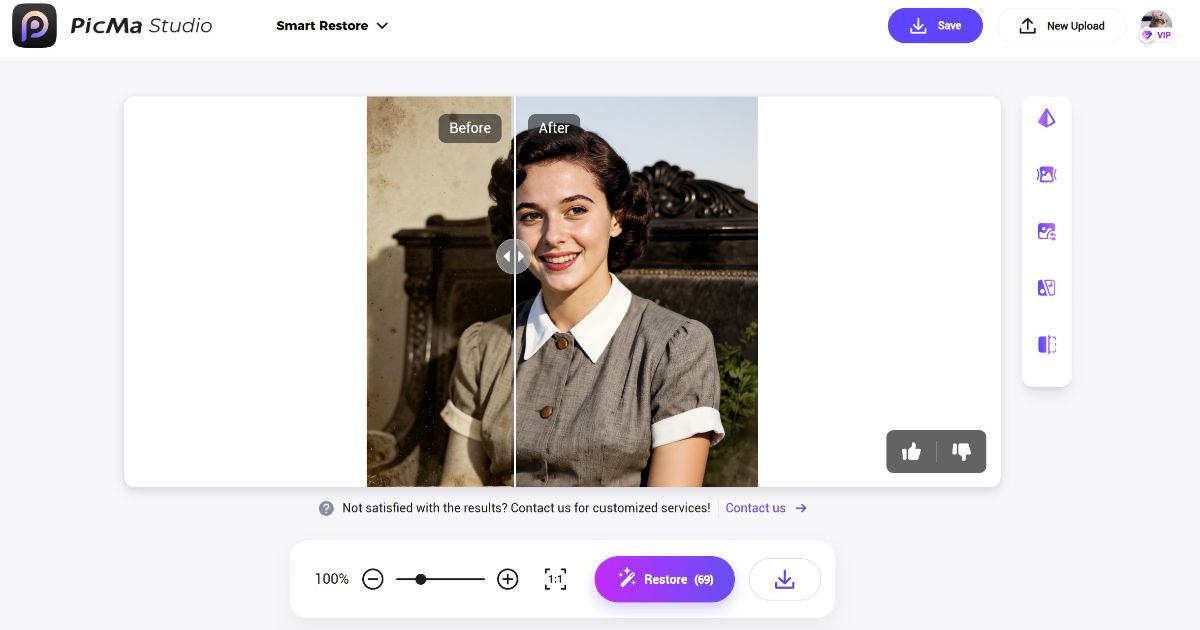
Don’t Let Stains Erase Your Memories
Your photos tell your story, so don't let annoying stains ruin your cherished memories—now you can easily bring them back to life.
Try the free Smart Restore feature on PicMa today and give your old photos a second chance.

Frequently Asked Questions (FAQ)
Q1: Is Smart Restore really free?
A: Yes! You can upload, restore, and download your photos without any cost. You may also upgrade to VIP for more credits and benefits.
Q2: What types of photos can Smart Restore work on?
A: Any kind of damaged, faded, blurred and stained photos can be restored easily here.
Q3: Will the restored photo look natural?
A: Absolutely. The AI is designed to reconstruct missing details based on the surrounding areas, ensuring a natural and seamless result.
Q4: Can I use Smart Restore on my phone?
A: Yes! PicMa is accessible via mobile app on Android or Apple devices.
Q5: What if the stain is too large or severe?
A: Don't worry, with our newly upgraded Smart Restore, even severely damaged photos can be revived in the blink of an eye.


Related Readings:

 164
164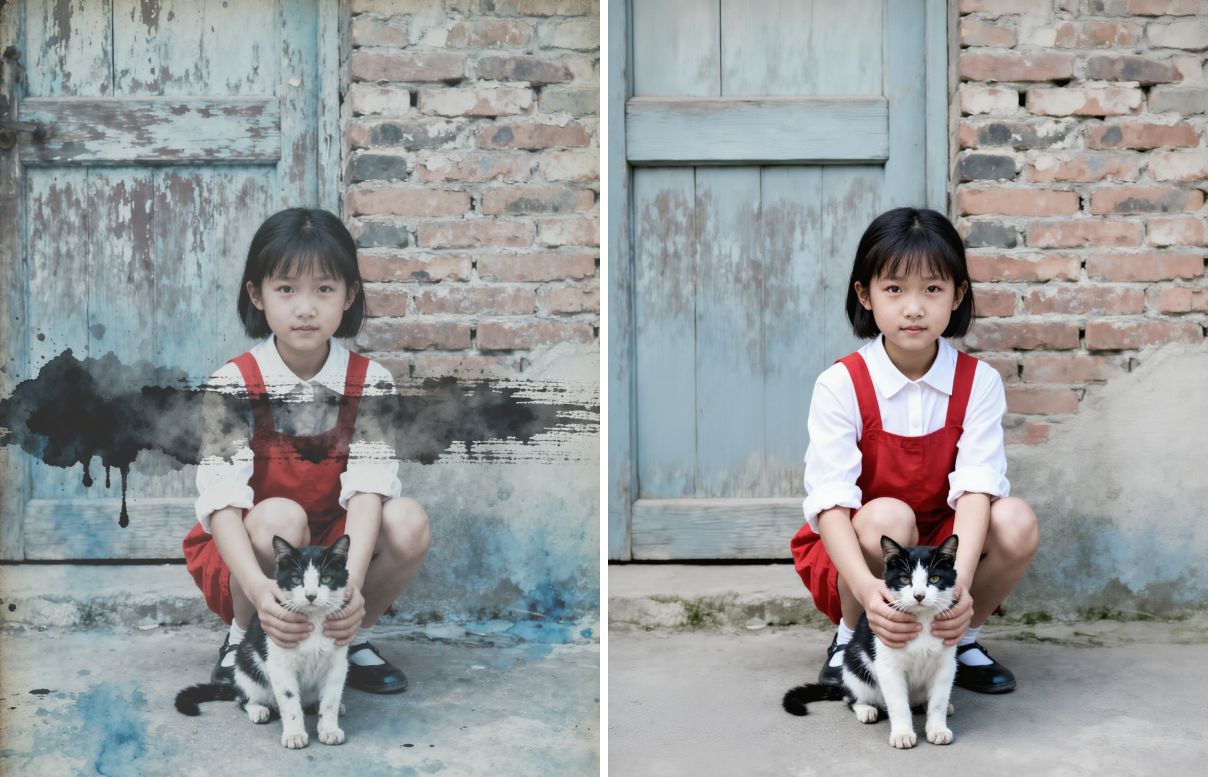

 English