Blurry Videos — Your Social Media Engagement Killer
Perhaps you have uploaded some precious videos shot in your childhood or shared some funny video clips on social media platforms. But older videos or those shot on early-generation smartphones often lack the pixel density to look clear on modern high-definition screens, so these videos may be blurry, shaky, or just low-quality. That disappointment is real. For years, restoring these videos required expensive software and professional editing skills. But what if you could revitalize them with a single click?
At PicMa, our impressive AI-powered tool, Video Enhancer, is now bursting onto the scene. It's designed to instantly turn your blurry, low-quality videos into clear, sharp, and stunning visual stories.
The Magic of PicMa’s Video Enhancer
So, how do you fix these issues without any knowledge about video editing? The answer is AI. Our Video Enhancer is a sophisticated AI model trained on millions of videos, so it can intelligently analyze every frame of your video to understand and reverse the causes of degradation. With just one click, the AI will unblur and sharpen the details, smoothening digital noise while preserving the original feeling. Then it can intelligently upscale the video to a higher resolution (like 1080p or even 4K), adding new pixels to create a sharper, more defined image that looks fantastic on screens.
You can choose targeted models for specific issues:
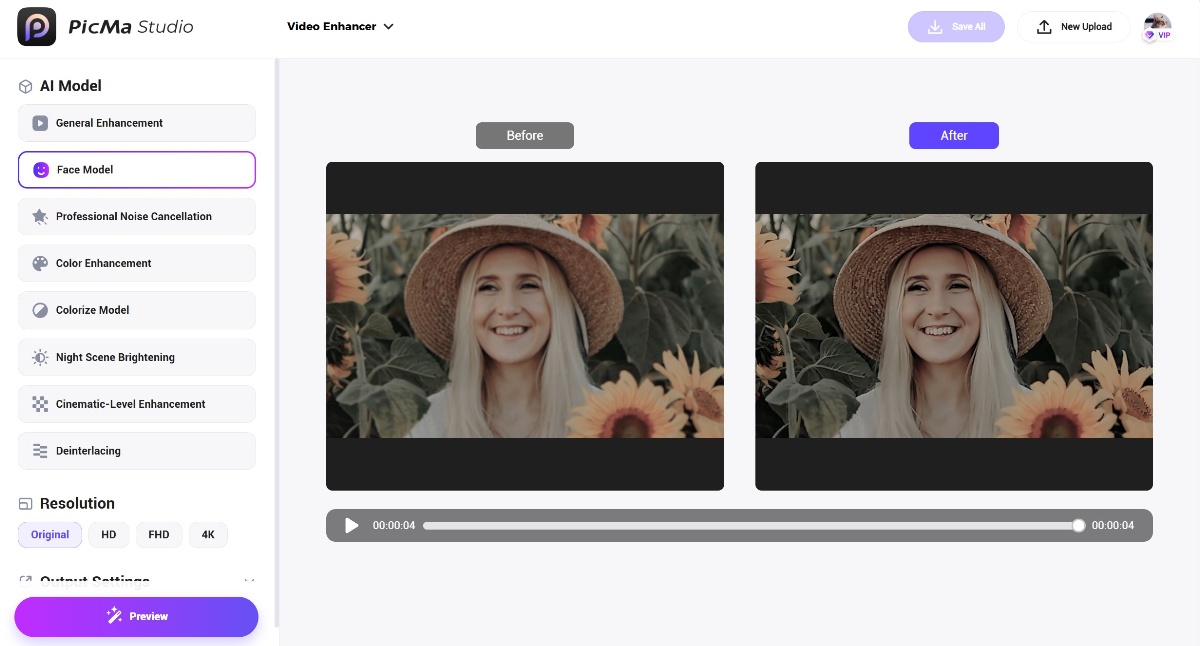
- General Enhancement: Reduce noise and render high-definition results. Suitable for most videos.
- Face Model: Precisely detect faces and enhance portraits to HD clarity.
- Professional Noise Cancellation: Remove grain and noise. Support multi-pass processing.
- Color Enhancement: Enhance existing colors by boosting saturation.
- Colorize Model: Add colors to black and white videos.
- Night Scene Brightening: Illuminate low-lit videos with higher brightness and contrast.
- Cinematic-Level Enhancement: Add a film-like quality to videos, making low-noise, high-quality videos even more delicate and clear.
- Deinterlacing: Restore unnatural scenarios such as jagged edges, blurring, or flickering in motion areas.
How to Restore Your Video in 3 Simple Steps
The best part about our technology is its simplicity. You only have to follow these steps:
- Upload: Go to the PicMa Studio website and navigate to the Video Enhancer tool. Upload your blurry video file.
- Set: Choose an AI model based on your video, and set parameters like resolution and output format.
- Enhance: Click the “Enhance” button to activate the AI. The process is fully automated and fast.
- Download and Share: Preview the stunning result. The side-by-side comparison will show you the dramatic improvement. If you're satisfied, just share it with others!
You can also access this feature on the PicMa mobile app, which is easier to use!
Don’t Let Blurry Videos Hinder Your Reach on Social Media
Ready to see your memories in a new light? Visit PicMa today and transform your fuzzy footage into a fantastic work. Your social media content deserves more attention.
FAQ (Frequently Asked Questions)
Q1: What types of video formats are supported?
A: We support common formats like MP4, MOV, MKV. Each video should be less than 5 minutes in duration.
Q2: Can I use the Video Enhancer for commercial purposes?
A: Absolutely! You can share the results on social media platforms freely.
Q3: How long does the enhancement process take?
A: It usually takes just a few minutes, depending on the file size.
Q4: Will the enhanced video look completely natural?
A: Yes! Our AI is trained to intelligently reconstruct details in a way that looks authentic and natural, not artificial.
Q5: Can I try it for free?
A: Yes! You can experience Video Enhancer for free now. No hidden costs.


Related Readings:

 195
195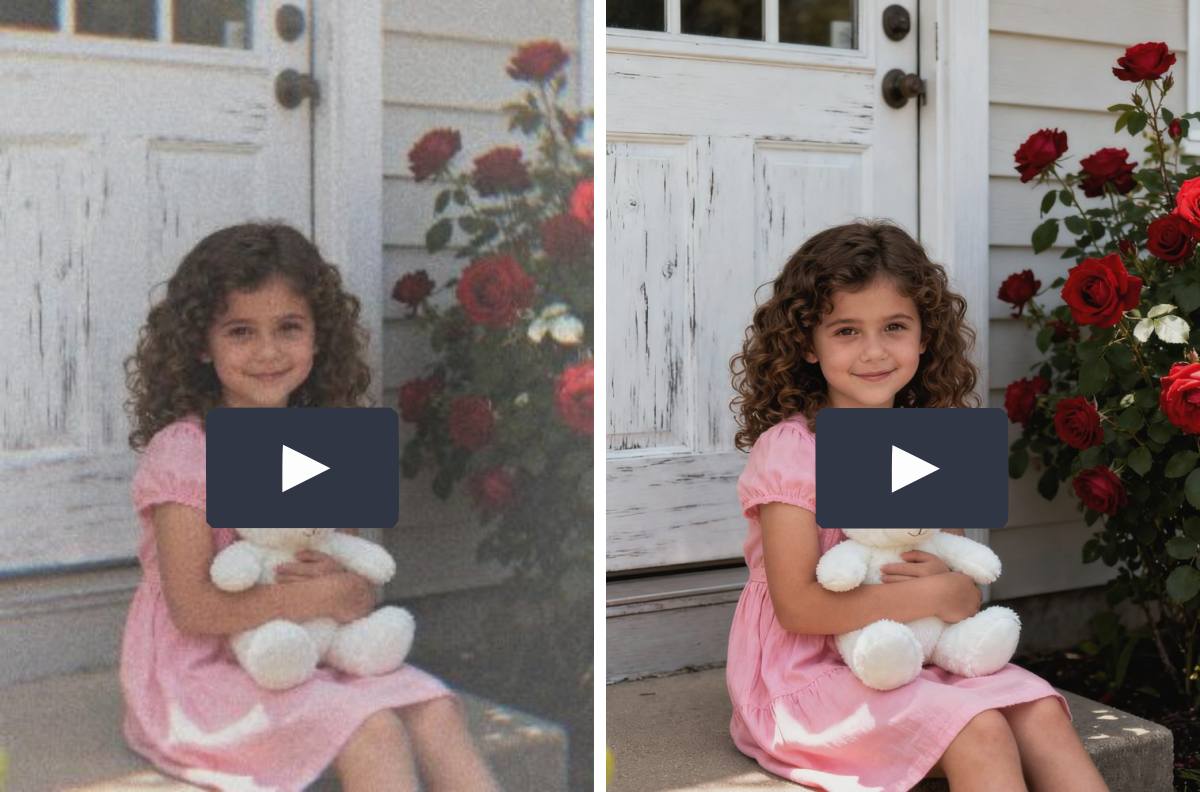

 English