We’ve all been there — a precious video moment ends up too blurry, too dark, or too pixelated to keep. You might think it’s hopeless, destined for the trash folder.
But thanks to AI video enhancement tools, restoring those videos is now easier than ever — no editing experience, no expensive software, and no powerful computer required.
Yes, it’s possible to improve low-quality footage and make it clear, vibrant, and usable again.
What Exactly Is a "Low-Quality" Video?
Low-quality doesn’t just mean “not HD.” It means:
- A birthday video that’s so dark, you can’t see anyone’s face
- Childhood family footage that looks like it’s behind a frosted glass
- A school performance recorded too far away to identify your kid
- Travel clips you wanted to post, but compression made them grainy and dull
Until recently, most of these videos were simply unsalvageable. But AI has changed the game.
What Can AI Video Enhancement Actually Do?
AI doesn’t just sharpen or brighten your footage. It uses trained models to analyze, predict, and reconstruct the missing or degraded parts of your video. That means it can:
- Recognize and restore blurred facial features
- Brighten night scenes while reducing noise
- Stabilize shaky frames
- Increase resolution (from 480p to 1080p or higher) without pixelation
It’s not just “cleaning up” your footage — it’s understanding what the content should look like, and intelligently rebuilding it.
Can Low-Quality Videos Truly Become High Quality?
Yes — but AI isn’t magic.
It won’t turn a pixelated mess into a Marvel movie,
but it can absolutely make footage clearer, brighter, and more watchable.
From “unusable” to “worth keeping and sharing” — that’s the power of AI.
Do You Need Special Tools or Skills?
Not at all.
Take PicMa AI Video Enhancer for example — it’s fully web-based and also available as a mobile app. No downloads, no technical setup. Just:
- Upload your video
- Choose the enhancement model (Portrait, Night, Vintage, etc.)
- Wait a few minutes
- Download your upgraded video
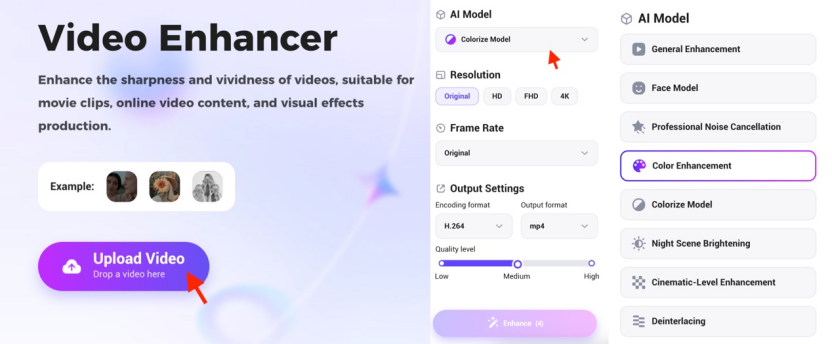
It’s built for regular users, not pros. And on the app, there are no usage limits, making it perfect for daily creators.
Multiple AI Modes for Different Needs
PicMa isn’t one-size-fits-all. Its models are tailored for specific use cases:
- Portrait Enhancement – Great for face detail recovery
- Night Scene Boosting – Ideal for dark, low-light footage
- Vintage Restoration – Revives old, faded recordings
Example:
Imagine a dinner party video where everyone’s faces are buried in shadow. After AI enhancement, the lighting is balanced, facial features are clear, and the overall look is clean and vibrant — ready to share.
Who Should Use AI Video Enhancement?
- Families looking to restore old home videos
- Creators who film with smartphones and want better quality
- Small brands or social media marketers
- Anyone wanting to polish everyday clips with minimal effort
Blurry ≠ Broken
Your video might be blurry, noisy, or pixelated — but that doesn’t mean it’s beyond saving.
With the right tool, even imperfect footage can be transformed into something worth keeping.
PicMa Video Enhancer offers a fast, beginner-friendly way to do just that — online or on mobile.


Related Readings:

 345
345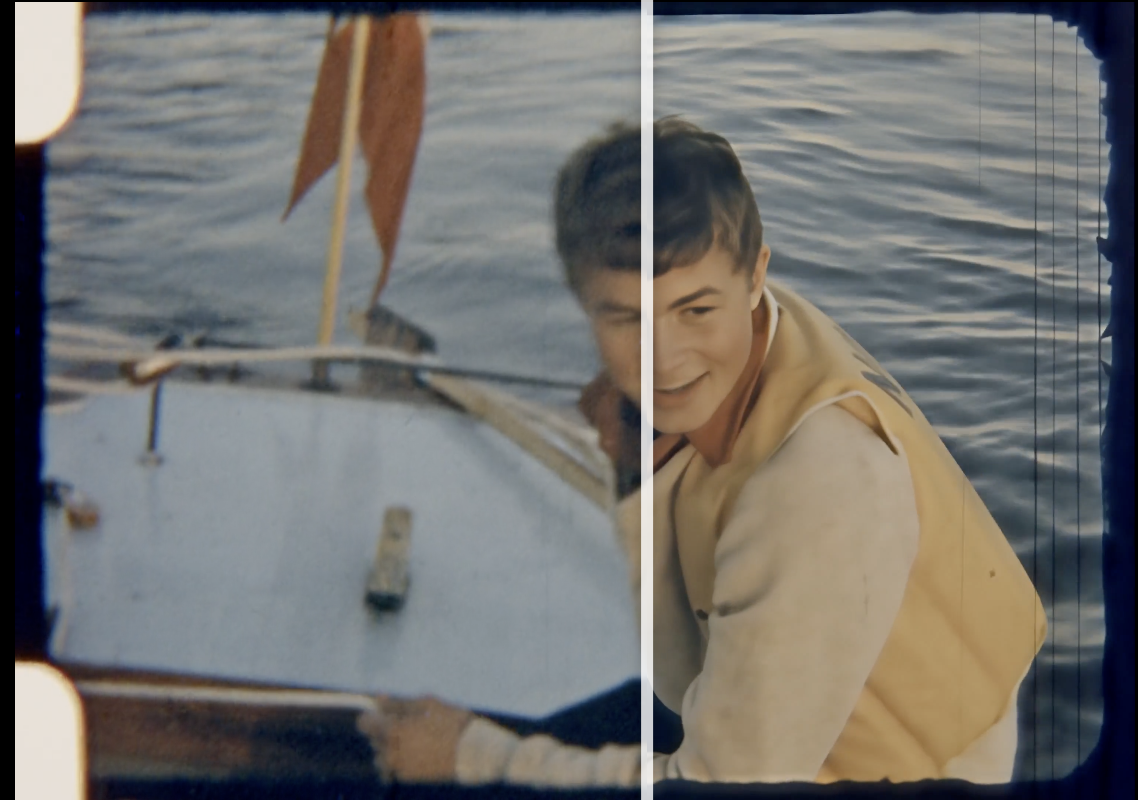

 English