For many of us, our first pets weren't just animals. They were our childhood confidants, our first roommates, and our best friends. They witnessed our awkward teenage years and comforted us when we cried.
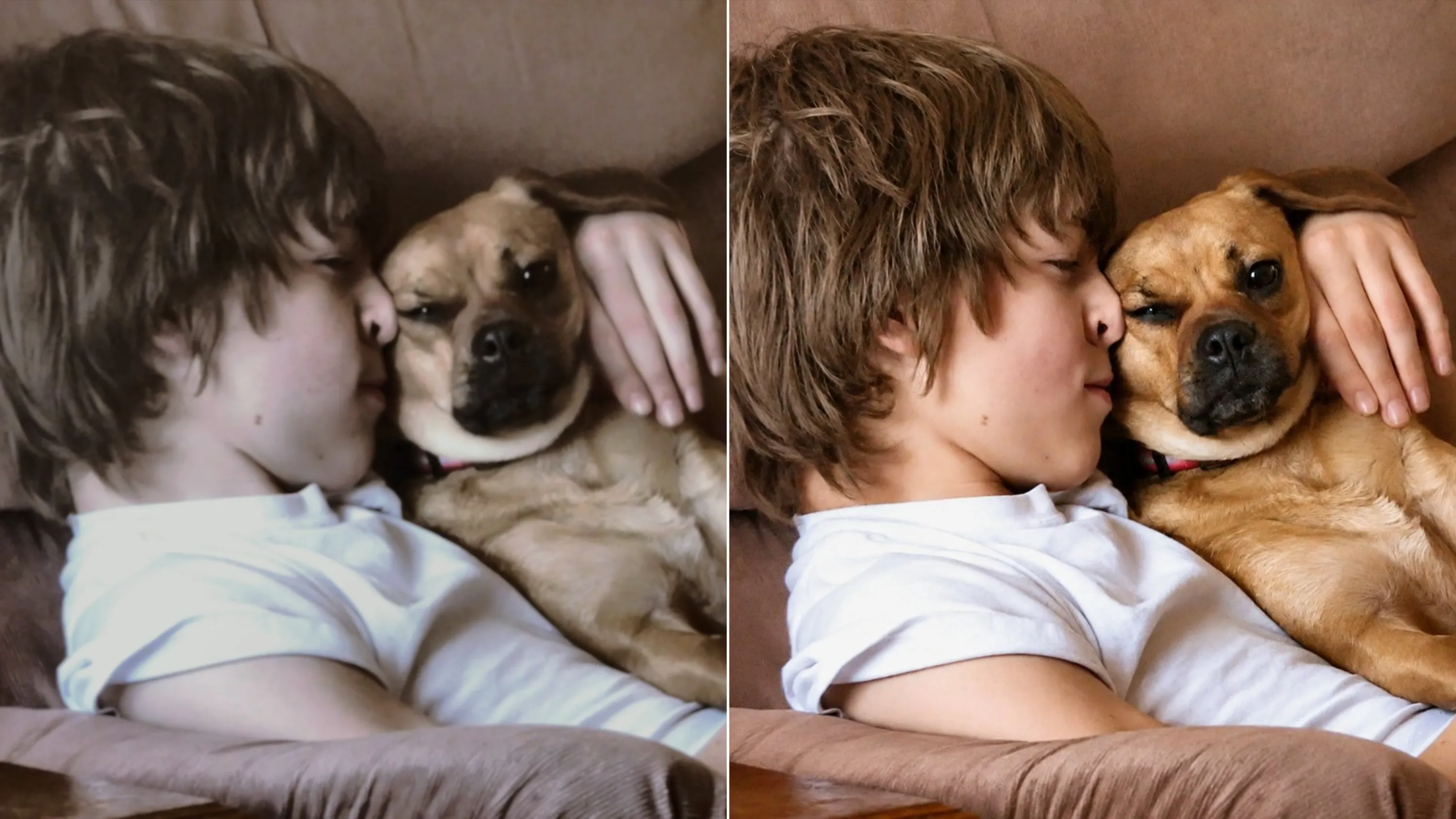
But if you raised a pet in the early 2000s or 2010s, you probably face a heartbreaking reality: the only photos you have of them were taken on old flip-phones, low-megapixel digital cameras, or shaky early iPhones.
Those photos are often blurry, pixelated, and too small to print. When you look at them on today’s high-resolution screens, your beloved pet’s face is lost in a sea of gray pixels.
If you’ve ever wanted to print a framed photo of your late childhood cat, or simply want a clear digital keepsake of the dog who started it all, there is a way to rescue those memories. Today, we’re sharing a gentle guide on how to enhance old pet photoswithout losing their original soul.
The Challenge: Why Pet Photos are Hard to Restore
If you’ve tried using standard photo editing apps to fix a blurry cat picture or an old dog photo, you’ve probably ended up disappointed. Traditional tools usually just "sharpen" the image, which actually makes pixelated fur look like harsh wire, destroying the soft, cuddly look of your pet.
Pets are incredibly difficult for standard software because of:
- Fine Fur Details:Fur easily turns into a muddy, blurry smudge in low-resolution photos.
- Low Light/Shaky Hands:Pets rarely sit still, and old cameras struggled with indoor lighting, resulting in motion blur.
- Whiskers and Eyes:The soulful look in a pet's eyes and the delicate curve of their whiskers are often the first details to disappear in low-res files.
This is where specialized AI technology comes in. Instead of just guessing, modern AI can intelligently reconstruct those lost details.
How to Bring Back the Details: A Step-by-Step Guide Using PicMa AI Photo Enhancer
To bring these precious memories back to life, we are using PicMa, an intuitive AI image tool designed with a highly precise Photo Enhancerfeature. Unlike generic editors, PicMa’s AI understands texture—meaning it knows the difference between a pixelated smudge and soft cat fur.
Here's how you can restore your pet’s photos in less than two minutes using PicMa AI Photo Enhancer:
For web users,
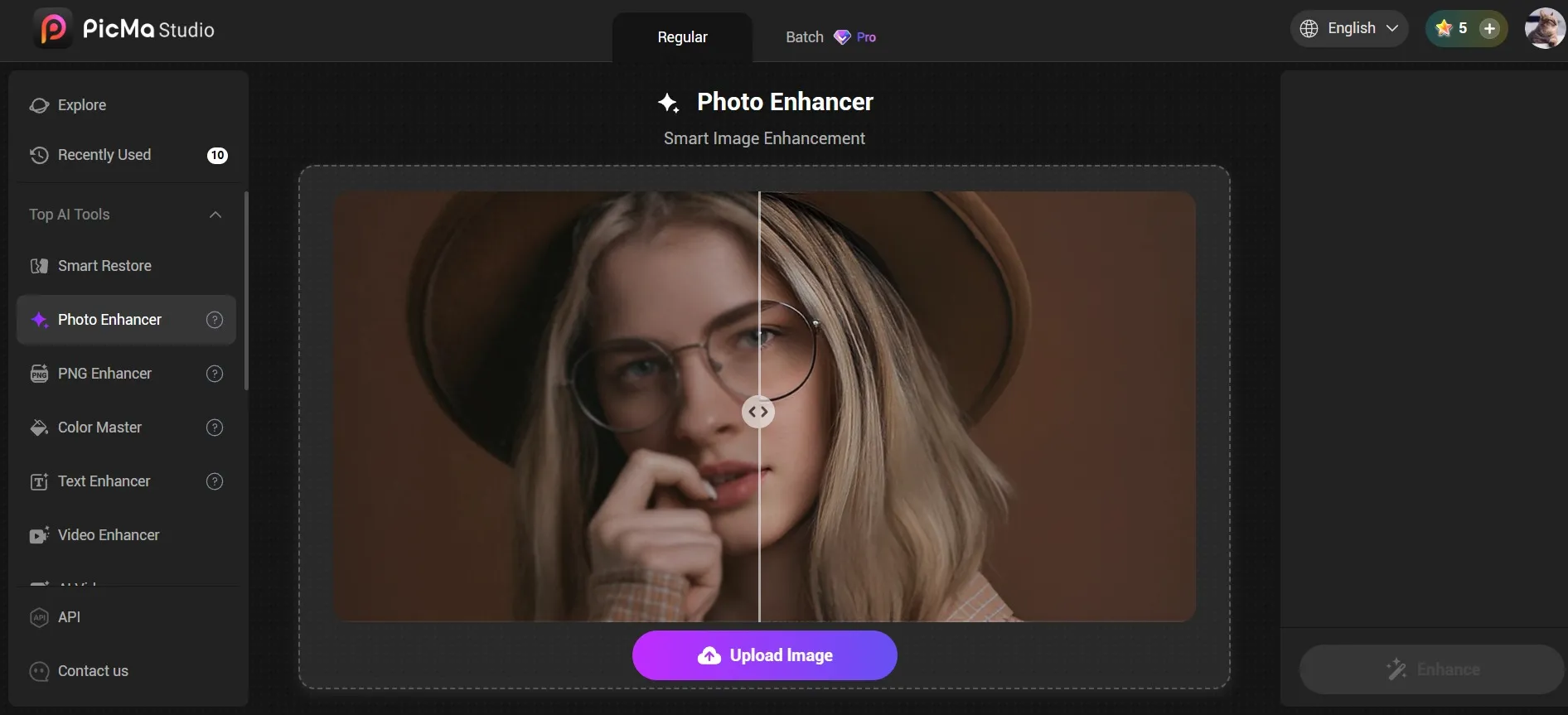
1. Click "For Image" on the homepage to access the tool page, then select "Photo Enhancer." You can fix your photos one by one, or upload them in batch (super convenient), and the results was ready in just a few seconds. The before/after comparison viewer is eye-opening.
2. Directly download the enhanced photos.

Of course, for mobile users, you can:
1. Download the PicMa app on Google Play or the Apple Store.
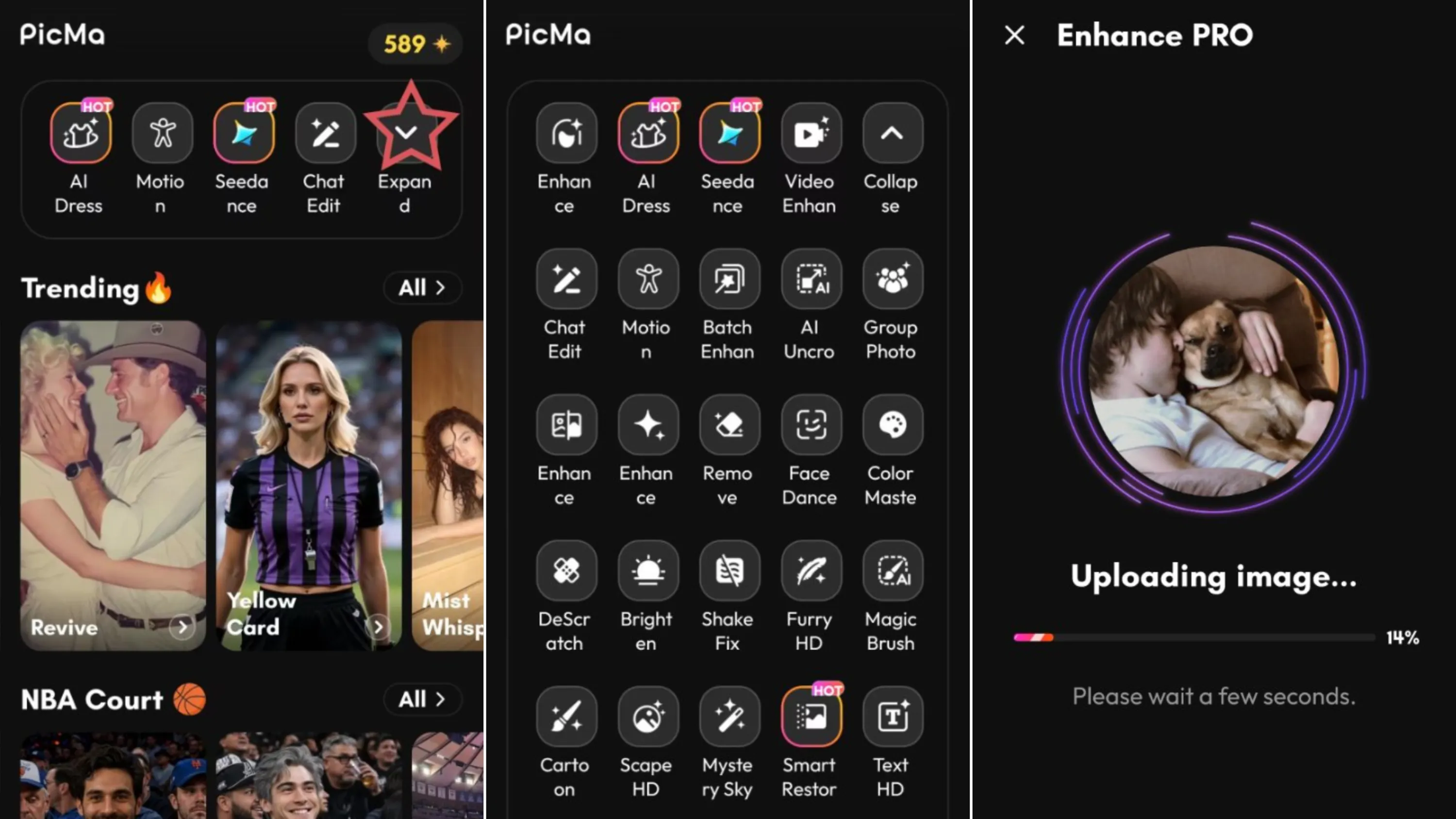
2. Click the Enhance Pro button on the PicMa homepage, select a photo you wish to improve, and start.
3. The generation process takes just a few seconds; once complete, you can download the image—or, utilizing the provided features, perform further edits on the generated result.
Tips for Getting the Best Results
While AI is incredibly powerful, here are a few tips to get the most natural-looking results. First, don't over-enhance. Sometimes, a 2x or 4x upscale is more than enough. Going too high can occasionally make the photo look tooperfect, losing that vintage charm. Second, keep the original colors. If the old photo has a warm, nostalgic tint, PicMa will preserve that emotional tone while only fixing the clarity and resolution.
Preserving the Memories That Matter
Our pets give us a lifetime of love in a too-short span of years. While we can’t bring them back, we canprotect the visual memories they left behind. If you have a folder of old, blurry pet photos sitting on an old hard drive or hidden in a shoebox, don't let them fade away. Give them the digital restoration they deserve.
Want to try it on your own childhood pet photos?You can upload your first image to PicMa today and see the difference for yourself. Keep their memory alive, in high definition.


Related Readings:

 81
81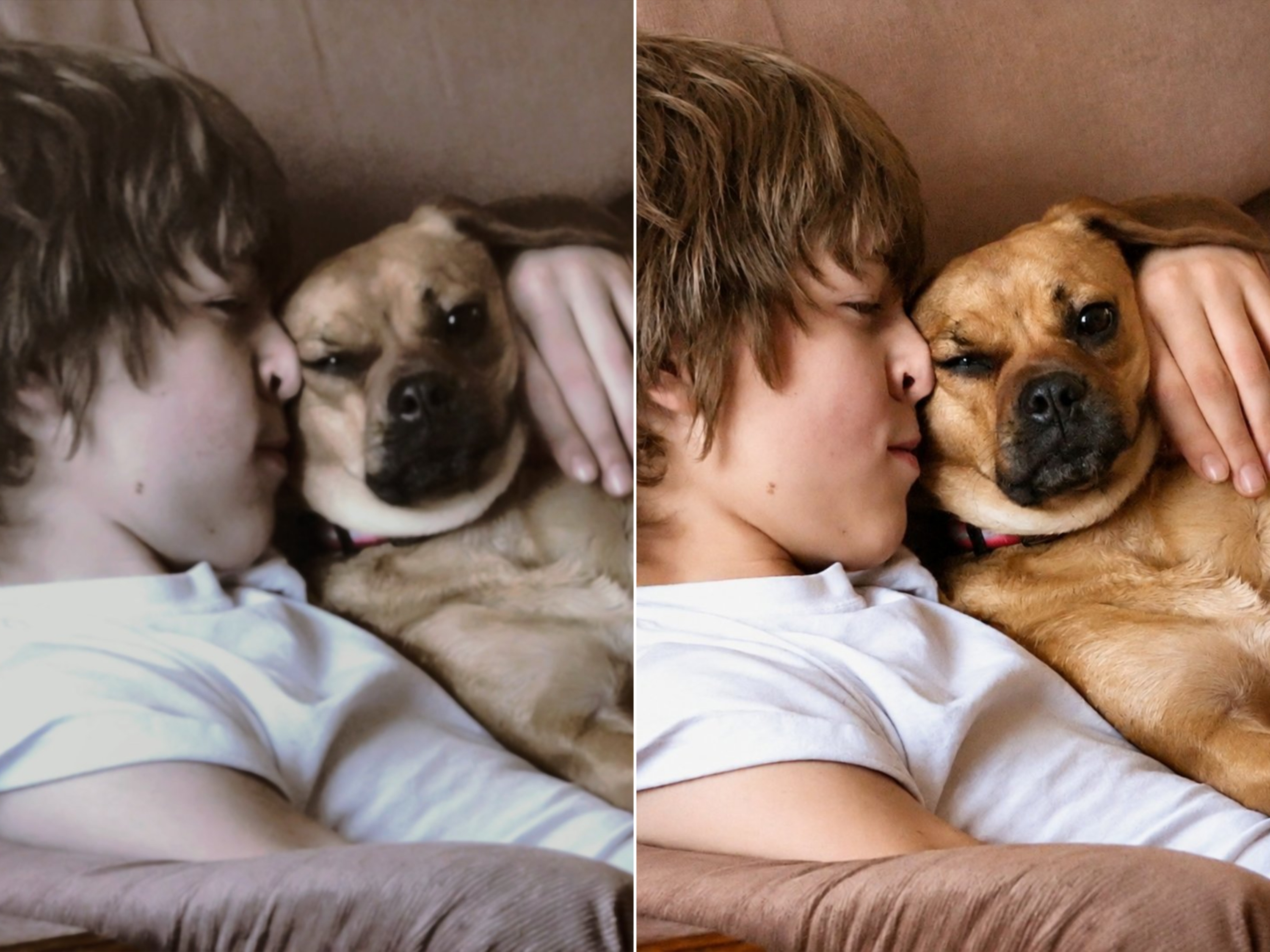

 English