Remove Noise & Grain Like a Pro: Introducing Photo Enhancer
In today's world, taking pictures has nearly become part of our daily routine, and everyone values photo quality much. Sometimes, you may dig out an old photo taken with a low-end mobile phone, or you want to save an image from your social media, but the blurriness, noise, and grain in the picture often upset you. Not everyone has access to high-end cameras or professional editing software—but everyone deserves perfect photos.
That’s why we’re excited to introduce Photo Enhancer, an astonishing feature from PicMa Studio. It allows you to improve image quality instantly with just one click. Now you can remove those annoying noise and grain from your photos without effort.
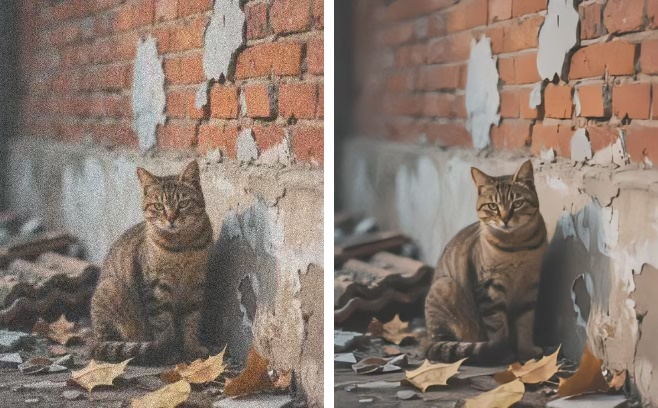
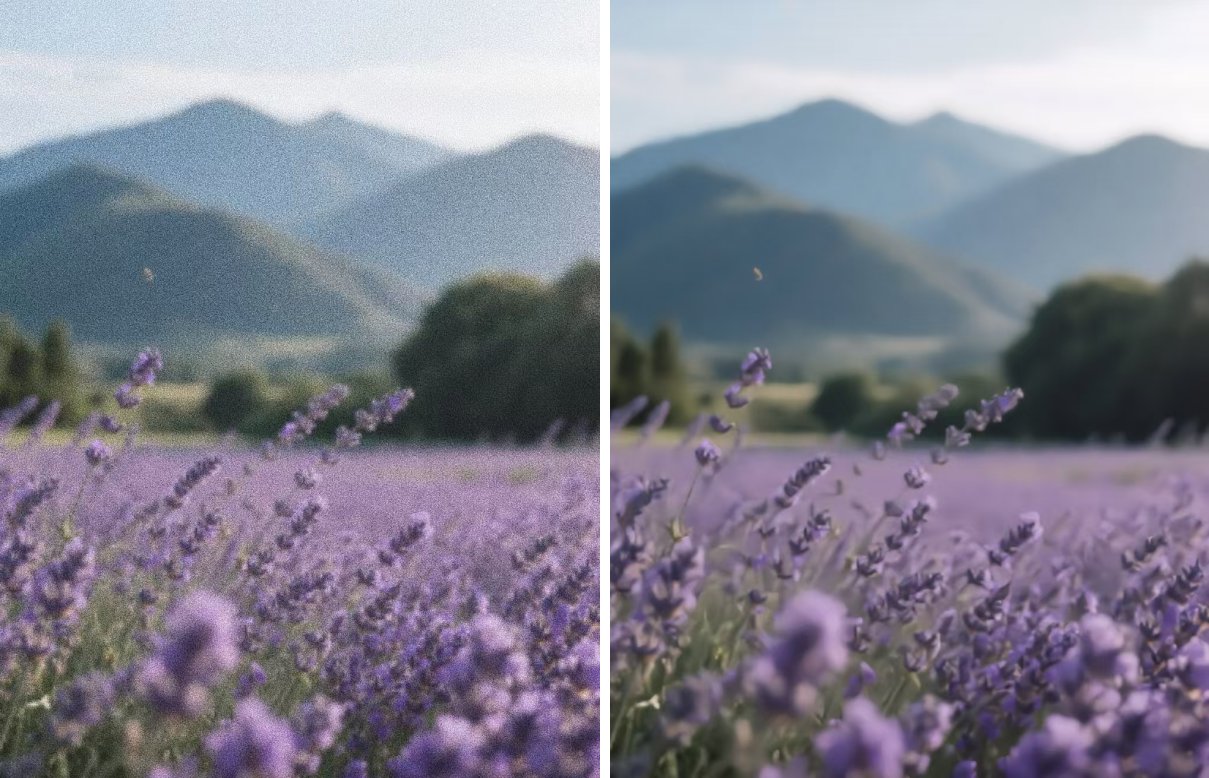
How Does Photo Enhancer Work?
Using deep learning AI algorithms, Photo Enhancer analyzes your image thoroughly to identify and correct imperfections while preserving important details. It enhances clarity, reduces grain, and optimizes lighting—all automatically, without any manual effort.
Whether you're restoring an old family photo, polishing a selfie, making your TikTok content or preparing images for a presentation, this Photo Enhancer can always be your right hand.
How to Use Photo Enhancer
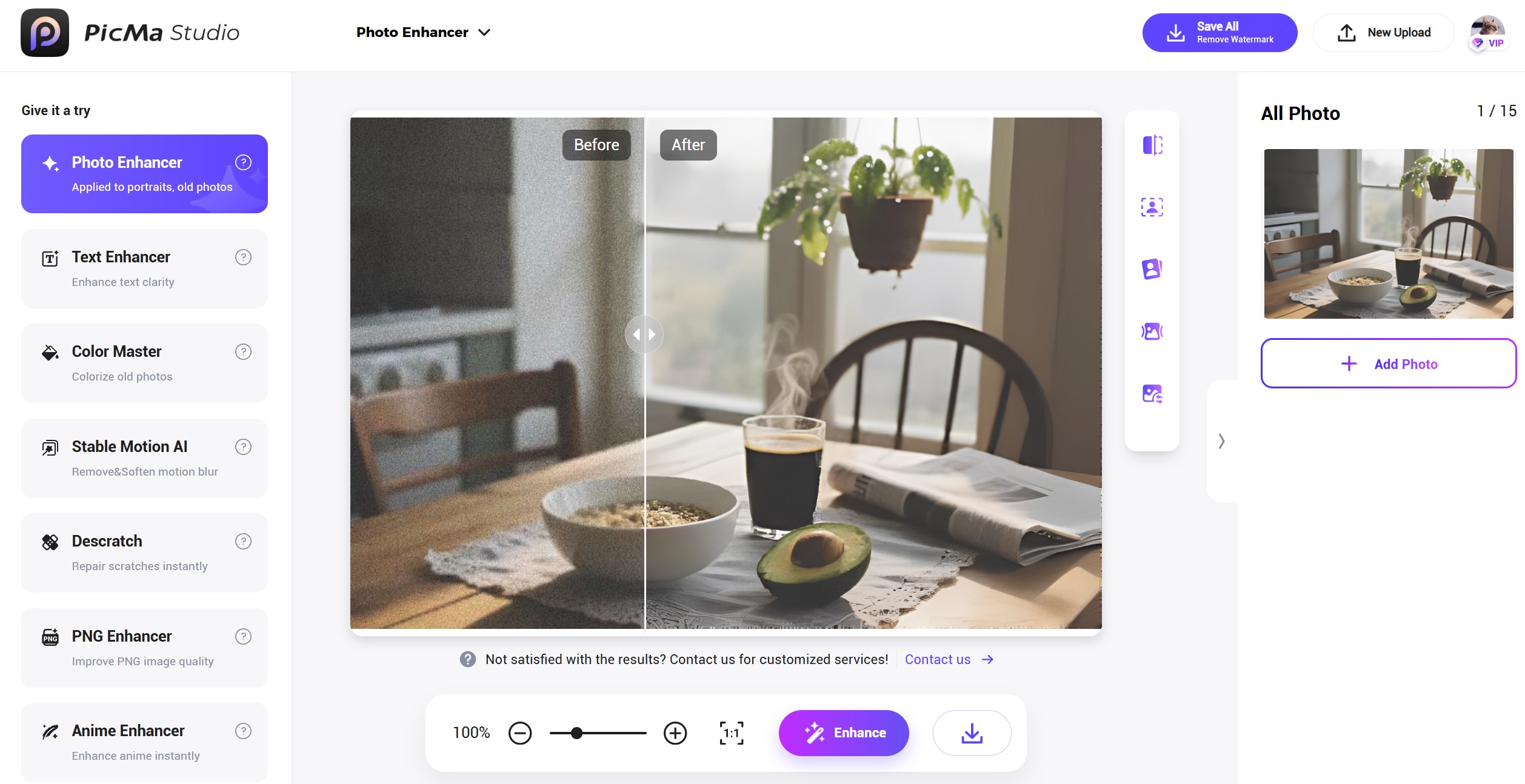
To see the magic yourself, just follow these steps:
- Visit PicMa Studio and go to the “Photo Enhancer” section
- Select your image by uploading or dragging. You can handle the images in bulk (15 images at most)
- Our AI will process your image within seconds. Compare the before and after results. If you’re satisfied, download your enhanced photo right away
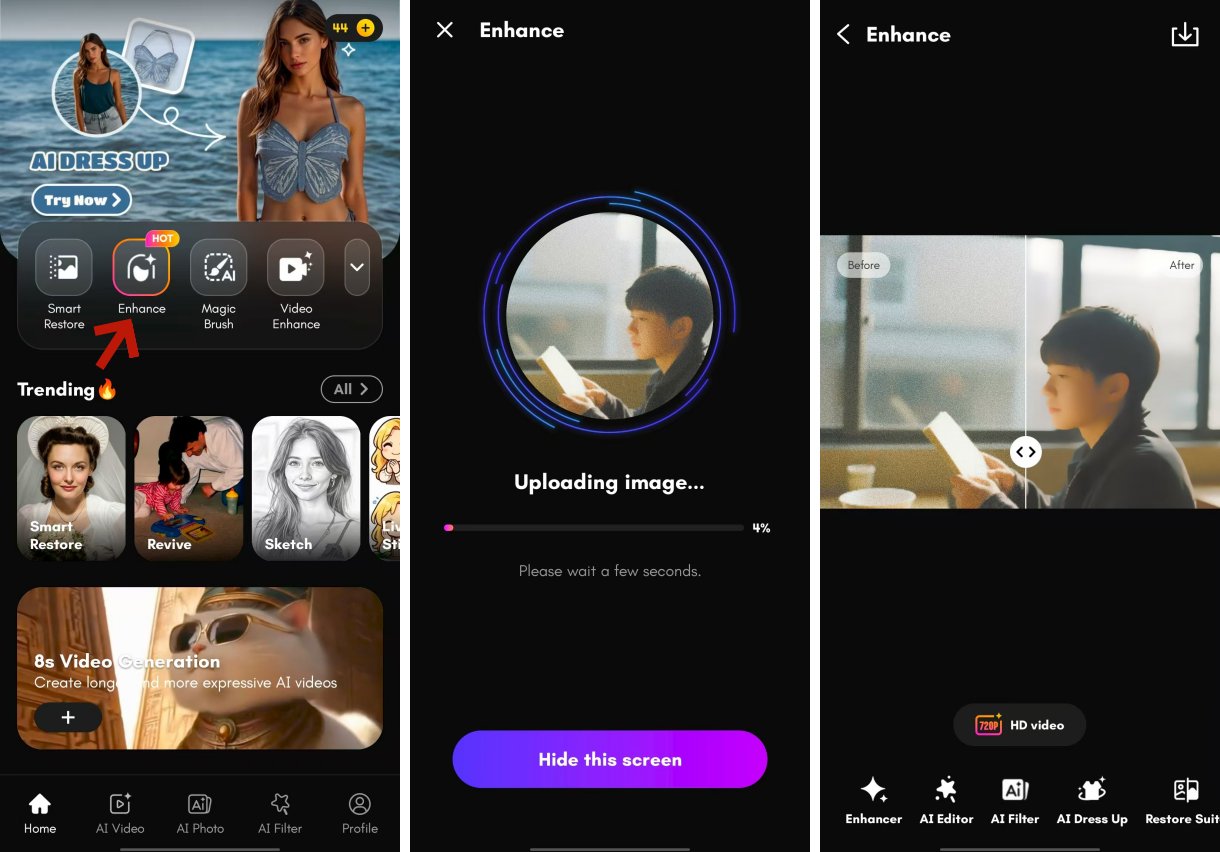
This function is also available in the app PicMa, so you can process the photos on the go. The steps are exactly the same:
- Download PicMa from Google Play or Apple App Store
- Find the "Enhance" feature and select your image
- Get your result in seconds. In the app, you can select enhancement modes tailored to different pictures: you can click on "Face" mode for portraits, "Furry HD" for pet photos and "Scenery" for landscapes
Three Reasons to Choose PicMa's Photo Enhancer
- One-Click Enhancement: No technical skills required. Just upload your photo and AI will do the rest.
- Fast Processing: Get your enhanced images within seconds.
- High-Resolution Output: The quality of our enhancer is unquestionable. You can download your enhanced image in full resolution.
So what are you waiting for? Just try it now!

Frequently Asked Questions (FAQ)
Q1: Is Photo Enhancer free to use?
A: YES! You can enhance as many images as you want for free. For more advanced functions, you may upgrade to VIP.
Q2: What image formats are supported?
A: We support all common formats, including JPG, PNG, and BMP.
Q3: Will enhancing a photo reduce its resolution?
A: No—Photo Enhancer maintains high resolution. You can upscale your photo without losing quality.
Q4: Can I enhance video in PicMa?
A: Absolutely. For video enhancement, just head to the "Video Enhancer" section to improve your video's sharpness and vividness.


Related Readings:

 204
204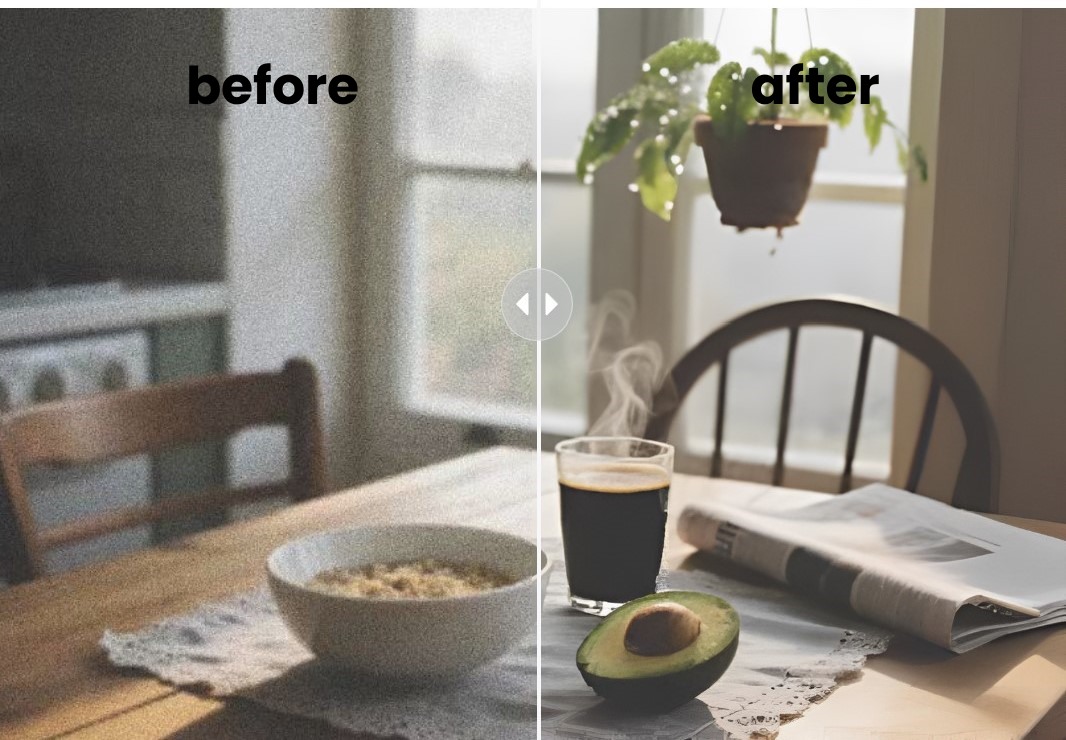

 English