Old yearbook photos often hold memories that are impossible to recreate. Whether you're preparing for a class reunion, building a family archive, or simply sharing old school memories on social media, one problem comes up again and again: the photos just don't look very good anymore
Many yearbook portraits are low-resolution, faded, grainy, or slightly blurry because they were printed decades ago and later scanned. The good news is that you don't necessarily need advanced photo editing skills to improve them.
In this guide, you'll learn how to enhance old yearbook photos using AI photo enhancer while keeping them natural, not overly smooth or artificially generated.
What Makes a Good Yearbook Photo Enhancement?
The goal isn't to completely change the image. Instead, most people simply want to make faces clearer, improve sharpness without creating fake-looking skin, reduce grain and scanning noise, restore natural contrast, and keep the original character of the photo.
A subtle enhancement usually looks much better than aggressive editing.
How to Improve Old Yearbook Photos with AI Photo Enhancer
Modern AI photo enhancers can automatically recover detail that would otherwise take a long time to edit manually, and PicMa AI does a great job on this..
Here's how you can improve your old yearbook photos using PicMa AI Photo Enhancer.
For web users,
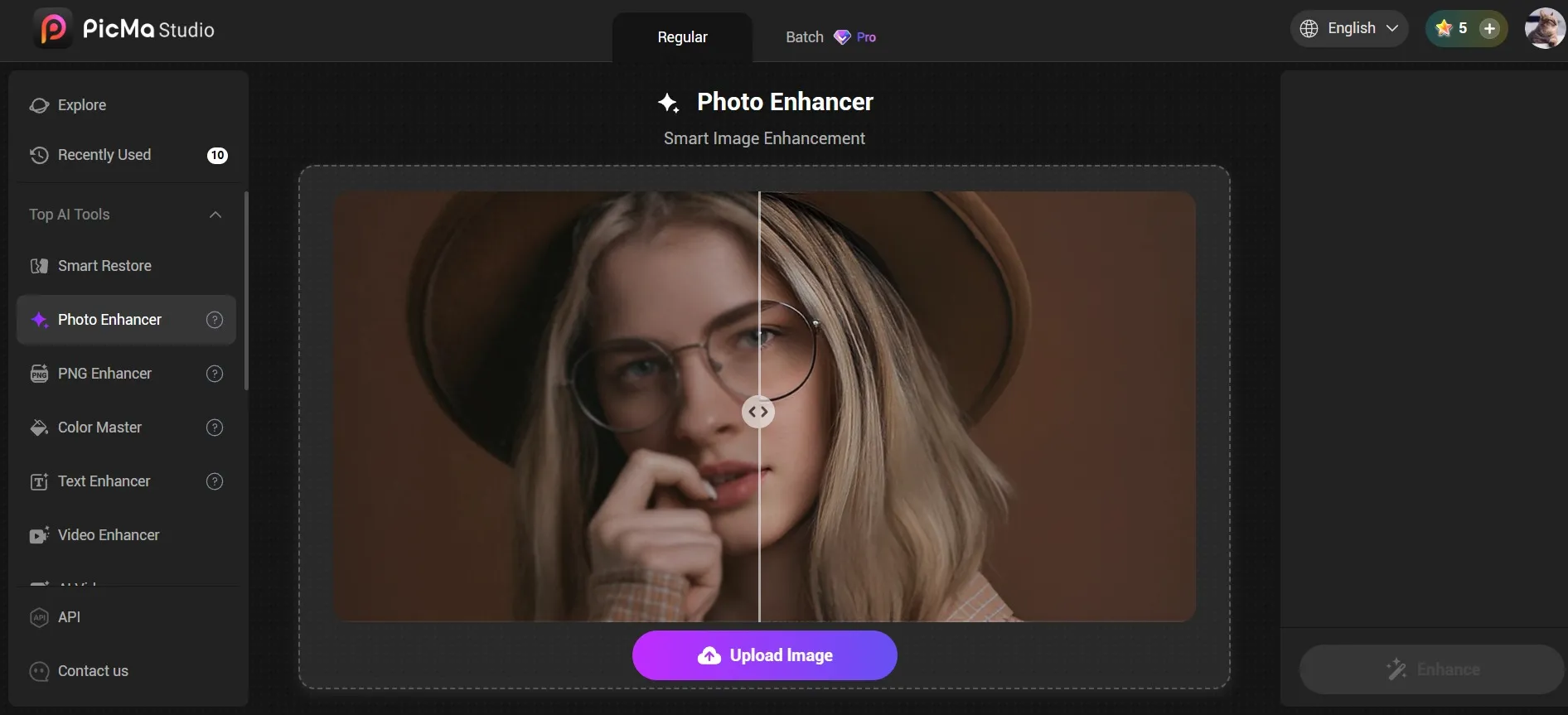
1. Click "For Image" on the homepage to access the tool page, then select "Photo Enhancer." You can fix your photos one by one, or upload them in batch (super convenient), and the results was ready in just a few seconds. The before/after comparison viewer is eye-opening.
2. Directly download the enhanced photos.

Of course, for mobile users, you can:
1. Download the PicMa app on Google Play or the Apple Store.
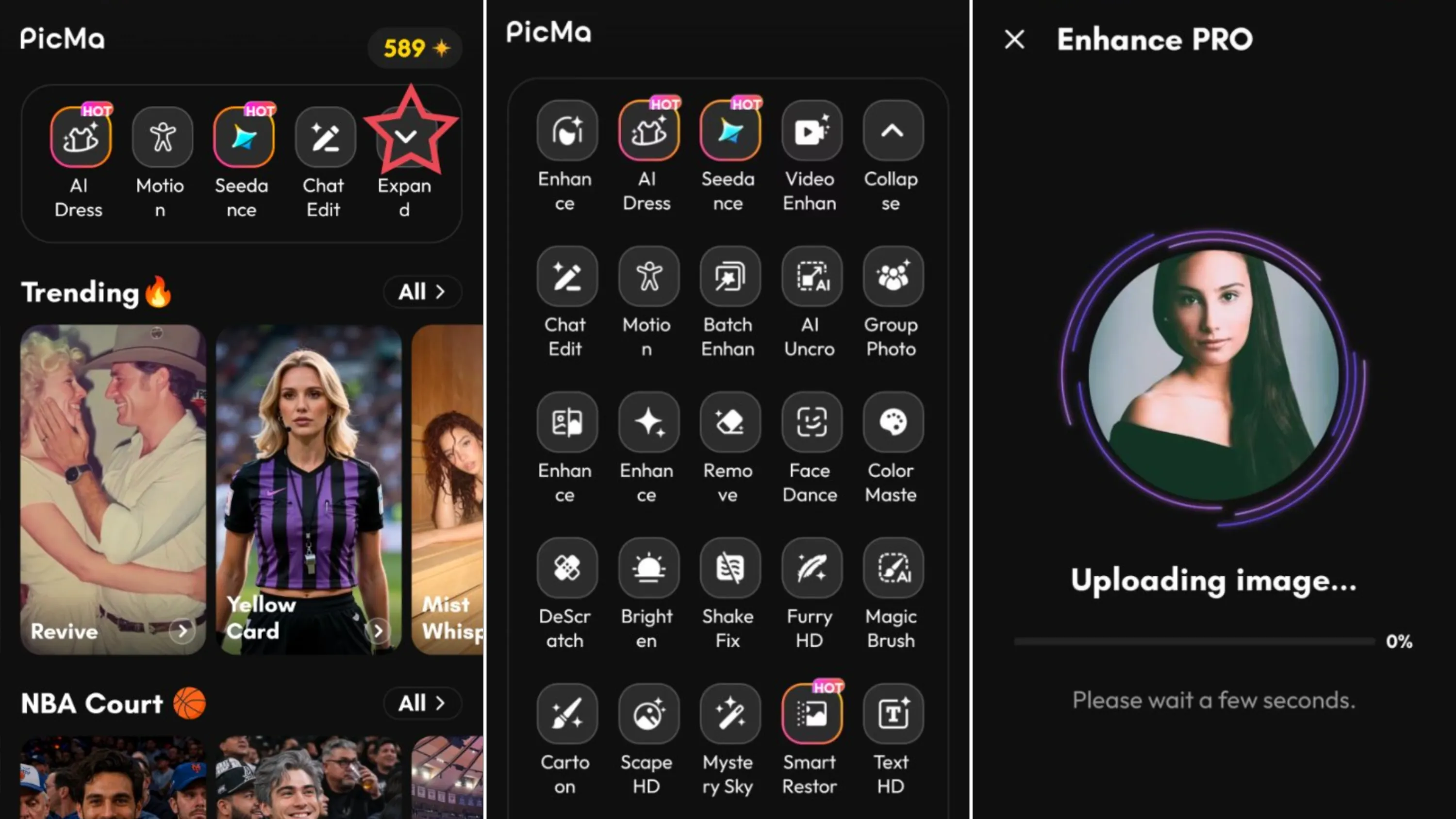
2. Click the Enhance Pro button on the PicMa homepage, select a photo you wish to improve, and start.
3. The generation process takes just a few seconds; once complete, you can download the image—or, utilizing the provided features, perform further edits on the generated result.
Can PicMa AI Restore Very Old Yearbook Photos?
Yes, but expectations should be realistic.
If a photo is extremely damaged, torn, or missing large portions, no AI can perfectly recreate the original.However, AI photo enhancement can significantly improve blurry portraits, faded school photos, low-resolution scans, images with visible grain, and slightly damaged prints.
For many yearbook photos from the 1970s, 1980s, 1990s, and even early 2000s, AI enhancement can make a noticeable difference while preserving the original look.
Final Thoughts
Old yearbook photos capture moments that can't be repeated, but time, printing, and scanning often reduce their quality. Fortunately, enhancing them no longer requires professional editing software.
An AI tool like PicMa Photo Enhancer can sharpen blurry details, reduce scan noise, and improve clarity in just a few clicks while helping the image retain its original character. When the goal is to preserve memories instead of reinventing them, subtle enhancement often delivers the most satisfying result.


Frequently Asked Questions
Q: Will PicMa AI Photo Enhancer change people's faces?
A good photo enhancer should improve image quality rather than generate a different face. PicMa generates the best results that preserve facial features and simply make them easier to see.
Q: How long does it actually take?
A: The whole process takes less than two minutes. After you upload the photo and start the generation, PicMa restores the images in seconds.
Q: Is PicMa free to use ?
A: You can download PicMa for free on iOS & Android and start creating right away. It's not conpletely free, but new users get bonus credits so there are free trials.
Related Readings:

 57
57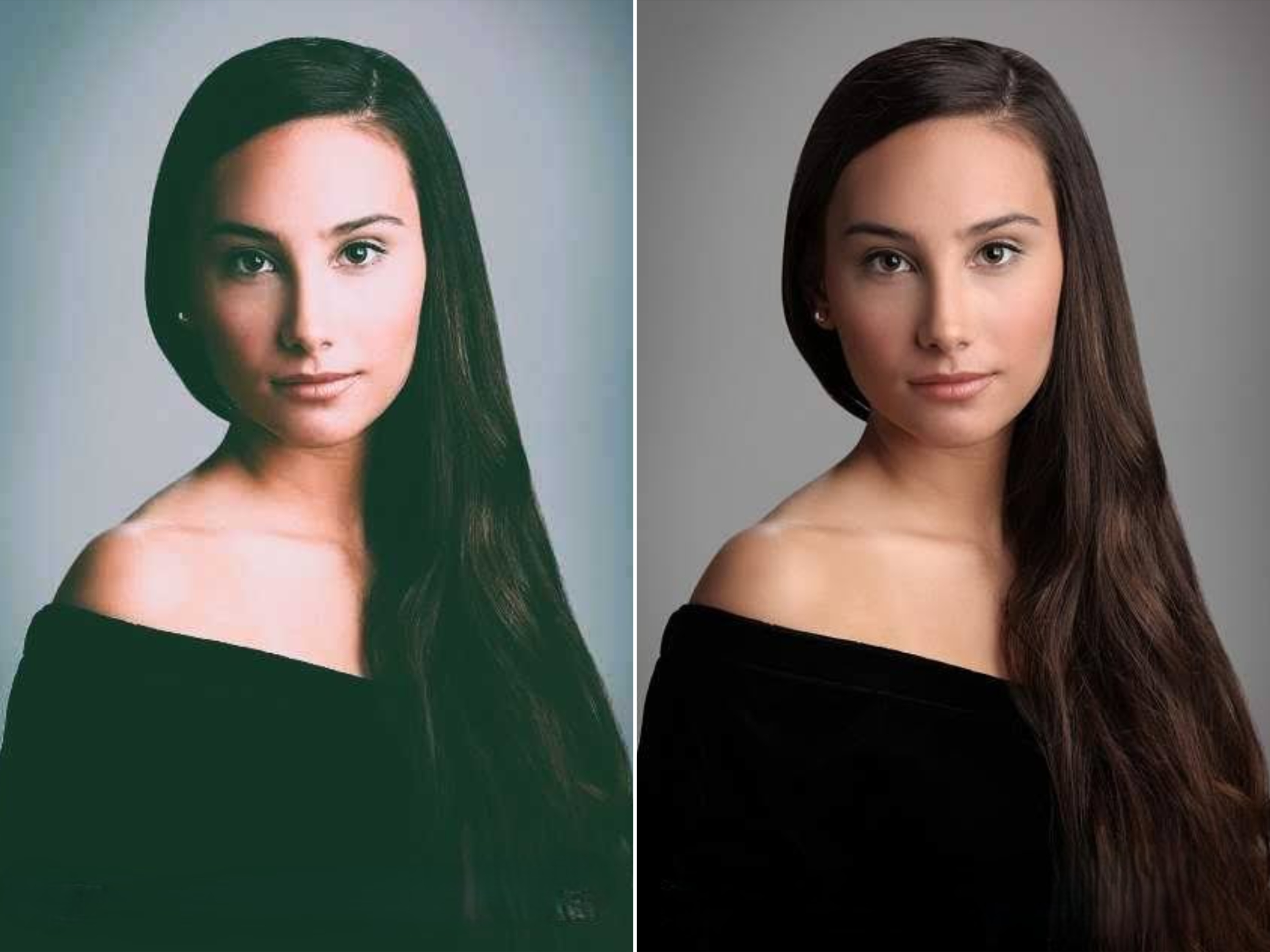

 English