Nowadays, high-quality visuals are essential for everything from social media posts to professional portfolios. The demand for easy-to-use, effective photo enhancement tools has skyrocketed, with AI-powered solutions leading the charge. Whether you’re reviving cherished old family photos, sharpening blurry smartphone shots, or enhancing anime artwork, AI photo enhancers have become go-to tools for effortless image improvement.
Among the many options available, PicMa's free online AI photo enhancer stands out for its simplicity, accessibility, and impressive results. This guide explores why PicMa is a top choice for enhancing photos and how it caters to a wide range of needs, including portraits, scenery, group photos, anime, animals, and old photos—all without requiring professional skills or software downloads.
Meet PicMa’s AI Photo Enhancer
PicMa’s AI photo enhancer, available at picma.magictiger.ai,simplifies photo enhancement for everyone, from casual users aiming to sharpen a blurry selfie to small business owners seeking polished product images. With its intuitive interface, PicMa requires no professional editing skills, unlike complex tools like Photoshop that demand a steep learning curve. This web-based tool eliminates the need for downloading bulky software, as it operates directly in your browser, while also offering mobile apps on the App Store and Google Play for on-the-go convenience.
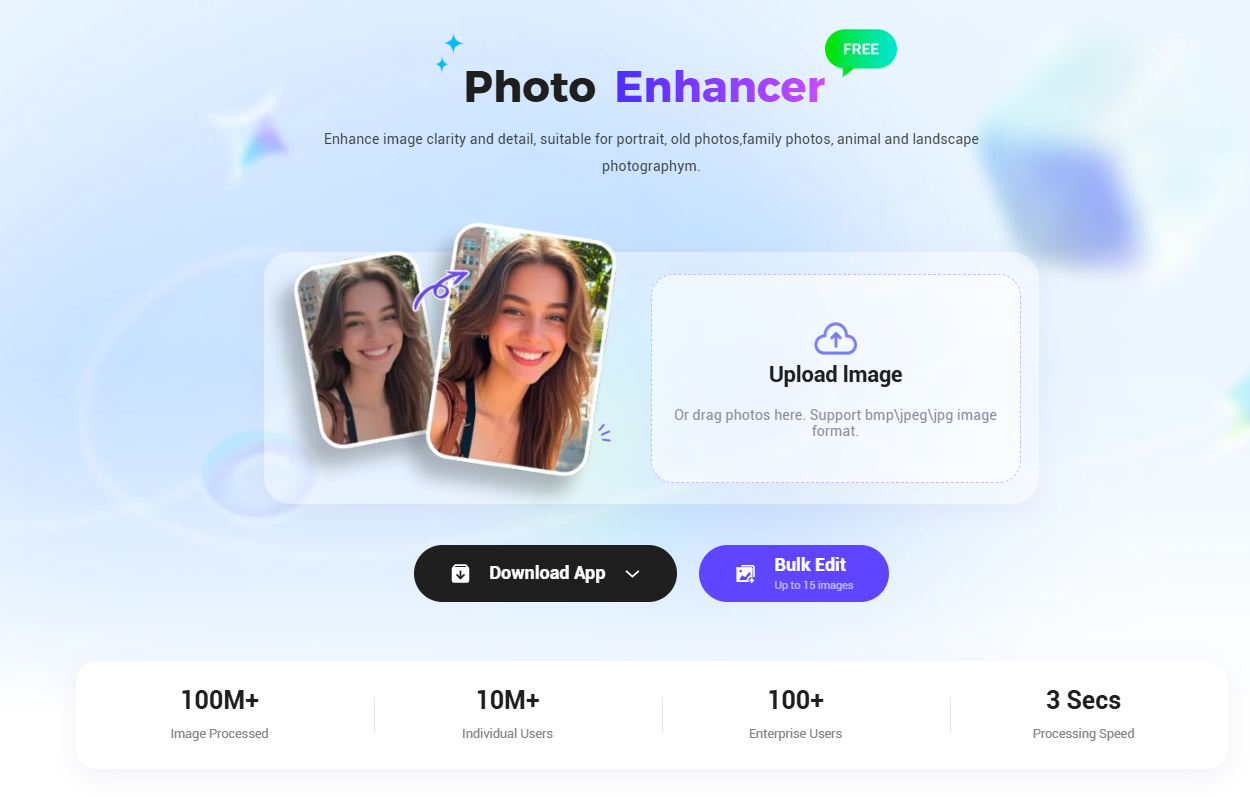
Users can upload photos and, in seconds, PicMa’s powerful AI delivers stunning results with enhanced resolution, clarity, and vibrancy—ideal for quick turnarounds on social media, e-commerce, or personal projects. Compatible across desktops, tablets, and smartphones, PicMa supports popular image formats like JPG, PNG, and WebP, ensuring seamless performance on any device.
3 Steps to Enhance Photo
Using PicMa’s AI photo enhancer is as simple as it gets:
- Upload Your Photo: Visit PicMa's Photo Enhancer or open the PicMa app and upload your image in any major format (JPG, PNG, WebP, etc.).
- Let AI Work Its Magic: PicMa’s AI automatically analyzes and enhances your photo, improving resolution, sharpness, and colors in just a few seconds.
- Download and Share: Review your enhanced photo and download it watermark-free for immediate use, whether for social media, printing, or professional projects.
This streamlined process make the one-click photo enhancer come true, making PicMa a go-to solution for users seeking efficiency and quality.
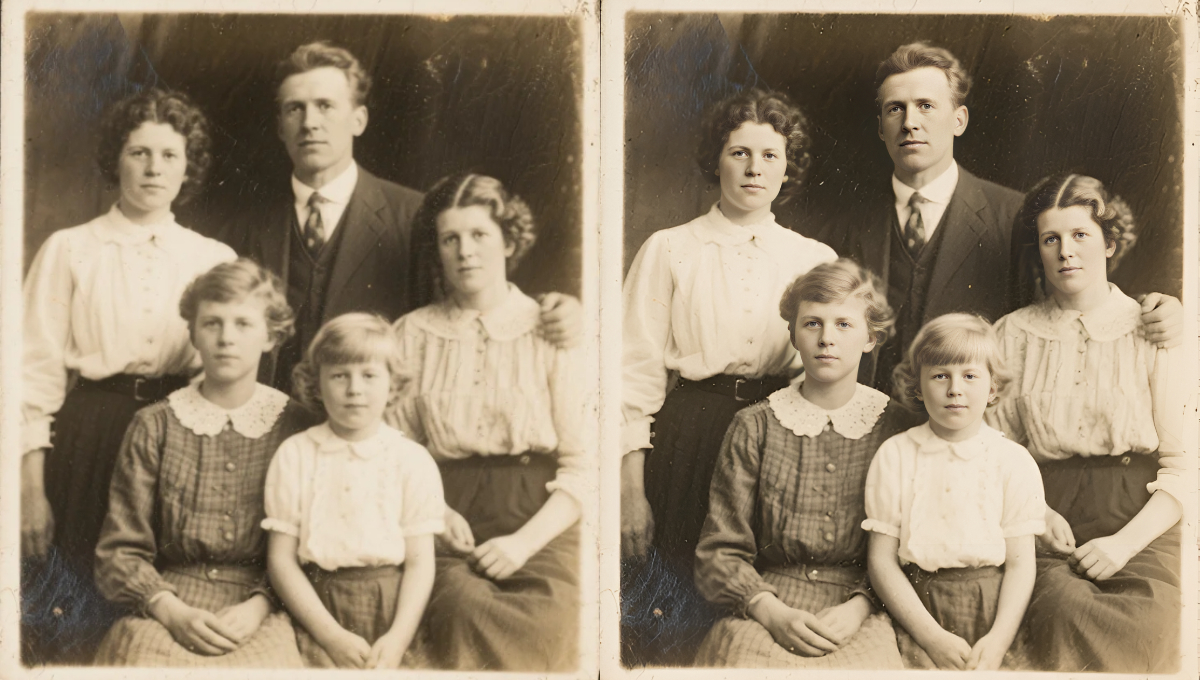
Why PicMa’s AI Photo Enhancer Stand Out
PicMa’s cutting-edge AI technology transforms photo editing by addressing common quality issues, making it an ideal solution for anyone looking to enhance photo quality online. Whether you’re dealing with low-resolution images or pixelated visuals, PicMa’s resolution enhancement capabilities upscale images seamlessly, converting low-res photos into crisp, high-definition visuals. This feature is perfect for users who want to upscale images online or convert low-res to HD without sacrificing quality, delivering professional-grade results in seconds.
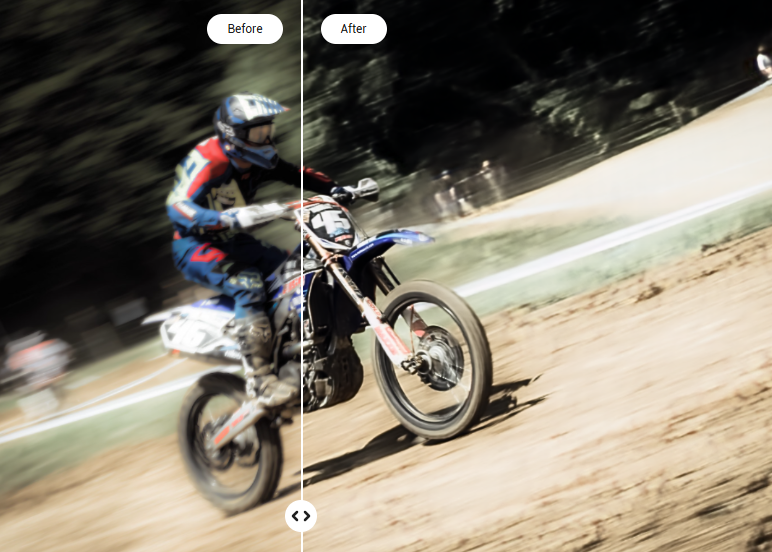
For those struggling with blurry photos caused by camera shake or low lighting, PicMa’s advanced algorithms excel at unblurring and sharpening images. By restoring fine details and sharpening edges, it ensures that every photo looks clear and vibrant, meeting the needs of users searching to unblur images for free or sharpen photos online. Additionally, PicMa enhances colors, brightness, and contrast to make images pop, improving photo clarity and bringing out vivid hues. This color and clarity boost is especially effective for revitalizing dull images, and PicMa can even colorize black-and-white photos, breathing new life into cherished memories.
PicMa also stands out for its ability to restore old photos online, making it a go-to tool for preserving memories. Its AI effectively removes scratches, fading, and time marks, restoring aged photos to their former glory. Beyond restoration, PicMa offers powerful features like object and background removal, allowing users to create clean, professional images by eliminating unwanted elements. This functionality is ideal for e-commerce or social media, catering to those looking for an AI background remover or tools to remove objects from photos effortlessly.
Explore More about PicMa
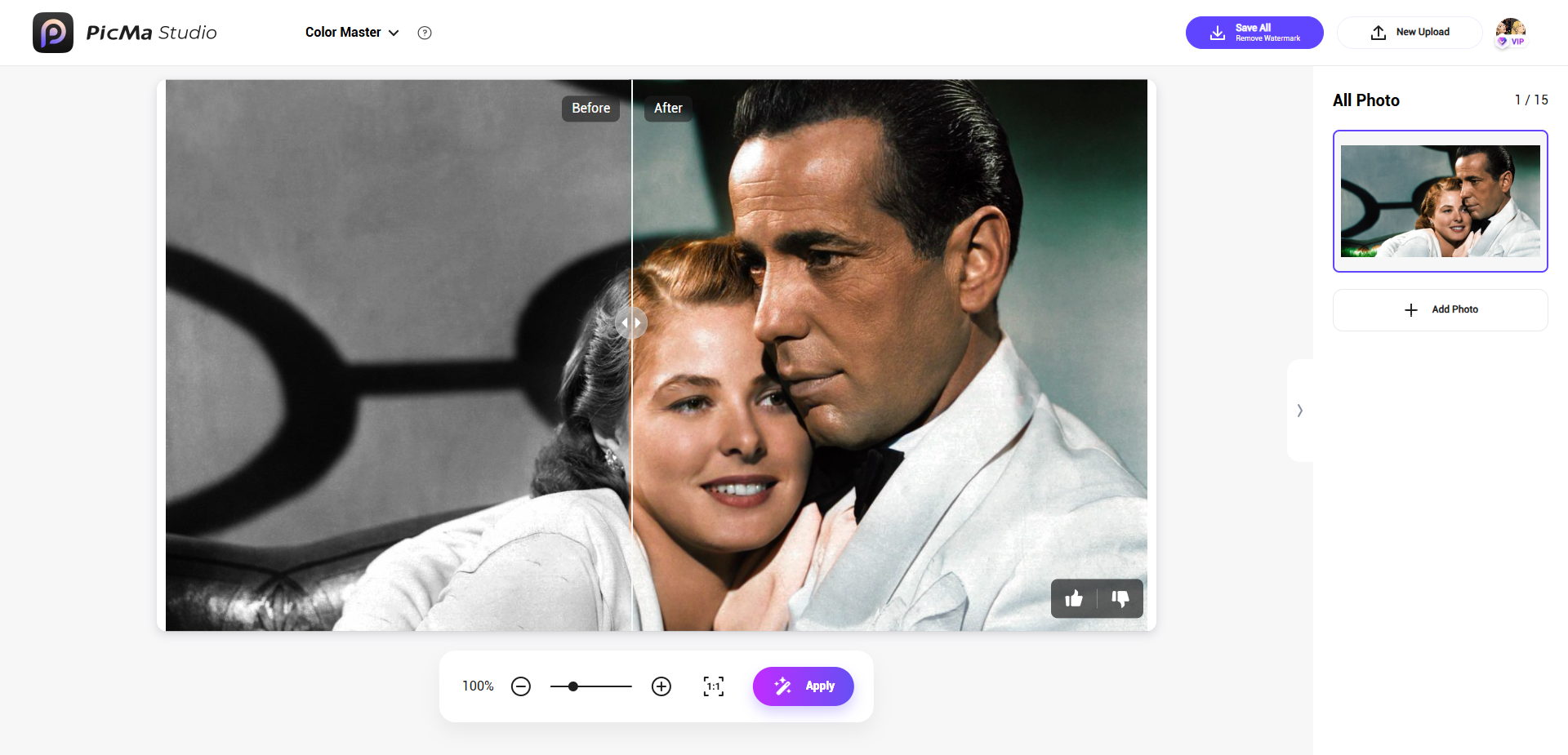
PicMa’s AI-powered toolkit offers a suite of innovative features that elevate photo editing for both personal and professional use, making it a versatile choice for enhancing and transforming images effortlessly. The Color Master feature breathes new life into photos by intelligently enhancing colors and converting black-and-white images into vibrant, modern visuals with realistic color profiles. This is ideal for reviving old family photos or adding a fresh look to classic imagery. The Descratch tool excels at restoring aged or damaged photos by automatically detecting and removing scratches, fading, and time marks, preserving cherished memories with professional-quality results. For dynamic shots, Stable Motion AI ensures clarity by correcting blur caused by fast-moving subjects or shaky cameras, making it perfect for sports photography, street shots, or video screenshots.
PicMa also shines in e-commerce applications with its AI E-commerce suite, which includes tools for background and object removal and background changer capabilities. These features allow users to effortlessly remove unwanted objects or distracting backgrounds and replace them with clean, professional settings like white backgrounds for product listings or creative scenes for marketing campaigns. Additionally, the AI logo and poster generator empowers users to create stunning, professional-grade logos and posters by simply inputting keywords or selecting themes, streamlining the design process for businesses and content creators. These tools collectively make PicMa an all-in-one solution for crafting polished visuals for social media, e-commerce, and creative projects.
Perfect for Every Use Case
PicMa’s versatility makes it a top pick for diverse audiences:
- Social Media Enthusiasts: Create scroll-stopping posts with vibrant, high-resolution images.
- E-commerce Sellers: Showcase products with clear, professional-grade images, creating product photos, logos, poster in few clicks.
- Photographers and Hobbyists: Restore old photos or enhance everyday snapshots without needing advanced skills.
- Small Businesses: Save on graphic design costs by enhancing product images or marketing materials.

FAQ
- What types of photos can I enhance with PicMa?
PicMa supports a wide variety of images, including portraits, scenery, group photos, anime, animal photos, and old photos. It can auto-improve image quality, fix blurry photos, and enhance resolution for all these types.
- Do I need to download or install software to use PicMa?
No, PicMa is a web-based tool that works directly in your browser at www.pica-ai.com. You can also use the PicMa app on iOS or Android for added convenience, but no installation is required for the web version.
- Is PicMa’s AI photo enhancer really free?
Yes, PicMa offers free daily uses, allowing you to enhance photos without any cost. The enhanced images are watermark-free and ready for personal or professional use.
- How long does it take to enhance a photo with PicMa?
PicMa’s AI processes and enhances photos in just a few seconds. Simply upload your image, and the AI automatically improves quality, sharpness, and colors with no manual adjustments needed.
- Do I need professional skills to use PicMa?
Not at all! PicMa’s user-friendly interface is designed for everyone, regardless of experience. Just upload your photo, and the AI handles the rest, delivering natural and professional results.

 377
377

 English