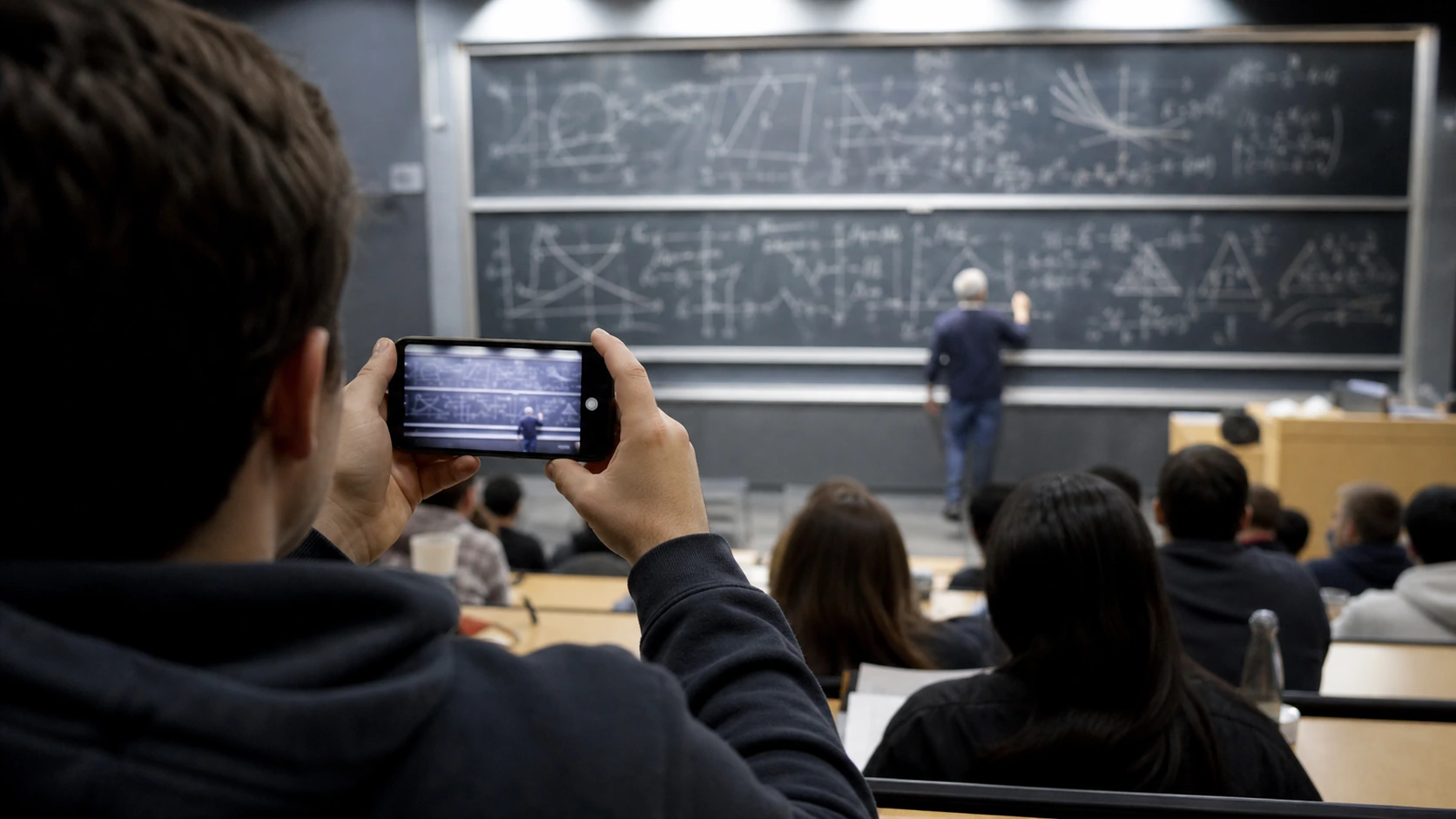
You leave class thinking your phone captured everything on the board. Later, you zoom in and discover pale chalk, motion blur, glare, and equations that seem to dissolve into the background.
An AI text enhancer can improve contrast and sharpen visible letter strokes, making classroom board photos easier to review. It cannot recreate information the camera never captured, but it may save a usable photo from becoming a useless one.
Why Classroom Board Photos Become Unreadable
Blackboard and whiteboard photos are unusually difficult for phone cameras. Students often shoot from the back of the room, while the teacher is moving and the lighting is uneven. Chalk can be faint, whiteboards may reflect ceiling lights, and digital zoom removes detail instead of adding it.
The result may look acceptable as a thumbnail but become unreadable when you study later. Increasing brightness alone rarely solves the problem—it can make pale handwriting disappear even further.
AI enhancement takes a more targeted approach by improving the visible edges, contrast, and clarity of text already present in the image.

What AI Can—and Cannot—Recover
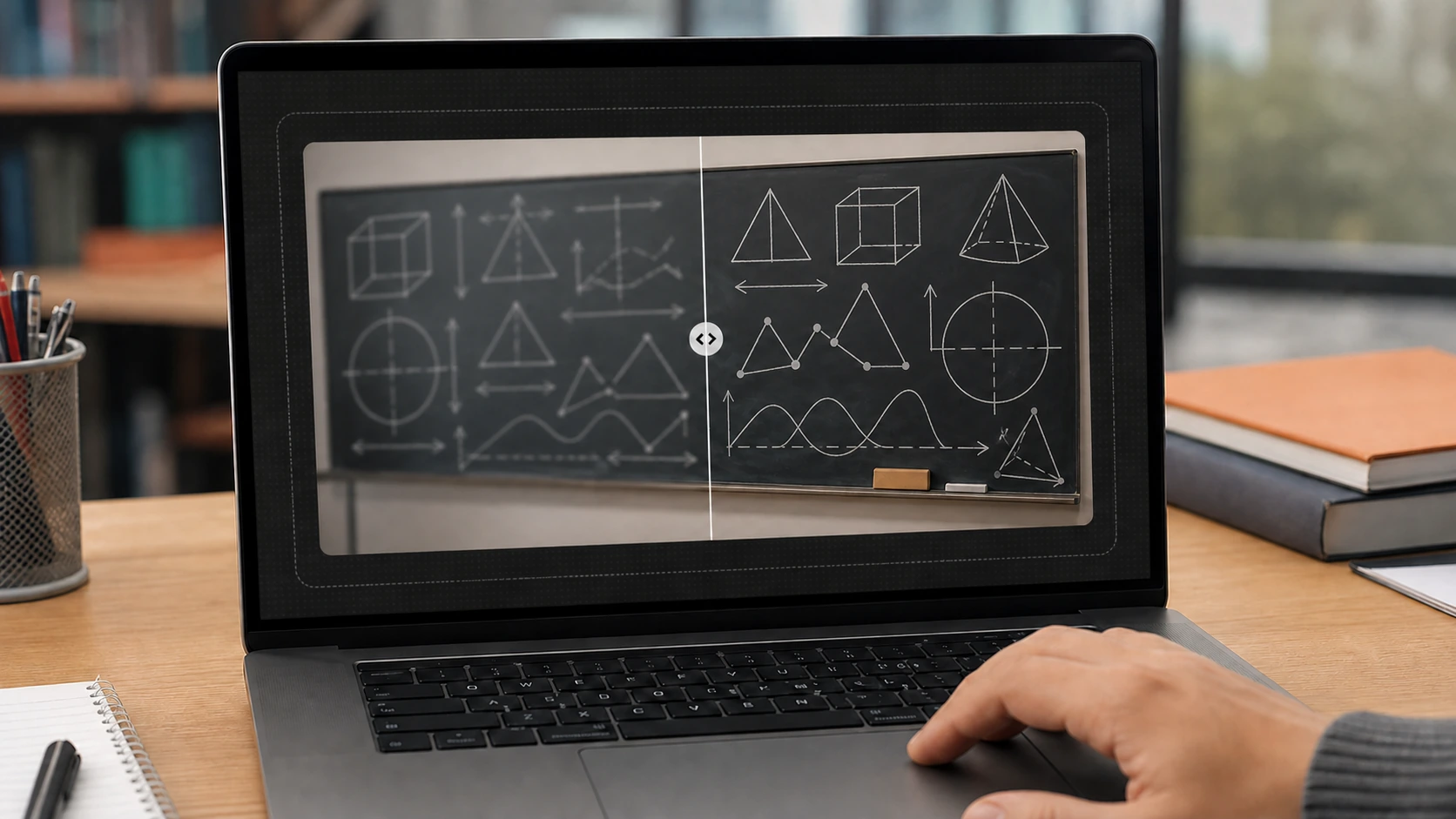
An AI text enhancer is most helpful when writing is visible but soft, low-contrast, slightly pixelated, or affected by mild camera shake. It can make blurry text clearer and help separate chalk or marker strokes from the board.
However, enhancement is not time travel. If a character is completely hidden, cropped out, or recorded as only a few pixels, AI cannot reliably know what the teacher wrote. This matters especially for minus signs, decimal points, formulas, dates, and similar-looking letters.
Treat the enhanced image as a clearer reference, not unquestionable evidence. Compare uncertain details with your textbook, lecture slides, or a classmate’s notes before memorizing them.
How to Enhance Blurry Lecture Notes with PicMa Studio
PicMa Studio’s AI Text Enhancer uses a short, upload-based workflow, so you do not need to understand sharpening filters or professional editing software.
Step 1: Prepare the clearest original
Use the original camera file rather than a compressed screenshot. Crop away desks, walls, and empty space so the board occupies more of the image.
Step 2: Upload the board photo
Add the image to the Text Enhancer. The tool supports common formats including JPG, JPEG, PNG, and BMP.
Step 3: Enhance the text
Start processing and let the AI improve the visibility of the writing.
Step 4: Review and save
Zoom in to compare formulas, headings, and small annotations. Save the enhanced version if the important content is easier to read.
For a long lecture, process the photos in order and keep the original filenames. “Chemistry Week 6 — Photo 03” will be much more helpful before an exam than “IMG_8472-final-final.”
Turn a Clearer Photo Into Better Study Notes
Making blackboard writing clearer is only the recovery stage. The next step is turning the image into something you can actually study.
Rewrite key ideas in your own words instead of simply storing another photo. Separate definitions, examples, formulas, and questions you still need to answer. The Cornell Note-Taking System is one useful structure for converting captured information into reviewable notes.
You can also use supported phone features to scan visible text into a note. For example, Apple explains how to scan text and documents with the iPhone camera. Always proofread extracted text, particularly when working with handwriting or mathematical notation.
For future classes, take two or three overlapping photos instead of relying on one wide shot. Keep the phone steady, avoid digital zoom, and tap the writing to set focus. AI works best when the original image gives it something real to improve.
Before giving up on an unreadable board photo—or spending an hour asking classmates to reconstruct it—try processing the original image with the PicMa Studio AI Text Enhancer. Enhance it, verify the uncertain details, and turn the recovered information into notes you can revise from.


Frequently Asked Questions
Can AI recover completely unreadable writing?
Not reliably. AI can strengthen visible strokes, but it cannot guarantee the correct recovery of information that was never captured. Double-check numbers, symbols, and formulas.
Does it work on handwritten notes as well as blackboards?
It can improve handwritten notes when the writing is present but faint or slightly blurry. Results vary with lighting, handwriting size, camera distance, and the severity of the blur.
Is a text enhancer the same as OCR?
No. A text enhancer improves how writing looks inside an image. OCR attempts to convert that writing into editable text. Enhancement may help prepare an image for OCR, but you should still review the transcription—machines also have bad handwriting days.
Related Readings:

 43
43

 English