Want to give your photos a hand-drawn vibe? PicMa makes it super easy to transform any image into a pencil sketch masterpiece with just one click. Whether it’s a selfie, a pet pic, or a scenic shot, PicMa’s AI-powered sketch filter instantly turns your photo into a clean, timeless drawing. Plus, there are other fun styles like watercolor and crayon to play with if you want to mix things up. Let’s dive into why the sketch feature is so cool and what else PicMa has in store.
Why PicMa’s Sketch Filter Rocks
The sketch filter is the star of the show in PicMa. It takes your photo and gives it that classic pencil-drawn look—think sharp lines, soft shading, and a monochromatic style that feels straight out of an artist’s sketchbook. It’s perfect for portraits, landscapes, or even random snapshots you want to make artsy. No drawing skills or fancy software needed—just upload your photo, pick the sketch style, and boom, you’ve got a piece of art in seconds.
What makes it so great? The AI nails the details, picking up on the lines and textures in your photo to create a realistic, hand-drawn effect. Whether you’re going for a minimalist vibe or something more detailed, the sketch filter delivers every time. It’s like having a personal artist on speed dial.
How to Create Your Sketch
Using PicMa’s sketch filter is a breeze:
- Download PicMa: Head for Google Play or App Store to download PicMa app.
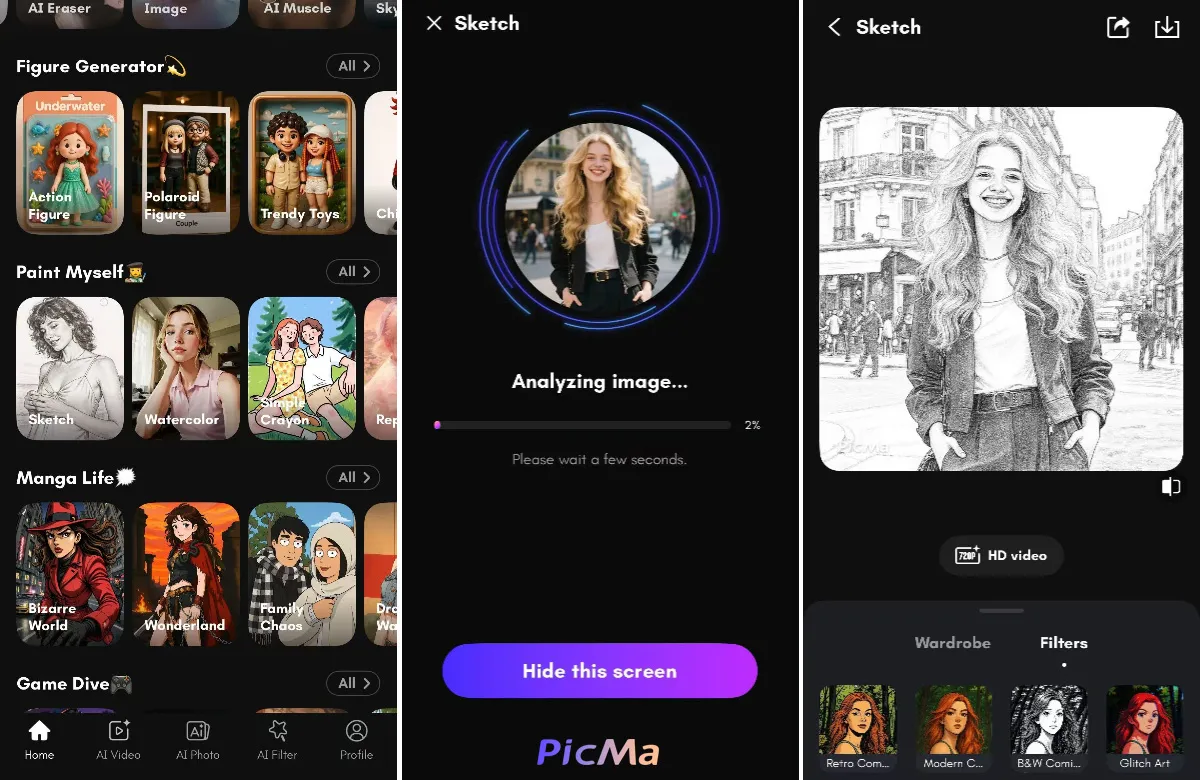
- Choose Sketch: Select the sketch style from homepage or AI filter zone.
- Upload Your Photo: Grab any photo from your phone or computer—JPG, PNG, whatever you’ve got.
- Save Your Art: In a few seconds, your photo is transformed into a sketch. Download it in high quality to share or print.
No complicated steps, no watermarks, just a quick way to make your photos look awesome.
Other Cool Styles to Try
While the sketch filter is a fan favorite, PicMa has a bunch of other styles to keep things fresh:
- Watercolor: Get a soft, colorful look with flowy brushstrokes. Great for nature shots or romantic vibes.
- Crayon: Add a playful, textured feel, like you drew it with a box of crayons. Perfect for pet pics or fun family photos.
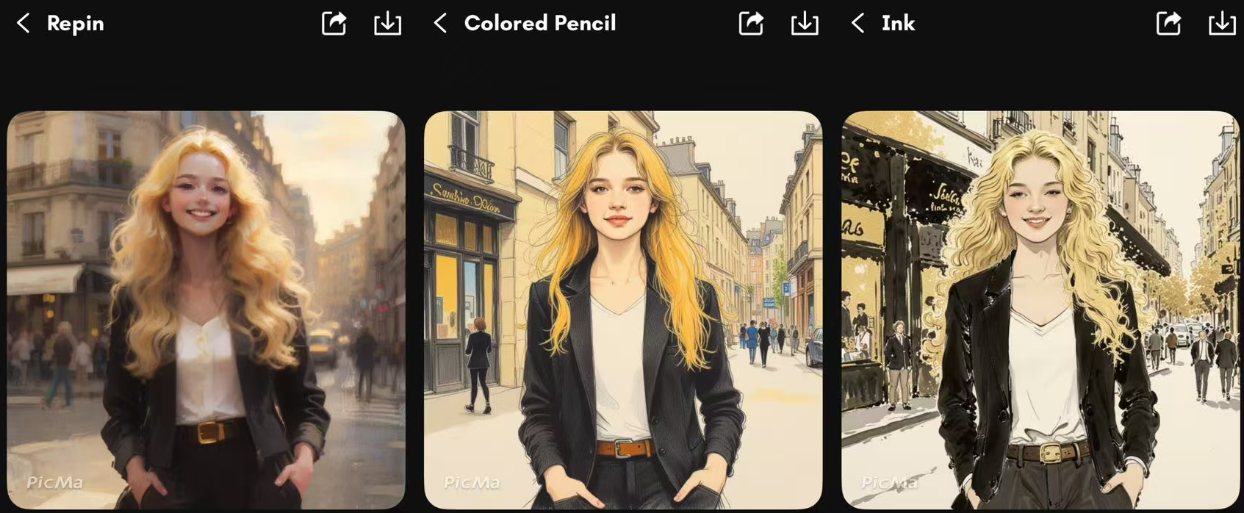
- Repin: Go for a vintage, hand-painted style with bold outlines. Ideal for frame-worthy prints.
- Ink: Create bold, dramatic images with sharp lines and deep contrasts, like a pen-and-ink drawing.
- Colored Pencil: Bright colors and soft shading for a detailed, vibrant look. Awesome for portraits or gifts.
More Drawing Styles: From comic-book vibes to cross-hatching or modern digital art, there’s a style for every mood.
What Makes PicMa So Fun
PicMa's magic lies in its speed, simplicity, and versatility. You can turn any photo into a professional-looking sketch or artwork in seconds, making it perfect for everyone—whether you’re jazzing up your social media, creating unique gifts, or even designing stickers or tattoo ideas. The AI ensures your photos look like legit artwork without needing any artistic skills, and you can start playing with the sketch filter and other styles for free, making it easy to dive in and get creative.
Beyond its awesome sketch feature, PicMa’s AI-powered tools take things to the next level. The enhancing feature sharpens details, boosts colors, and polishes your photos for a flawless finish. Want to go beyond still images? PicMa’s AI photo and AI video features let you apply artistic styles to both photos and videos, turning your clips into vibrant animations or stylized movies. With these tools, PicMa isn’t just about sketches—it’s a playground for transforming all your visual content into something extraordinary.
Ideas to Get Creative
The sketch filter is perfect for all kinds of projects. Turn a portrait into a sleek pencil drawing for a cool profile pic, or make a pet sketch to print on a mug. It’s a fun way to add a personal touch to your photos, whether you’re sharing them online or creating something special.
Ready to see your photos as sketches? Head to PicMa app, upload a pic, and try the sketch filter. If you’re feeling adventurous, check out the watercolor, crayon, or other styles too. It’s quick, fun, and you’ll love how your photos turn out. Start creating now!


Related Readings:

 261
261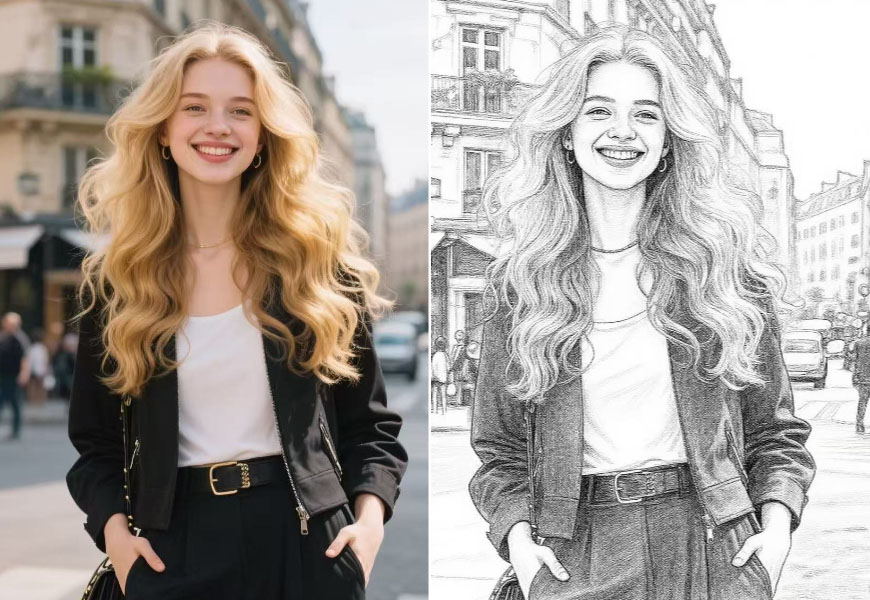

 English