Unleash Your Inner Emoji: Turn Your Photos into AI-Powered Avatars!
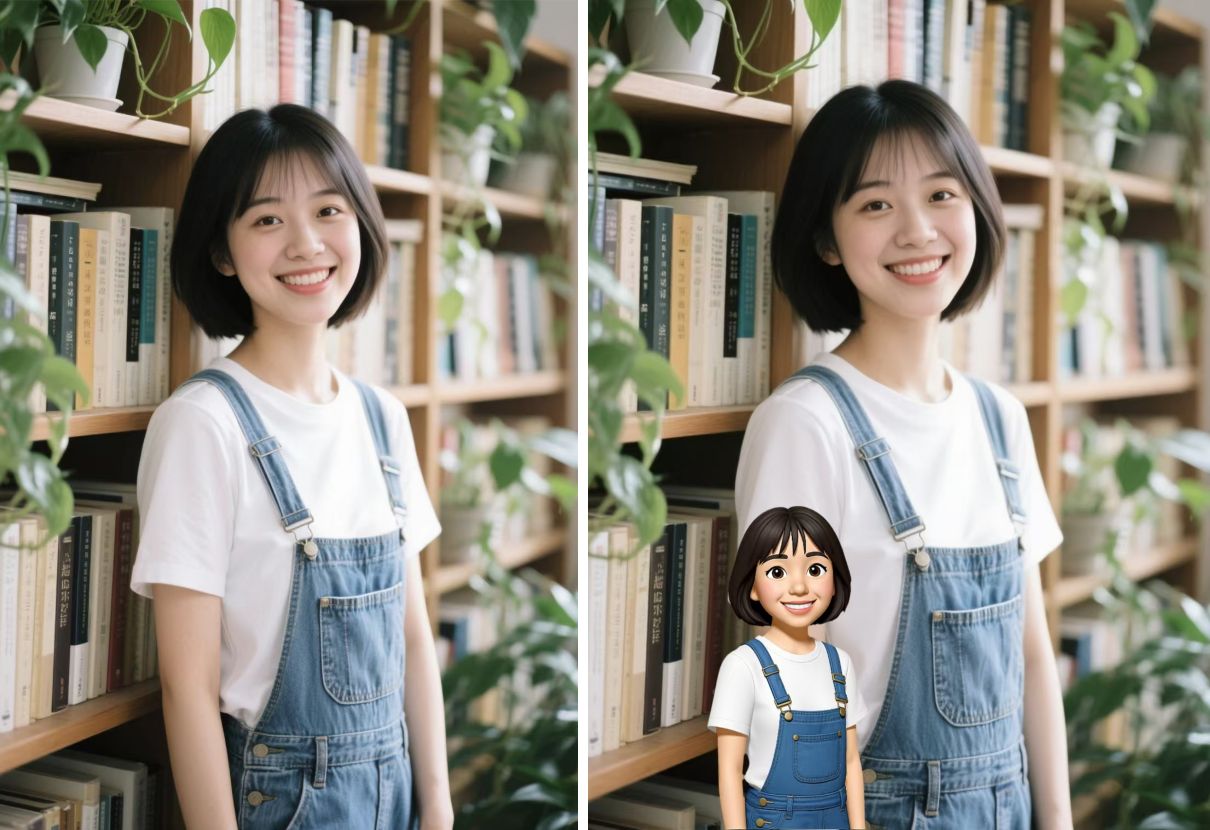
Have you ever wished you had a cute emoji that truly looked like you? One that captured your unique smile, your signature pose, or even that shirt you love so much? I believe you might have stumbled on some posts online about custom emoji, but have no idea how to make a perfect one yourself. Well, now PicMa can help you! Get ready to meet your digital avatar!
Introducing our latest innovation—the AI Emoji Filter! This fun feature uses advanced AI to transform your everyday photos into a vibrant emoji avatar. Whether you’re looking to spice up your chats or simply have fun, this tool is designed for you.
How to Make Your Emoji with Ease
Powerful tech should be easy to use. Creating your custom emoji takes just seconds in PicMa:
● Download PicMa from Apple App Store or Google Play
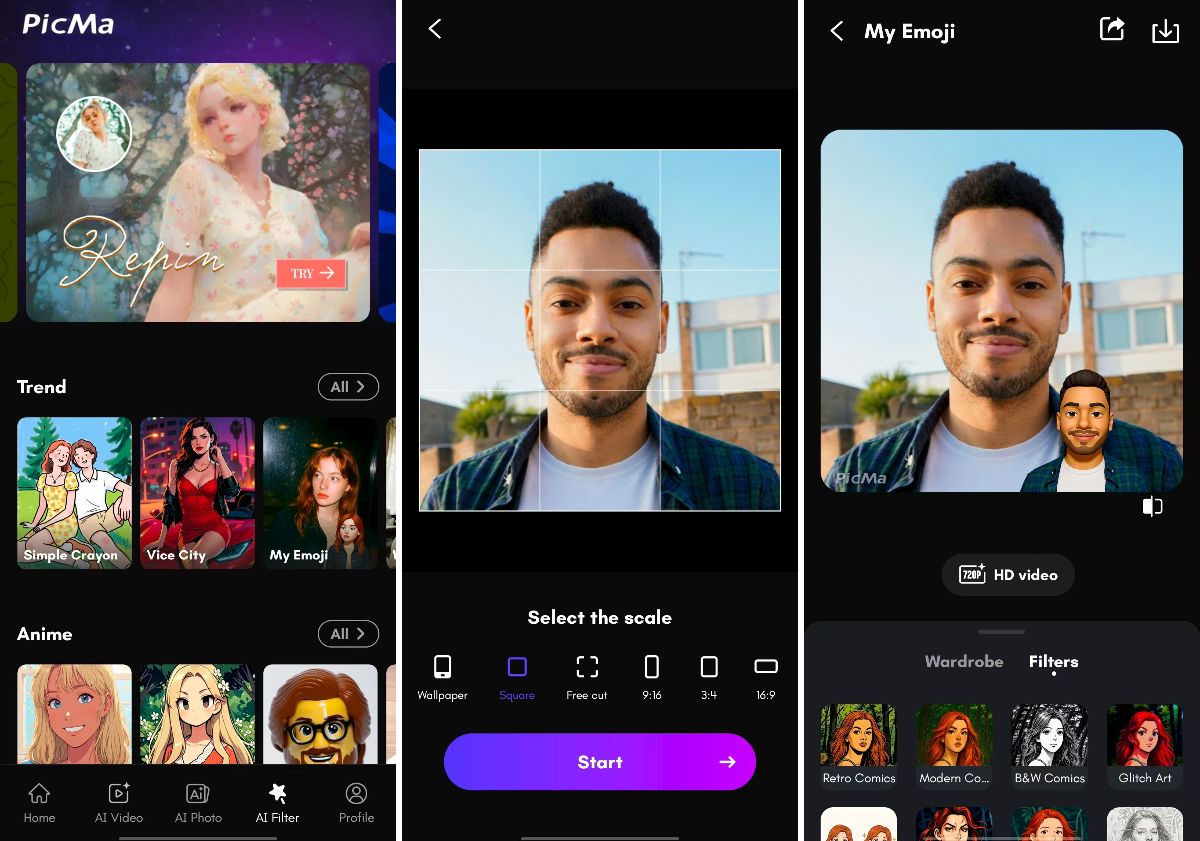
● Open the app and tap on the “My Emoji” icon in AI Filter section
● Upload a clear photo of yourself—or a friend, and select a proper scale
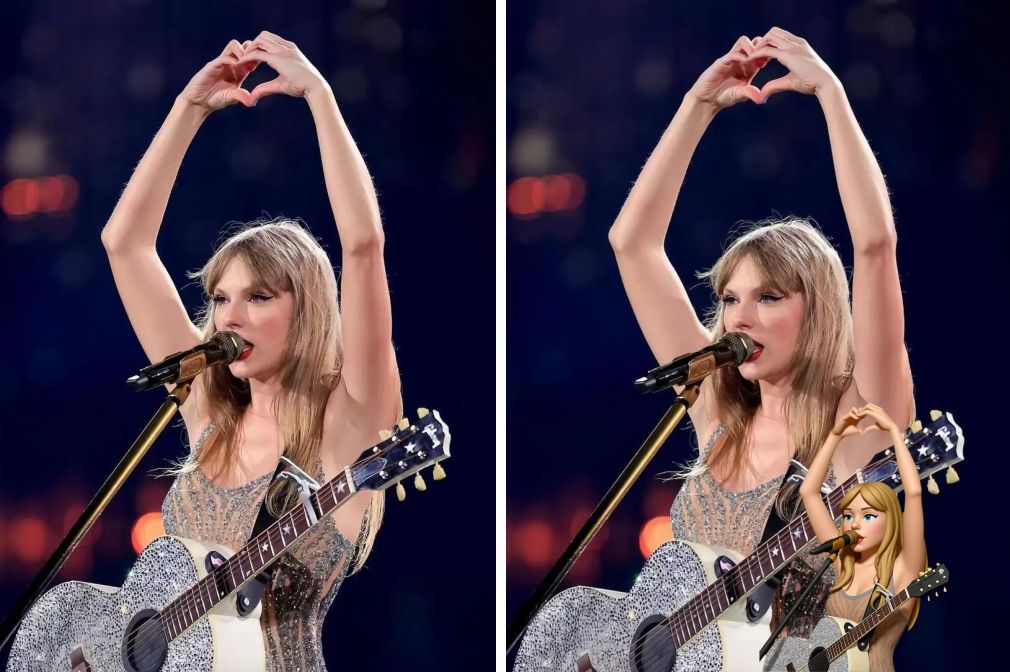
● Let the AI work its magic! Our algorithm analyzes your facial features, expressions, and your gestures. Within seconds, you'll receive your unique emoji avatar
Yes, it’s really that easy. No design skills required! Share your emoji with others! You can also make the avatar move in our AI Video section now.
Explore More Fun in PicMa's AI Filter
Your new emoji avatar is perfect for jazzing up your WhatsApp or Telegram conversations, creating unique profile pictures for social media, or even designing special branded content for your small business.
What's more, you must have noticed other AI filter styles in PicMa, ranging from anime to game, from comic strip to action figure, each with stunning and amusing effects.
So what are you waiting for? Download the PicMa app now and try the AI filter today! Transform your photos into expressive emojis in seconds.
Frequently Asked Questions (FAQ)
Q1: Is the AI Emoji filter free to use?
A: Yes! It’s completely free for all users. All AI Filter effects are now accessible at no cost.
Q2: What kind of photo should I upload for the best results?
A: Generally, a clear, well-lit front-facing photo with a neutral background works best.
Q3: Can I use AI Filter feature on the website, or only in the app?
A: For now, the AI filter is available on both our mobile app and the PicMa Studio website. However, for the Emoji style, you need to download the app, which has a wider range of filter styles.


Related Readings:

 200
200

 English