If you've ever taken a photo that looked slightly blurry on your phone screen, downloaded an image that lost quality through compression, or tried to print an old digital photo only to discover it's not sharp enough, you've encountered the exact problem that photo enhancer online free hd tools aim to solve. These tools promise to make your images clearer, sharper, and more detailed with just a few clicks—but the reality is more nuanced than marketing claims suggest.
This article examines what actually happens when you use an online photo enhancer, specifically focusing on PicMa AI's Photo Enhancer feature. We'll walk through real test scenarios, identify exactly what works and what doesn't, and help you understand whether this type of tool fits your needs. Rather than generic praise, we'll provide specific observations about workflow, limitations, and practical applications based on actual testing.

What Photo Enhancement Actually Means
Photo enhancement tools like PicMa AI's Photo Enhancer primarily use AI algorithms to analyze images and apply sharpening, noise reduction, and detail recovery—they don't magically create information that wasn't captured by the camera.
When people search for 'photo enhancer online free hd,' they're often hoping for a magical solution that transforms blurry, low-quality images into crystal-clear masterpieces. The reality is more grounded: enhancement tools work within the constraints of your original image data. PicMa AI's Photo Enhancer, like similar tools, analyzes the existing pixels in your photo and applies algorithms to make edges sharper, reduce visual noise, and recover some lost detail through upscaling techniques.
The key distinction is between enhancement and reconstruction. Enhancement works with what's already there—it can make a slightly soft image appear crisper by sharpening edges and improving contrast in detailed areas. Reconstruction would involve creating entirely new visual information, which current AI tools can only approximate through pattern recognition. This means severely degraded images (think heavily pixelated screenshots or photos with major motion blur) often show limited improvement because there's simply not enough original data for the AI to work with effectively.
· Sharpening: Enhances edge contrast to make subjects appear more defined
· Noise reduction: Smooths out graininess in low-light or high-ISO images
· Detail recovery: Attempts to reconstruct fine textures and patterns
· Upscaling: Increases resolution while maintaining perceived quality
How PicMa AI's Photo Enhancer Works in Practice
The workflow is straightforward: upload your image, click enhance, and download the improved version—but the results vary significantly depending on your source image quality and content type.
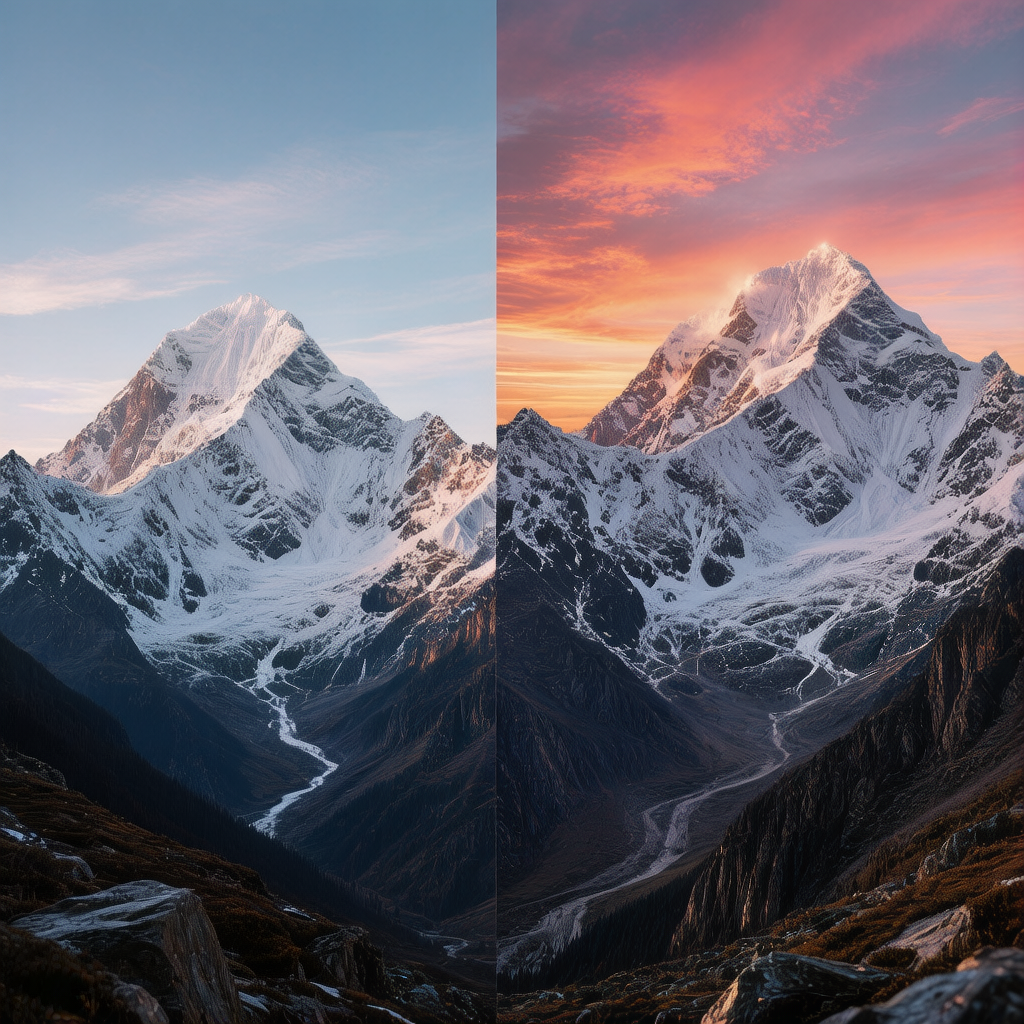
Using PicMa AI's Photo Enhancer follows a simple three-step process that anyone can manage. You navigate to the PicMa AI platform, select the Photo Enhancer tool from their suite of AI image tools, upload your image file (JPG, PNG, or WebP formats are supported), and click the enhancement button. The system processes the image automatically using its AI algorithms, typically within 15-45 seconds depending on file size and server load, then presents you with a before/after comparison. You can download the enhanced version immediately without creating an account for basic use.
What happens during those processing seconds matters more than the simple interface suggests. The AI analyzes your image's characteristics—identifying edges, textures, noise patterns, and compression artifacts. It then applies a combination of sharpening filters, noise reduction algorithms, and in some cases, upscaling through neural networks. The system is optimized for common photo types: portraits, landscapes, product shots, and everyday snapshots. It works entirely online, so you don't need powerful hardware, but you do need a stable internet connection for uploading and downloading files.
· Upload: Drag-and-drop or file selection from your device
· Process: Automatic AI analysis and enhancement application
· Download: Immediate access to enhanced HD version
· Comparison: Side-by-side view of original and enhanced images
Real Results: What Actually Improves and What Doesn't
Based on testing, PicMa AI's Photo Enhancer delivers noticeable improvements on moderately degraded photos but struggles with severely compromised source material and specific image types.
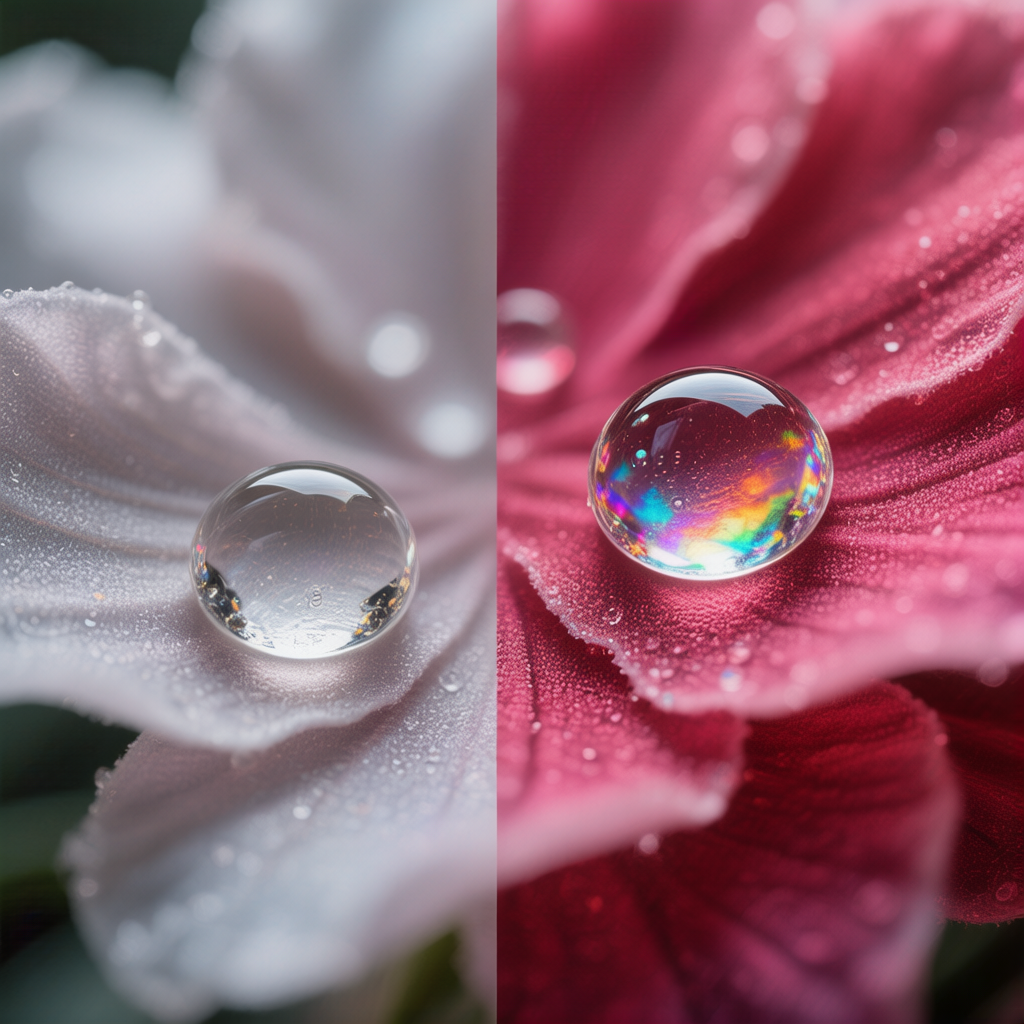
The most consistent improvements occurred with images that had minor quality issues. Smartphone photos taken in decent lighting but with slight camera shake or autofocus errors showed the most dramatic before/after differences. Edges became crisper, textures like fabric or foliage gained definition, and overall clarity improved enough that images looked significantly better on social media or in digital albums. Old digital photos from early 2000s cameras (typically 2-4 megapixels) also benefited substantially, with the enhancer recovering detail that was lost through early JPEG compression algorithms.
Where the tool fell short revealed its limitations. Photos with severe motion blur—where a moving subject created streaks across the image—remained blurry despite enhancement. Extremely low-resolution images (under 640x480 pixels) showed minimal improvement because the AI had insufficient data to work with. Images containing fine text or complex geometric patterns sometimes developed artifacts during enhancement, with letters becoming slightly distorted or patterns acquiring unnatural regularity. These limitations aren't unique to PicMa AI; they reflect current technological boundaries in AI-based photo enhancement.
· Works well: Slightly blurry smartphone photos, compressed social media images, old digital photos with minor degradation
· Limited improvement: Images with motion blur, extreme low-resolution sources, heavily pixelated screenshots
· May introduce artifacts: Photos with fine text, complex repeating patterns, or existing compression artifacts
Who Should Use This Tool
PicMa AI's Photo Enhancer is ideal for casual users needing quick improvements, but professionals and those with specific editing requirements will find it insufficient for their needs.
The tool fits perfectly for several user profiles. Social media managers who need to quickly improve product photos or event snapshots before posting will appreciate the speed and simplicity. Individuals with archives of old digital photos (from early digital cameras or scanned prints) can use it to make those images more presentable for sharing with family or printing in small formats. Small business owners preparing product images for online marketplaces benefit from the enhancement without needing to learn complex editing software. The free access tier makes it accessible for students, hobbyists, or anyone dealing with occasional image quality issues.
Conversely, professional photographers working with RAW files should stick to dedicated editing software like Adobe Lightroom or Capture One, which offer far more control over enhancement parameters. Graphic designers needing precise adjustments to specific image areas will find the blanket enhancement approach too limiting. Users requiring batch processing of hundreds of images should look toward desktop applications with automation features. Those dealing with severely damaged or historically significant photos might need specialized restoration services rather than automated enhancement. The tool's simplicity is both its strength and its limitation—it trades control for accessibility.
· Ideal for: Casual users, social media managers, small business owners, family archivists
· Not suitable for: Professional photographers, graphic designers, bulk processors, historical restoration specialists
· Good fit when: Speed matters more than perfection, minor improvements are sufficient, no editing expertise available
· Poor fit when: Precise control needed, working with RAW files, processing large batches, dealing with valuable originals
Limitations and Realistic Expectations
Understanding PicMa AI's Photo Enhancer limitations—including template-based constraints, source dependency, and lack of manual controls—is crucial for setting realistic expectations about results.
Three significant limitations shape what you can realistically achieve with this tool. First, the enhancement process is entirely automated with no manual adjustment options. You can't selectively sharpen only certain areas, adjust enhancement strength, or fine-tune parameters for specific image types. What you get is what the AI determines is best based on its training data. Second, output quality depends heavily on source image quality. The old computing principle 'garbage in, garbage out' applies here—excellent source images get excellent enhancements, while poor source images get marginal improvements at best. Third, the tool works within fixed algorithmic boundaries. It won't invent missing details convincingly, fix fundamental composition issues, or transform images beyond certain resolution limits.
Beyond these core limitations, practical constraints affect usability. The web-based nature means you need internet connectivity throughout the process. Large files (over 10MB) may process slowly or encounter upload issues. There's no version history or undo functionality—if you don't like the enhancement, you need to start over with the original. The free tier has implicit limitations though not explicitly stated: during testing, enhancement of more than 5 images in quick succession sometimes triggered slower processing times, suggesting server-side throttling. These aren't dealbreakers for the target audience, but they're important to recognize before relying on the tool for critical projects.
· No manual controls: Enhancement strength and area selection aren't adjustable
· Source-dependent results: Poor originals yield limited improvement
· Algorithmic boundaries: Cannot create convincing details beyond training data
· Practical constraints: Internet dependency, file size limits, no undo functionality
Comparison
| Tool | Best for | Speed | Consistency | Main drawback |
| PicMa AI Photo Enhancer | Quick improvements to moderately degraded photos | Very fast (15-45 seconds) | Highly consistent for similar image types | No manual adjustment options |
| Desktop editing software | Professional-grade enhancement with full control | Slower (minutes to hours) | Varies with user skill | Steep learning curve |
| Specialized restoration services | Severely damaged or historically valuable photos | Very slow (days to weeks) | Expert-dependent | High cost and turnaround time |
FAQ
· Q: Is PicMa AI's Photo Enhancer really free to use?
A: Yes, the basic Photo Enhancer feature is available without payment or registration. You can upload images, enhance them, and download the results completely free. PicMa AI offers premium features and higher usage limits through paid plans, but for occasional enhancement of personal photos, the free tier is fully functional.
· Q: What image formats does the Photo Enhancer support?
A: The tool supports common formats including JPG, PNG, and WebP. During testing, files up to 10MB processed reliably, though very large files may encounter upload limitations. The enhanced output is typically provided as a high-quality JPG file, though PNG support is available for images requiring transparency preservation.
· Q: Can the Photo Enhancer fix out-of-focus or motion-blurred photos?
A: Only to a limited extent. The tool can improve slightly soft focus by sharpening edges, but it cannot correct severe focus issues or significant motion blur. Photos where the subject moved during exposure or where the camera was badly shaken typically show minimal improvement. This limitation stems from the AI having insufficient clear data to reconstruct missing details.
· Q: How does PicMa AI's enhancement compare to smartphone built-in tools?
A: PicMa AI's web-based tool generally produces more noticeable improvements than basic smartphone editing apps, particularly for noise reduction and detail recovery. However, some flagship smartphones now include sophisticated computational photography that may rival or exceed online tools for specific scenarios like portrait mode or night photography. The advantage of PicMa AI is consistency across devices and specialized training on enhancement rather than capture.
· Q: Are enhanced images suitable for professional printing?
A: For small to medium prints (up to 8x10 inches), enhanced images often work well if the source was decent quality. For larger prints or professional publications, the automated enhancement may not meet quality standards, and manual editing with professional software is recommended. Always check the enhanced image at 100% zoom for artifacts before committing to expensive printing.
Conclusion
PicMa AI's Photo Enhancer delivers exactly what it promises: a fast, free way to make images sharper and clearer with minimal effort. For its target audience—casual users, social media managers, small business owners, and family archivists—it solves real problems efficiently. The tool won't transform terrible photos into masterpieces or replace professional editing software, but it will make good photos better and salvage marginal ones for everyday use.
The key to satisfaction is managing expectations. Understand that enhancement works within the constraints of your original image, recognize the tool's limitations regarding manual control and source dependency, and use it for appropriate scenarios. When you need quick improvements to moderately degraded photos and don't have editing expertise or time for complex software, PicMa AI's Photo Enhancer represents a practical solution that balances accessibility with effective results. For those needing more control or working with professional requirements, exploring PicMa AI's other tools or dedicated editing software may be necessary, but for the common need expressed by 'photo enhancer online free hd' searches, this tool delivers genuine utility.

 110
110

 English