Fashion inspiration is everywhere—from red carpets and street style photos to social media posts by your favorite celebrities. But recreating those looks yourself usually requires time, money, and a wardrobe overhaul.
With PicMa’s AI Outfit Changer, you can instantly try on celebrity-inspired outfits using just one photo. In seconds, you can see yourself wearing trending styles without buying a single piece of clothing.
PicMa Intelligent Outfit Analysis
PicMa AI Dress uses advanced image-generation technology to intelligently analyze your photo before applying a new outfit. By analyzing body shape, lighting, and pose, the tool automatically generates realistic outfits that match your image.
Key capabilities include:
- Try on outfits in just one minute
- Generating multiple fashion styles from a single photo
- Maintaining realistic lighting and body proportions
- Preserves fabric textures, folds, and shadows, making each look appear realistic and polished
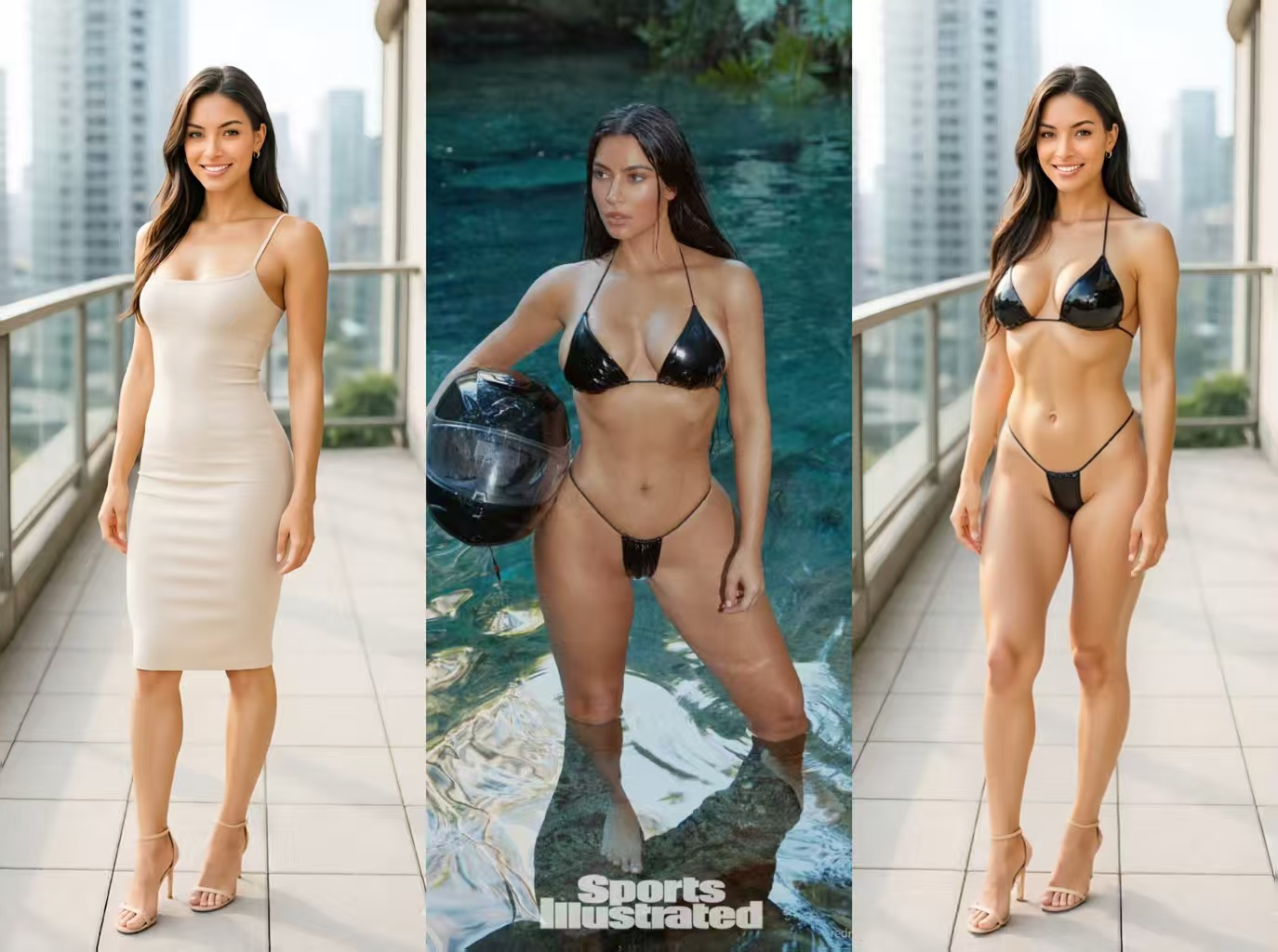
Instead of manually editing photos or using complex design tools, you simply upload a photo and select the outfit style you want to try. Whether you want to experiment with celebrity fashion trends or test different aesthetics, PicMa makes it possible in just a few clicks.
Try Celebrity Looks in Simple Steps
PicMa makes it easy to recreate celebrity outfits whether you prefer using the app or the web version.

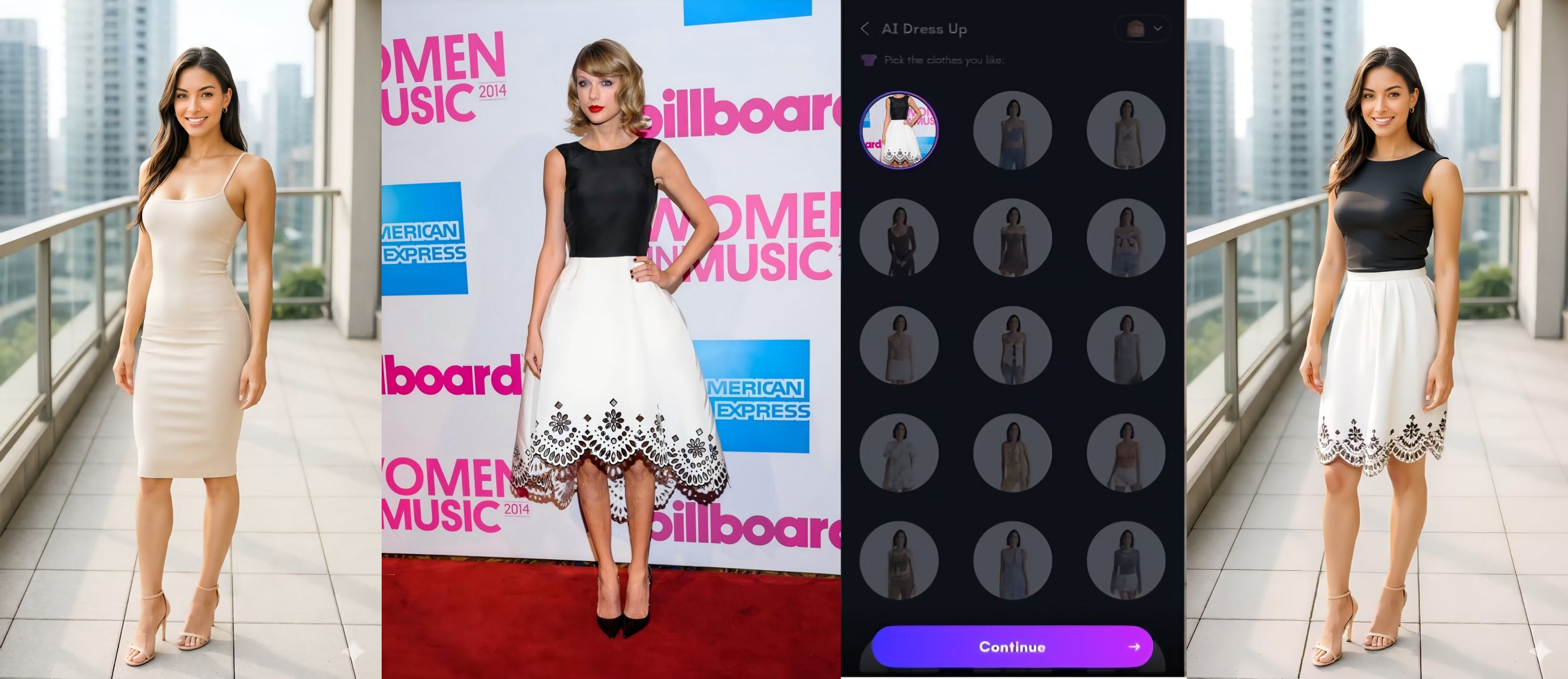
Using the PicMa App's AI Dress (iOS / Android): the new outfit naturally fits your posture.
Step 1: Find “AI Dress”
Launch the PicMa app and locate the “AI Dress” feature. Once you enter the feature, you’ll be ready to start transforming your look into celebrity-inspired styles.
Step 2: Upload Your Photo
Select the photo you want to use from your gallery. Both half-body selfies and full-body portraits work well. For the best results, choose an image with decent lighting and clear details so the AI can accurately recognize your body shape and pose.
Step 3: Upload a Custom Outfit or Choose a Style
- Upload a photo of the outfit you want to try—for example, a dress or jacket worn by a celebrity. The AI will generate that clothing on your body.
- Choose from a wide range of built-in styles, including streetwear, formal suits, traditional attire, evening gowns, and fantasy-inspired outfits—essentially, any style you love can be found and tried!
Step 3: Generate Your New Look
Tap the generate button and let the AI work its magic. The AI automatically adapts the clothing to your pose and proportions for a realistic result.
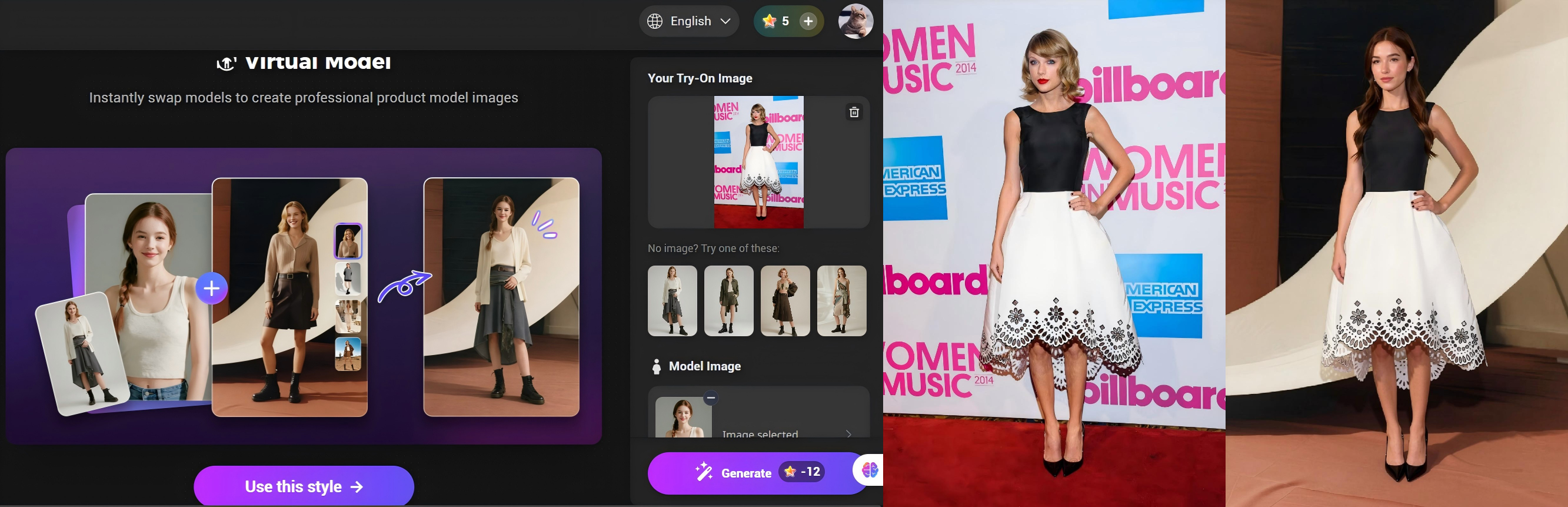
Using PicMa Studio on Web (Virtual Model): keep the outfit’s original pose and swaps in a new model.
Step 1: Upload the Try-On Image
Upload the clothing image you want to showcase or try on.
Step 2: Upload the Model Image
Upload the model image you want to use. The system will replace the original model in the clothing photo with the new one you provide.
Step 3: Generate the Result
Click generate and PicMa Studio will create a new image with the same outfit and pose, but with the new model wearing the clothing. This makes it perfect for product displays.
Keep Up with the Latest Celebrity Looks
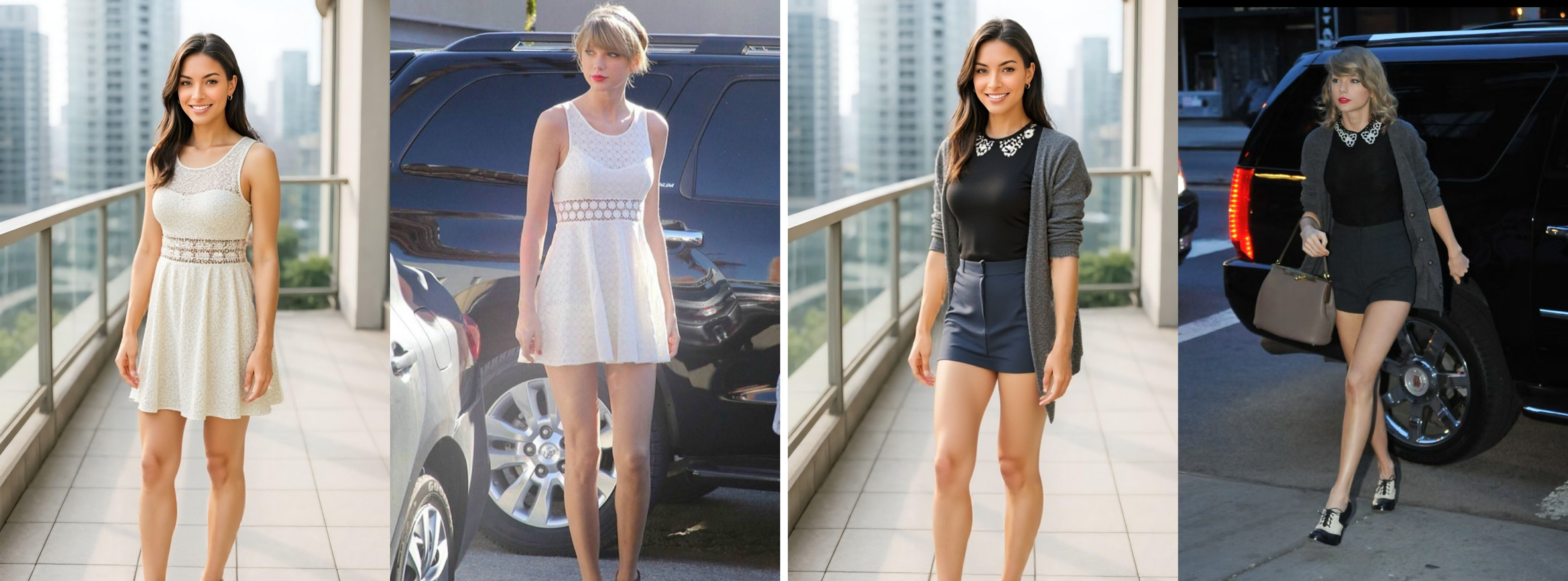
With PicMa, you can instantly try on any celebrity outfit saved from social media or fashion platforms. Just upload a photo of the clothing you love and the AI will recreate it on your photo.
This feature allows you to experiment with multiple celebrity styles from a single photo, giving you endless possibilities to mix and match looks, stay on top of the latest trends.
Real-Life Uses for AI Outfit Changing
Beyond fun experiments, AI outfit changing also has practical applications.
Creators can quickly generate multiple fashion looks for posts or thumbnails.
- Personal style exploration
Users can test different aesthetics before buying new clothes.
- Fashion inspiration boards
Designers and stylists can quickly visualize outfit ideas.
- Profile and avatar photos
Upgrade your online profile with unique, stylish outfits.
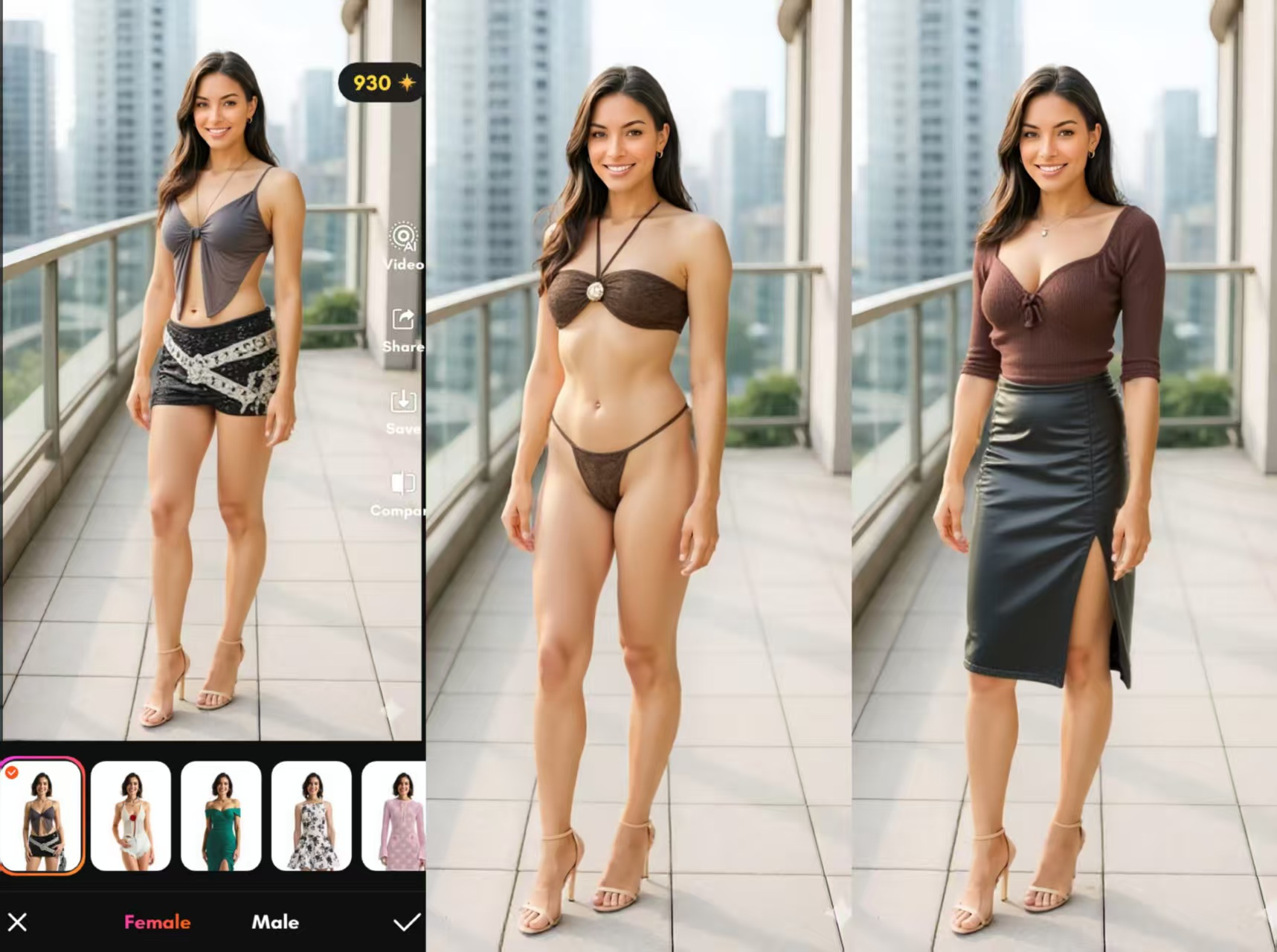
With PicMa, a single photo becomes a virtual wardrobe, giving you the freedom to try multiple fashion trends and discover your favorite looks over and over again.
Discover Different Versions of Yourself with PicMa
Fashion is one of the easiest ways to express personality. With PicMa AI Outfit Changer, you don’t need a full wardrobe to experiment with different identities. Whether it’s your favorite celebrity outfits or creative fantasy styles, the AI lets you try them all on a single photo. Download PicMa now and experience it with me!


Frequently Asked Questions
Q: Is the outfit-changing feature free?
A: Yes. The PicMa app’s AI Dress feature is free to try. The Virtual Model feature on the web version requires credits, and new users receive free credits to try it.
Q: Why does the clothing sometimes look distorted?
A: This can happen if the source clothing has heavy folds or complex shapes. Upload clearer photos and use the edge correction tool for better results.
Q: Can it generate thick winter outfits like coats or puffer jackets?
A: Yes. Enabling 3D clothing mode helps the AI generate more realistic sweaters, coats, and puffer jackets.
Q: Can AI change outfits for multiple people in one photo?
A: Currently, outfit changes are processed per person. For group photos, it's recommended to edit individuals separately or use batch processing tools.

 182
182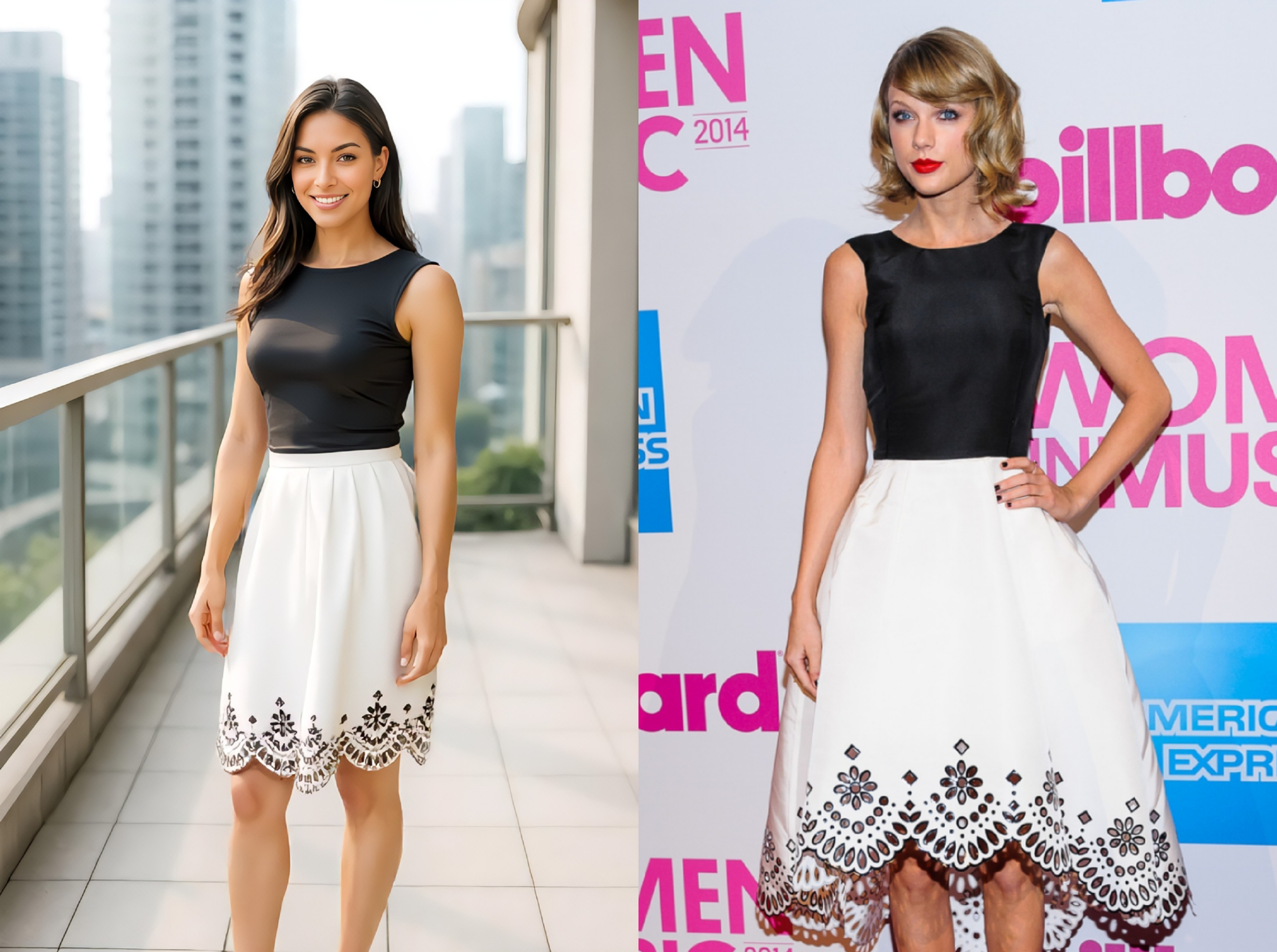

 English