If you are trying to figure out how to make ai product videos, the real challenge is usually not the animation step itself. It is starting with the right product image, keeping the result believable, and avoiding the common mistake of expecting a one-click clip to behave like a full video production team. For most sellers, creators, and marketers, the fastest path to a useful ai product video is a short, controlled workflow: prepare the image, animate it, then check whether the result actually helps the product sell.
That matters because a good ai ecommerce video is rarely the flashiest one. It is the one that shows the product clearly, stays on message, and does not distract with odd motion or heavy effects. A useful ai marketing video should feel clean and specific, not overdesigned. The sections below walk through the workflow step by step, explain what works in practice, and point out the weak spots you should expect before you spend time generating clips.
Start with the product image, not the video idea
The best way to make ai product videos is to begin with a strong still image. If the image is unclear, cluttered, or badly lit, the video will usually inherit those problems instead of fixing them.
Most people approach this backwards. They imagine the final promo first and then hope the software will create the visuals from scratch. That is not how image-based AI product video workflows tend to work. A better approach is to ask whether your source image is already good enough to support motion. If the answer is no, fix the photo first. The more readable the product is in a still frame, the more believable the animation will feel once motion is added.
Think about a simple test scenario. Suppose you are selling a water bottle, a skincare jar, or a phone case. A clean front-facing shot on a plain background will usually animate more neatly than a busy lifestyle photo with hands, reflections, text overlays, or props everywhere. The animation engine can add movement, but it does not magically untangle a bad composition. For an ai product video, clarity usually beats creativity in the first pass.
· Use a sharp image with enough resolution for the final platform you want to post on.
· Prefer simple compositions when the product itself is the hero.
· Remove obvious distractions before you animate the image.
· Avoid heavy text on the image unless it is already part of the design.
Prepare the image the same way you would prep a product listing
Before generating an ai ecommerce video, make the source photo look like something you would trust on a product page: clear edges, correct color, and no obvious defects.
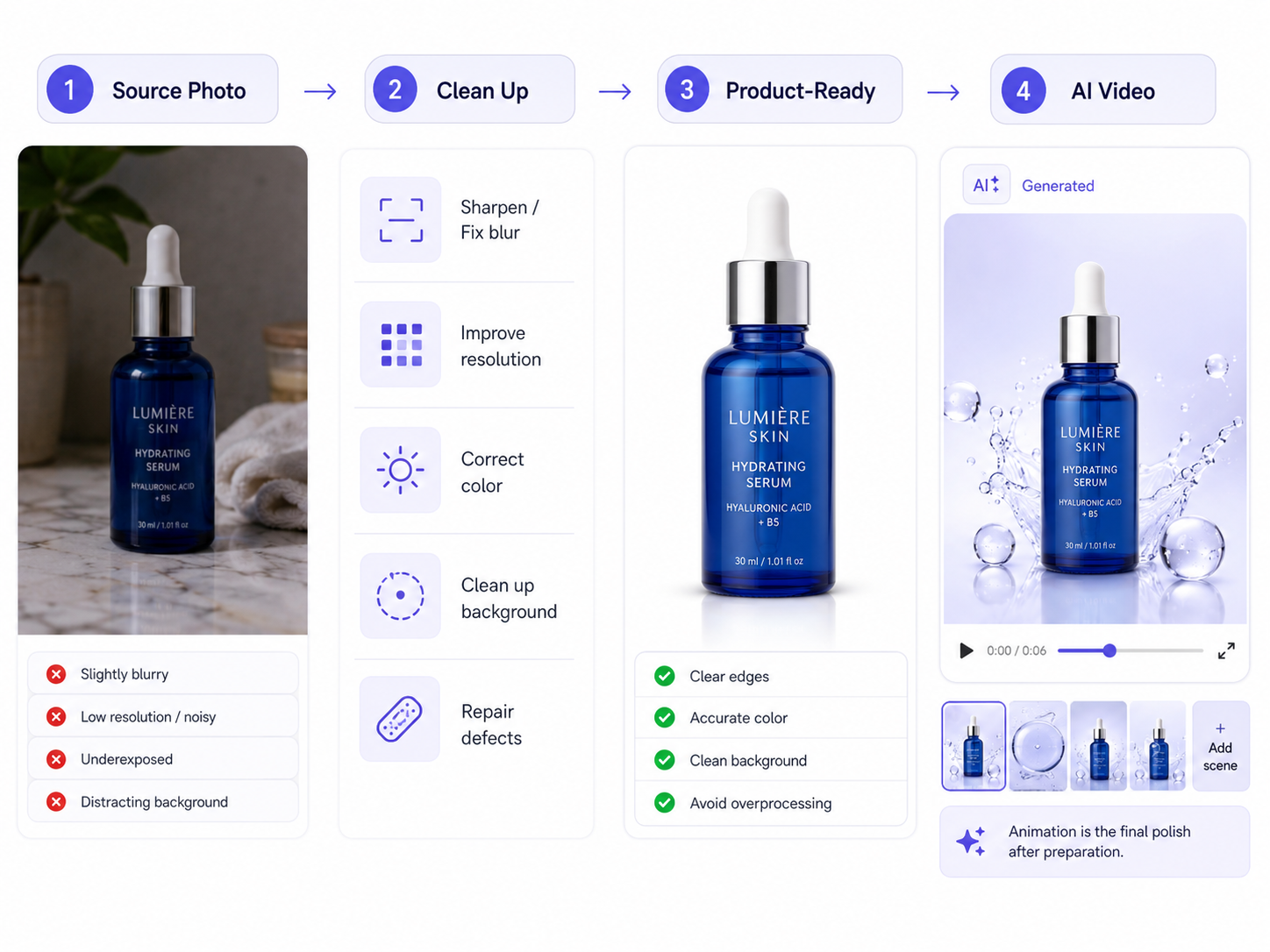 This is where practical image cleanup matters. If the image is compressed, slightly blurred, underexposed, or damaged, those flaws become more visible once the clip starts moving. Even a short animation can make small defects easier to notice. A photo that looks acceptable in a static listing may still fall apart in motion if the edges are soft or the background is messy.
For ecommerce, the ideal preparation step is less about fancy design and more about trust. If customers cannot quickly identify the product, the video has already lost part of its value. A straightforward workflow is to fix quality first, then use the animation as the final polish. That order is especially important if you are making a quick ai marketing video for ads or social posts, where people decide in a second or two whether to keep watching.
· Correct blur or low resolution before animating.
· Check whether the background helps the product or competes with it.
· Keep color accurate if the product has important shade differences.
· Avoid overprocessing the photo until it looks artificial.
Use template-based animation for a short, specific outcome
If you want a practical ai product video, use a template-based image animation workflow instead of trying to force custom scene generation. The goal is a short clip that moves enough to catch attention without confusing the product.
This is the point where many people overestimate what AI video should do. The most reliable workflow for product content is not typing a prompt and expecting a fully staged commercial. It is starting from an image and applying a motion template or effect that suits the product. That approach is more limited, but also more predictable. You are working with the product you already have instead of hoping the model invents a scene that still makes visual sense.
For a social post or ad test, that limitation can actually be useful. A short, controlled animation is often enough to create motion in a feed where static images tend to blend together. The trick is to choose movement that supports the product, not movement that steals attention. A subtle reveal or a clean animated emphasis can work well; exaggerated motion usually looks less credible, especially for products that depend on precision, like cosmetics, accessories, or electronics.
· Keep the final clip short and focused.
· Choose motion that complements the product shape and context.
· Expect template-based motion, not full creative freedom.
· Review the animation for cropping or awkward emphasis before exporting.
What to expect from the workflow in practice
A good ai product video workflow is fast, but it is not invisible. You still need to review the output, because the biggest problems usually show up at the edges: motion artifacts, cropping, and a clip that feels generic.
In practice, the first result is often close, not perfect. That is fine if your target is a quick product teaser, a Reels clip, or a test asset for a paid campaign. It is less fine if you need exact brand storytelling or detailed motion direction. One realistic workflow is to create three versions from the same image and compare which one keeps the product clearest. That simple comparison often teaches you more than chasing a single “best” result.
This is also where users realize the limits of the format. There is no frame-level manual editing control in the kind of workflow described here, so you cannot fine-tune every motion beat. If the source image is awkward or the template introduces a strange visual decision, you may need to go back and choose a different photo rather than trying to fix the clip itself. That is one of the main reasons this method is best for speed-first teams, not teams looking for film-style control.
· Expect fast turnaround, not perfect artistic control.
· Test multiple source images when possible.
· Check whether the final motion distracts from the product.
· Be ready to regenerate rather than edit deeply.
Where PicMa AI fits after you solve the main problem
For users who want to make ai product videos from an existing image, the most relevant PicMa AI feature is AI Video. It animates an image into a short video clip using templates, which makes it a natural companion step after you have cleaned up the source photo.
That matters because PicMa AI is not just a video feature. It is a broader platform with image enhancement, background cleanup, restoration, and ecommerce tools in one place. If your product image needs work before animation, you can improve it first and then move into AI Video without jumping between separate apps. In a practical workflow, that can save time when you are preparing product visuals for a store page, a social post, or a quick campaign test. You can explore the platform here: <a href="https://picma.magictiger.ai">PicMa AI</a> and see the tool set from the main site.
The best fit is a sequence like this: sharpen or restore the source image if needed, clean the background if it distracts, and then animate the image with AI Video. Because the motion starts from an existing image, the result is most useful when the photo already represents the product well. That makes AI Video a practical option for lightweight ecommerce content, not a replacement for custom filmed ads. If your workflow begins with a weak source image, the animation step will not fully fix it. If you want to browse the broader toolset, the <a href="https://picma.magictiger.ai">official PicMa page</a> is the best place to start.
· AI Video is image-first, not text-prompt-first.
· The feature is best used after photo cleanup or enhancement.
· It is useful for short product clips and quick content production.
· The template-based approach limits creative freedom, so expectations should stay realistic.
Comparison
| Tool | Best for | Speed | Consistency | Main drawback |
| Image-based AI video templates | Short ai product video clips from existing photos | Fast | Moderate to high if the source image is strong | Limited creative control |
| Manual video editing | Fully custom ai marketing video and brand storytelling | Slower | High when done well | Requires skill and time |
| Text-prompt video generators | Conceptual scenes and broader motion ideas | Medium | Varies widely | Less reliable for specific product visuals |
| PicMa AI AI Video | Quick product animation from an image | Fast | Good for clean source photos | Template-based constraints and no frame-level editing |
FAQ
Q: Can I make ai product videos from just a text prompt?
A: Not in the workflow covered here. The relevant PicMa feature starts from an existing image, then animates it with a template or effect. If you need fully prompt-driven scene creation, this is not the right expectation.
Q: What kind of product image works best for an ai product video?
A: A sharp, well-lit image with a simple composition usually works best. Product shots with clear edges and minimal clutter tend to animate more cleanly than busy lifestyle images.
Q: Is an ai ecommerce video good enough for product pages?
A: Often yes, if the goal is a short, polished clip that adds motion and attention. It is not a substitute for every kind of product media, especially when you need detailed demonstrations or full manual control.
Q: What is the biggest limitation of template-based AI Video?
A: The main limitation is creative control. You can choose from templates or effects, but you cannot edit every frame or direct the motion with the precision of a professional video editor.
Q: Should I clean up the photo before making the video?
A: Yes. In most cases, the source image should be improved first. Blur, compression artifacts, and messy backgrounds are more noticeable once the image starts moving.
Conclusion
If you want to know how to make ai product videos, the most reliable answer is surprisingly simple: start with a good image, fix it if needed, then animate it with a controlled template-based workflow. That approach will not replace a custom commercial, but it will get you to a usable clip quickly, which is what many ecommerce sellers and marketers actually need.
For users who want that kind of practical workflow, PicMa AI’s AI Video feature fits naturally after image cleanup and enhancement. It is a realistic option for short product clips, social content, and fast tests, as long as you respect the limits: no frame-level editing, no text-only scene generation, and no miracle rescue for a weak source photo.
Related Readings:

 71
71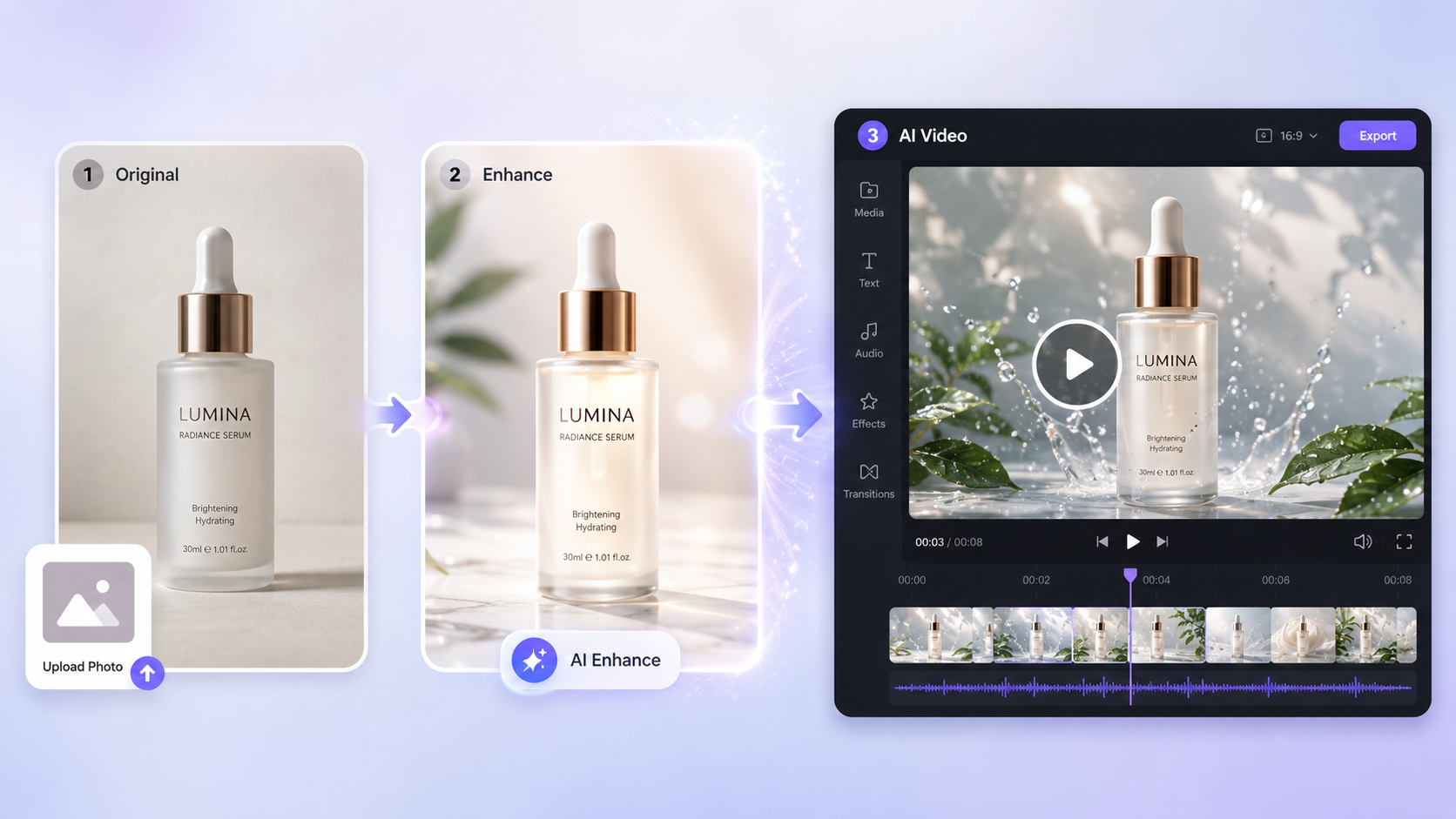

 English