If you are trying to figure out how to make ai ads videos, the first problem is usually not the video tool itself. It is having a product image that is good enough to carry a short ad without looking cheap, blurry, or awkward once motion is added. A lot of people jump straight to the animation step and only realize later that weak source material makes the whole ai ads video feel unfinished.
The most useful workflow is simpler than many people expect: prepare a clean image, choose a motion style that fits the product, and keep the ad short. That is the real starting point for a credible ai marketing video, not chasing elaborate effects. Later, I will show where a tool like PicMa’s AI Video feature fits into this process, especially when you already have an image and want a quick animated clip rather than a fully scripted production.
Start with the ad idea before you touch any tool
The best way to make ai ads videos is to define the message first, then build the visual around it. A short ad clip works only when you know what the viewer should notice in the first two seconds.
Before you think about software, decide what the ad is supposed to do. Is it meant to show a product clearly, announce a discount, create a sense of motion, or make a still image feel more alive in a feed? That one decision changes everything. A product launch clip needs clarity. A promo clip needs fast recognition. A branding clip can tolerate more visual style. If you skip this step, the final video often looks busy but not persuasive.
For a practical ai ads video, I would keep the concept to one idea per clip. One product. One message. One action. That is enough for a short TikTok or Reels ad, and it is much easier to produce than a full commercial-style sequence. If you are making a video ads ai asset for paid testing, this focused approach is also easier to measure because you know exactly what the clip is meant to communicate.
· Choose one primary goal: awareness, click-through, or product explanation.
· Keep the length short enough to be understood without sound.
· Use one main visual subject instead of trying to show everything at once.
· Write a simple call to action before you start editing.
Build from a strong image, because the source asset does most of the work
If you want a good ai marketing video, the image matters more than the animation effect. A sharp, well-lit photo will usually outperform a fancy motion treatment on a bad source image.
This is where many people underestimate the process. An animated ad built from a weak image will still look weak. Motion can attract attention, but it does not fix blur, compression artifacts, awkward cropping, or a distracting background. If the product is a physical item, make sure it is centered, easy to read, and not hidden by clutter. If it is a portrait or personal brand visual, check skin tone, edge quality, and facial clarity before animating anything.
Think of the image as the foundation. Even the best video ads ai workflow can only enhance what is already there. If your image is overcompressed from a marketplace listing or taken in poor light, clean it up first with a photo enhancer, background cleanup, or restore tool. That step is not glamorous, but it often decides whether the ad feels usable or amateur.
· Use the highest-quality image you have, not the fastest one you found.
· Crop for the final platform before animating if possible.
· Remove clutter that competes with the product.
· Avoid images that are already soft, noisy, or heavily compressed.
Make the ad in a lightweight workflow instead of overbuilding it
For most users, how to make ai ads videos comes down to a lightweight workflow: prepare the image, select a motion template, preview the result, and export. That is enough for many quick ad tasks.
A template-based animation workflow is often the fastest route because it removes the need to manually build every movement. You start with an existing image, choose a motion template or effect, and let the system turn it into a short animated clip. That makes sense for ecommerce product teasers, social promos, and simple announcement videos where the goal is to get something polished out quickly. You are not trying to create a full cinematic sequence; you are trying to get attention and communicate a single idea in a few seconds.
There is a tradeoff, though. Template-based video creation is convenient, but it limits creative freedom. You may not get frame-level control, and you should not expect the kind of detailed editing you would find in a professional motion graphics tool. For users who need a fast ai ads video rather than a custom animated campaign, that limitation is usually acceptable. For brands that want precise timing or complex scene changes, it will feel restrictive.
· Start with an existing image rather than a blank video timeline.
· Pick a motion style that suits the product, not the most dramatic one available.
· Preview on a phone screen, because most viewers will see it that way.
· Expect short clips to work better than long, elaborate sequences.
Compare the result against what a real ad needs to do
A usable ai ads video is not just visually interesting; it has to survive real ad conditions such as small screens, sound-off playback, and split-second attention spans.
When you review your first export, do not judge it like a designer would judge a portfolio piece. Judge it like an ad. Can someone understand the product in one glance? Does the motion help the message or distract from it? Does the clip still make sense without audio? If the answer is no, the problem is probably not that the AI failed. The problem is that the ad needs to be simplified.
A useful habit is to test the clip in the environment where it will be shown. Put it on a phone. Watch it at normal feed speed. Check whether text, product shape, and movement remain clear. A short ai marketing video can look fine on a desktop preview and then feel messy in a mobile feed. That is especially true when the source image has fine detail or when the motion effect is too aggressive.
· Test the clip at mobile size, not just on a large monitor.
· Check whether the first second communicates the product.
· Make sure the visual still works when muted.
· Trim anything that delays recognition.
Where PicMa fits: use AI Video after your image is ready
The most relevant PicMa feature for this topic is AI Video. It animates an existing image into a short video clip using templates, which makes it a practical companion for creating a simple ai ads video after the image has been cleaned up.
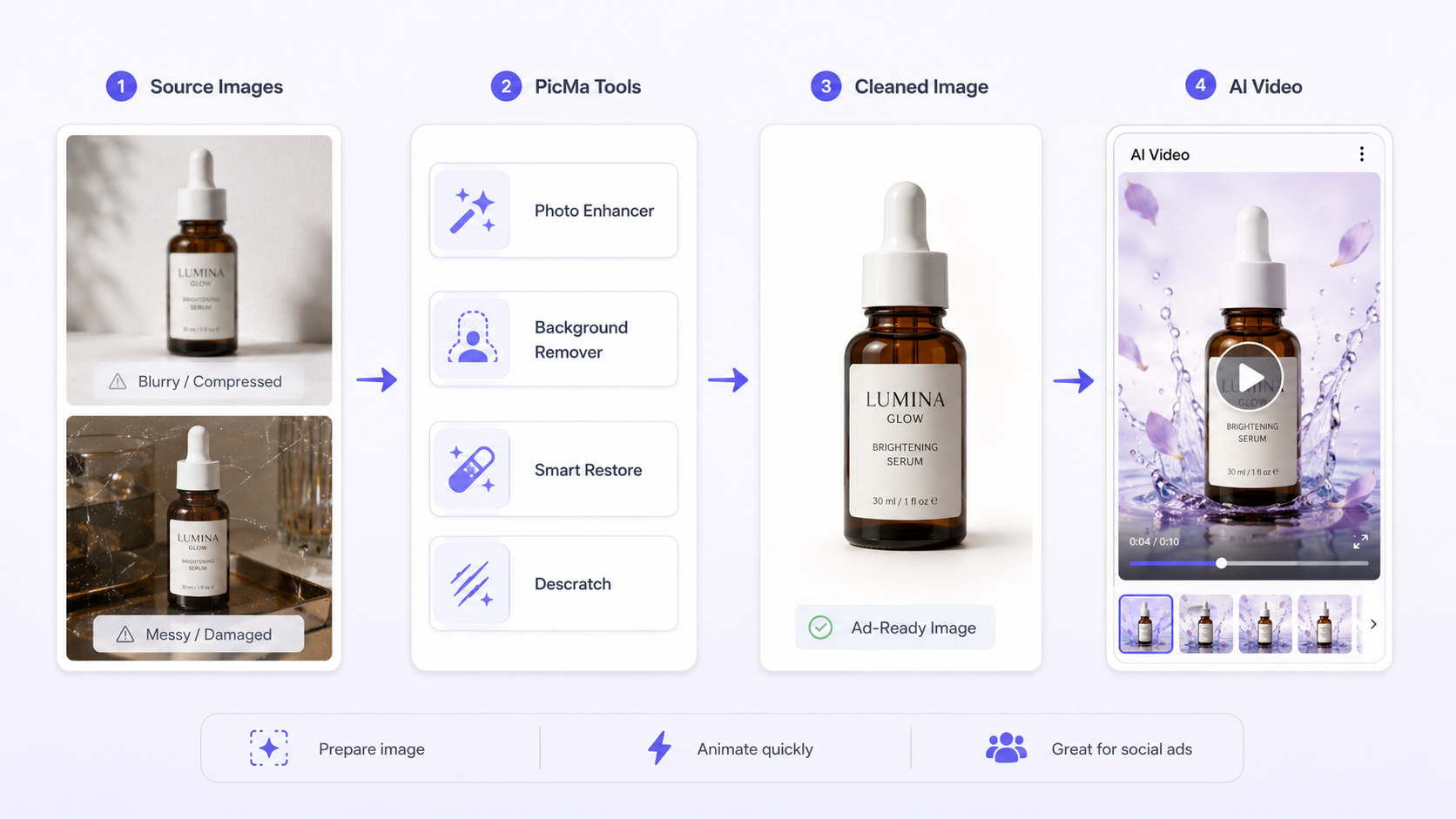
This is the point where PicMa becomes useful in a direct, practical way. PicMa is not just one feature; it is a multi-tool platform with image enhancement, background cleanup, restoration, and video creation in one place. For ad workflow, the feature that matters most is AI Video, because it starts from an existing image and turns it into a short animated clip. That matches the real use case of many small teams: they already have a product photo, and they want a quick motion version for social ads or promotional posts.
What makes this bridge useful is that the image preparation tools can support the video step. If the source image is blurry, the Photo Enhancer can improve clarity and resolution. If the background is messy, Background Remover can simplify it before animation. If the image is a scanned or damaged asset, Smart Restore or Descratch can help recover it first. In other words, PicMa works as a preparation-and-animation stack, not as a pure text-to-video generator. You still need the image, but you can make that image more ad-ready before using AI Video.
· Use Photo Enhancer for blurry or compressed product images before animation.
· Use Background Remover when the product needs a cleaner presentation.
· Use Smart Restore or Descratch for older visuals that need repair first.
· Use AI Video when you want a short animated clip from an image, not a full manual edit suite.
Comparison
| Tool | Best for | Speed | Consistency | Main drawback |
| PicMa AI Video | Short animated ads from an existing image | Fast | Good for template-based results | Limited creative control and no frame-level editing |
| Traditional video editor | Fully custom ad builds and precise timing | Slower | High if edited carefully | Requires more skill and more time |
| Image enhancer plus video tool workflow | Cleaning the source image before animation | Fast to moderate | Strong if the base image is good | Still depends on the original photo quality |
| Manual motion graphics | Complex branded campaigns | Slow | Very high | Not practical for quick ai ads video production |
FAQ
Q: Can I make an ai ads video from just a text prompt?
A: Not with the image-based workflow described here. The practical route is to start from an existing image, then animate it. If you only have a text idea, you still need a visual asset before this kind of tool is useful.
Q: What kind of image works best for an ai marketing video?
A: A sharp, well-lit image with a clear subject works best. Product shots and clean portraits tend to hold up better than noisy, blurry, or heavily compressed images.
Q: Is template-based animation good enough for paid social ads?
A: It can be, especially for simple product teasers and quick tests. The tradeoff is that you get speed and convenience, but less control than a full manual video editor.
Q: What is the biggest limitation of video ads ai tools like this?
A: The biggest limitation is usually control. You can get a short animated result quickly, but you should not expect frame-by-frame editing or highly custom scene design.
Conclusion
The most practical answer to how to make ai ads videos is to keep the workflow simple: define one message, prepare one strong image, animate it with a short template, and test the result on a phone before using it in a campaign. That approach is faster than building a full ad from scratch, and it usually produces something more believable than a complicated idea forced into a lightweight tool.
If you already have an image and want a quicker route, PicMa’s AI Video feature is the most relevant companion to this workflow, especially when paired with image tools that clean up the source first. It is not the right choice for fully custom motion editing, but for short, practical ad clips it is a realistic option. Start with the asset quality, accept the template limits, and you will get much closer to a useful ai ads video than by chasing extra effects.

 76
76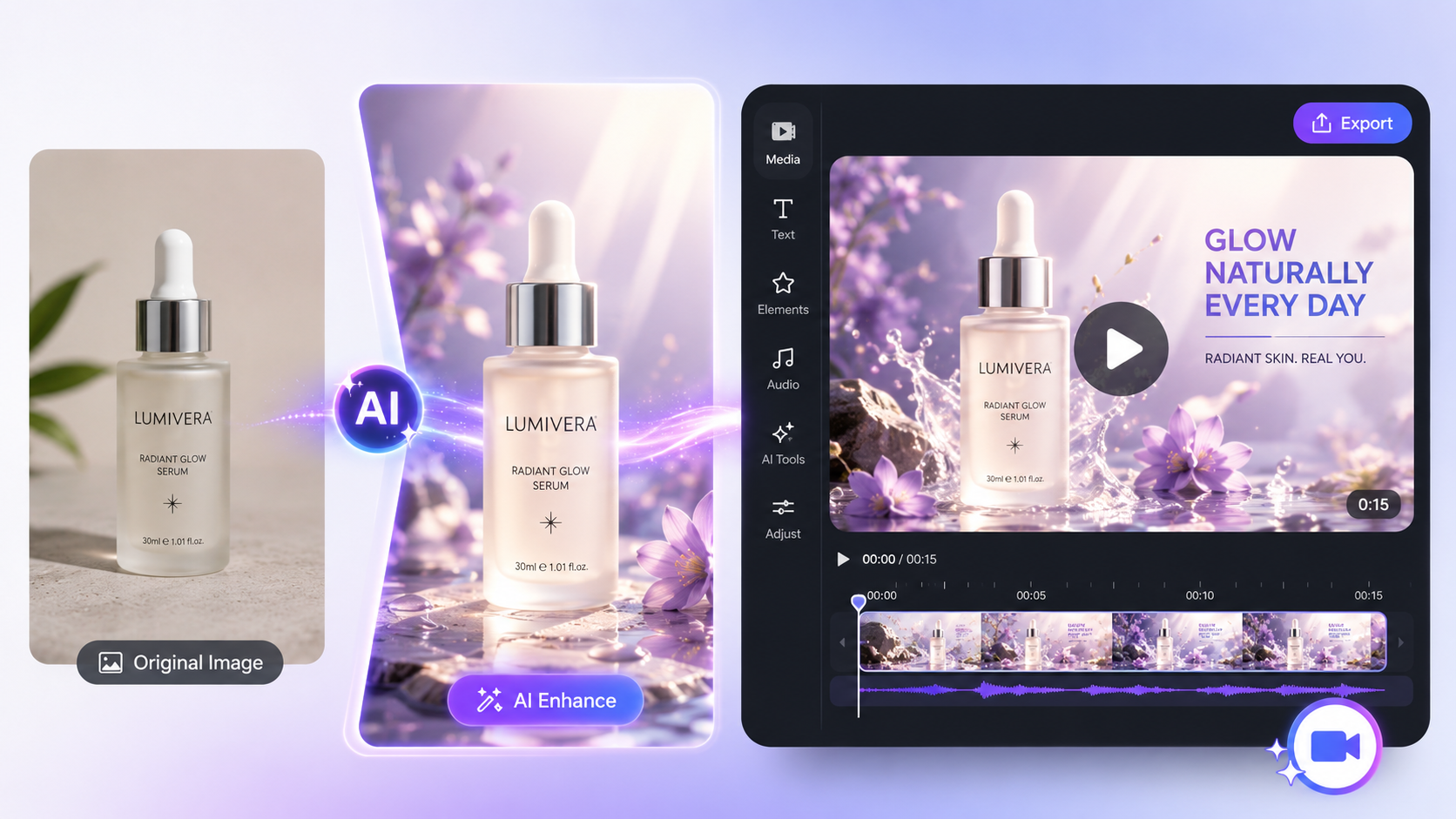

 English