April Fools’ Day is the perfect time to surprise your friends with something unexpected. Instead of ordinary photos, why not transform yourself into a playful or even creepy clown?
With PicMa, you can turn a single photo into multiple dramatic styles in just a few taps. Whether it’s a cheerful carnival clown or a mysterious joker, these looks can instantly make your April Fools’ Day posts stand out on social media.
A Fun Surprise for April Fools’ Day
PicMa has launched a special clown portrait template for the holiday, letting users instantly transform selfies into fun and creative clown-themed images—perfect for pranks and social media surprises.
Image Templates
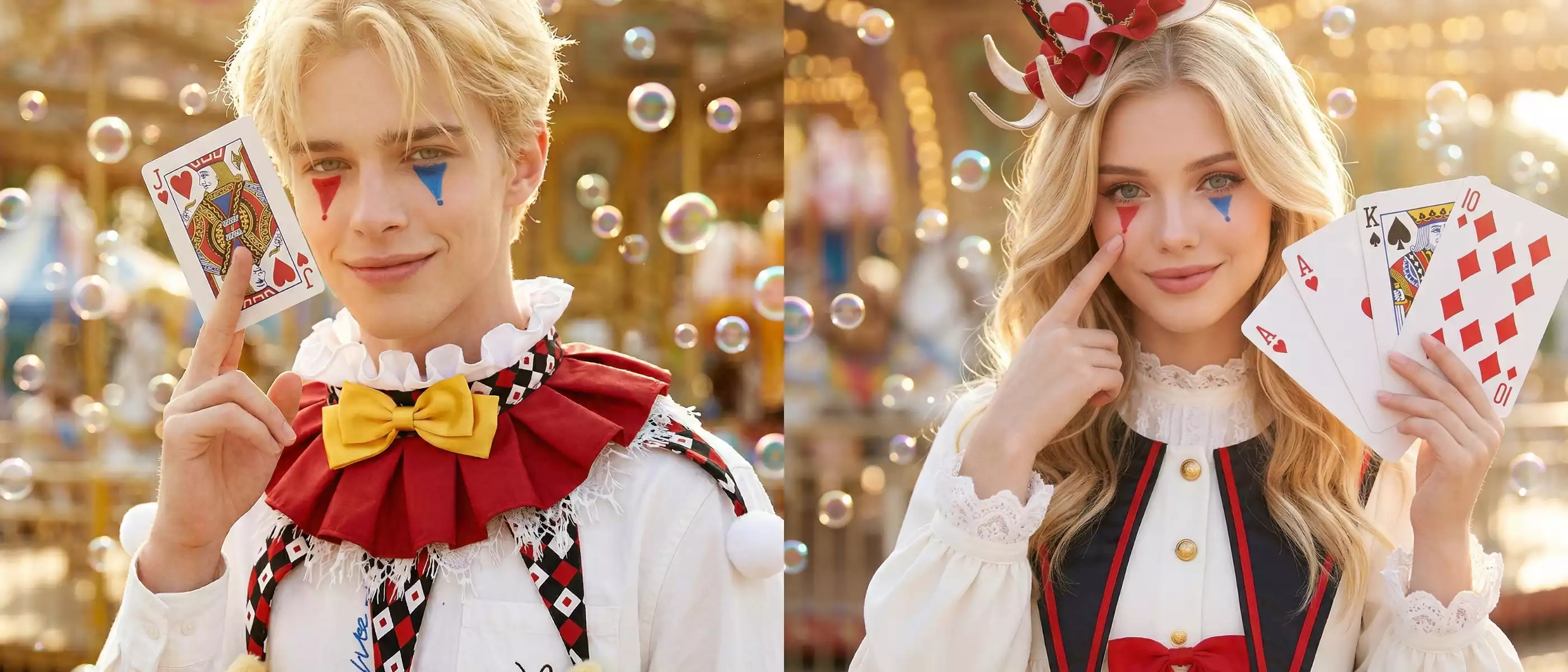
- Amusement Park Clown – Colorful and joyful, inspired by carnival vibes with bright makeup, playful expressions, and a festive amusement park atmosphere. Ideal for light-hearted pranks and cheerful posts.
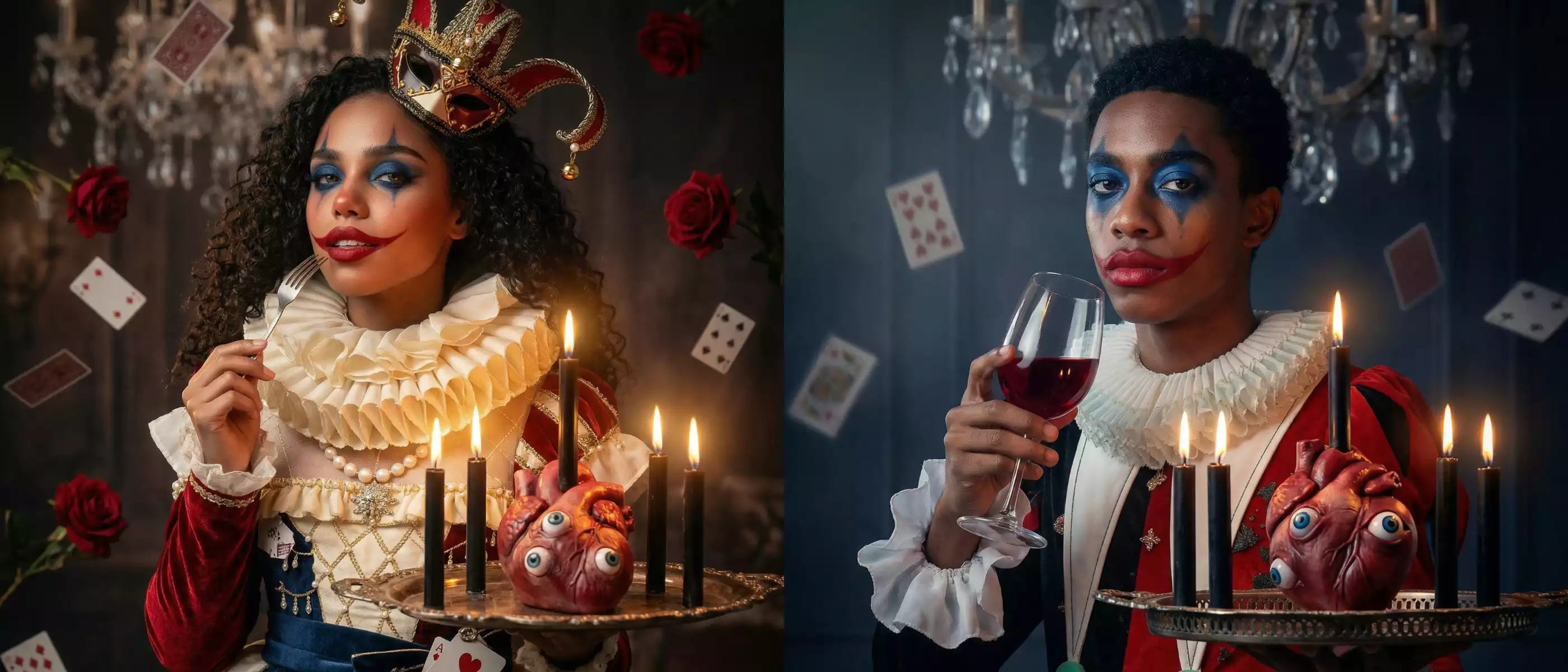
- Horror Clown – For a dramatic twist, try a creepy clown style. Dark makeup, eerie lighting, and cinematic horror vibes turn a simple portrait into something thrilling and unforgettable.
Video Template
- Flame Rose Clown – A romantic yet intense look featuring glowing, flame-like roses and passionate red tones, bringing the fiery, dramatic effect to life in motion.
With just one photo, you can generate eye-catching April Fools’ portraits and videos that feel both festive and unexpected.
How to Create Your April Fools’ Clown Photos
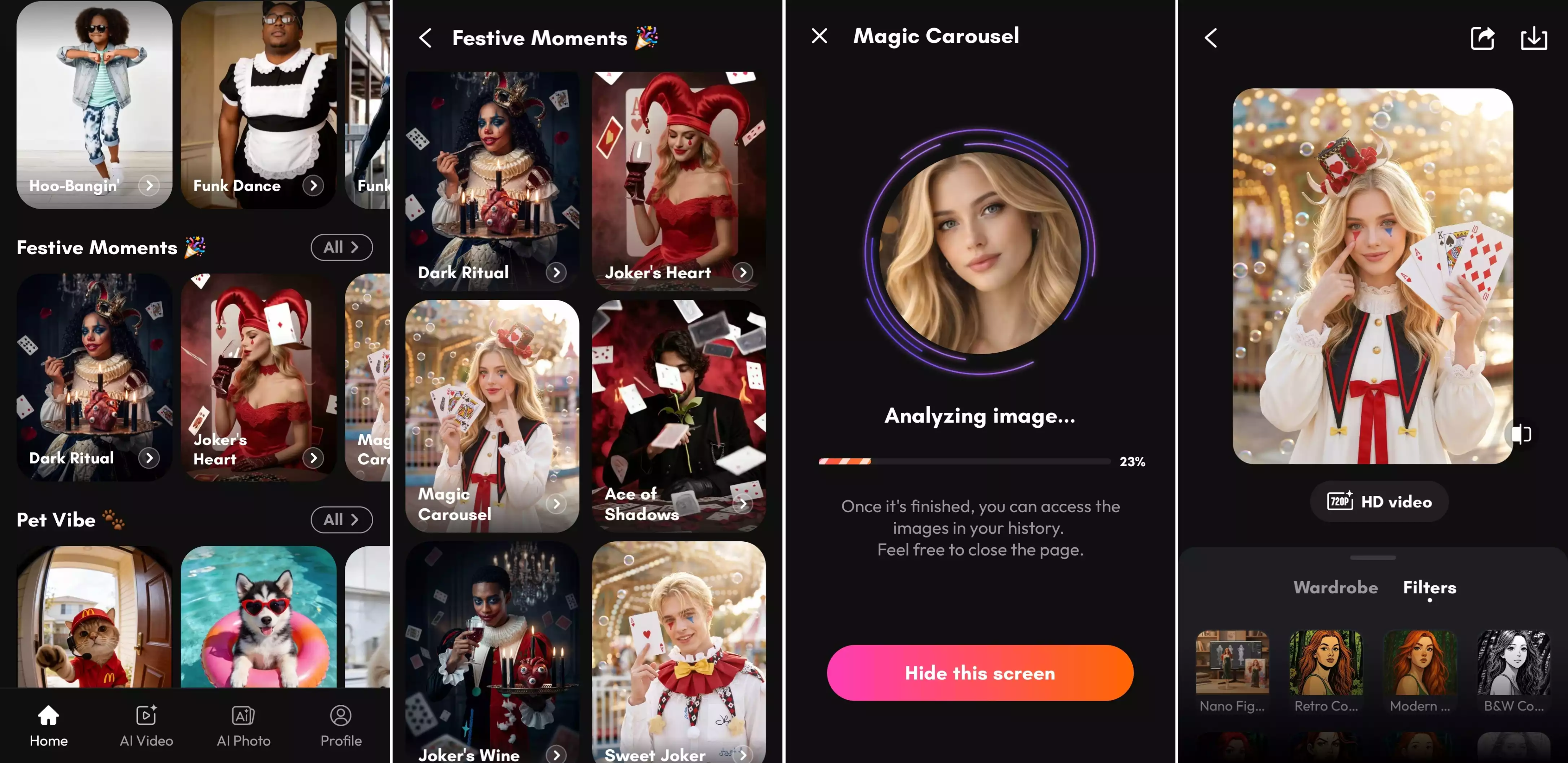
1. Open PicMa (IOS / Android)
Find “Festive Moments” on the homepage, and select the April Fools’ clown template you like.
2. Upload Your Photo
Choose a clear selfie or portrait from your phone.
3. Generate the Look
Tap generate and let the AI automatically create your clown portrait.
4. Download & Share
Save your favorite version and share it with friends on social media for the ultimate April Fools’ surprise.
More Festive Styles in PicMa
Besides the April Fools’ clown portraits, you can explore many other holiday-themed photo templates. These seasonal styles make it easy to create fun and memorable portraits for different celebrations throughout the year.
- Easter cheerful portraits with pastel colors, eggs, and bunny. And adorable templates that highlight your furry friends in Easter-themed settings.
- Christmas styles with cozy winter vibes, sparkling lights, and festive decorations.
- Halloween themes featuring spooky atmospheres, creative costumes, and mysterious effects.
- Valentine’s Day looks filled with romantic elements like hearts, roses, and dreamy lighting.
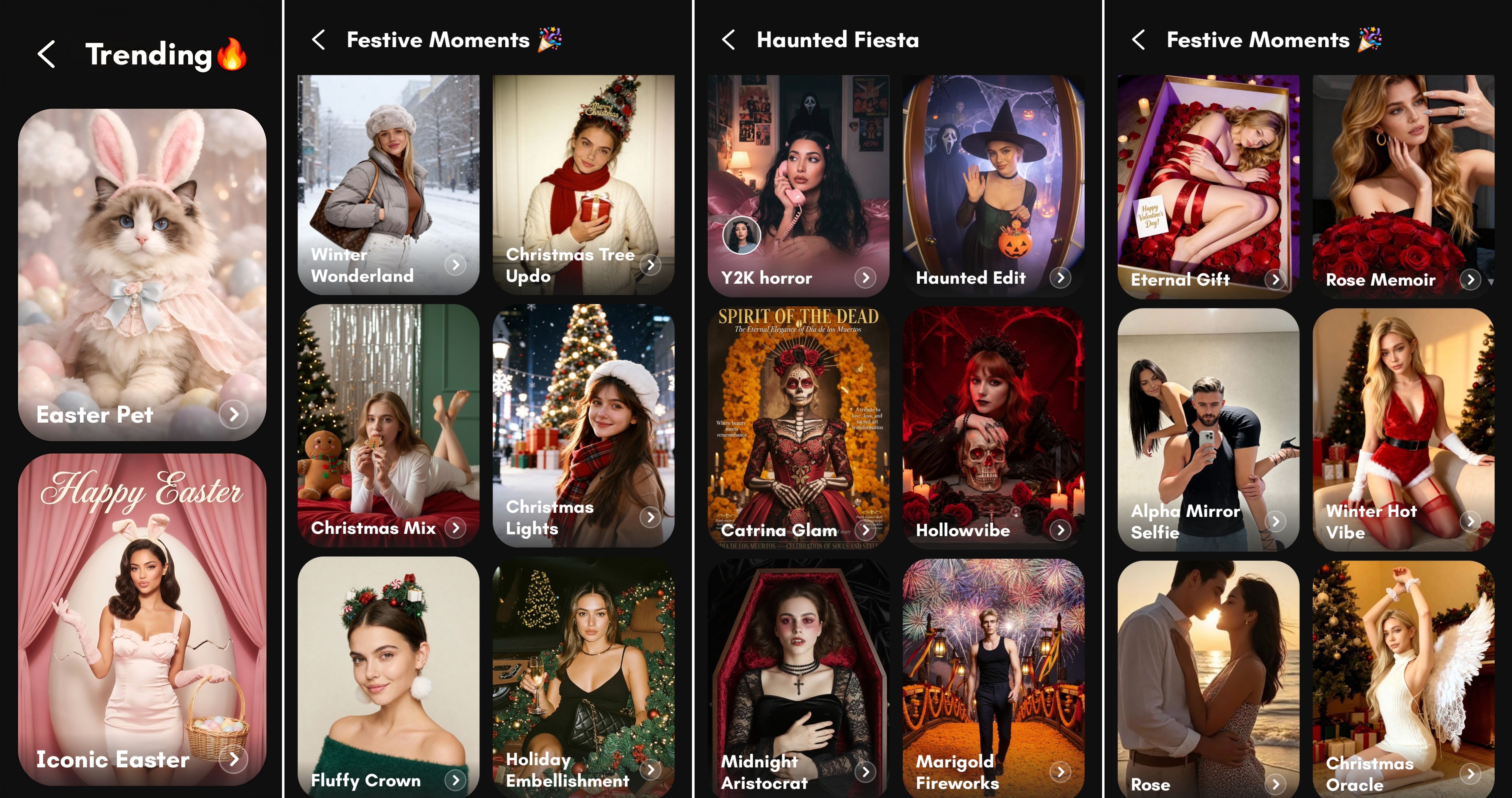
Just like the April Fools’ template, these styles are simple to use and require no prompts. Upload a photo, choose a festive template, and let PicMa instantly generate a themed portrait.
Ready to surprise your friends?
April Fools’ Day isn’t just about pranks—it’s also about creativity and fun. By turning your photos into playful or spooky clown portraits, you can create memorable moments, entertain your friends, and add a unique twist to your holiday celebration.
Upload your photo to PicMa and create your own unforgettable April Fools’ clown transformation!


Frequently Asked Questions
Q1: Is this feature free to use?
Yes! The photo templates in PicMa are completely free to generate. For video styles, a small amount of points is required, but new users receive bonus points to try them out.
Q2: Do I need to type prompts or instructions?
No. You don’t need to enter any prompts. The process is very simple and beginner-friendly. Just upload your photo, choose the template you like, and PicMa will automatically generate the result for you in seconds.
Q3: What kind of photo works best?
A clear portrait photo with good lighting usually produces the best results.

 133
133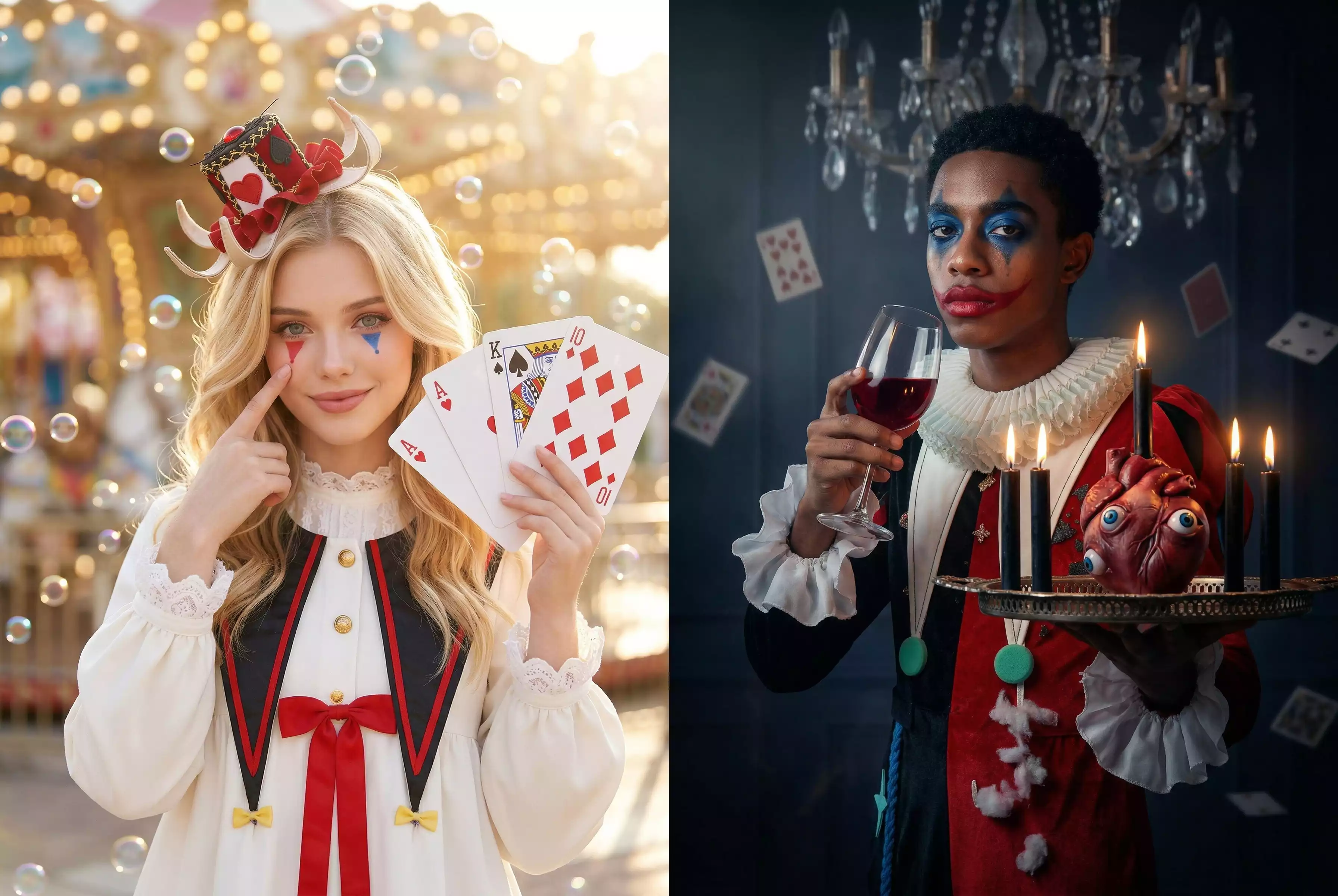

 English