A Special Gift for All Swifties
Calling all Swifties! You guys must have listened to Taylor Swift's new album The Life of a Showgirl. So, would you like to be completely immersed in this "Showgirl" vibe while enjoying the music? Now, PicMa is thrilled to offer you this chance. With our groundbreaking AI, you can step directly into Taylor's world.
We’ve captured the very essence of this dazzling new era and transformed it into an attractive, free AI feature. Get ready to step into the spotlight and become the star of the show, because your own "Showgirl" is just one tap away.
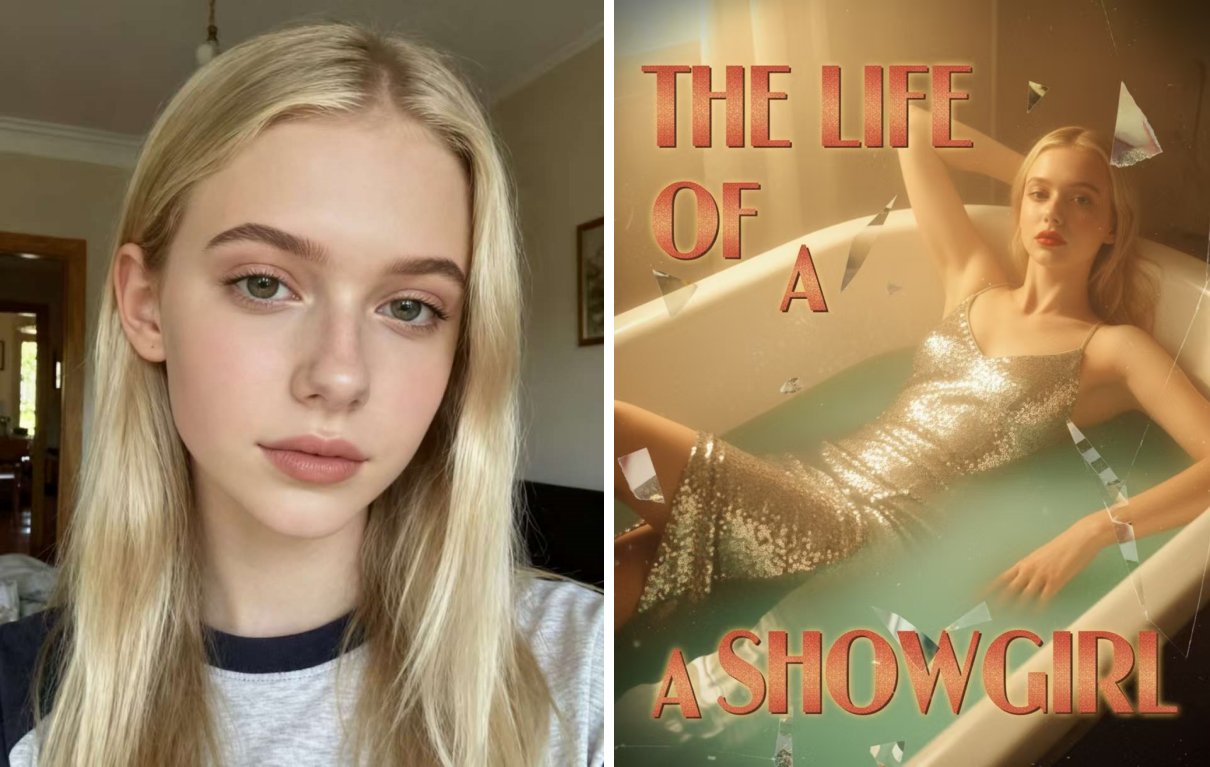
Get Your Stylish Portraits in Seconds
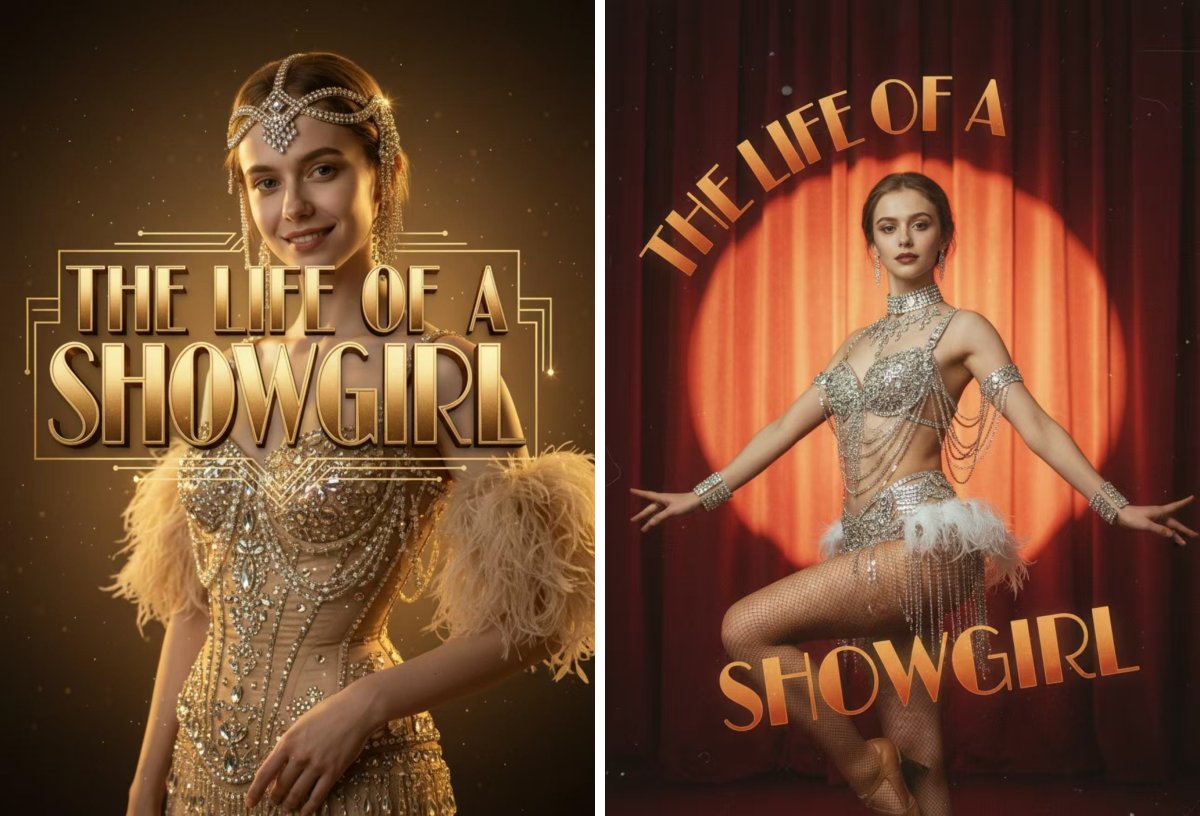
Based on various portraits of Taylor, our advanced AI technology intelligently analyzes your characteristics and puts you into the similar scenes of The Life of a Showgirl. You can get your glamorous album covers easily: lying in the surreal bathtub, wearing a star crown, sitting in a peach glam room or performing on a red stage... All you need is a single photo of yourself.
Here is what you should do:
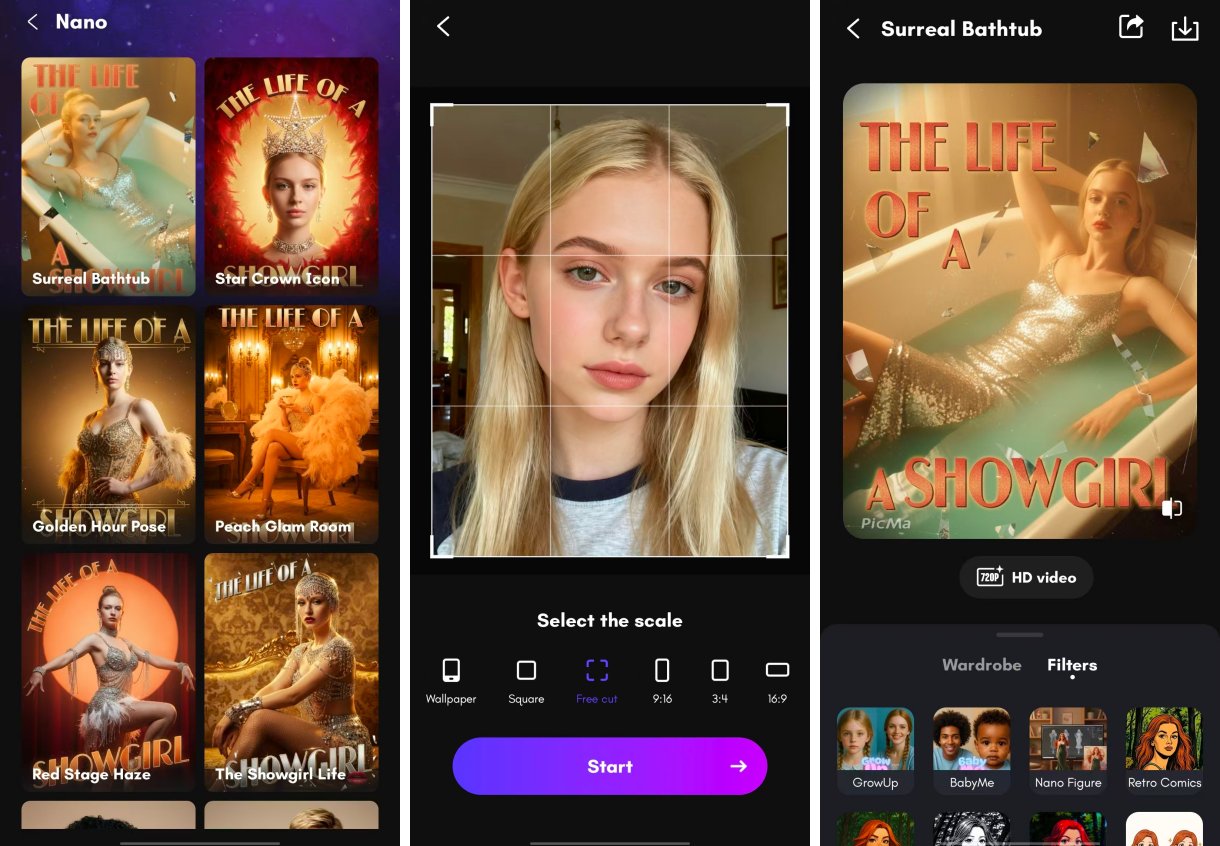
- Open the PicMa app (available for iOS and Android) and pick the styles in the AI Filter section
- Select a clear, well-lit photo of yourself and resize it if necessary
- Watch as our AI works its magic and get your stunning portrait in seconds. Share it on your social media!
One Photo, Infinite Fun
This isn't all you can get with PicMa. In PicMa, you can experience much fun and dream big with just a photo.
Here, you can take a selfie with Taylor and share the spotlight with Celeb Selfie; you can appear on the cover of Time with Editorial Portrait; or you can live a high life with Old Money. There are a variety of AI effects here to try. Just unleash your imagination!
So, what are you waiting for? The stage is set, the lights are on, and your audience is waiting. Download PicMa now and let the transformation begin!
FAQ (Frequently Asked Questions)
Q1: Is AI Filter feature really free?
A: We pinky-promise, it’s 100% free! There is no catch.
Q2: What kind of photo should I use for the best results?
A: Great question! For the best results, we recommend a clear, well-lit selfie where your face is fully visible and avoiding hats or sunglasses that obscure your features.
Q3: Can I share the results on social media?
A: Please do! In fact, we encourage it! Don’t forget to tag us and use the hashtag #PicMa!
Q4: How long does it take to process a photo?
A: Typically, it takes between 10 seconds and 1 minutes. Generation speed may vary slightly depending on your device and the network.
Q5: The result isn't perfect. What can I do?
A: You can change the photo and try as many times as you want.The AI can sometimes produce different interpretations on a second try.


Related Readings:

 239
239

 English