Have you ever admired the nostalgic beauty of Japanese Showa-era kimono photography—the soft lighting, traditional outfits, and elegant atmosphere that feels like stepping into a classic Japanese film?
What if you could create the same style of photos without traveling to Japan, without renting a kimono, and without hiring a photographer?
It’s now possible to create your own Japanese kimono portrait photos using only your phone.
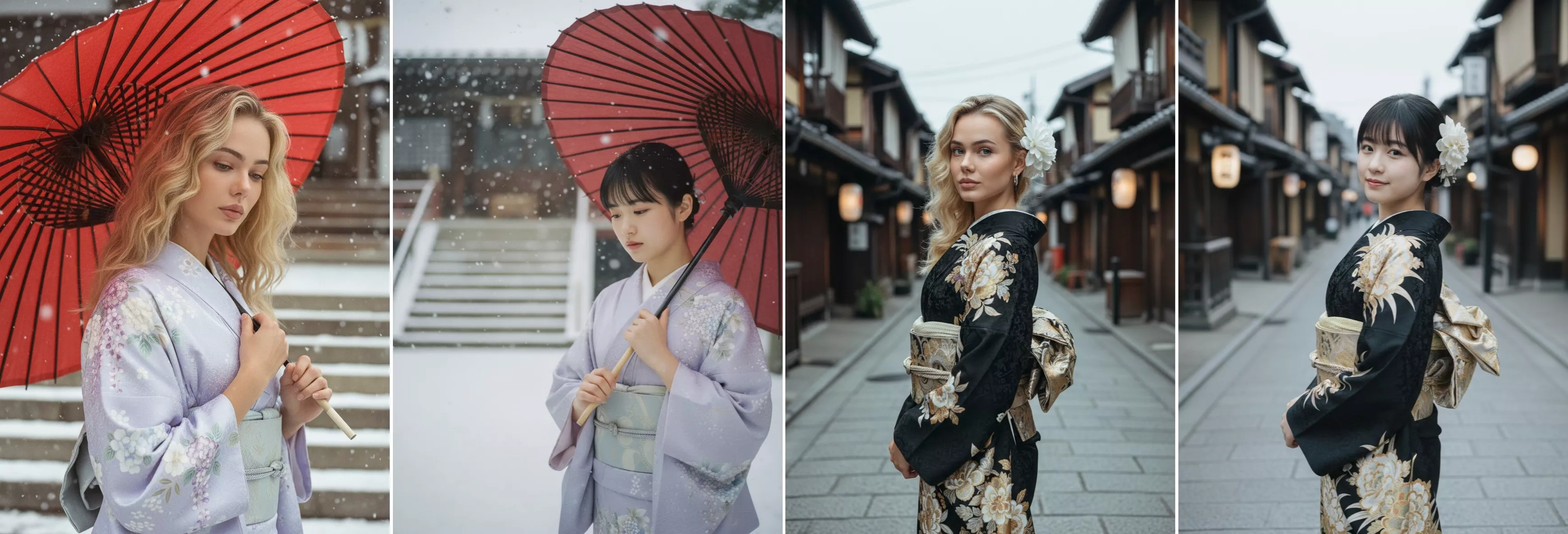
No Trip to Japan Needed
Traditional kimono photoshoots usually involve a lot of preparation and planning. Many people travel all the way to Japan to experience an authentic setting, then rent a traditional kimono and arrange professional hair and makeup to match the style. On top of that, they often need to book a photographer or reserve time at a studio that specializes in cultural portrait photography. All of these steps can take considerable time and effort, and the total cost can quickly add up, making a traditional kimono photoshoot both expensive and time-consuming for many people.
With AI tools like PicMa, all you need is a single face photo on your phone. The app automatically applies realistic kimono outfits, Japanese backgrounds, and lighting effects to create photos that look like they were taken in a real studio.
So beautiful photos with authentic lighting, atmosphere, and cultural aesthetics will be created in seconds.
3 Simple Steps to Create Japanese Kimono Photos
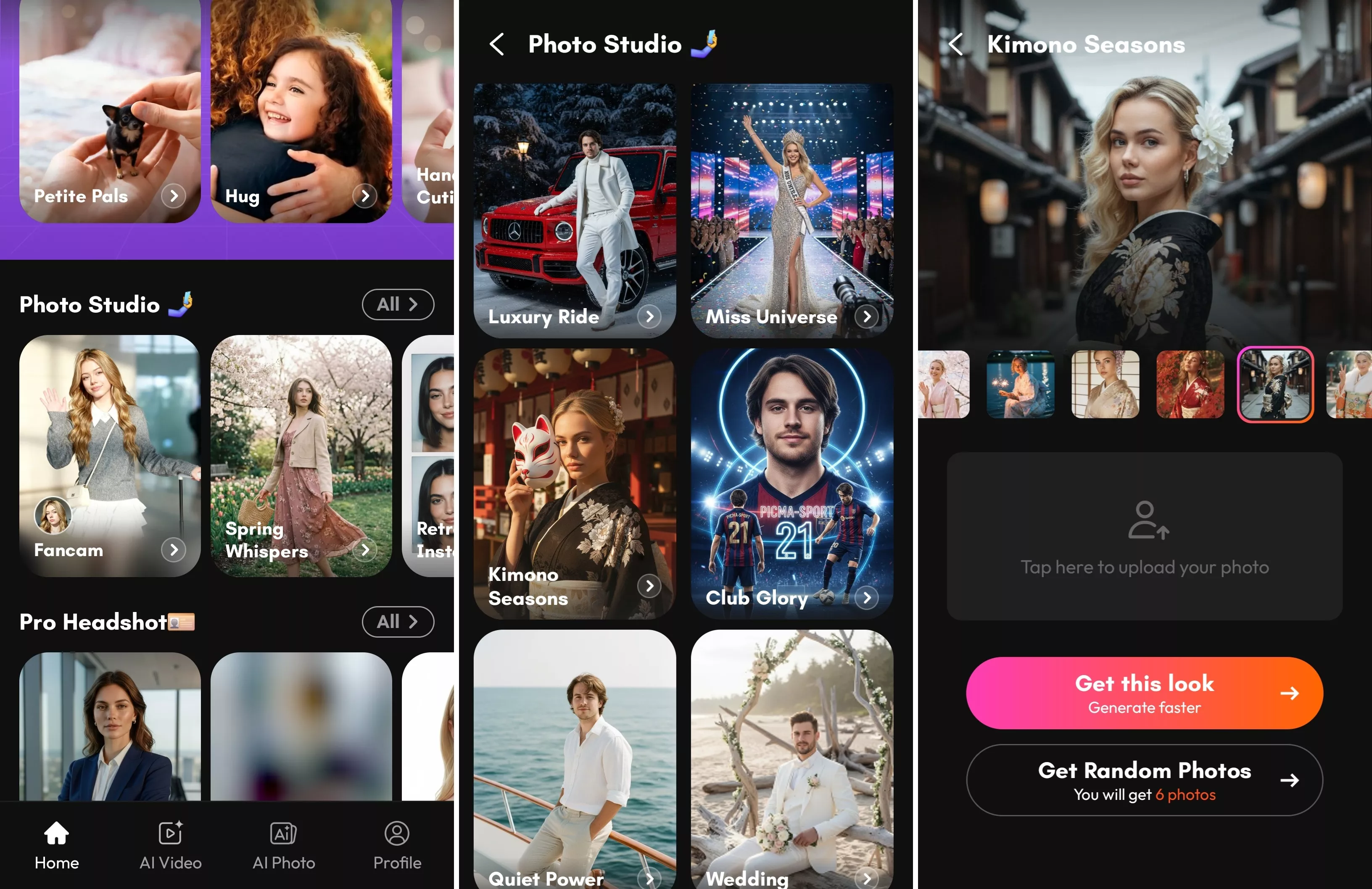
Step 1: Download PicMa (IOS / Android)
On the home page, tap Photo Studio, then find and select Kimono Seasons to explore the Japanese-style photo templates.
Step 2: Upload Your Photo
Next, upload a photo of yourself. Almost any face photo will work, so you don’t need special lighting or clothing in the original image.
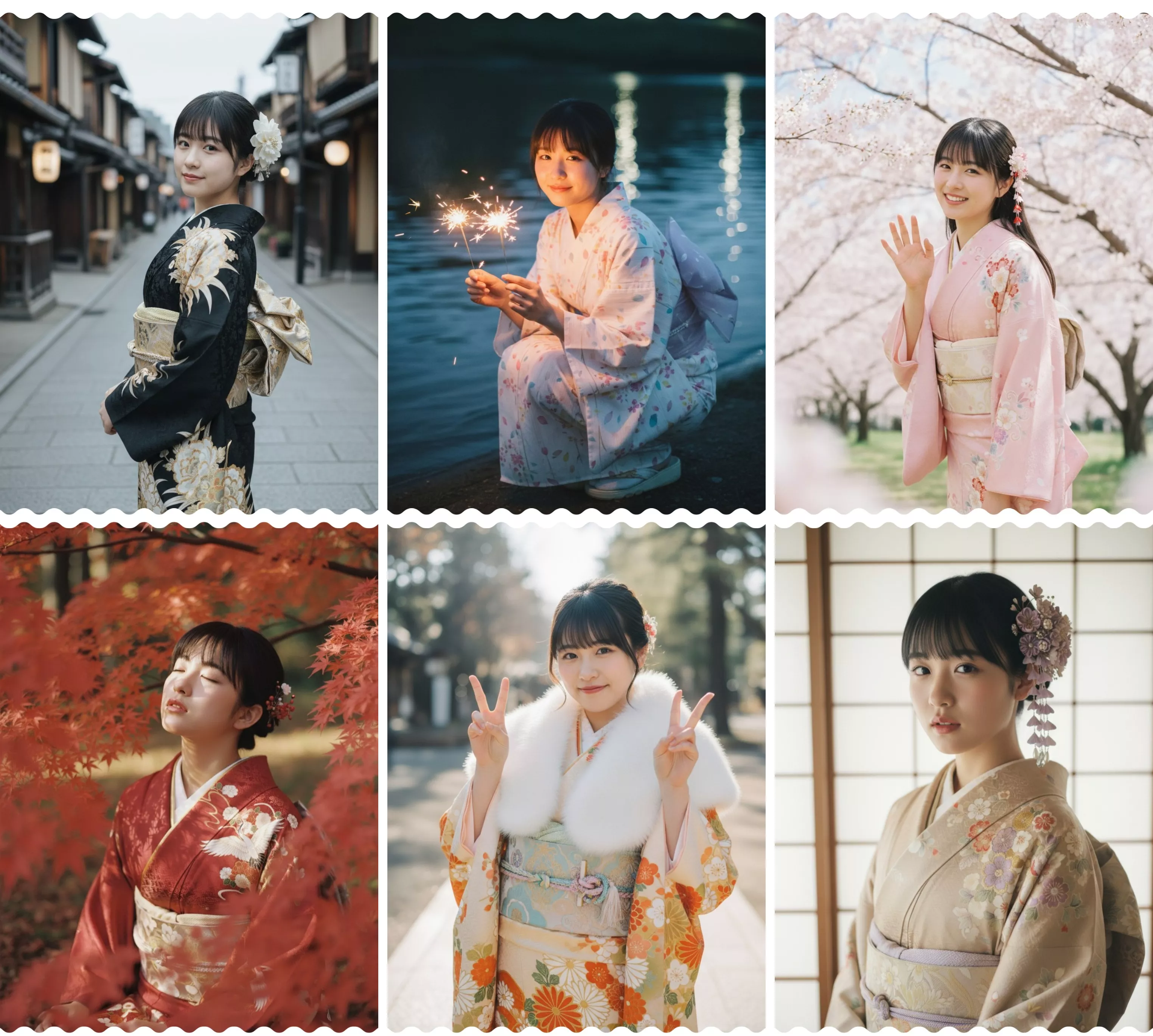
Step 3: Choose a Template or Generate a Full Set
You can either choose a specific photo template or generate a full set with one tap. PicMa can automatically create a set of 6 Japanese-style portraits with different poses, outfits, and backgrounds.
Realistic Lighting and Atmosphere
One of the most impressive features of PicMa is how realistic the results look.
The AI carefully recreates many details that make Japanese kimono portraits look authentic and elegant. It adds soft studio lighting that gently highlights the face, along with beautifully rendered traditional kimono fabrics that reflect the texture and style of real garments. The photos also feature vintage Japanese color tones, giving them a nostalgic atmosphere reminiscent of classic Showa-era photography. In addition, the AI automatically applies elegant poses and balanced compositions, making the final images look polished and professionally arranged.
The combination of lighting, atmosphere, and cultural details helps create portraits that feel both authentic and artistic, capturing the timeless charm of traditional Japanese photography.
Try it yourself and see how easily your own photo can transform into a stunning Japanese kimono portrait in PicMa.


Frequently Asked Questions
1. Is my photo private?
Yes. Your photos are protected and handled securely. PicMa does not publicly share your uploaded images, and your personal data remains private.
2. How long does it take?
The generation process is very fast. Creating a single photo usually takes only a few seconds, while generating a full set of photos typically takes about one minute.
3. Are there other portrait styles besides kimono photos?
Yes! PicMa offers a wide range of AI portrait styles, allowing you to create photos in completely different aesthetics with just a few taps. You can explore vintage photography styles for a nostalgic feel, or choose professional studio portraits for a clean and polished look. If you prefer something more creative, there are also fantasy or artistic styles that transform your photos into imaginative visuals.

 154
154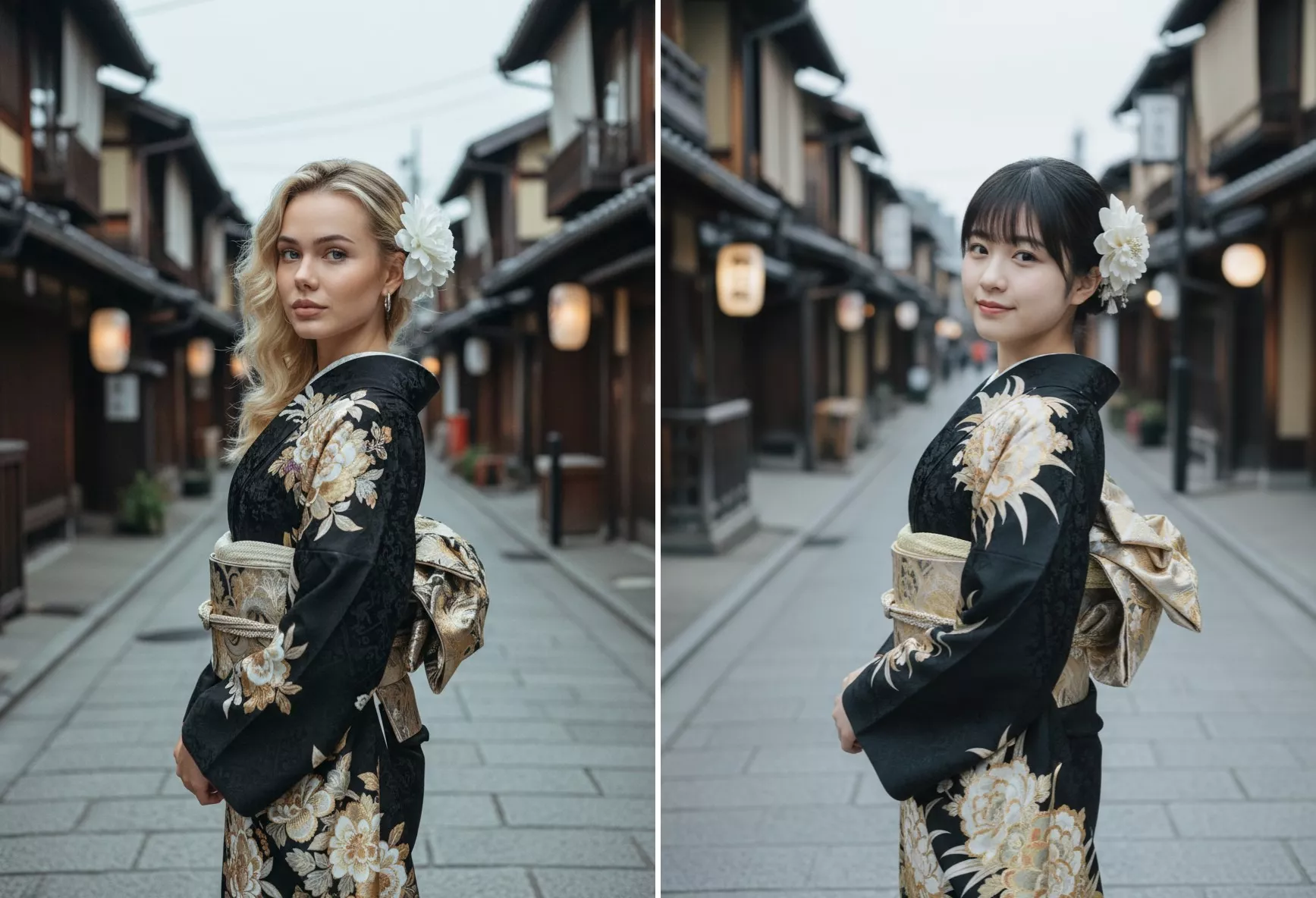

 English