Let's be real: AI video generation is changing the way people create content. And if you've been waiting for the right moment to explore it without stretching your budget, this Black Friday could be the perfect opportunity.
PicMa Studio is offering a special 50% OFF Black Friday promotion. Whether you want to bring old photos to life, level up your TikTok and Instagram Reels content, or experiment with cinematic visuals, you can explore a range of AI-powered creative tools and models, including Seedance 2.5, Seedance 2.0, GPT, Nano Banana, and more.
Wondering what you can actually create with these tools? Here's how AI video generators can help turn your ideas into engaging visuals—and why this Black Friday deal is worth checking out.
Why Explore AI Video Tools This Black Friday?
Not long ago, creating an engaging short video often meant spending hours filming, editing clips, adjusting effects, and learning complicated software.
AI video tools offer a different approach. Instead of building everything from scratch, you can start with a still photo, describe the movement or atmosphere you want, and let an AI model generate a video based on your input.
For example, you can bring a portrait to life, add cinematic movement to a travel photo, or experiment with creative product visuals.
Of course, AI video generation can involve credits, depending on the platform and plan. Taking advantage of a 50% discount during Black Friday makes it easier to explore new creative possibilities while keeping your spending lower.
If you've been curious about AI video creation, now is a great time to give it a try.

4 Ways to Use AI Video Generators Right Now
You don't need a film degree or professional editing experience to start creating. Here are four ways creators and everyday users can explore image-to-video AI.
1. Breathe New Life into Your Favorite Photos
Got a great portrait that's just collecting dust in your camera roll?
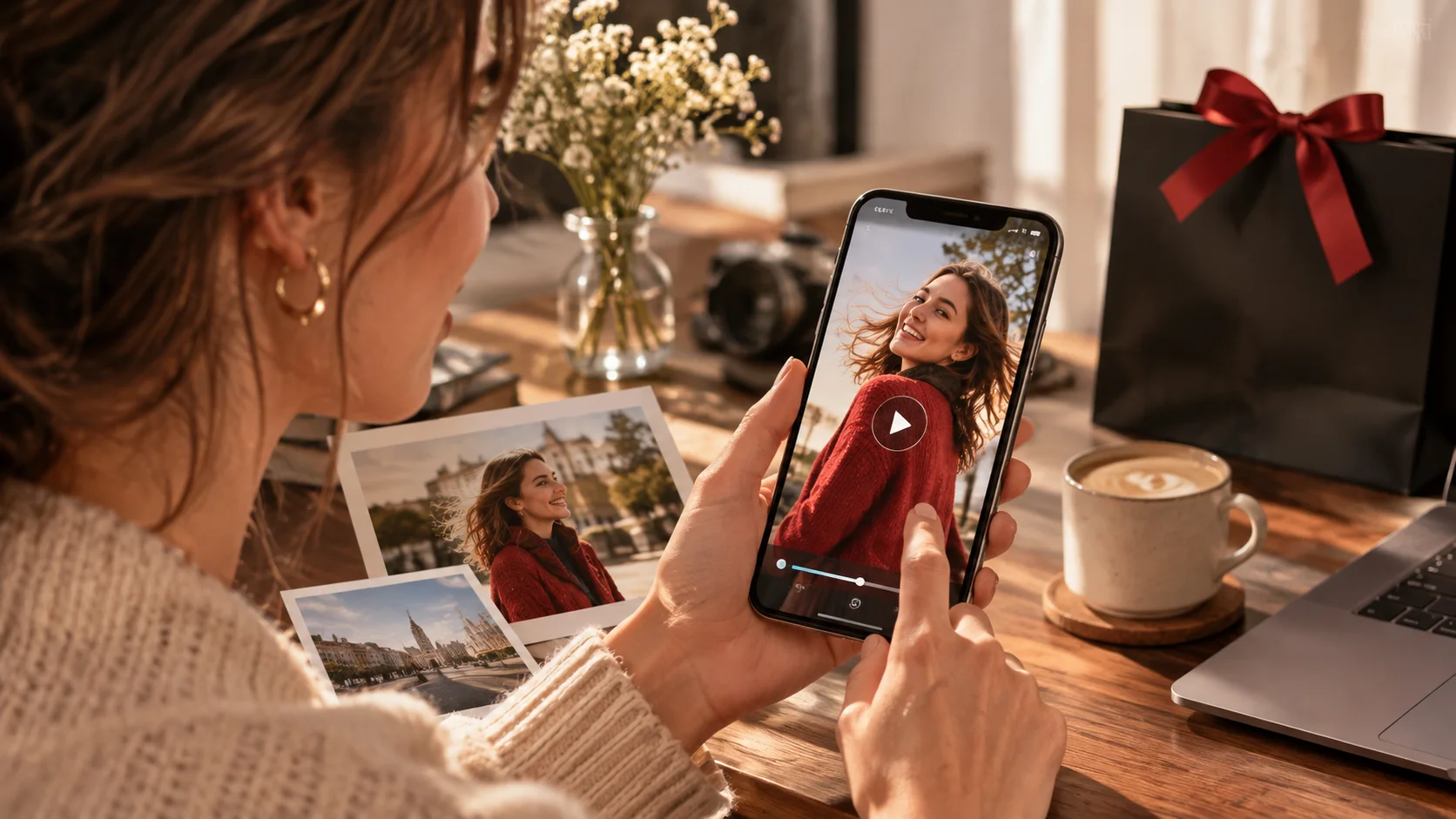
With an AI image-to-video generator, you can use a still photo as the starting point and describe the movement you want to see. Imagine a gentle breeze moving through someone's hair, a slow cinematic camera push-in, or subtle lighting changes that bring a travel snapshot to life.
It's a creative way to give your favorite photos a fresh look and turn static memories into shareable video content.
2. Make Scroll-Stopping Social Media Content
Standing out on Instagram Reels, TikTok, and YouTube Shorts often means finding fresh ways to present visual content.
AI video generation lets you turn single images into dynamic visuals, experiment with creative camera movements, and explore different styles for your next post. It's a convenient way to create fresh content and keep your social feeds visually engaging in a fraction of the time.
Whether you're building a personal account or creating content for a brand, AI video tools can help you explore new ideas and add variety to your social media content.
3. Turn Product Photos into Engaging Promotional Videos
If you run an online store, sell on Etsy, or manage brand social media accounts, you know how important visual presentation can be.
Static product photos are useful for showing details, but videos offer another way to present products in a more dynamic and engaging format.
Start with a clean product image and describe the scene you want to create, such as a cinematic product showcase, a close-up with smooth camera movement, or a lifestyle-inspired visual.
It's a practical way to experiment with promotional content and explore new creative directions without organizing a separate video shoot for every idea.
4. Experiment with Cinematic and Creative Concepts
Sometimes, the best reason to try AI video generation is simply to see what you can create.
From dramatic camera movements and dreamy visual effects to imaginative scene transformations, AI video tools give you room to experiment with concepts that might be difficult or time-consuming to produce manually.
You can start with a reference image, describe your creative direction, and explore different results by adjusting your prompts.

One Platform, Multiple AI Models: Explore PicMa Studio
Switching between different websites and managing multiple creative subscriptions can make the content creation process more complicated than it needs to be.
PicMa Studio brings a variety of AI-powered image and video creation tools together in one platform, giving you more ways to explore visual creativity.
This Black Friday, you can enjoy 50% OFF and explore models and tools including:
- Seedance 2.5 & Seedance 2.0: Create AI-generated video clips from images, with opportunities to experiment with smooth motion, dynamic camera movements, and different visual styles.
- GPT: Get help brainstorming video concepts, refining prompts, and developing creative ideas for your content.
- Nano Banana: Generate and transform still images to develop visual concepts and prepare images for video creation.
Whether you're a social media creator looking for fresh video ideas, a business owner exploring promotional visuals, or simply someone who enjoys experimenting with creative tools, PicMa Studio gives you more possibilities to explore.
👉 Explore PicMa Studio's Black Friday 50% OFF Deal

How to Turn a Photo into an AI Video with PicMa Studio
New to AI video creation? You don't need advanced editing skills to get started. Here's a simple workflow for turning a photo into a video with PicMa Studio.
Step 1: Open the Image-to-Video Tool
Visit PicMa Studio and open the Image-to-Video feature.

Step 2: Upload Your Image
Choose a photo you'd like to animate. A clear image with a well-defined subject is a good starting point. Portraits, travel photos, and product images are all worth experimenting with.
Step 3: Write Your Prompt
Describe the movement, camera direction, or atmosphere you want to create. Try to make your prompt visual and specific.
For example:
- "A gentle breeze moves through her hair as the camera slowly zooms in, with warm golden-hour lighting."
- "A smooth cinematic product showcase on a marble table, with soft studio lighting and elegant camera movement."
Step 4: Choose an AI Video Model
Explore the available video models and select one that suits your creative needs. PicMa Studio offers models including Seedance 2.5 and Seedance 2.0. Available options may vary depending on the tool.
Step 5: Generate and Review Your Video
Start the generation process and preview your result when it's ready. If the movement or visual style isn't quite what you imagined, try refining your prompt or exploring another creative direction.
Once you're happy with the result, download your video and get it ready to share.

Frequently Asked Questions
Do I need video editing experience to use an AI video generator?
No professional video editing experience is required to get started. You can upload an image, describe the movement or scene you want, and let the AI generate a video.
Which AI models can I explore on PicMa Studio?
PicMa Studio offers access to multiple AI models and creative tools, including Seedance 2.5, Seedance 2.0, GPT, Nano Banana, and more. Available models and features depend on the tools and options provided on the platform.
How can I get the PicMa Studio Black Friday discount?
Visit PicMa Studio during the Black Friday promotion and check the offer displayed on the platform to explore the available 50% OFF deal.
Don't Miss Out—Create More This Black Friday
You don't need a complicated setup or professional editing skills to start exploring AI video creation. Sometimes, all you need is one photo and a creative idea.
Whether you want to animate your favorite memories, create more engaging social media content, or experiment with cinematic visuals, AI video generation opens up new ways to bring your ideas to life.
This Black Friday, take the opportunity to explore new creative possibilities and enjoy 50% OFF at PicMa Studio.
👉 Visit PicMa Studio and Explore the Black Friday Deal


 4

 English