The "AI Face Swap" trend is taking social media by storm! Now, anyone can easily replace their face with characters from famous paintings or movie posters. What once required professional skills for natural-looking face swaps can now be achieved by AI, which analyzes two images and automatically optimizes them—allowing even beginners to create high-quality edits with just an upload.
In this article, we’ve handpicked 5 top-rated free AI face swap tools and will explain how to use them and what to look for. Plus, we’ll share tips for creating eye-catching creative images for social media!

What Is AI Face Swap? Why Has It Become So Easy?
Traditionally, face swapping required manual work in professional software like Photoshop—cutting out contours and adjusting colors—which demanded expertise. But modern AI technology automatically analyzes facial position, angle, skin tone, and hairstyle, seamlessly blending two images so anyone can complete the process in just three steps: upload → select → generate!
Key advantages include:
- Beginner-friendly: No complex settings, intuitive operation
- High-quality results: AI optimizes balance to avoid unnatural "floating face" effects
- Versatile: Great for social media posts, creative hobbies, editing old photos, and more
[Top 5 Picks] Beginner-Friendly AI Face Swap Sites & Apps
① No Installation Needed! Browser-Based "MyEdit"
Features: A versatile AI image editing site usable on PC or mobile via a web browser. Offers not just face swaps but also AI image generation, object removal, outfit changes, and more.
- Core Features:
- Best For: Those who prefer PC editing or want to explore multiple AI tools
Access: MyEdit Official Site (No download required)
② Mobile Powerhouse! AI-Generation Specialized "MyEdit App"
Features: A popular iOS/Android app optimized for touch controls. Beyond face swaps, it offers artistic filters like anime-style and sketch conversions.
- Core Features:
- Best For: Mobile users who want quick edits or anime/illustration-style creations
Download: Free on App Store/Google Play
③ Works on Videos Too! Face Swap Specialist "Reface"
Features: A dedicated face-swap app that even replaces faces in videos. Popular among content creators.
- Core Features:
- Best For: Video creators or those who want fun avatar content
- Note: Video editing may require a paid plan—check free version limits
④ Selfie Enhancement + Face Swap Combo: "YouCam Perfect"
Features: Known for selfie beautification, this app now includes AI face swaps. Its feminine design appeals to female users.
- Core Features:
- Best For: Selfie lovers and women who want cute SNS posts
Download: Free (some features paid)
⑤ Cross-Platform AI Photo Generator: "PicMa Studio"
Features: An online face-swap service where beginners just upload → generate. Simple yet high-precision results.
- Core Features:
- Best For: First-time users or those who dislike complex settings
Access: PicMa Studio AI Portrait Generator
3. Try PicMa Studio’s [AI Portrait Generator]! Beginner’s 3-Step Guide
Turn ordinary photos into art-worthy portraits instantly! With PicMa Studio’s AI, just upload → select → click to create unique AI portraits—no skills needed. Choose from 78 styles to craft your perfect image.
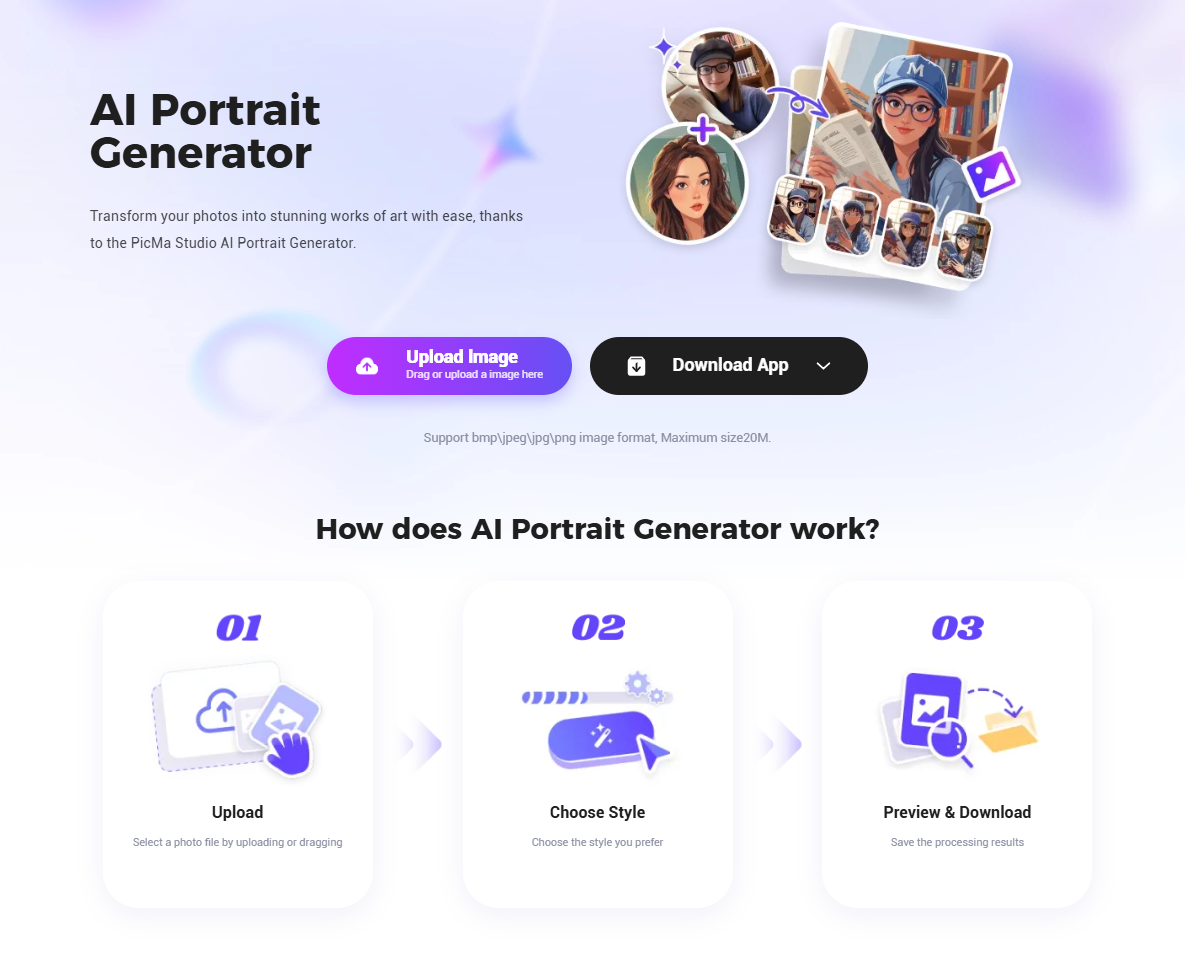
▼ Prep: Works Directly in Browser (No App)
Step 1: Register to Start (1 Minute)
▶ Registration Steps
- Visit the site and click "Free Sign-Up"
- Enter email or log in via Google/Facebook
- After registration, you’ll be redirected to the dashboard
▶ Tips
- No personal info needed—anonymous use is possible (but login required for generation)
- Works smoothly on Chrome/Safari/Edge (PC or mobile)
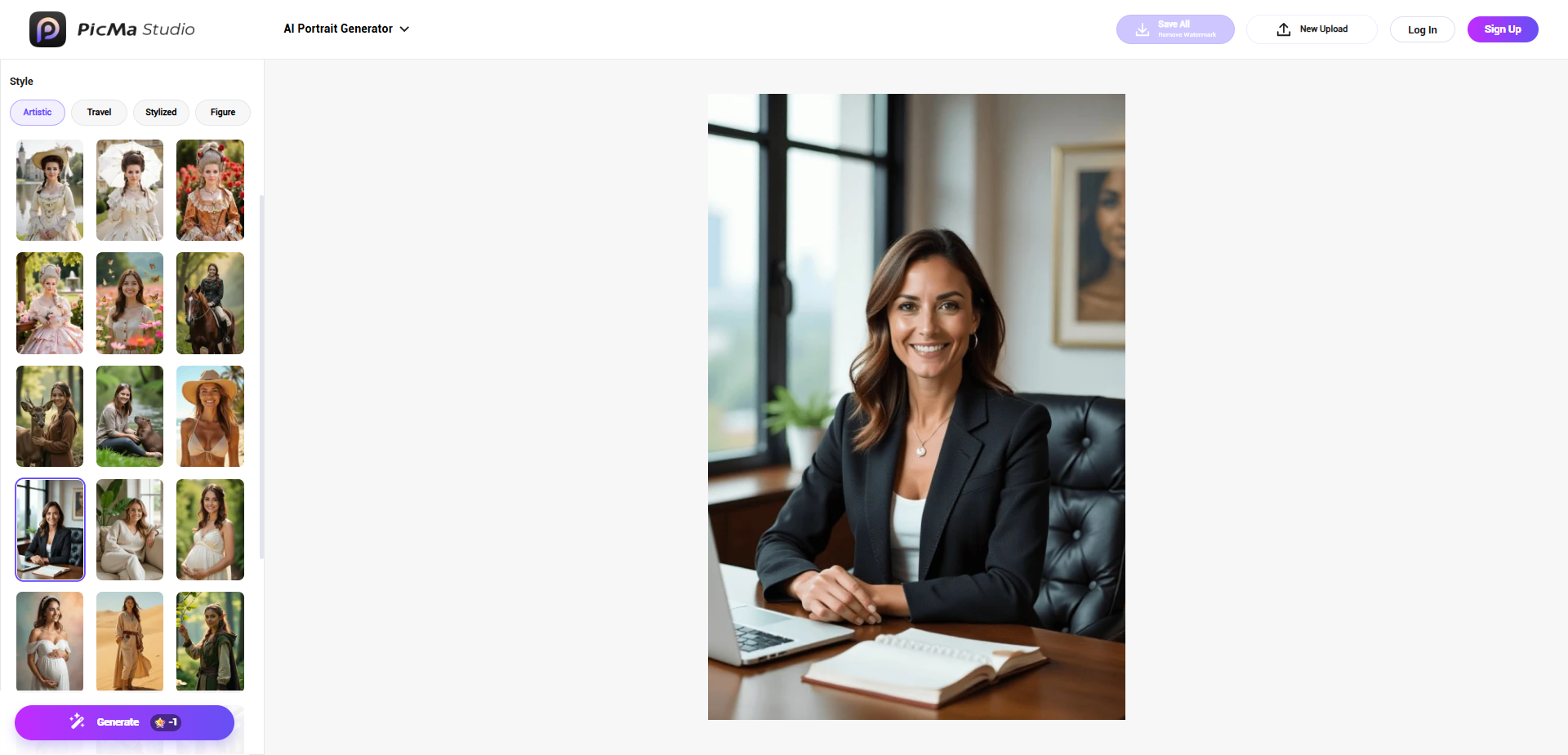
Step 2: Upload Photo & Select Style (Key Step!)
▶ ① Upload Your Photo
- Click "AI Portrait Generator" on the dashboard
- Click "Select Photo" to upload a face photo from PC/mobile
▶ ② Choose Gender & Style
- Select Gender: "Male," "Female," or "Unknown" (optimizes facial contours)
- Pick from 78 Styles:
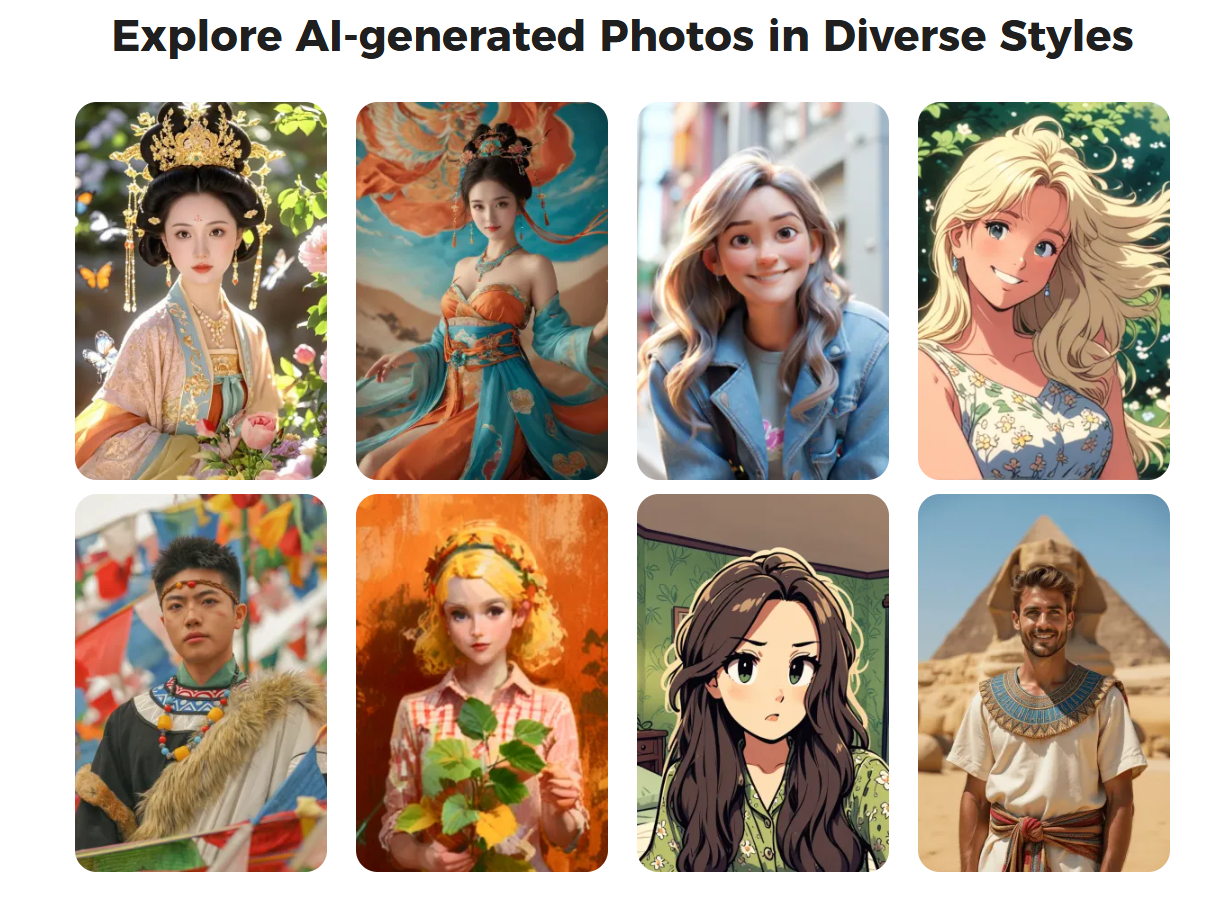
Step 3: Save & Share Your Creation
- Preview the generated image in seconds; use "Regenerate" if needed
- Download to PC/mobile or share directly via SNS (Twitter/Instagram)
Tip: Front-facing photos yield the best results!
4. AI Face Swap Warnings: Copyright & Ethics
- Respect Copyright: For commercial use of famous artworks or copyrighted images, obtain permission or limit to personal use
- Avoid Deepfake Misuse: Don’t use others’ faces for defamation or misleading purposes
- Privacy Protection: Choose services that delete uploaded images within 24 hours

5. FAQs
Q1: Is AI face swap really free?
A: Most services offer free basic features, but high-resolution outputs or bulk generation may require payment. MyEdit, for example, provides 3 free daily credits.
Q2: Best app for video face swaps?
A: "Reface" excels here, seamlessly replacing faces in videos with robust preview options.
Q3: Any requirements for source images?
A: Clear, front-facing photos work best. Hats, masks, or low-light shots may reduce quality.
Q4: Who owns the generated images?
A: Users own their creations, but check copyright rules if using protected source images.
Q5: Any mobile-only services?
A: Yes! "MyEdit App" and "YouCam Perfect" are optimized for smartphones with intuitive UIs.
Final Thoughts
AI face swap tools let anyone enjoy pro-level edits. Beginners should try browser-based "MyEdit," while mobile users will love "MyEdit App" or "YouCam Perfect." Just remember to respect copyrights and ethics. Ready to customize your face and create viral SNS posts?

 883
883

 English