There’s something deeply emotional about looking through old family photos. A faded portrait of grandparents, a blurry childhood memory, or a scratched black-and-white snapshot can instantly take us back in time. Unfortunately, many precious photos are damaged by age, light exposure, dust, or poor storage conditions.
Today, AI photo restoration technology makes it possible to revive these memories in an incredibly realistic way. With tools like PicMa, old photos can be restored in just a few clicks while preserving the original atmosphere and emotions behind every image. Seeing a once-blurry face become clear again truly feels magical.
Seedream 5.0 Delivers Natural Restoration in 4K Clarity
One of the biggest concerns when restoring old photos is losing authenticity. Some editing tools overprocess images, making faces look artificial or overly smooth.
Powered by Seedream 5.0 technology, PicMa can intelligently restore old photos while keeping facial features and image details natural and undistorted. The AI can intelligently repair scratches, remove noise, sharpen blurry areas, and recover facial features with impressive accuracy. Tiny details such as eyes, smiles, hair texture, and clothing patterns are restored carefully, helping the photo look clearer while still maintaining its original character.
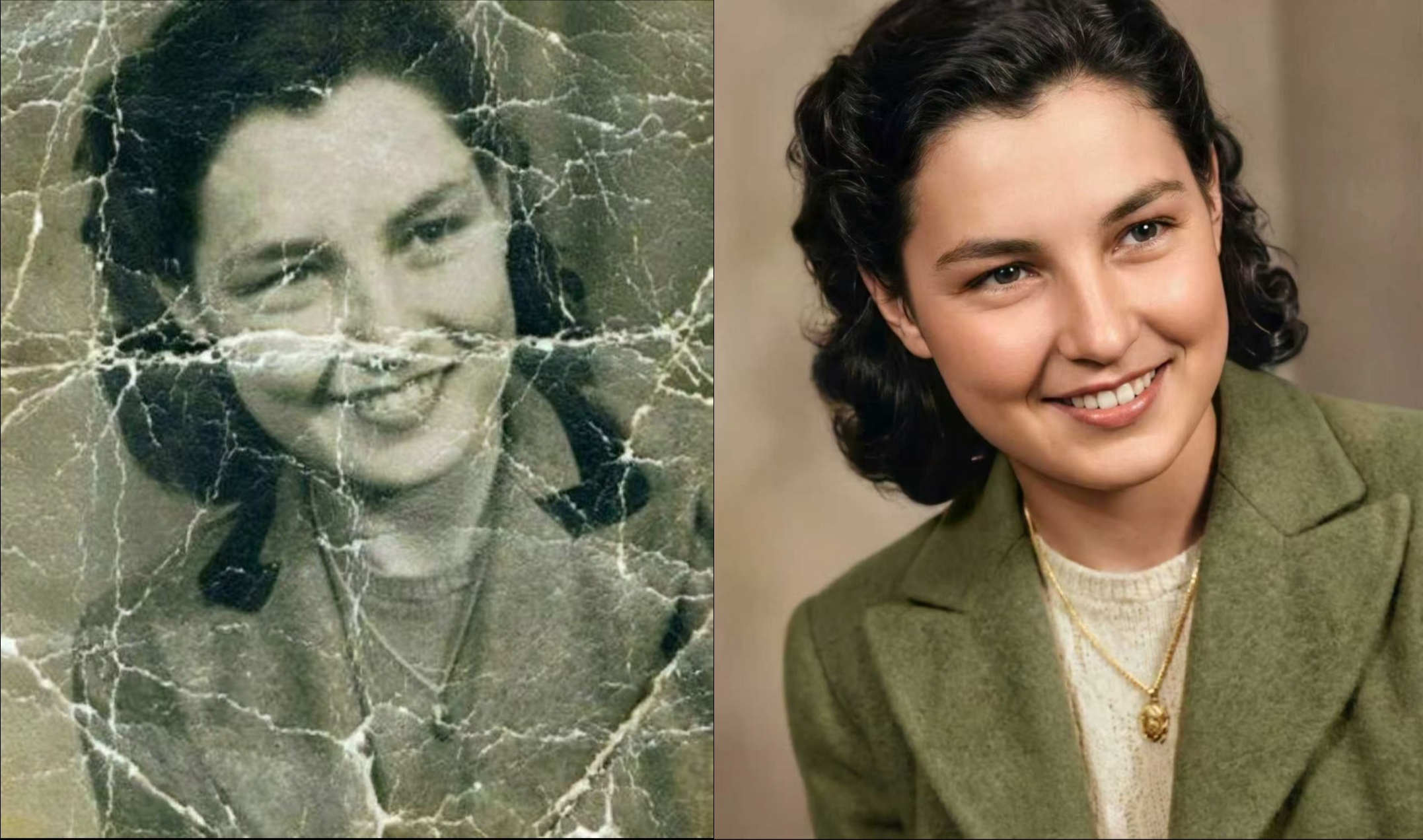
At the same time, the AI enhancement delivers impressive 4K clarity, making old memories look sharper, cleaner, and more vivid than ever before. The emotional connection remains untouched, which is exactly what old photo restoration should achieve.
Three Steps to Restore Old Photos
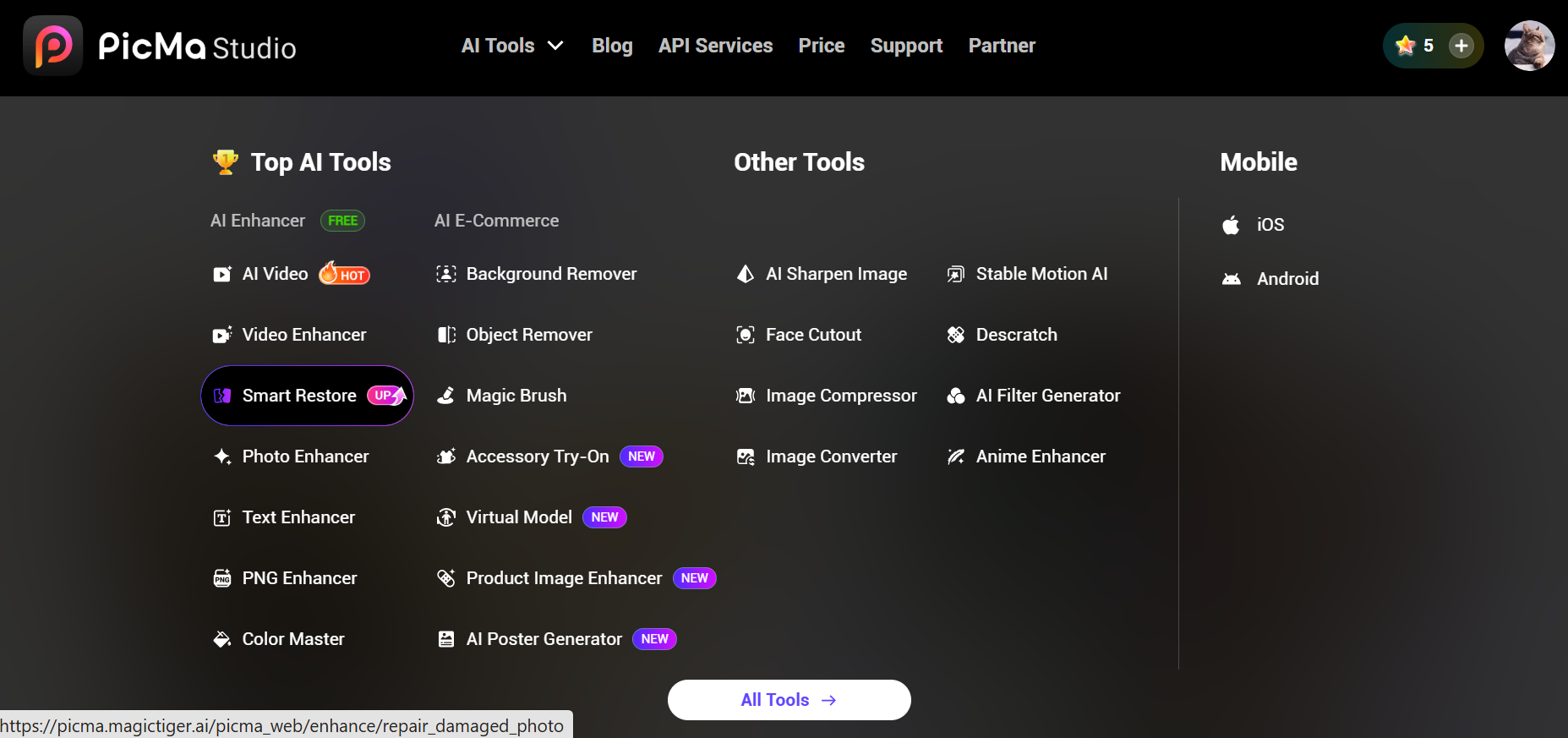
1. Open PicMa Studio and Find Smart Restore
Go to the AI Tools section. From there, choose the Smart Restore feature designed specifically for repairing old or damaged photos.

2. Upload Your Old Photo
Next, upload the old image you want to restore. Whether it’s faded, blurry, scratched, or low-quality, the AI system will automatically analyze the photo and prepare it for enhancement.
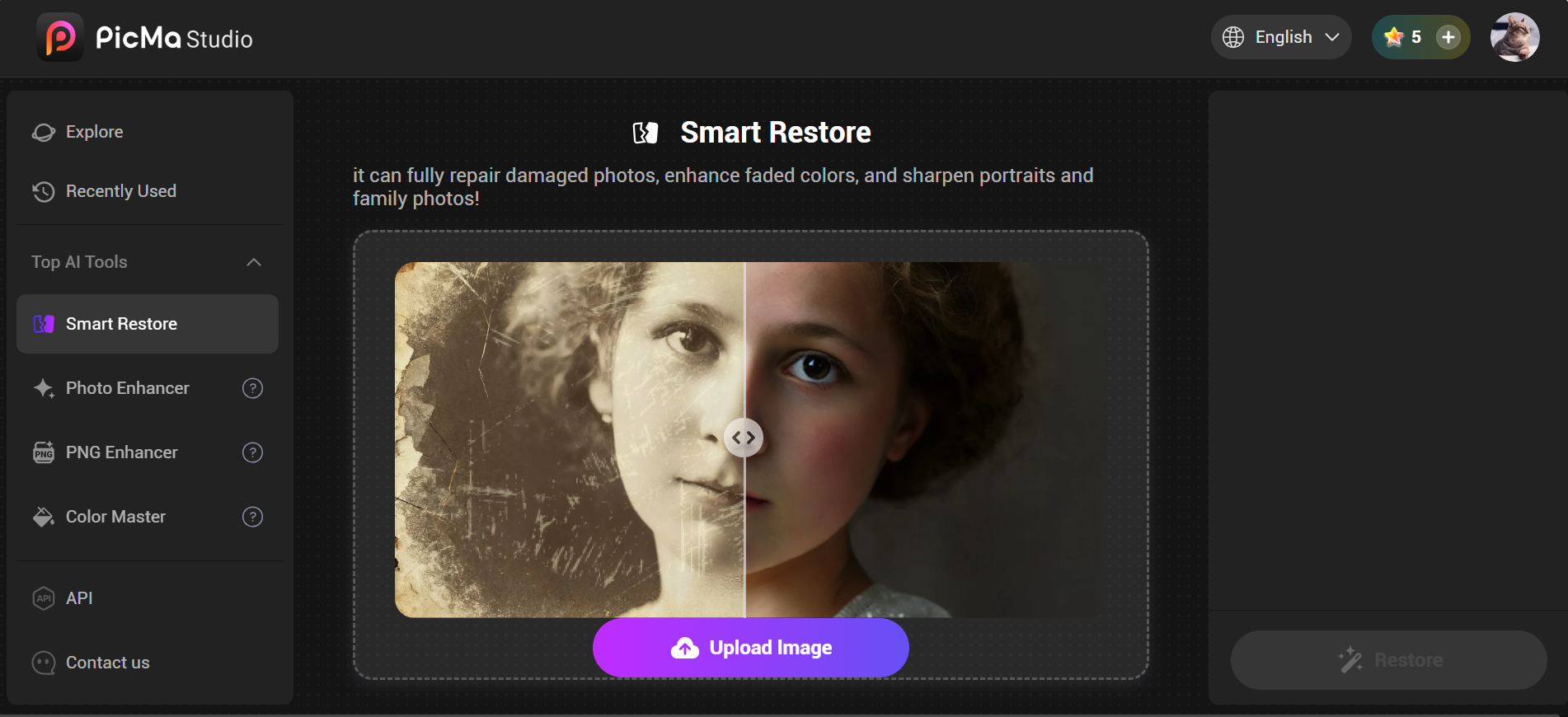
3. Wait for the Result to Generate
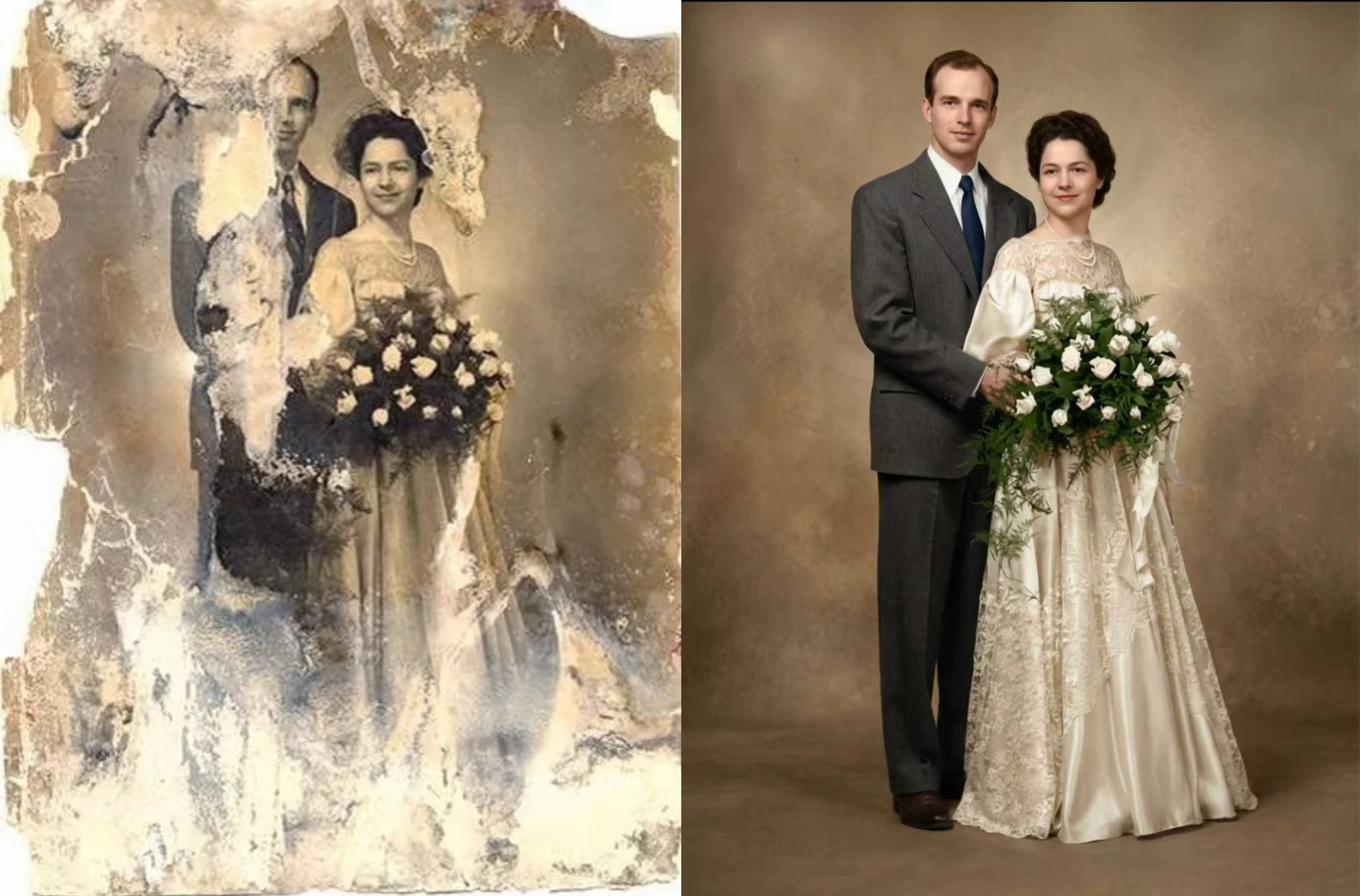
After uploading, simply wait a few seconds for the AI to process the image. Once completed, you’ll instantly see a restored version with clearer details and improved quality. The before-and-after difference is often amazing.
How It Compares to Other Restoration Options
Today, there are many AI photo restoration tools on the market, but not all of them deliver natural-looking results. Some tools overly smooth faces, create unrealistic textures, or reduce image quality during enhancement. PicMa stands out by focusing on realistic restoration, facial accuracy, and high-resolution output powered by Seedream 5.0 technology. Compared to many other AI restoration apps, PicMa offers a more balanced result between enhancement and authenticity.
| Feature | PicMa | Remini | MyHeritage |
|---|
| Beginner-Friendly Interface | ✔ | ✔ | ✔ |
| Natural Facial Details | Excellent | Moderate | Moderate |
| Avoids Over-Processing | ✔ | ✖ Sometimes Over-Smooth | ✖ |
| 4K HD Enhancement | ✔ | Limited | Limited |
Preserving the Most Genuine Memories
Old photos are more than pieces of paper — they are emotional records of family history, friendships, and unforgettable moments. Restoring them is not about changing the past, but about preserving it in the best possible way.
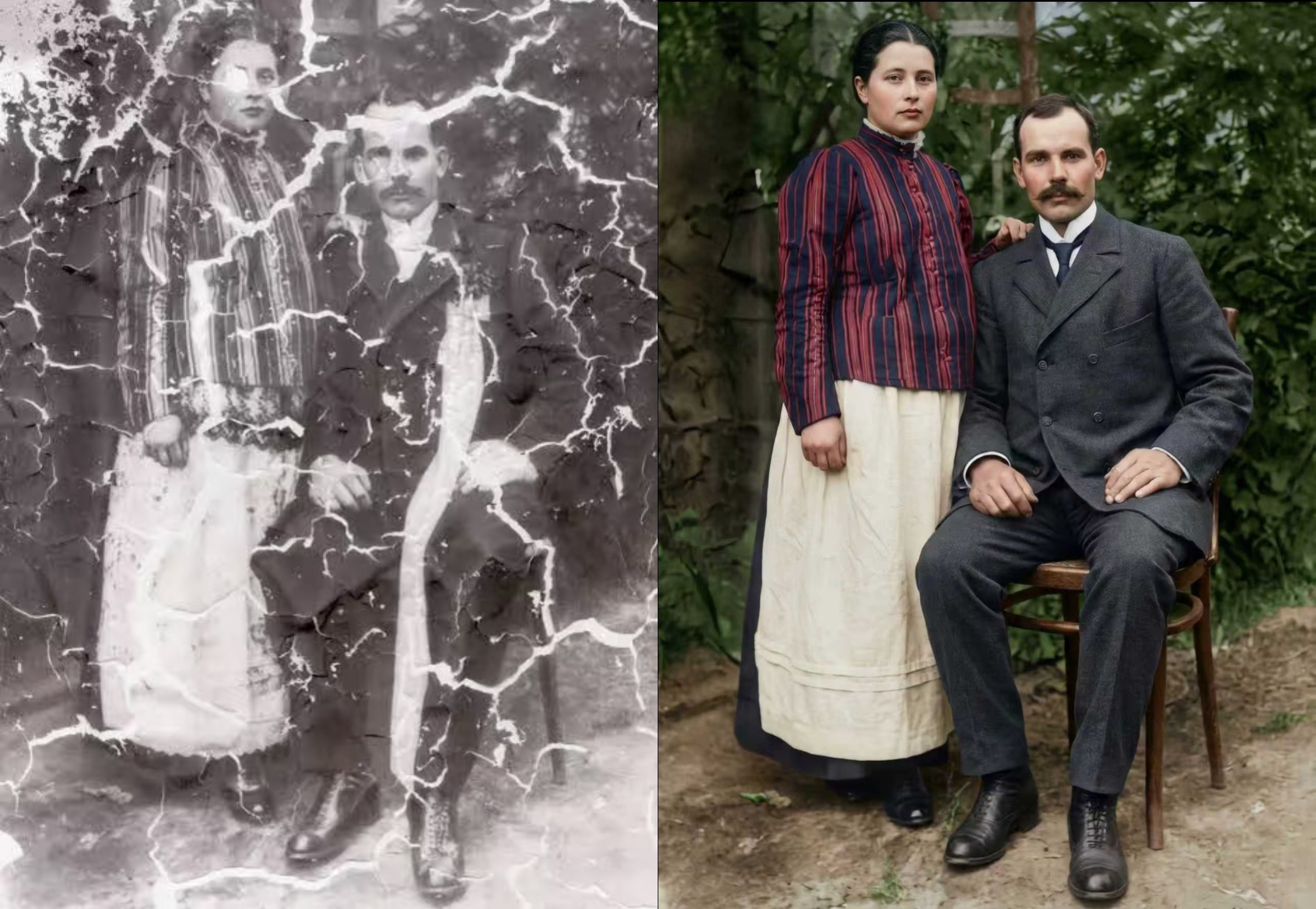
AI restoration allows younger generations to connect with memories they may never have experienced firsthand. A restored image can make grandparents’ faces clearer, wedding moments brighter, and childhood memories more vivid than ever before.
If you have old photos hidden away in albums or storage boxes, now might be the perfect time to bring them back to life. Join PicMa and rediscover the beauty of your most precious memories with AI-powered restoration.


Frequently Asked Questions
Q: Is PicMa easy for beginners to use?
Yes. PicMa is designed with a simple interface, making it easy for anyone to restore photos without professional editing skills.
Q: Can AI restore severely damaged photos?
In many cases, yes. PicMa’s Smart Restore can repair scratches, blur, fading, and low-resolution details surprisingly well.
Q: Will the restored photo look fake?
No. PicMa focuses on preserving natural facial details and original photo characteristics to avoid over-editing or distortion.
Q: How long does the restoration process take?
Most restorations only take a few seconds after uploading the image.
Q: Can I restore black-and-white photos?
Absolutely. PicMa also features a dedicated Color Master tool that intelligently adds natural, realistic colors to black-and-white old photos.

 137
137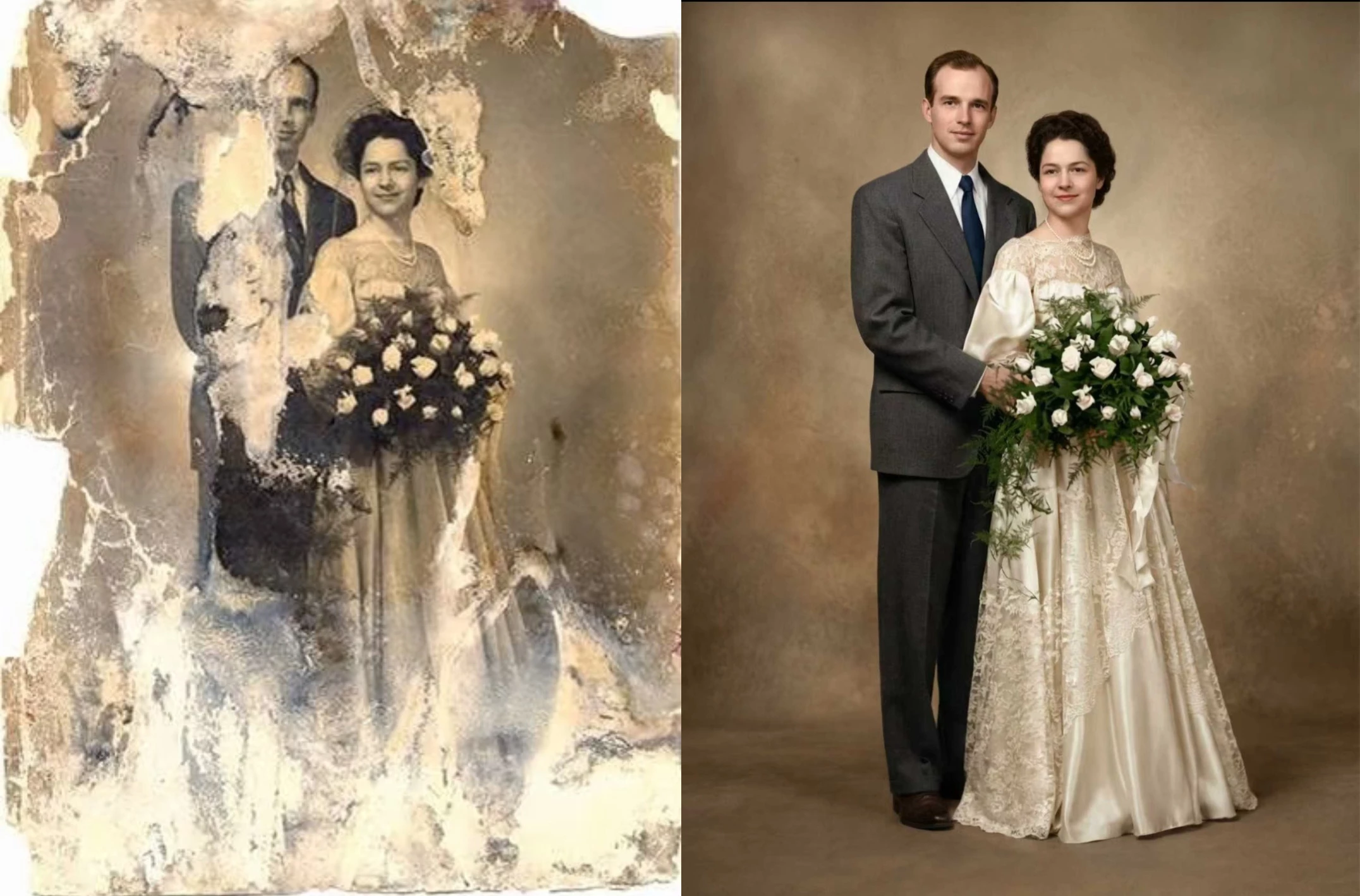

 English