In the era of digital content, clean and professional-looking images are more important than ever. Whether you are a traveler sharing memories on social media, an online seller creating product listings, or a designer working on marketing materials, unwanted objects in photos can reduce visual quality and professionalism. Traditionally, removing objects from images required advanced editing skills in software like Photoshop. Today, AI object removal tools have changed the game.
Professional AI object removal online free platforms now allow users to erase unwanted people, backgrounds, watermarks, text, or cluttered objects within seconds.
A Key Tool for Photography, Branding, and Social Media
Visual quality strongly influences user attention and trust. Professional-looking images can improve engagement, click-through rates, and sales performance. AI object removal significantly reduces editing time while making advanced editing accessible to non-professional users. This technology is widely used across personal and commercial scenarios.
1. Travel and Daily Photography
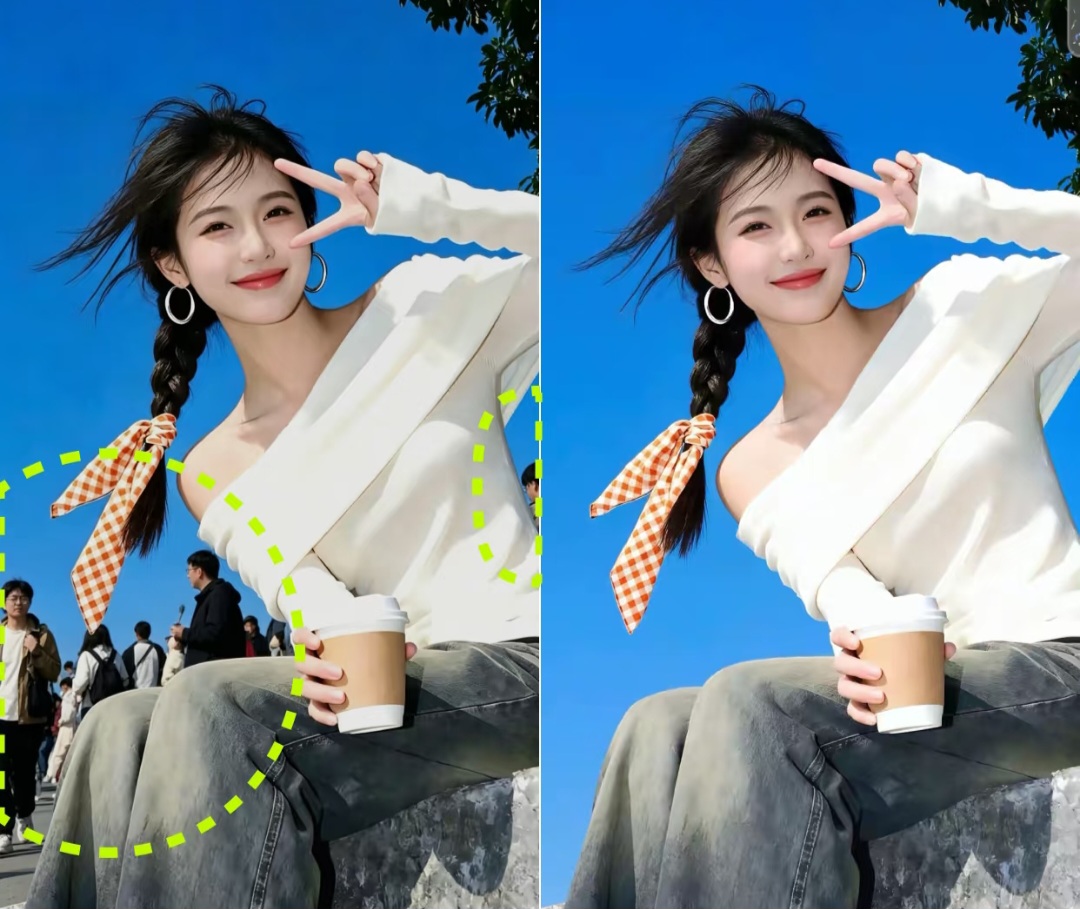
When taking travel photos, it is almost impossible to avoid crowds, random pedestrians, vehicles, or distracting background elements. AI object removal tools help users clean up their photos and create more aesthetically pleasing images for Instagram, blogs, or personal albums.
For example, a tourist can remove strangers from a beach photo or eliminate unwanted shadows from a sunset picture with only a few clicks.
2. E-commerce Product Images
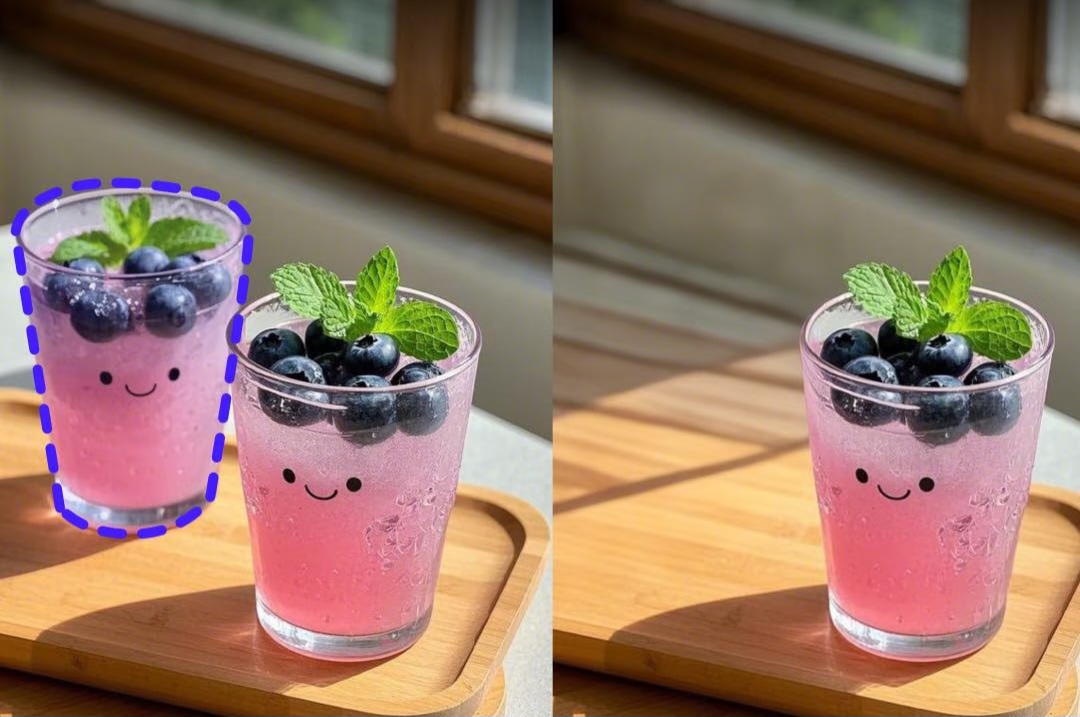
For e-commerce sellers, high-quality product images directly affect conversion rates. Sellers often need to remove unnecessary objects, messy backgrounds, logos, or reflections from product photos.
AI object removal helps businesses quickly generate cleaner and more professional product images without hiring expensive photo editors. This is especially useful for Amazon, Shopify, Etsy, and social commerce sellers.
3. Social Media Content Creation
Influencers and content creators often use AI object removal to optimize compositions, eliminate distractions, and create polished visual content for TikTok, Instagram, and YouTube thumbnails.

Key Metrics for Evaluating AI Object Removal Tools
Not all AI object removal platforms provide the same quality. Here are several important indicators users should consider:
1. Removal Accuracy: A good AI tool should remove objects naturally without leaving visible artifacts, blurry patches, or distorted textures.
2. Processing Speed: Online users value fast processing. Efficient AI systems can complete edits within seconds, even for high-resolution images.
3. Ease of Use: The best platforms offer beginner-friendly interfaces with simple brush tools or one-click removal features.
4. Image Quality Preservation: Professional tools should maintain original image resolution and sharpness after editing.

Comparison of Popular AI Object Removal Platforms
| Platform | Free Version | AI Accuracy | Ease of Use | HD Export | Best For |
|---|
| Fotor | Yes | Medium-High | Easy | Partial | Social media content |
| Canva AI Eraser | Yes | Medium | Very Easy | Limited | Designers and marketers |
| Adobe Express | Trial Free | Very High | Moderate | Yes | Professional editing |
| PicMa Studio | Yes | High | Very Easy | Yes | All-around AI photo enhancement |
Among these tools, PicMa Studio stands out because it combines AI object removal with additional AI photo enhancement functions in a beginner-friendly environment.

PicMa Studio: Easy to Use with 4K Output
PicMa Studio is an AI-powered online photo editing platform designed for users who want fast and professional image enhancement without complicated editing skills.
One of its core features is AI object removal. Users simply upload an image, highlight the unwanted object, and let the AI automatically reconstruct the surrounding background. The process is highly intuitive and suitable for beginners.
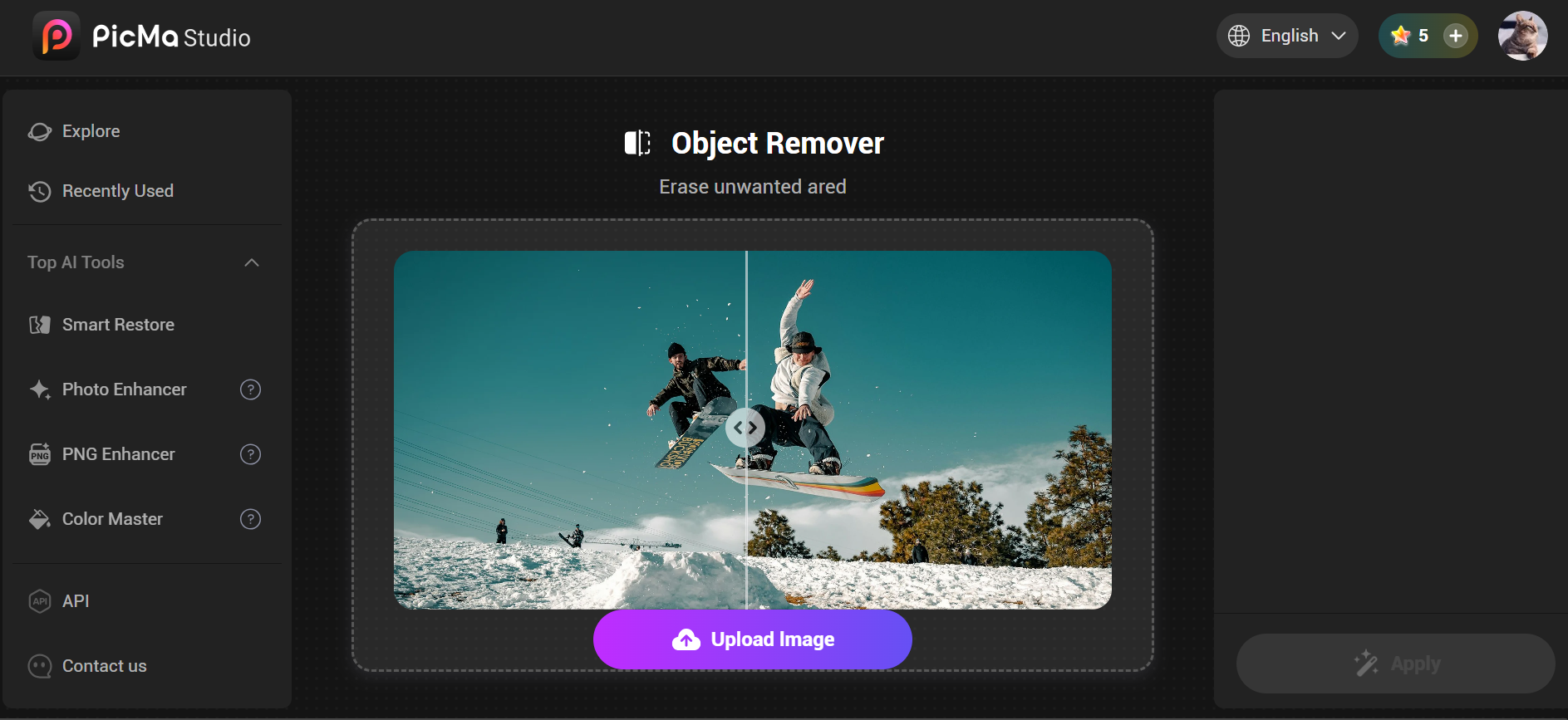
Additionally, PicMa Studio also offers an advanced AI Photo Enhancer feature that can further improve image quality after object removal. With AI-powered enhancement technology, users can upscale images to 4K resolution, restore details, and make photos look clearer and more professional.

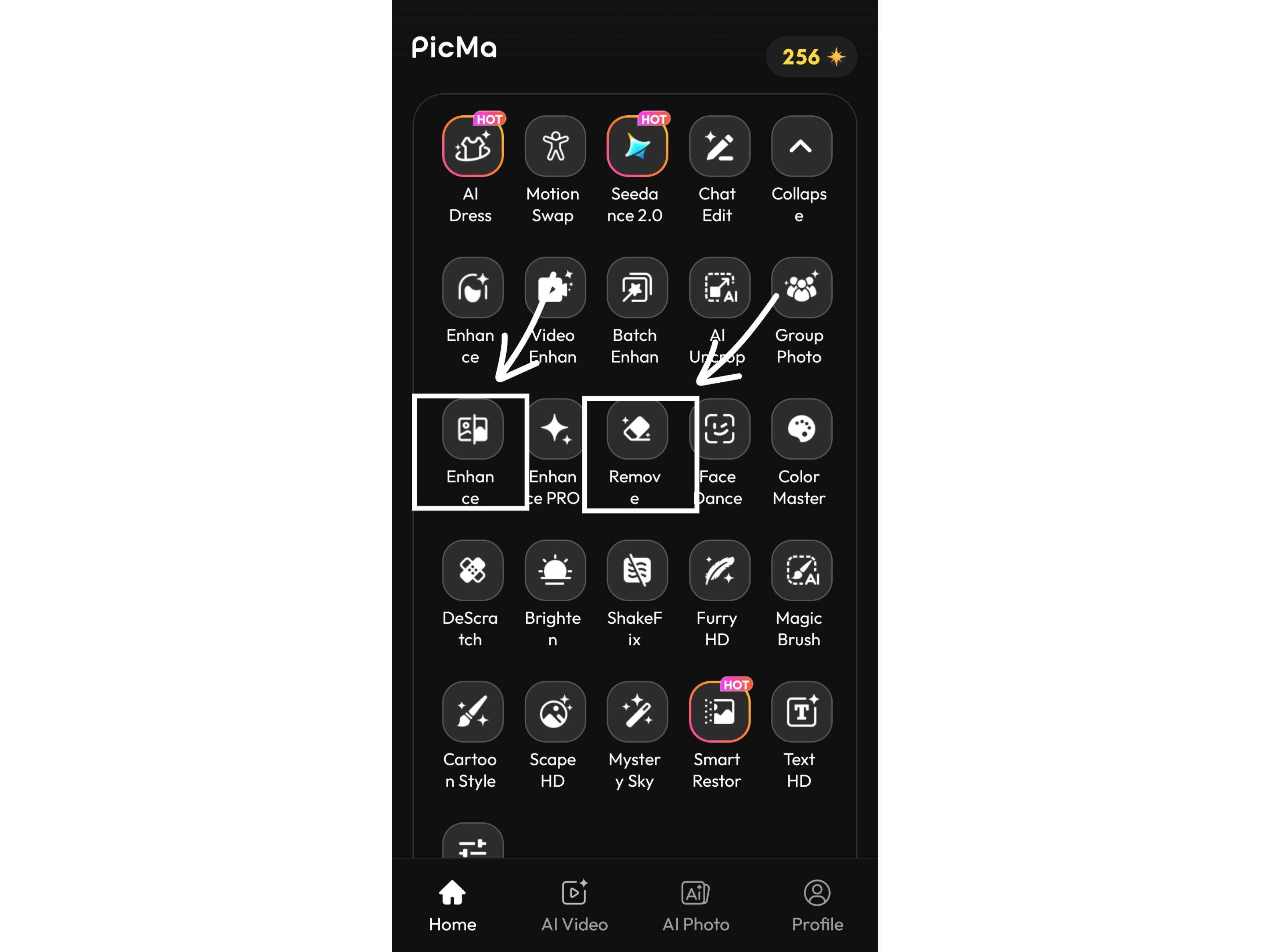
Besides the web version of PicMa Studio, users can also edit photos easily through the PicMa mobile app on both iOS and Android devices. The app supports AI object removal, AI photo enhancement, and 4K image upscaling, allowing users to complete professional-quality photo editing directly on their smartphones anytime and anywhere. Its simple one-tap workflow makes mobile editing fast, convenient, and beginner-friendly.
Conclusion
AI object removal technology has become an essential tool for modern digital image editing. From travel photos and e-commerce listings to marketing campaigns and social media content, users increasingly rely on AI-powered solutions to improve visual quality efficiently.
When choosing a professional AI object removal online free platform, users should evaluate accuracy, speed, ease of use, image quality preservation, and export limitations. While many tools offer solid performance, PicMa Studio provides an excellent balance between accessibility, AI quality, and multifunctional photo enhancement capabilities.
As AI imaging technology continues to evolve, online object removal tools will become even faster, smarter, and more realistic, making professional photo editing accessible to everyone.

 101
101

 English