We’ve all been there. You take what should be a perfect photo… and then notice something goes wrong.
Maybe your eyes are closed, your hair is blowing across your face, or your expression looks oddly stiff. Sometimes the outfit wrinkles in a weird way, or in a group photo you suddenly wish you looked a little slimmer without affecting anyone else.
The moment is great, but the photo? Not so much.
The Many Ways Photos Can Go Wrong
Sometimes a photo doesn’t go wrong in a dramatic way—it’s the tiny details that ruin it. The frustrating part is that retaking the photo is often impossible. The moment has already passed—the sunset is gone, the trip is over, friends have left, or everyone has moved on to something else. What should have been a perfect memory suddenly feels a little disappointing, simply because of a small detail you can’t redo.
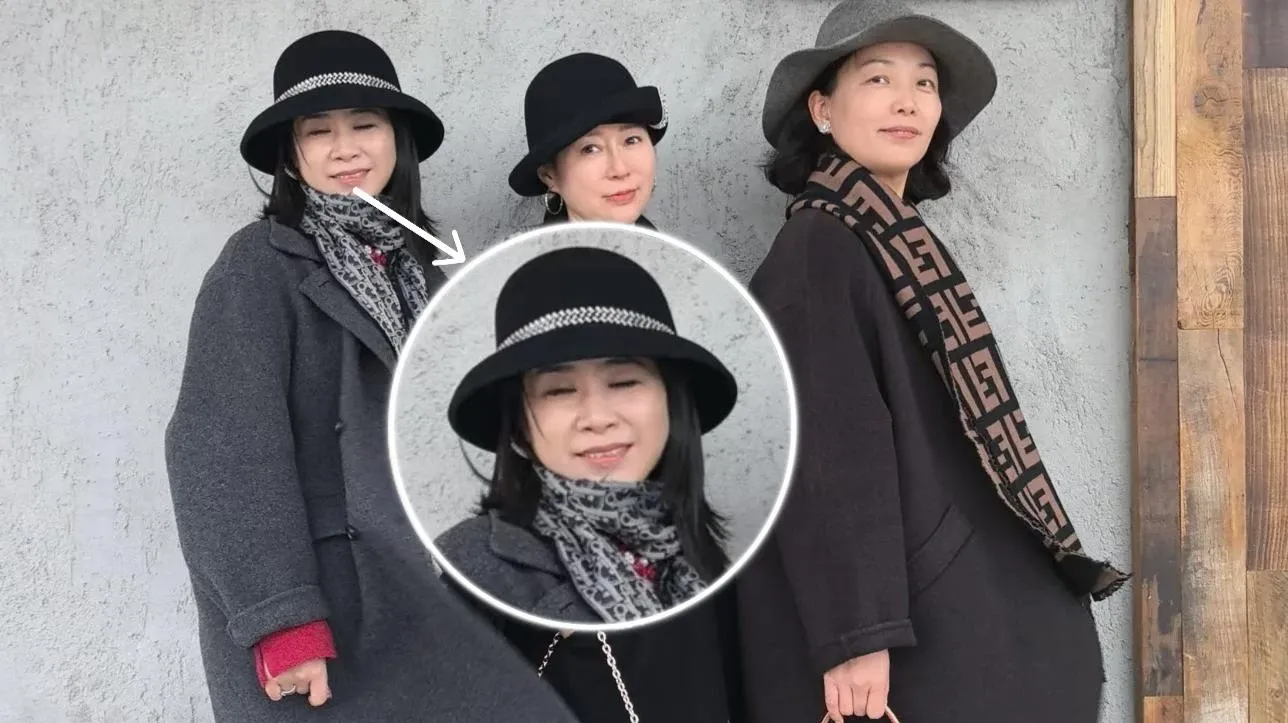
Instead of leaving those photos as regrets, PicMa's Chat Edit feature offers a way to fix those small imperfections and bring the picture closer to what you remember the moment feeling like.
4 Steps to Fix Closed Eyes Photos
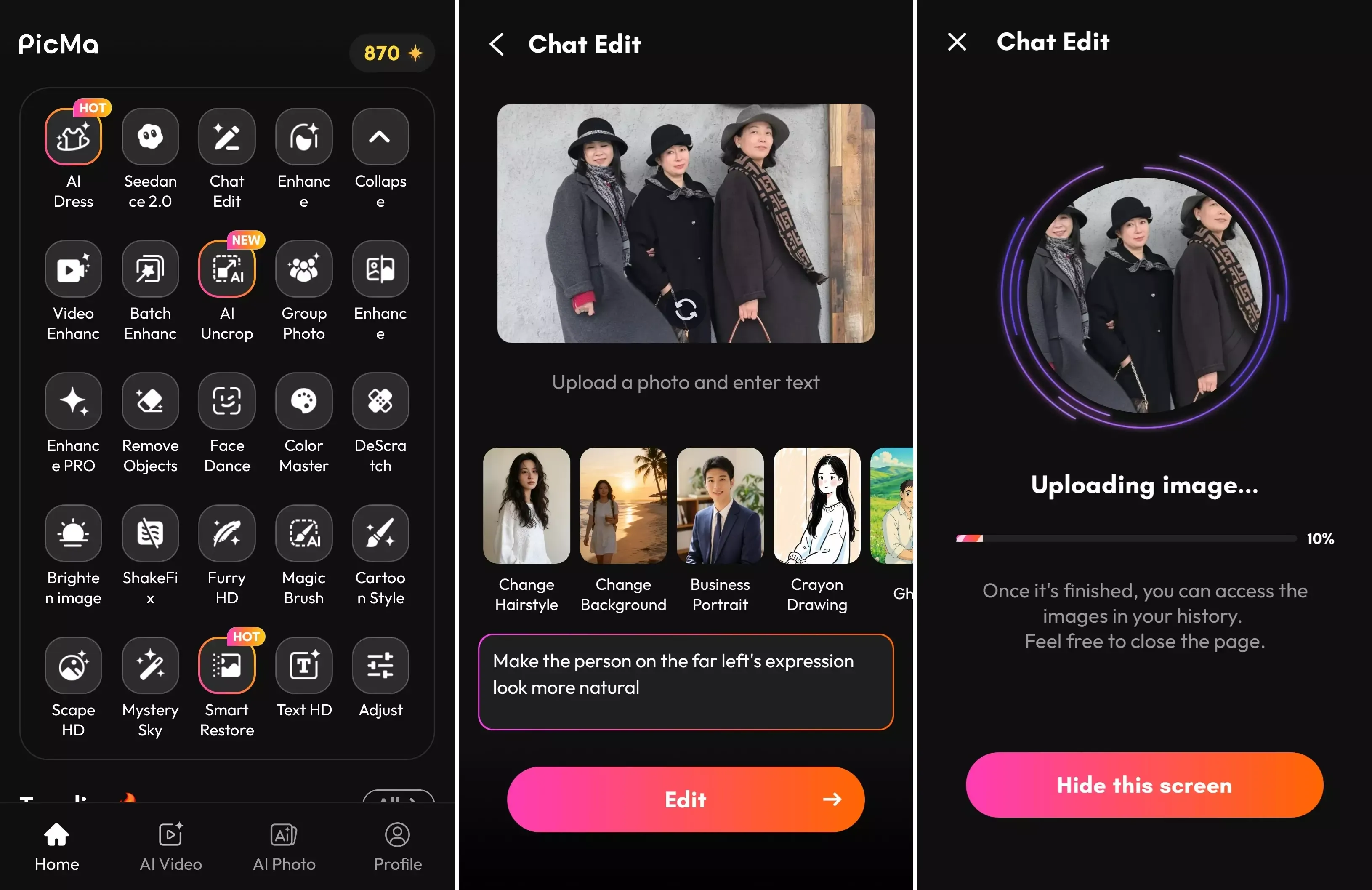
Step 1 – Download the PicMa app (IOS / Android)
Open the app and find the Chat Edit feature.
Step 2 – Upload your photo
Type the change you want in the prompt box, or choose from the built-in edit templates.
Step 3 – Wait for the result
The AI generates the edited image in seconds.
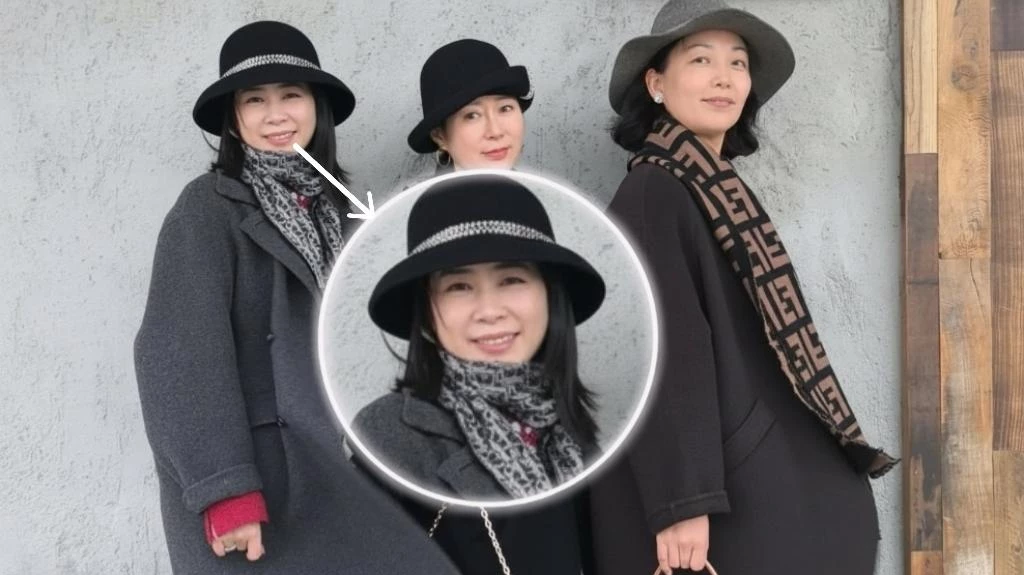
Step 4 – Refine if needed
You can continue editing until the result looks exactly the way you want.
Fix Photos Naturally with PicMa
Instead of complicated editing tools, Chat Edit works like a conversation.
You simply upload your photo and tell the AI what you want to change, just like typing a message. The AI reads your instruction and edits the image accordingly.
Besides text prompts, PicMa also provides a variety of built-in edit templates. With just one tap, you can try different looks such as changing hairstyles, switching backgrounds, trying new outfits, or even transforming the overall art style of the photo.
This means you can either describe exactly what you want, or simply pick a template and let the AI do the rest—making photo editing feel quick, creative, and surprisingly effortless.
Edit Step by Step Toward the Perfect Photo
One of the best things about Chat Edit is its flexibility—you can make all your changes at once or refine the photo step by step. If you already know everything you want to adjust, you can include multiple instructions in a single prompt. Or you can start with one small fix—like opening your eyes—then continue with other tweaks such as adjusting your hair, improving your expression, or subtly reshaping your appearance.
Even if you edit the photo multiple times, the image won’t become blurry or distorted. Each modification is applied cleanly, keeping the picture sharp and natural. Whether you choose to edit everything in one go or improve it gradually, the result stays high-quality while bringing the photo closer to the version you imagined.
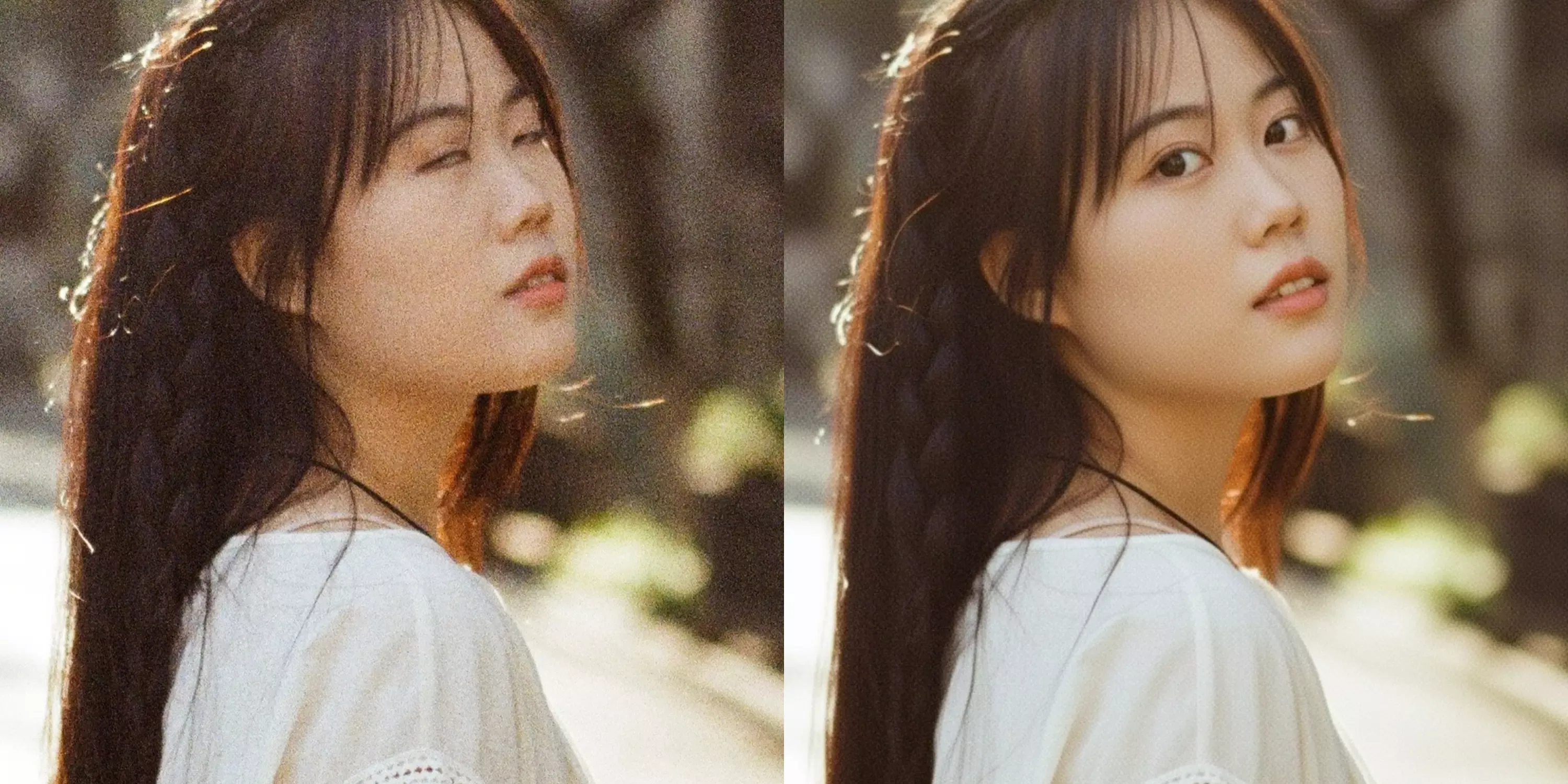
If you have photos that feel almost perfect but not quite there, this might be the easiest way to bring them back to life. Give PicMa a try and see how a few simple edits can turn those almost-good pictures into ones you’ll actually want to keep and share.


Frequently Asked Questions
Q: Is it free?
Yes, the Chat Edit feature can be used for free.
Q: Can I edit only myself in a group photo?
Yes. You can adjust your own appearance without affecting other people in the picture.
Q: Do I need editing skills?
Not at all. Just describe what you want to change.
Q: How long does it take?
Usually just a few seconds.

 149
149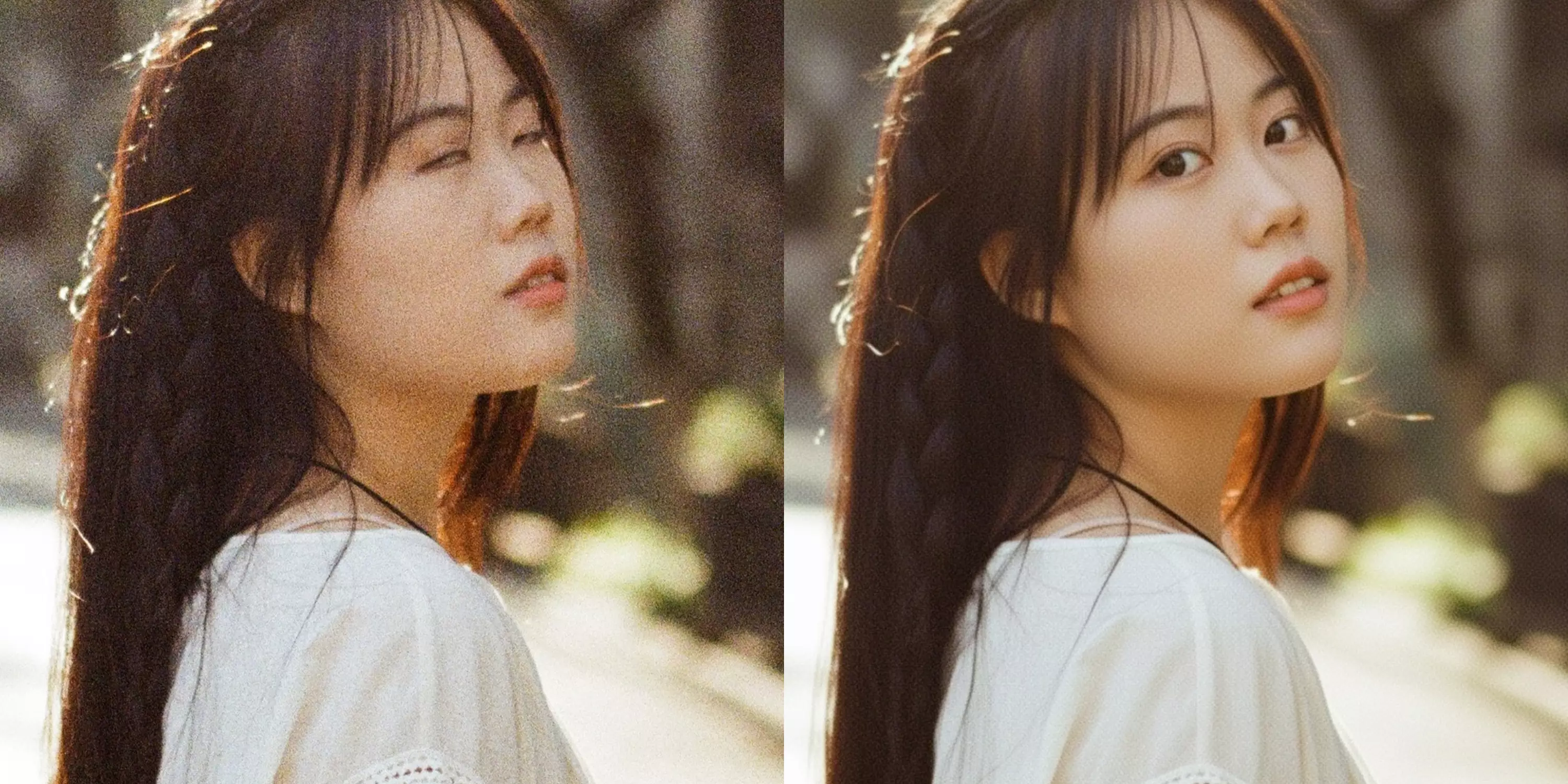

 English