Family photos are supposed to capture happy memories. So why do so many of them end up looking exactly the same? Everyone stands in a line, someone says “smile,” one person blinks, and suddenly you have another perfectly normal photo sitting in your camera roll.
What if your family portrait could feel more like a celebration?
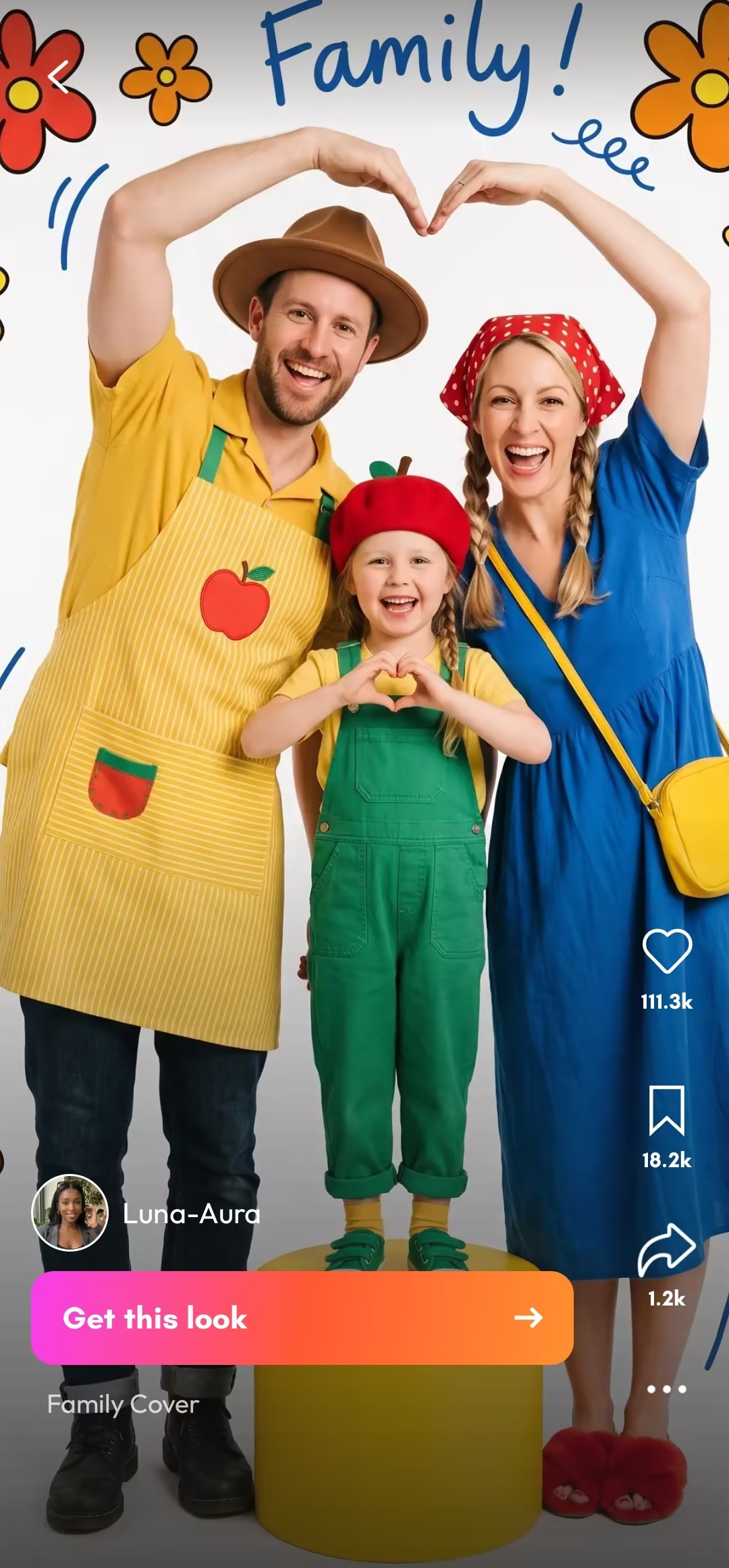
That’s where the dopamine aesthetic comes in. Think bold colors, playful styling, expressive poses, cute graphic details, and the kind of energy that makes a photo impossible to scroll past. With PicMa, you can turn an ordinary family snapshot into a colorful AI family portrait without planning a studio shoot, finding matching outfits, or convincing everyone to pose perfectly.
What Is a Dopamine Family Portrait?
The idea is simple: take the familiar family portrait and turn up the fun.
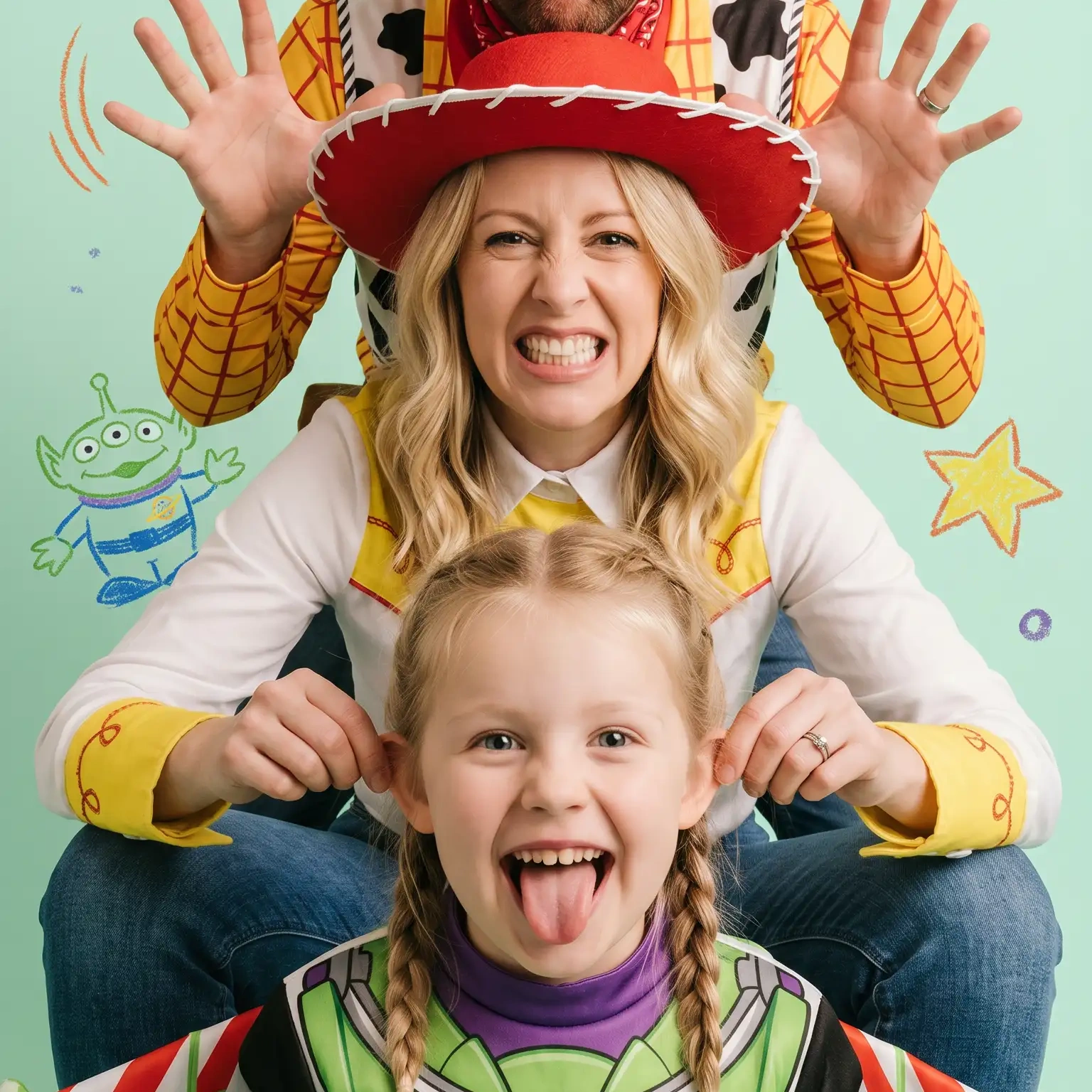
Instead of muted backgrounds and formal poses, a dopamine-style family photo embraces bright colors, playful compositions, cheerful details, and plenty of personality. A simple family snapshot can suddenly look like the cover of a quirky lifestyle magazine—or a happy little world designed just for your family.
And you don't need a professional photographer to create one.
With PicMa’s Family Portrait effects, you can experiment with this colorful look directly from your phone. The best part? Your original photo doesn’t need to be perfect. A genuine laugh, a silly pose, or a spontaneous family moment can actually make the final result more interesting.
How to Create Your Own Dopamine Family Portrait With PicMa
Ready to give your family album a makeover? It only takes a few taps.
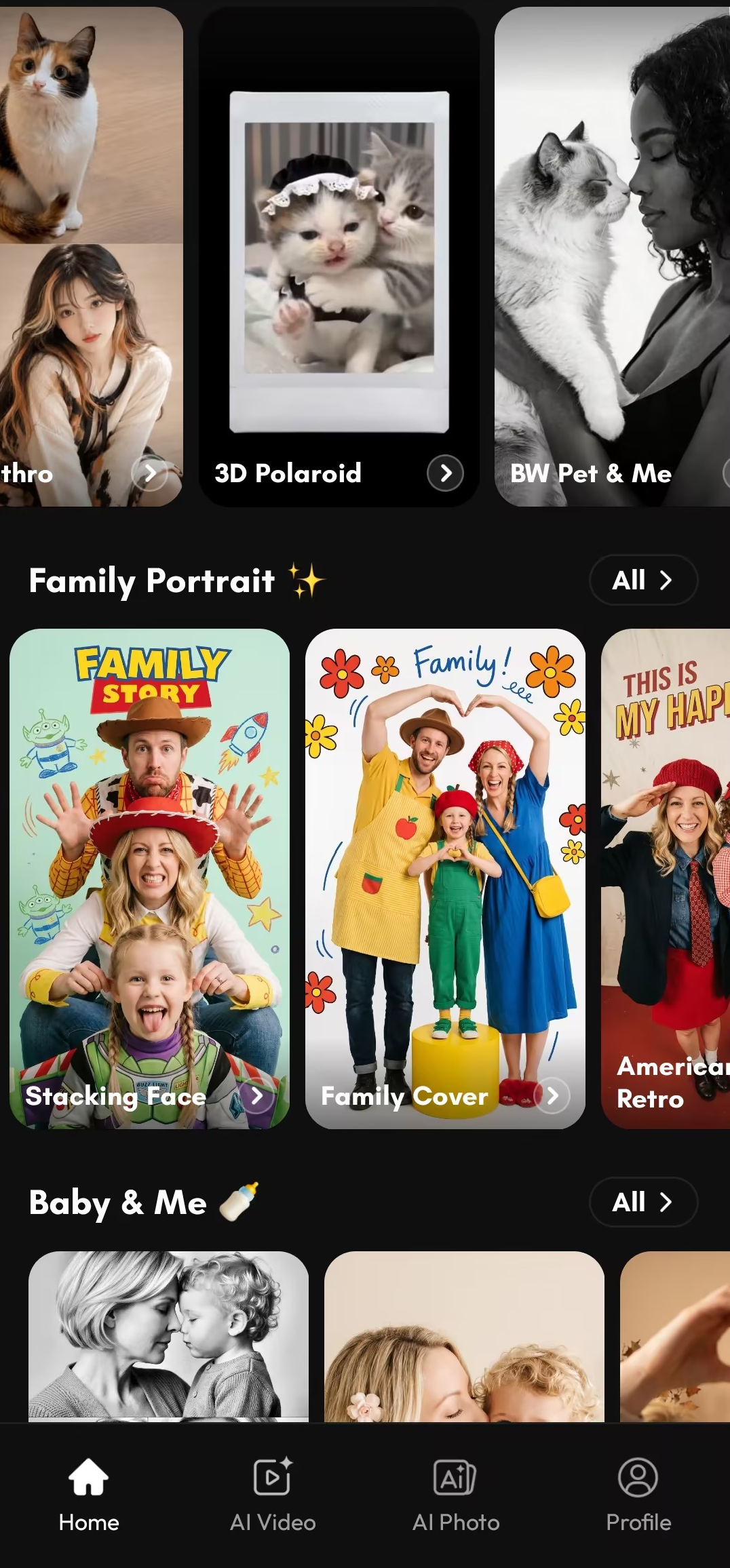
✨Step 1: Open PicMa and choose your family photo
Start with the PicMa App(Download at the bottom of article) and head to the Family Portrait section on the app’s home page. Choose a photo that includes the family members you want to transform.
For the best result, use a clear photo where everyone’s face is visible. But don’t worry about making it look like a professional studio shot—natural family moments work surprisingly well.
✨Step 2: Pick the dopamine-style Family Portrait effect
Browse the available Family Portrait styles and choose the colorful, playful dopamine-inspired effect.
This is where the transformation gets fun. Your everyday photo can take on a completely different visual personality, with vibrant colors, expressive styling, graphic elements, and a cheerful editorial feel.
✨Step 3: Let PicMa transform the photo
Tap to generate and let PicMa do the creative work.
You don't need to manually adjust every color, cut out every person, or spend an hour arranging decorations. PicMa handles the transformation so you can focus on choosing the photo you actually want to share.
✨Step 4: Save it, share it, or make another version
Love the result? Save it to your phone and use it as a family profile picture, birthday post, digital keepsake, or simply send it to the family group chat.
And honestly, one version might not be enough.
Try a different family photo, a different pose, or another portrait style and see which version feels most “you.”
The Secret to a Better AI Family Portrait? Start With Personality
You might think the perfect input is a perfectly posed family photo.
Not necessarily.
A photo where everyone is laughing, a child is making a funny expression, or the family is naturally interacting can give your AI family portrait much more character. The goal isn't to make your family look like a catalog. It's to make the memory feel bigger, brighter, and more playful.
You can even turn the result into a mini family collection: one colorful portrait for each season, birthday, vacation, or special occasion.
Suddenly, “family photo” doesn't sound quite so boring.

3 Fun Ways to Use Your Dopamine Family Portrait
- Make it a birthday surprise. Transform an old family photo into a colorful digital card for a parent, grandparent, or sibling.
- Create a family group-chat icon. Replace that blurry selfie everyone has been using for years with something much more fun.
- Build a yearly family portrait series. Use a new family photo every year and transform each one with a different creative style. After a few years, you'll have a surprisingly cool visual timeline of your family.
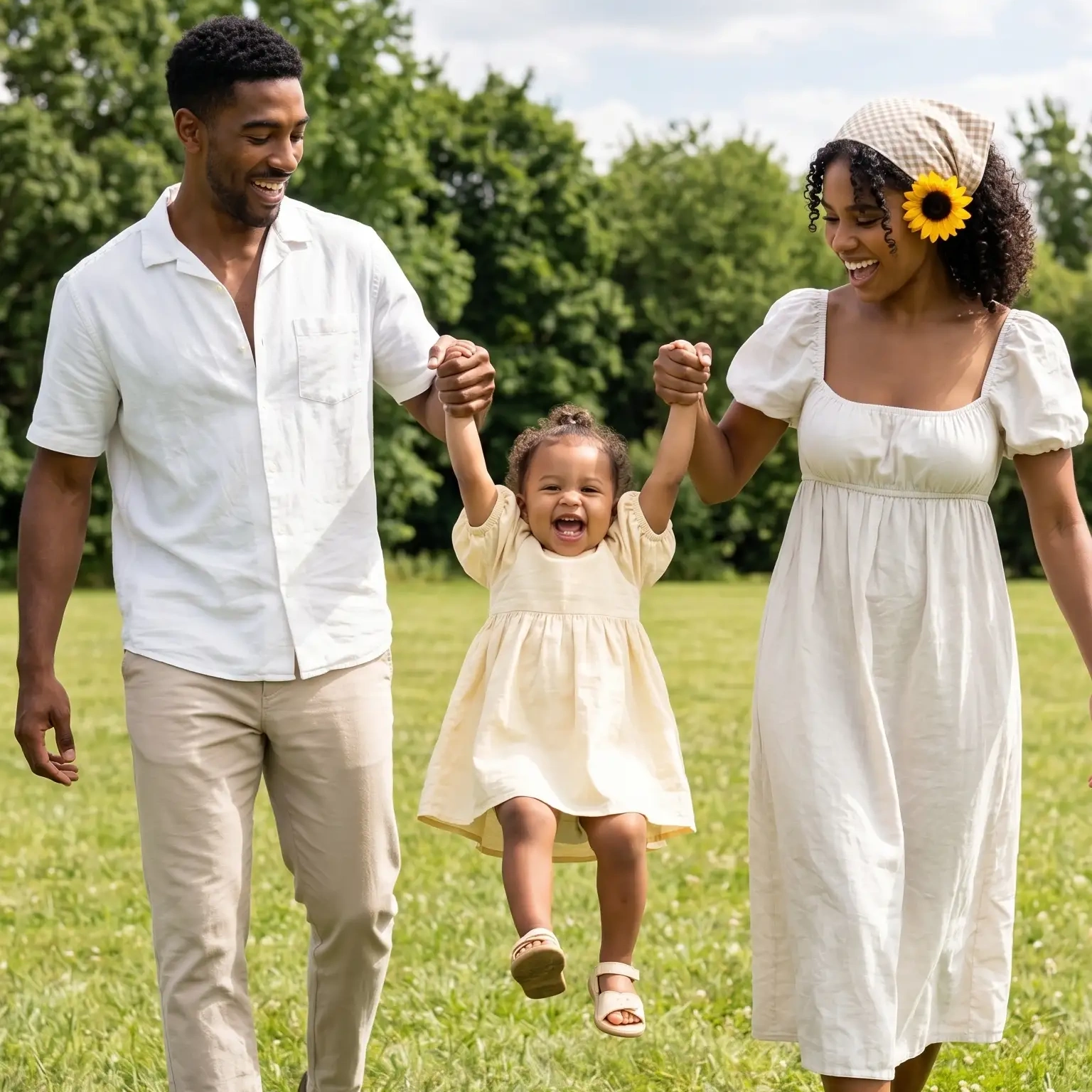
And also different styles of family portrait waiting for you!!


FAQ
💖Can I create an AI family portrait from a normal photo?
Yes. You don't need a professional family photoshoot. A clear everyday photo with visible faces is a good starting point for creating a playful AI family portrait in PicMa.
💖What kind of photo works best?
Choose a photo with good lighting, visible faces, and enough space around the people. Candid photos can work especially well if you want the final portrait to feel lively and personal.
💖Can I try this with different family photos?
Absolutely. Try group photos from birthdays, holidays, vacations, or everyday moments. Different photos can produce completely different moods, so experimenting is part of the fun.
Give Your Family Photos a Little More Personality
Your camera roll is probably already full of family memories. You don't necessarily need another photoshoot—you just need a more creative way to see the photos you already have.
With PicMa, a simple family snapshot can become a vibrant AI family portrait filled with color, character, and that unmistakable dopamine energy.
👉So grab the family photo everyone has forgotten about, open PicMa, head to Family Portrait, and give it a makeover. Because family memories deserve more than just another group photo. ✨


 37
37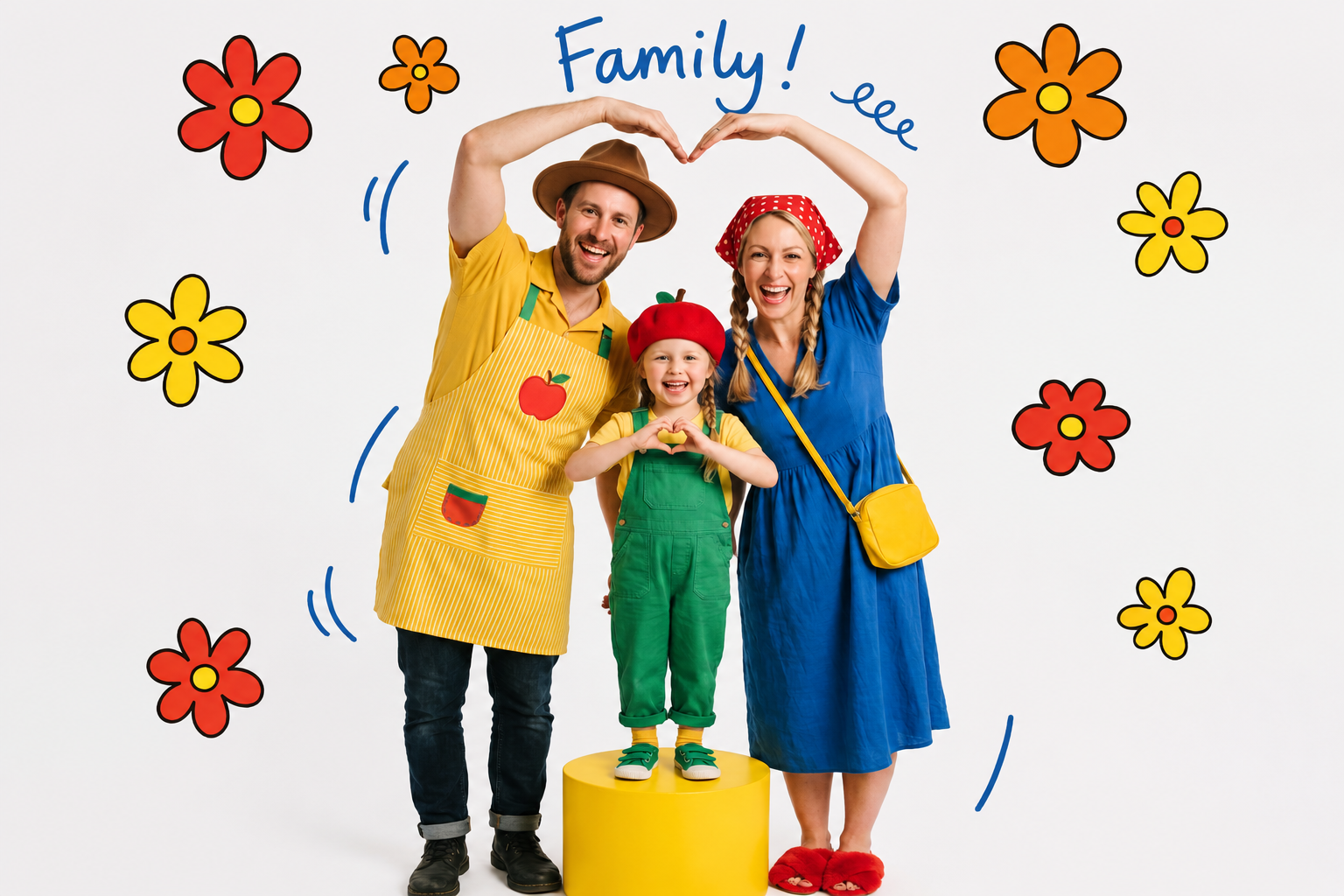

 English