A Polaroid photo has a special kind of nostalgia. The instant-photo frame, soft colors, and slightly imperfect look can make an ordinary moment feel more personal. But what if your photo could go beyond a flat Polaroid frame and become part of a 3D photo scene?
That is the idea behind PicMa’s new 3D Polaroid style. Instead of simply adding a vintage border to your picture, the effect transforms your photo into a visually immersive scene. Your image can appear as if it has just been printed from a retro camera, placed inside a physical Polaroid frame, or presented as part of a miniature photographic setup. The result combines the familiar **Polaroid aesthetic** with a playful sense of depth and perspective.
What Is a 3D Polaroid Photo?
Traditional Polaroid effects usually focus on the appearance of the photograph itself: a white frame, vintage colors, grain, or instant-film texture. A 3D Polaroid effect, however, changes the entire visual presentation.
Your photo becomes part of a larger scene. A retro camera may appear behind it, a printed photograph can sit in front of the camera, or the image can be positioned at an angle to create the impression of a real physical object. This gives the final result more depth, perspective, and storytelling than a standard photo filter.
It is especially useful when you want to turn a simple portrait, couple photo, travel memory, or everyday snapshot into something that feels more creative and shareable.
How to Create a 3D Polaroid Photo With PicMa
You don't need photo-editing experience or complicated design software to create the effect. PicMa keeps the process simple through its mobile app.
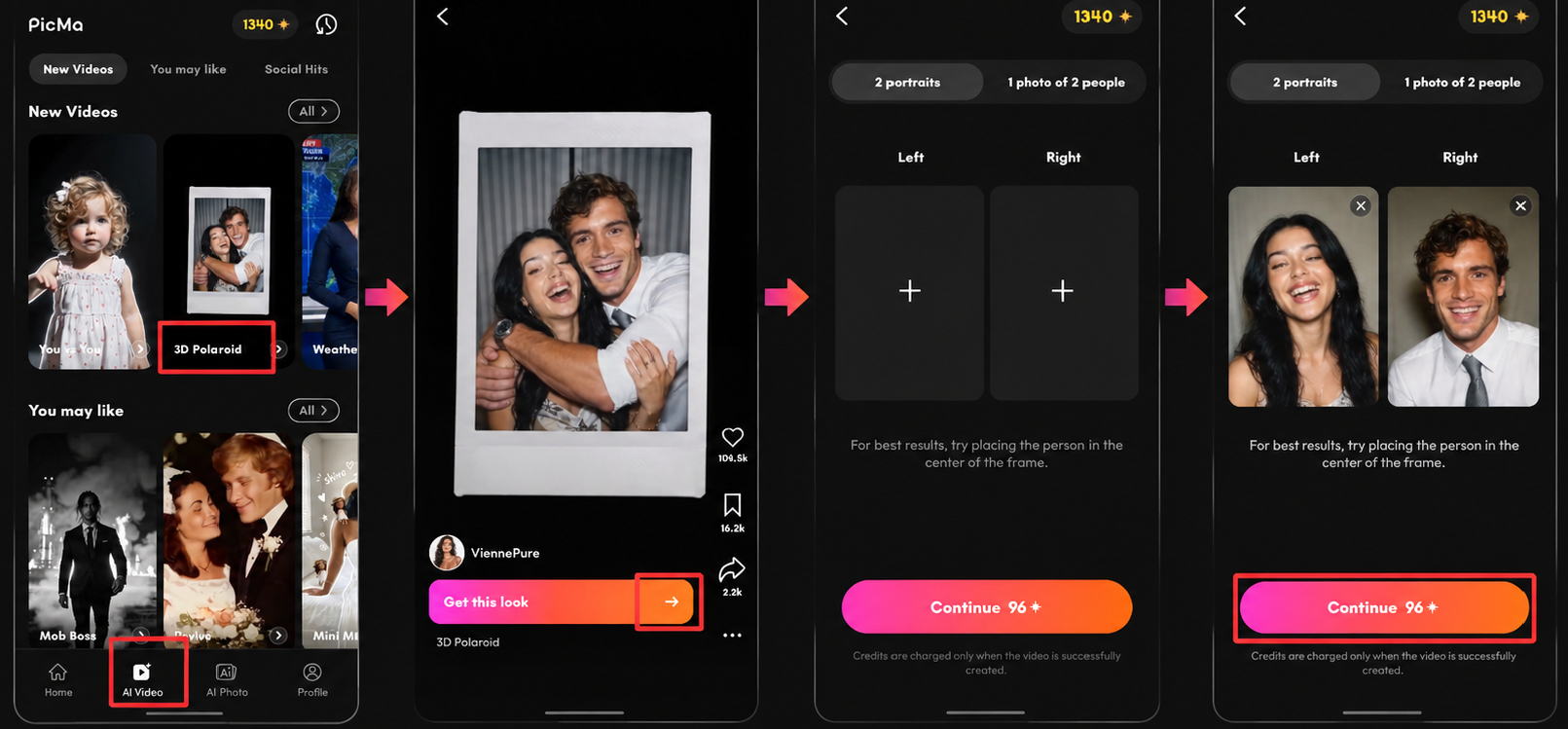
- Download the PicMa App and Open it and enter the new 3D Polaroid style page. You will see different visual examples that demonstrate how the effect can transform an ordinary photo. The interface is designed around visual discovery, so you can browse the available styles before deciding which one you want to try.
- When you find a style you like, tap Get This Style and upload your photo. PicMa's AI then applies the selected visual concept to your image, turning the original picture into a three-dimensional Polaroid-inspired composition.
- Once the result is ready, you can explore more options by swiping up to discover additional styles. This makes the feature feel less like a traditional editing tool and more like a creative gallery where you can keep experimenting with different ways to present the same photo.
The important part is that you don't have to manually create the camera, Polaroid frame, perspective, lighting, or surrounding scene. The AI handles the visual transformation for you.
What Photos Work Best?
The 3D Polaroid effect can work with many types of images, but photos with a clear subject usually produce the most visually interesting results. Portraits, couple photos, vacation snapshots, pet photos, and memorable everyday moments are all worth trying.
You can also experiment with the same image across multiple styles. A single portrait might look completely different when presented as a freshly printed instant photo compared with one placed inside a vintage camera scene.
This is what makes the feature more than a simple retro filter. Instead of changing only the colors of your photo, it changes how your photo exists within the scene.
Give Your Photos a New Perspective
AI photo editing is moving beyond simple adjustments and filters. Creative effects can now turn familiar pictures into completely new visual experiences, without requiring users to learn complicated editing techniques.
With PicMa's 3D Polaroid style, an ordinary photo can become something that looks like a physical object, a nostalgic snapshot, or a miniature photographic scene. It is an easy way to give your favorite memories a fresh visual identity while keeping the process quick and fun.
Ready to see your photos from a different perspective? Open PicMa, explore the new 3D Polaroid styles, choose your favorite look, and create your own AI-powered photo scene today.


 19
19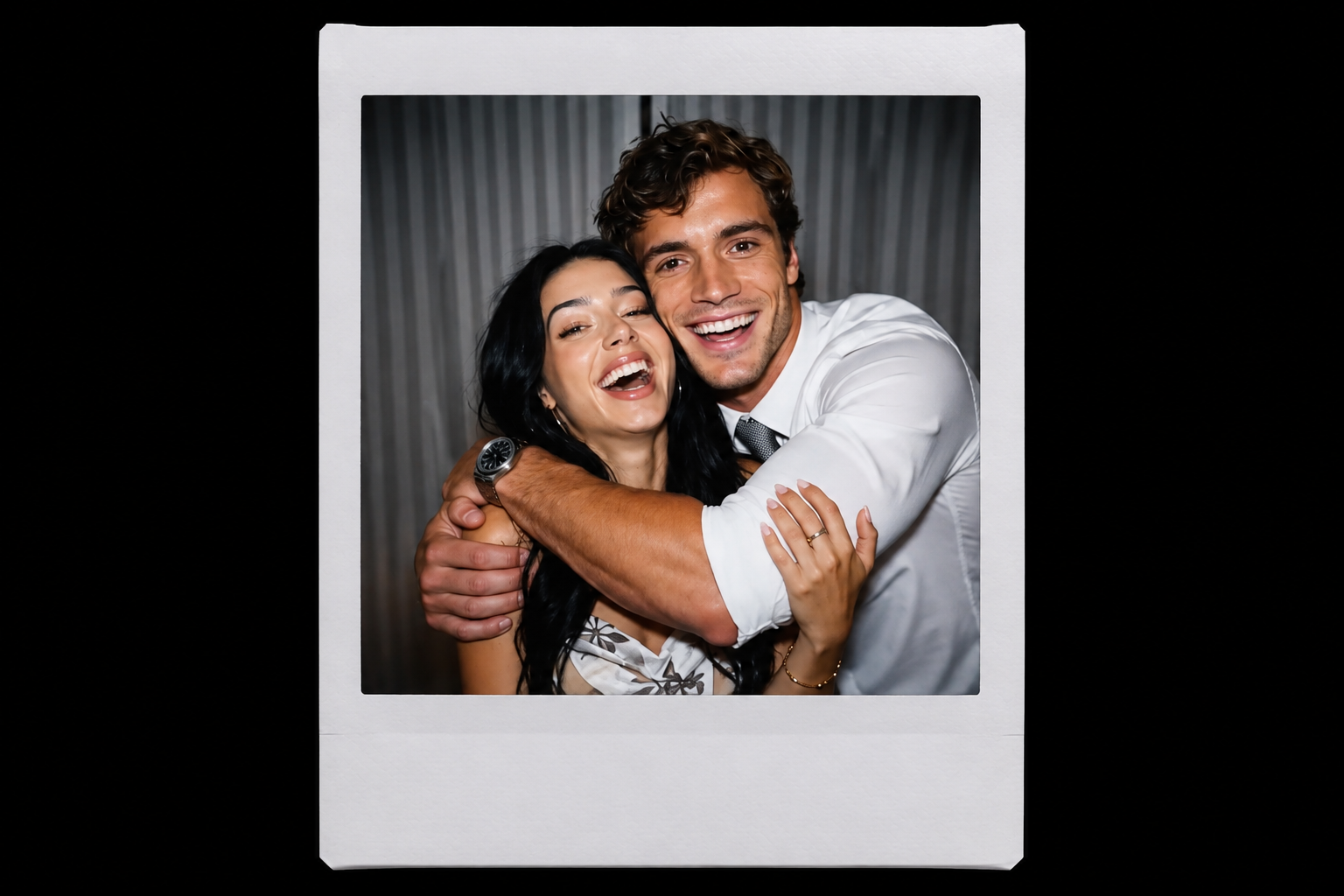

 English