Have you ever looked at your dog or cat and thought they were born for the spotlight? Maybe it’s the way your Golden Retriever prances during walks or how your tabby cat carries themselves with effortless royal grace. In the world of social media trends, AI pet videos have taken the internet by storm, and PicMa has just released a game-changing tool that makes your pet the star of their own high-fashion show. The new AI Animal Runway feature allows anyone to transform a simple photo into a professional-looking catwalk video. It’s whimsical, it’s stylish, and most importantly, it’s incredibly easy to use.
The beauty of this feature lies in its sophisticated motion synthesis. When you use the Animal Runway tool, the AI doesn't just animate the limbs; it understands the "personality" of the animal, adding a confident strut, rhythmic movement, and even a touch of "paws-itive" attitude that mimics a real fashion show. Whether you want to see your hamster in a tiny tuxedo or your corgi rocking a digital avant-garde outfit, this tool handles the heavy lifting. It’s the perfect way to create viral-ready content for TikTok or Instagram Reels that will have your followers hitting the "like" button in seconds.
How to Create Your Pet Starwalk Debut in Seconds
Getting started with PicMa is a breath of fresh air because it removes the steep learning curve usually associated with AI video generation. You don't need to be a prompt engineer or a video editor to get stunning results. The process is designed for the everyday pet lover:
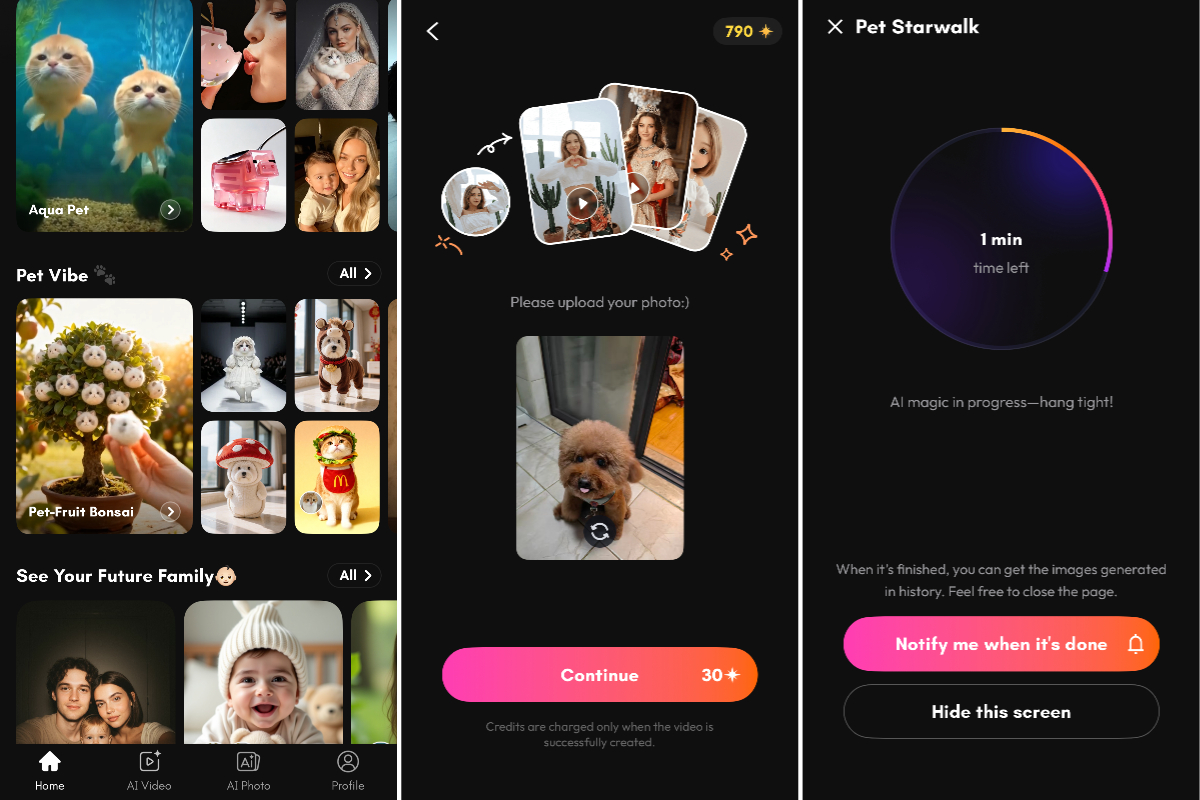
- Open PicMa and find the Pet Starwalk Feature: Open the PicMa app and navigate to the Pet Vibe section where the "Pet Starwalk" template is prominently displayed.
- Upload One Clear Photo: All the AI needs is one single front-facing photo of your pet. Ensure the lighting is decent and their face is clearly visible for the best character consistency.
- Generate and Enjoy: There are no complex text prompts to type or technical settings to toggle. Simply hit the generate button, and within moments, PicMa’s AI video engine processes the image to create a fluid, high-definition video of your pet walking toward the camera like a seasoned pro.
A Universe of AI Video Magic at Your Fingertips
The Animal Runway is just the beginning of what you can achieve with a single photo on PicMa. The platform has expanded its AI Video suite to include a variety of "just-for-fun" effects that turn static images into dynamic stories. For instance, you can try the Animal Fruit Tree effect, where your pet magically grows as the "fruit" of a colorful tree, or the Viral Dance feature that makes your pet perform the latest trending choreography with hilarious accuracy. If you’re feeling extra imaginative, the Animal to Fish transformation creates a surreal underwater scene where your pet swims gracefully through a coral reef. Each of these features follows the same "one-click" philosophy—no technical skills required, just pure creative joy.
Frequently Asked Questions
Q: Do I need to write complex prompts to make the video?
A: Not at all! PicMa is designed for everyone. There is no need for "prompt engineering." Just upload your photo, and the AI handles the rest automatically.
Q: What kind of photo works best for the Animal Runway?
A: A high-quality, front-facing photo where your pet is sitting or standing clearly against the background will give you the most realistic and smooth walking animation.
Q: Can I share these videos directly to social media?
A: Yes! Once your AI video is generated, you can save it to your gallery or share it directly to TikTok, Instagram, or WhatsApp to show off your pet’s new modeling career.


Related Readings:

 157
157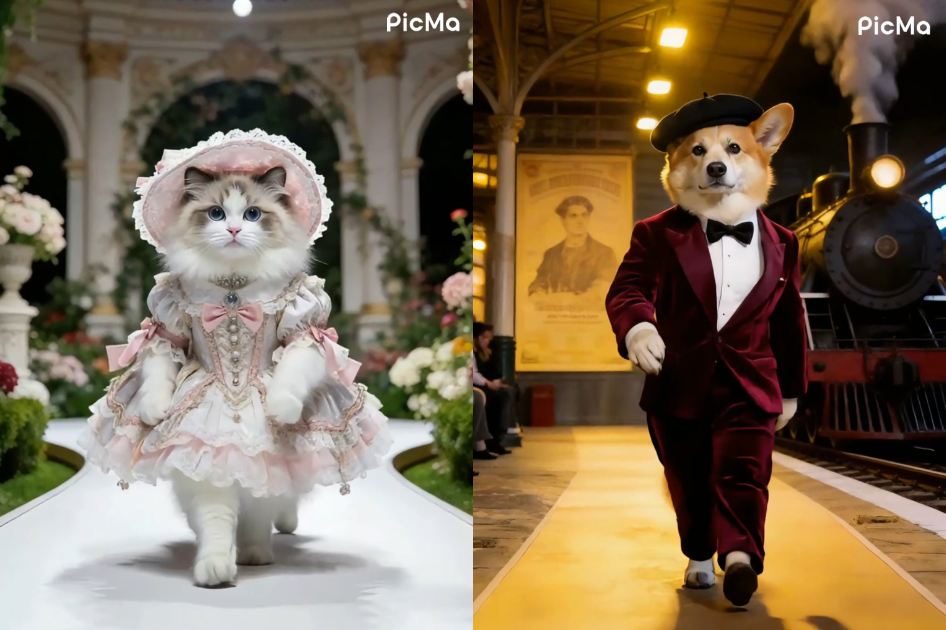

 English