For any online apparel brand, product photography isn’t just a creative task—it’s an ongoing operational expense.
Every new collection demands fresh visuals. If you sell across multiple customer segments or regularly update your catalog, traditional photoshoots quickly turn into a logistical challenge. Between booking talent, hiring photographers, renting studio space, and waiting for post-production, even a minor catalog update can become a resource-heavy project.
That is why AI virtual models are becoming a practical option for fashion e-commerce businesses looking to create more product visuals with fewer production resources. Instead of organizing a brand-new shoot every time you want a fresh look, you can use an existing try-on photo to create additional model and lifestyle variations more efficiently.
Why Traditional Clothing Photography Costs So Much
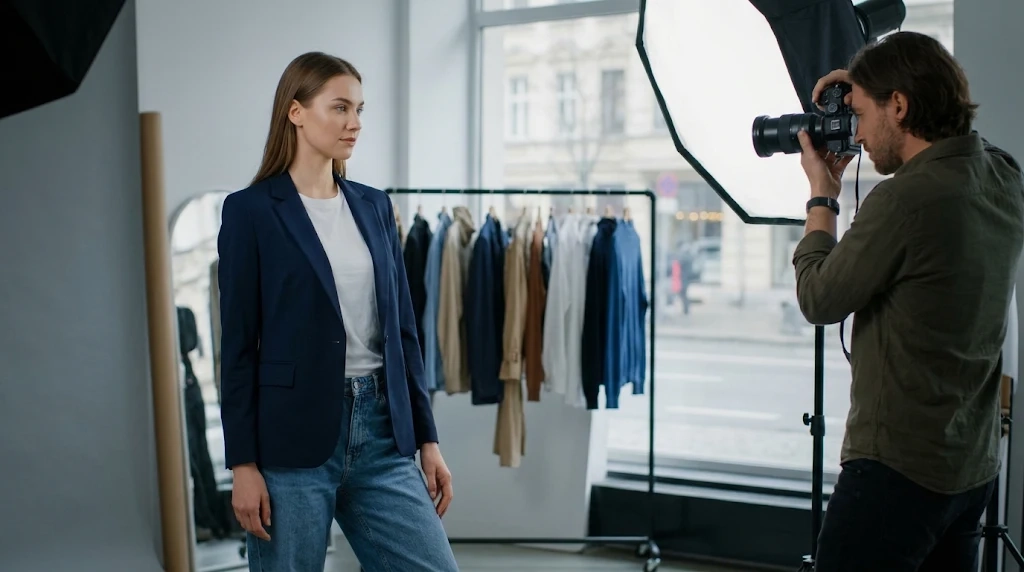
When you factor in all the moving parts, a traditional clothing shoot involves far more than just a model’s hourly rate. You are covering studio rentals, lighting equipment, styling, hair and makeup, and retouching. Worse yet, coordinating schedules between photographers, models, and sample shipments creates bottlenecks—delaying your product launch while you wait for final assets.
For independent sellers and growing online clothing stores, scaling this process across dozens or hundreds of SKUs is difficult to sustain. You don't always need a full-scale campaign; often, you simply need fresh, engaging visuals to keep your product pages and social feeds active.

How AI Virtual Models Work for Fashion E-commerce
Think of an AI virtual model as a flexible way to build on top of your existing imagery. Rather than starting from scratch, AI technology uses an existing try-on photo as a visual reference, allowing sellers to explore different model appearances and lifestyle settings without organizing another physical photoshoot.
While the original garment details should still be reviewed carefully before publishing, this workflow allows you to create additional visual variations from an existing try-on image:
- Explore different model appearances: Test how the same garment looks with a different model presentation to better align with your target audience.
- Match channel aesthetics: Turn a standard product shot into a more casual or lifestyle-oriented visual for social media and promotional campaigns.
- Refresh existing listings: Update product pages with different model presentations to keep your storefront visually engaging without arranging a new shoot.

How to Create AI Model Photos for Clothing with PicMa Studio
If you already have photos of people wearing your clothing products, you can use PicMa Studio's Virtual Model tool to create new model and lifestyle variations without arranging another physical photoshoot.
Step 1: Upload an Existing Try-On Photo
Open the PicMa Studio Virtual Model tool and upload a photo of a real person wearing the garment you want to showcase. For better results, choose a clear, well-lit image where the clothing is fully visible. Make sure important details—such as collars, patterns, sleeves, and hemlines—are not hidden by the model's pose or other objects.

Step 2: Choose a Virtual Model
Select a virtual model from the available options. This gives you a way to explore a different visual presentation for the same clothing item without booking another model or organizing a new shoot. Consider your brand's overall style and target audience when making your selection.

Step 3: Select a Lifestyle Scene
Choose a lifestyle scene that complements the product and the type of content you want to create. For example, a simple setting may work better for a product listing, while a more contextual lifestyle scene can help create engaging visuals for social media and promotional campaigns.

Step 4: Generate and Review Your Image
Click Generate to create your new clothing model image. Once the result is ready, review the garment carefully before publishing. Check its color, patterns, logos, shape, and other recognizable details to make sure the generated image accurately represents the actual product. You can then use the image as an additional visual for your online store or marketing content.

How AI Helps Reduce Clothing Photography Costs
Adopting virtual models for online clothing stores doesn’t mean abandoning real photography altogether—it means allocating your production budget more strategically.
A Practical Workflow: Reserve full-scale physical shoots for flagship hero campaigns, and use AI tools to handle routine catalog variations, seasonal updates, and social media assets.
By shifting everyday visual updates to an AI-assisted workflow, e-commerce teams can reduce recurring studio and location expenses while eliminating creative bottlenecks. A solo founder or small marketing team can test different visual directions for a new arrival, create additional product image variations while reducing the need for repeated full-scale photoshoots, and keep inventory moving without waiting on external production schedules.
Best Practices for AI-Generated Clothing Model Images
To get reliable results from AI-generated clothing model images—and maintain customer trust—keep these three ground rules in mind:
- Start with clean source photos: Always upload high-resolution, well-lit try-on photos where the garment's silhouette and design are completely unobstructed.
- Prioritize product accuracy: Shoppers rely on visual details to make purchasing decisions. Always pair your AI-generated model photos with original close-up or detail shots in your product gallery so customers have an accurate reference for fabric texture, stitching, and true color.
- Follow platform guidelines: Stay up to date with your sales channels' latest policies regarding AI-generated commercial imagery and disclosure requirements to ensure smooth listing approvals.

Frequently Asked Questions
Can AI virtual models replace traditional clothing photoshoots?
Not entirely, and they don't need to. Traditional photography remains important for major brand campaigns, creative storytelling, and shoots requiring specific physical poses. However, AI virtual models can significantly reduce the need for repetitive catalog photoshoots when you simply need fresh model or scene variations from existing try-on images.
Are AI-generated clothing model images suitable for online stores?
AI-generated clothing model images can be used as part of an e-commerce visual strategy, provided sellers review the latest image requirements of their sales platforms. Most importantly, generated visuals should accurately represent the actual product, including its color, design, and key details.
Ready to Refresh Your Store Visuals More Efficiently?
You don't need to organize a full production crew every time your catalog needs a visual update. By turning the try-on photos you already have into new model and lifestyle variations, PicMa Studio helps you keep your storefront fresh while keeping photography costs manageable.
Have an existing try-on photo ready? Upload it to PicMa Studio’s Virtual Model tool and explore new ways to present your clothing products.

 4

 English