Your videos deserve better than grainy faces and forgotten moments. Whether it’s a treasured family memory or a late-night vlog from your travels, no one wants to hit “play” and be greeted with low-res, noisy footage. Unfortunately, that’s the reality of old camcorders, poor lighting, or outdated formats.
You’ve probably thought: “It’s too blurry to post.” “I wish it were clearer — but I don’t know how to fix it.”
You may have tried:
- Installing Premiere plugins but got overwhelmed with complex settings
- Using mobile apps that over-smooth or downgrade resolution
- Watching YouTube tutorials only to realize you lack the software
- Hiring someone to fix it—expensive and often disappointing
The good news
You don’t need editing skills anymore. With PicMa’s AI Video Enhancer, you no longer need expensive software or editing experience. You just upload → choose a model → and let AI bring your video back to life.
What Is PicMa Video Enhancement?
PicMa's video enhancer uses AI to automatically detect and repair common quality issues in videos. Just upload your footage, pick a model that suits your needs, and let the system handle the enhancement.
No software installation
No technical background needed
Fast, secure, fully online
Supports major formats like MP4, MOV, AVI
8 AI Models, Built for Real-World Problems
| Model | Main Function | Best For |
| General Enhancement | Sharpens and clarifies the entire frame | All-purpose blurry footage |
| Face Enhancement | Improves facial features, skin texture, and tone | Portraits, interviews, vlogs |
| Noise Reduction | Removes digital noise and compression artifacts | Night scenes, low-bitrate footage |
| Color Enhancement | Boosts vibrancy and natural contrast | Product demos, landscapes |
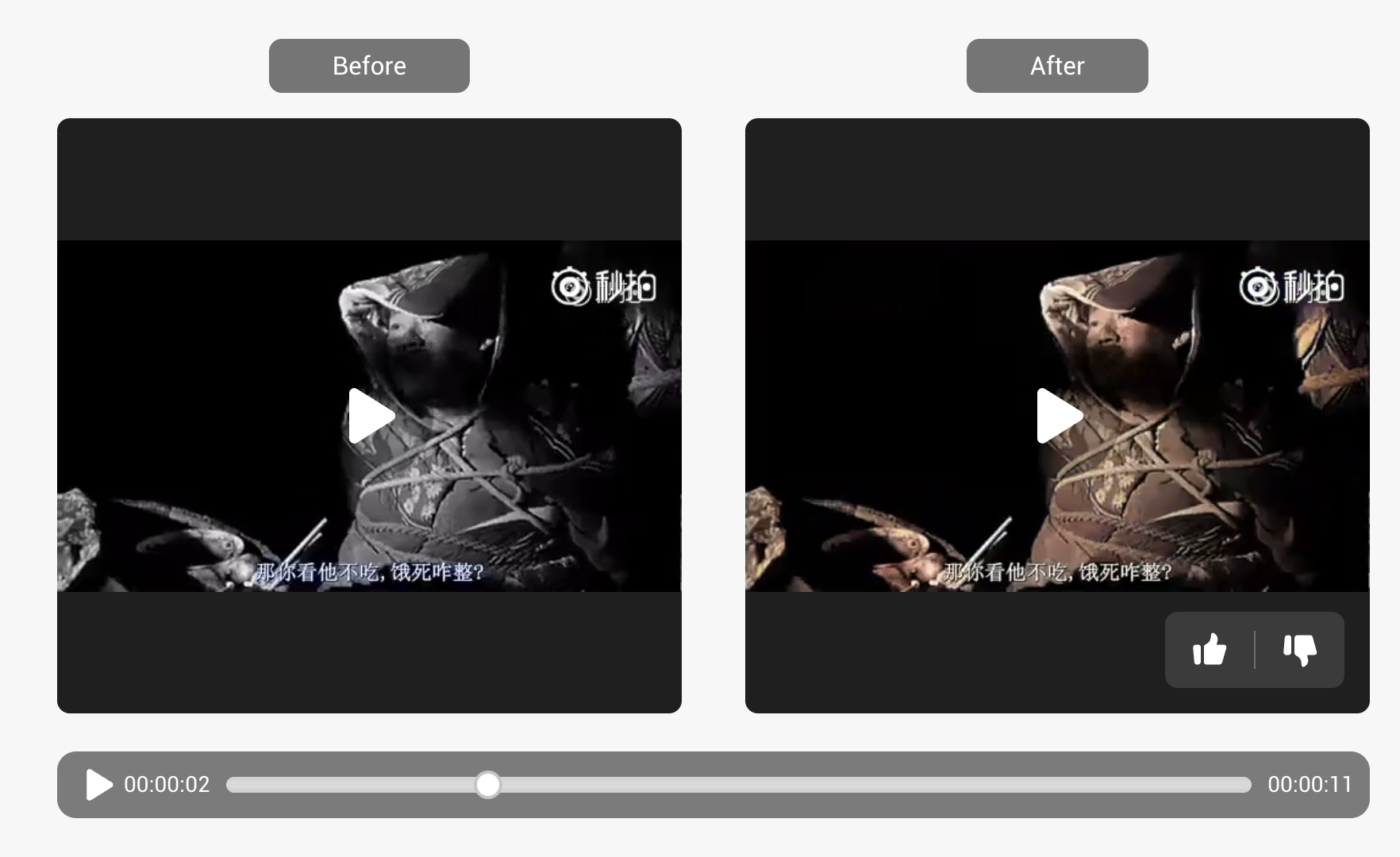
| Colorization | Restores realistic color to black-and-white videos | Archival footage, family history |
| Night Brightening | Brings out details in dark areas | Concerts, night vlogs, indoor footage |
| Cinematic Enhancement | Adds depth and dramatic visual effect | Film trailers, creative edits |
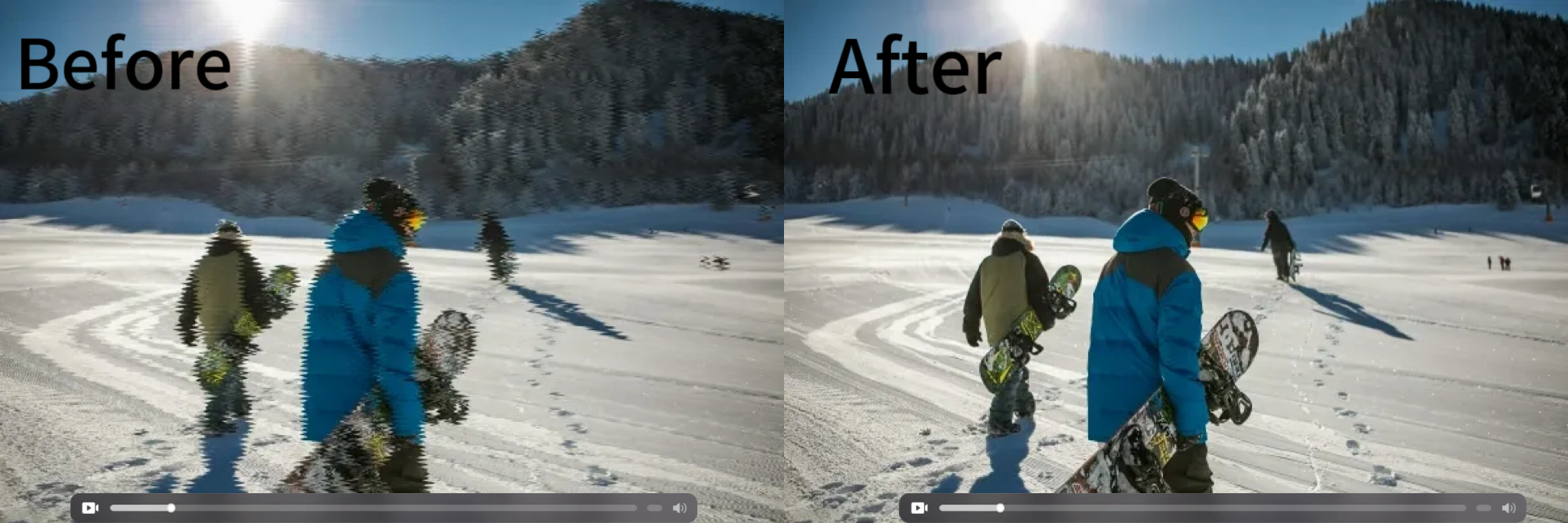
| Deinterlacing | Fixes horizontal line artifacts in old videos | DV tapes, TV recordings |
How to Use It
- Go to PicMa Video Enhancer page
- Upload your video (supports MP4, MOV, AVI, etc.)
- Select an AI model
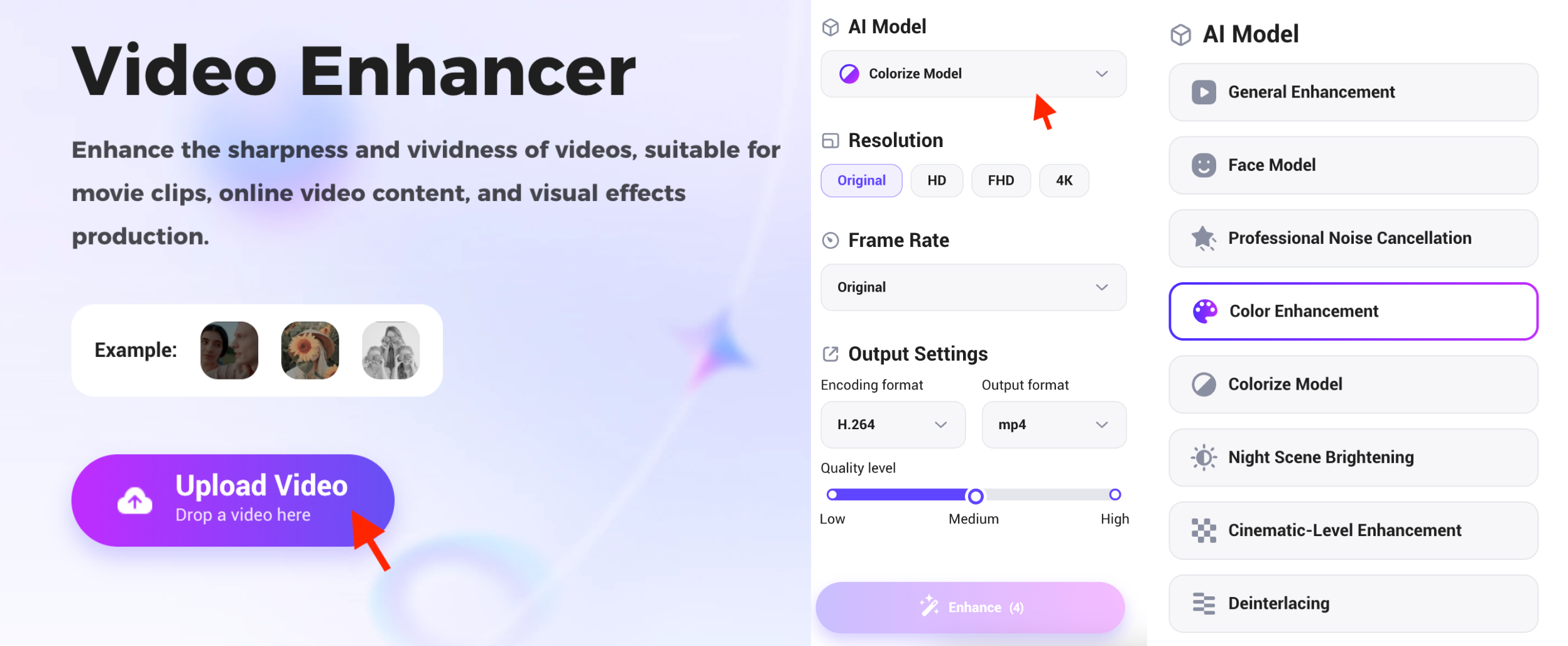
4. Click “Enhance” and wait a few minutes
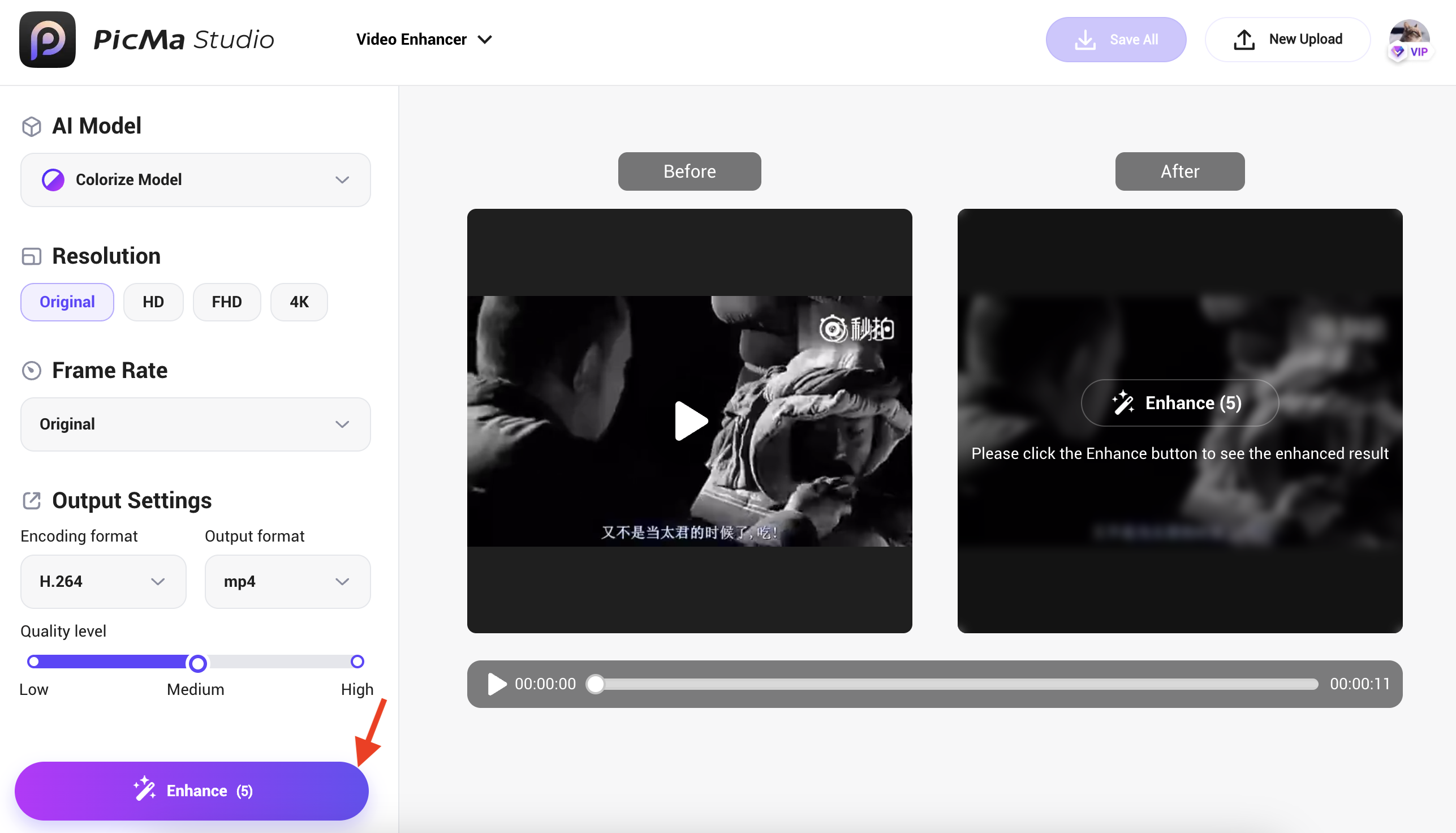
You’ll get a high-quality, enhanced video that’s ready to download — watermark-free.
How Much Does It Cost?
PicMa’s video enhancement is available through a Pro subscription. Pricing is as follows:
· Web Pro Plan: $9.99/week, $24.99/month, or $99.99/year — includes 5 enhanced videos per week
· Mobile Pro Plan (iOS/Android): $6.99/week, $16.99/month, or $69.99/year — no usage limits
You can use the web version from any browser, or download the mobile app for more flexibility and extra creative tools.
Once you hit the weekly limit on the web plan, additional enhancements will be unavailable until the quota resets or you upgrade to the mobile plan with unlimited access.
Common Misconceptions About Video Enhancement vs. What PicMa Actually Does
| Common Misconception | What PicMa Does Instead |
| “It just sharpens with a filter” | Uses real AI to analyze and enhance based on content — not just applying a visual layer |
| “The result looks fake or over-processed” | Combines multiple models to preserve natural details and balanced color |
| “I don’t know how to use editing tools” | No experience required — simply upload and click |
| “Uploading videos feels unsafe” | Fully encrypted process with optional file deletion after processing |
Who Should Use This Tool?
- Creators & Editors: Save time enhancing video before publishing
- Families: Revive old tapes and childhood recordings
- Educators: Improve the clarity of video lessons
- Business & Ecommerce: Sharpen product presentation
- Archivists: Restore historic or personal video footage
- Everyday Users: No experience? No problem
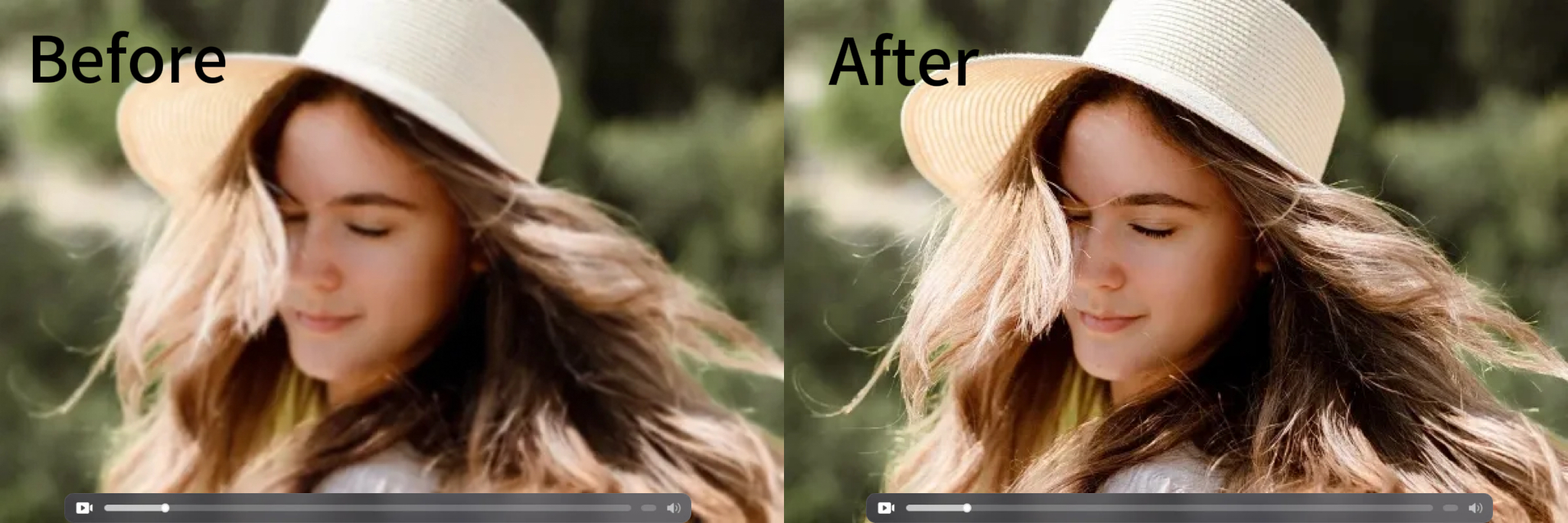
It’s Time to Make Your Videos Look Good Again
Stop wasting time with tools that are too complex or don’t deliver results. Whether you’re preserving memories, creating content, or just want better-looking videos — PicMa’s AI Video Enhancer is your shortcut to clarity.
👉 Try it now — and bring your footage back to life.


 270
270

 English