Want to film a “receiving flowers” video with a sense of ceremony but keep getting stuck on the same three things: no props or setting, no editing skills, and no time for retakes? Right before anniversaries, birthdays, or brand events, the footage often isn’t good enough or the final cut lacks atmosphere, making it hard to stand out on social media.
PicMa’s Receive Flowers solves the “want a nice video but don’t know how to shoot” problem in one go: upload your photo or short clip, choose a receive-flowers style, and the AI automatically generates a short video of the person receiving a bouquet, ready to share.
Three Steps to Bloom
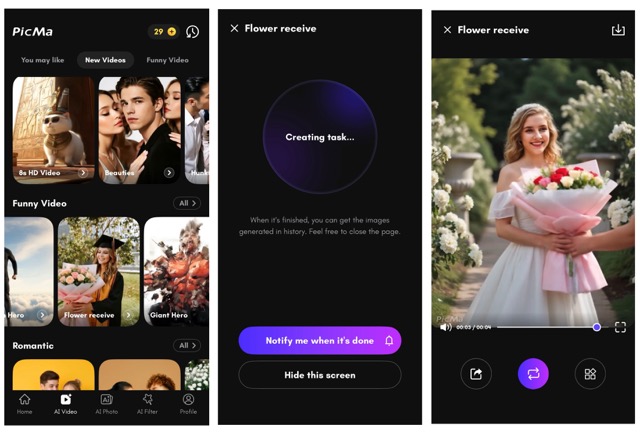
1. Download(ios/android) and open the PicMa App Make sure your app is up to date. Tap on “Flower Receive” in the AI Video section.
2. Choose your favorite or memorable photo,then upload it.
3. Save and preview the video of the flowers you received.
Keep It Blooming: Plug-and-Play Ideas
- Anniversaries/birthdays: Render 2–3 styles from the same photo and cut a “bouquet relay” montage.
- Store/brand promos: Add your logo or slogan to the opening/ending card for a “blessing opener.”
- Holiday greetings: Map flower types to moods (e.g., Valentine’s, Mother’s Day) and keep a consistent subtitle template.
- Series format: Lock a simple intro/outro and release one clip weekly to build a recognizable column.
Why Bouquets Reach the Heart
Flowers are emotional shortcuts, turning gratitude, congratulations, comfort, love, and remembrance into instantly readable symbols. They also mark life’s milestones—birthdays, anniversaries, graduations, reunions—giving memories a tangible shape and color. Different blooms carry distinct meanings: roses for love and passion, sunflowers for warmth and encouragement, lilies for purity and blessings. With clean visuals and clear emotion, bouquets are naturally suited for display and sharing, resonating on social platforms. And when the moment of receiving a flower is made into a short video, the fleeting feeling is preserved and replayable, keeping the emotion alive and shareable for longer.
Frequent Asked Questions
Q1:How long does generation take?
A:Typically a few seconds to a minute, depending on photo quality and chosen style.
Q2: Can I combine “Receive Flowers” with other PicMa AI Video features?
A: Not directly inside this template, but you can enhance afterward—use Video Enhancer for clarity,
Q3: Do I really only need one photo?
A: Yes. A single clear portrait is enough to generate a “receiving flowers” short video.
Today’s Flowers, Post Today
Don’t wait for the bloom—just start. Open PicMa,upload your favorite photo, and let AI handle the rest; hit share and let the bouquet arrive where it’s meant to be.


 201
201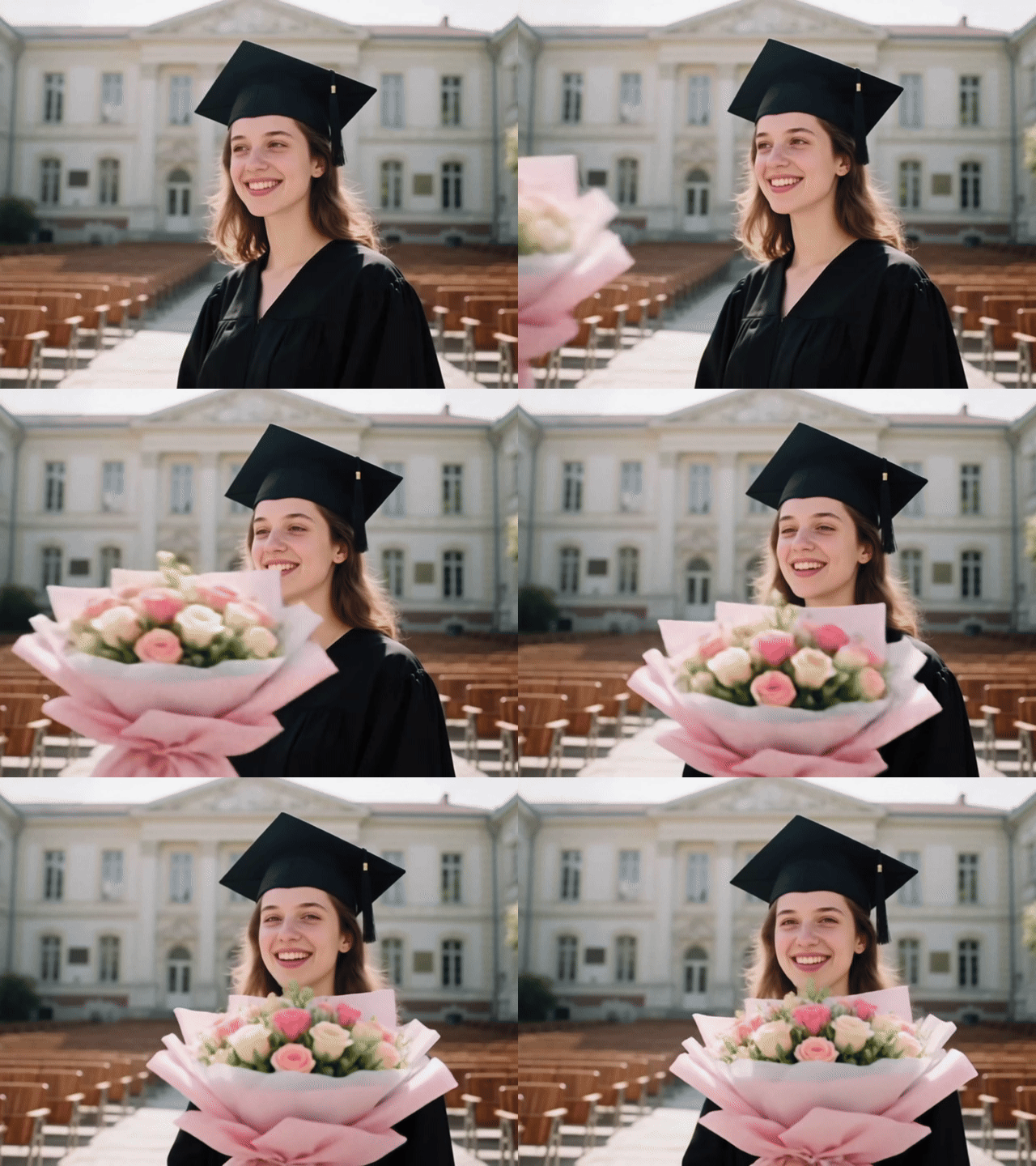

 English