Have you ever looked at a beautiful AI-generated image and thought, “I wish I could make this move”?
Whether you are a digital creator, a social media marketer, or just someone who loves playing with AI, static images don’t always tell the whole story. The digital world is moving to video, and you don’t need complex editing software like Premiere or After Effects to keep up.
Today, we are diving into the newly upgraded AI Video feature inside PicMa AI, powered by the cutting-edge Seedance 2.0 model. From classic text-to-video and image-to-video conversions to trending one-click templates (including some epic World Cup themes), here is how you can level up your content game.
Why Seedance 2.0 on PicMa is a Game-Changer
If you’ve used other AI video generators before, you might have experienced "AI hallucination", where characters suddenly grow extra limbs or the background turns into a blurry mess.
Seedance 2.0 solves this. It brings hyper-realistic motion, high fidelity and insane generation speed.
Now, let’s get into the fun part: how to actually use it.

Method 1: Creating from Scratch, The Magic of Image-to-Video & Text-to-Video Feature
If you have a specific vision, the Image-to-Video and Text-to-Video tool is your best friend. You can upload photos, describe your vision and animate it, or. create videos solely by writing prompts.
Step-by-Step Tutorial:
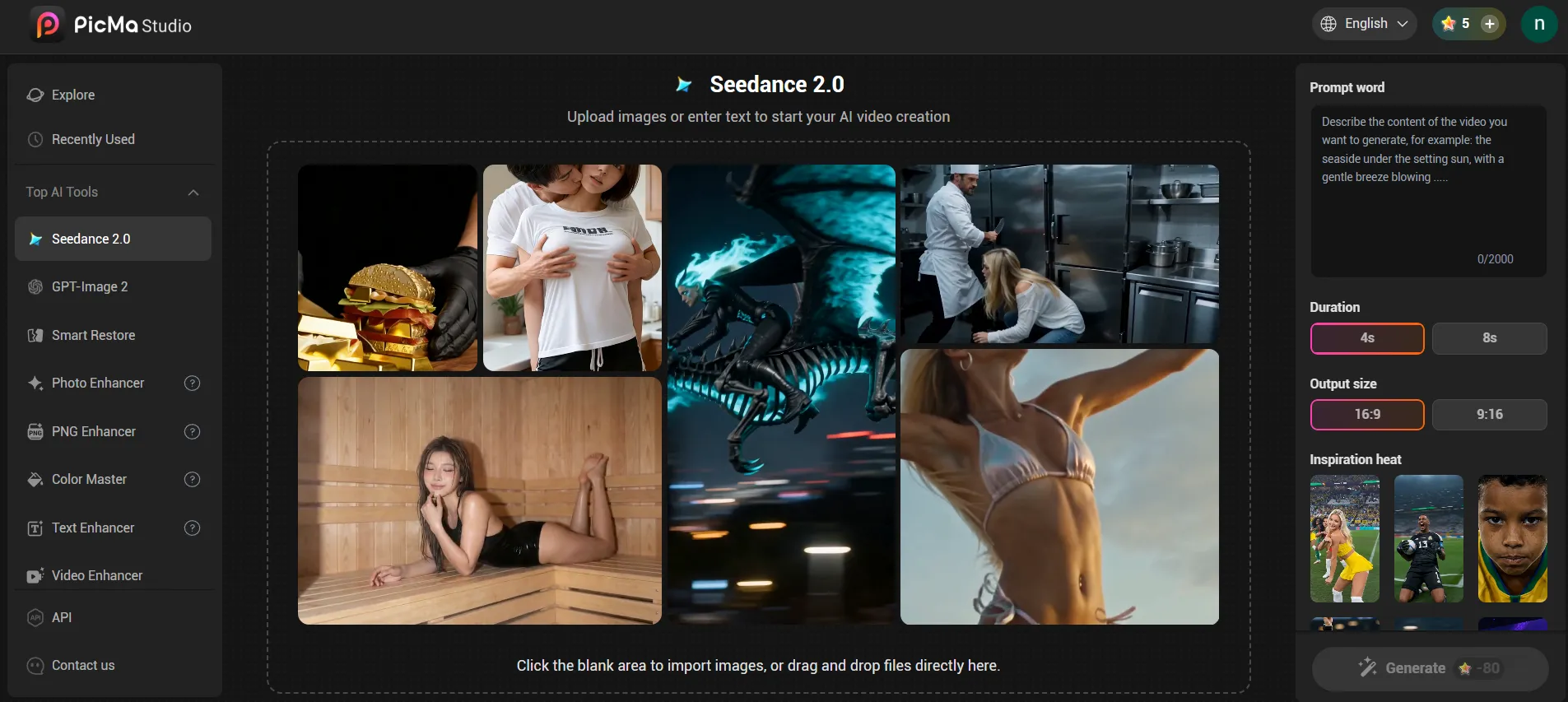
1. For web users, simply open PicMa Studio website, swipe down on homepage, and find Seedance 2.0 in For Video section. And then you can write prompt words and upload photos optionally to generate your videos.
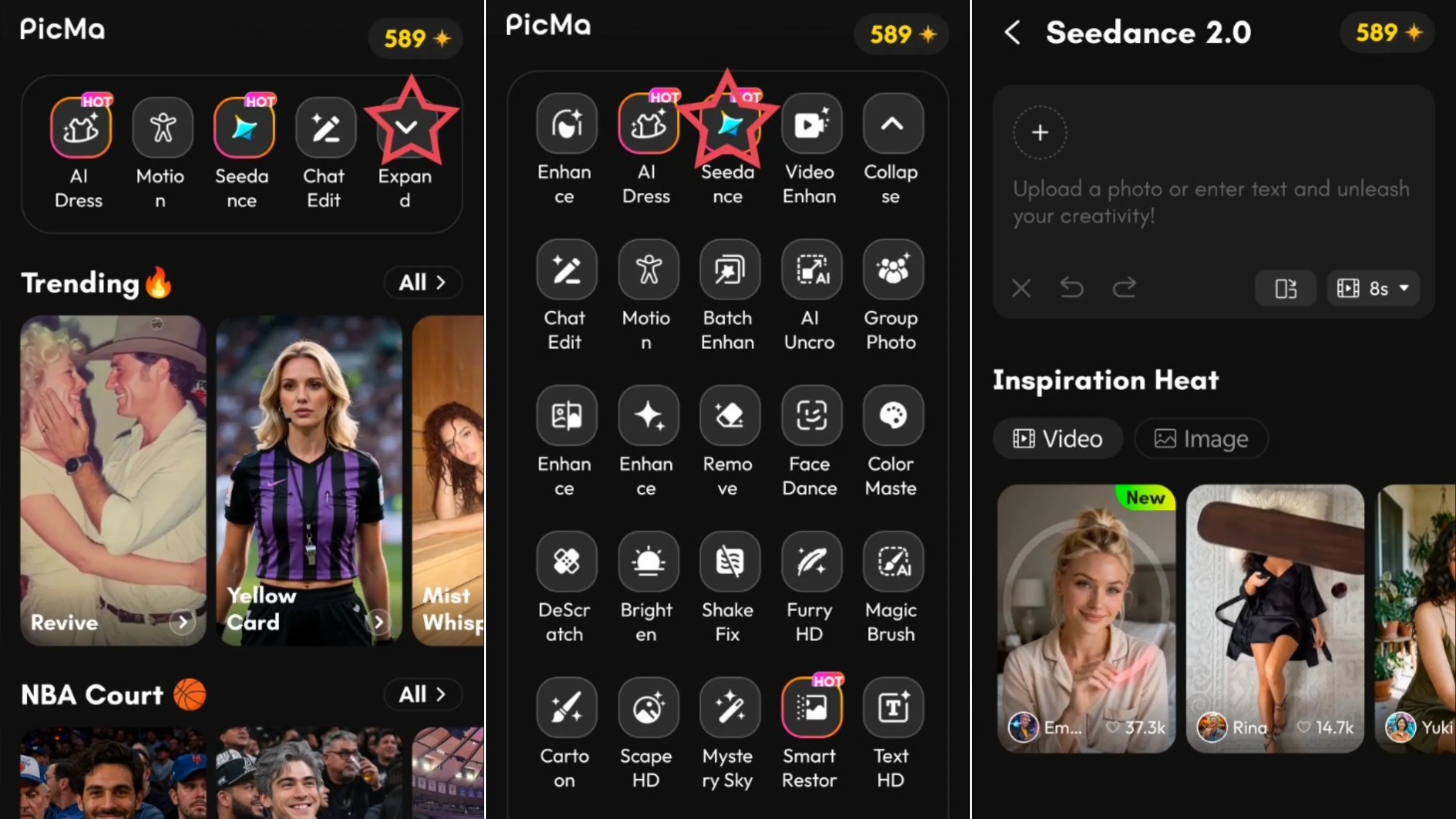
2. For mobile users, download PicMa app on Google Play & App Store, find Seedance on the Homepage and click it. You can write your prompts with or without uploading a photo to generate videos. And the results are wonderful.
Method 2: Use Trending Templates, Create Viral Content in One Click
Don't have a specific prompt in mind? No problem. PicMa offers a library of trending AI video templates that do the heavy lifting for you. These templates are pre-configured with professional camera movements, transitions, and effects. All you have to do is swap in your photos.
The process are basically the same as method 1, only that you don't have to write prompts, just choose the template you want to try in Inspiration Heat, upload your photo and the results will be generated in minutes.
Go Viral with World Cup AI Video Templates
Are you a sports fan? One of our most popular features right now is the World Cup AI video templates. Want to see yourself dominating the game as a member of the champions? Want to turn a photo of your friend into a legendary footballer celebrating a goal in a packed stadium?
Simply find World Cup templates in the Inspiration Heat collection, upload your portrait, and let Seedance 2.0 handle the rest. It’s perfect for TikTok, Instagram Reels, and YouTube Shorts.
Pro-Tips for Getting the Best Results with PicMa AI Video
To make sure your videos look professional every single time, keep these quick tips in mind:
- Start with high-quality source images: The clearer your initial image, the more detailed the final video will be.
- Keep prompts simple: Instead of writing a whole story, focus on how the camera should move (e.g., panning left, slow motion, drone shot).
- Experiment with aspect ratios: If you are posting to TikTok or Reels, make sure to set your output ratio to 9:16 before generating.
Ready to Bring Your Imagination to Life?
You don't need a Hollywood budget or years of video editing experience to create cinematic videos. With PicMa AI and the power of Seedance 2.0, your next viral video is just a few clicks away.
Try PicMa for Free and start turning your vision into motion masterpieces!


Related Readings:

 76
76

 English