Every movie lover knows this feeling: you pause a film at the perfect moment. Maybe it's a breathtaking landscape, a dramatic close-up, or a quiet cinematic frame that feels like a painting.
You take a screenshot thinking, “This would make an amazing wallpaper.”
But then comes the disappointment. The image doesn’t fit your phone screen. It’s cropped awkwardly, stretched, or missing the magic that made the scene special.
What if you could expand that frame instead of cutting it? That’s exactly what PicMa’s AI Uncrop is designed to do.
Movie Frames Refuse to Fit Your Screen
Films are typically shot in wide cinematic ratios, while phones and tablets use vertical or different aspect ratios.
This usually leads to several frustrating problems.
Important parts of the image get cropped out, the scene ends up feeling too zoomed in, or black bars appear around the frame. Sometimes stretching the image seems like the only option, but that only ruins the original composition.

You’re left compromising the image just to make it fit your screen, which means it’s usually not exactly wallpaper-worthy.
How PicMa Solves It
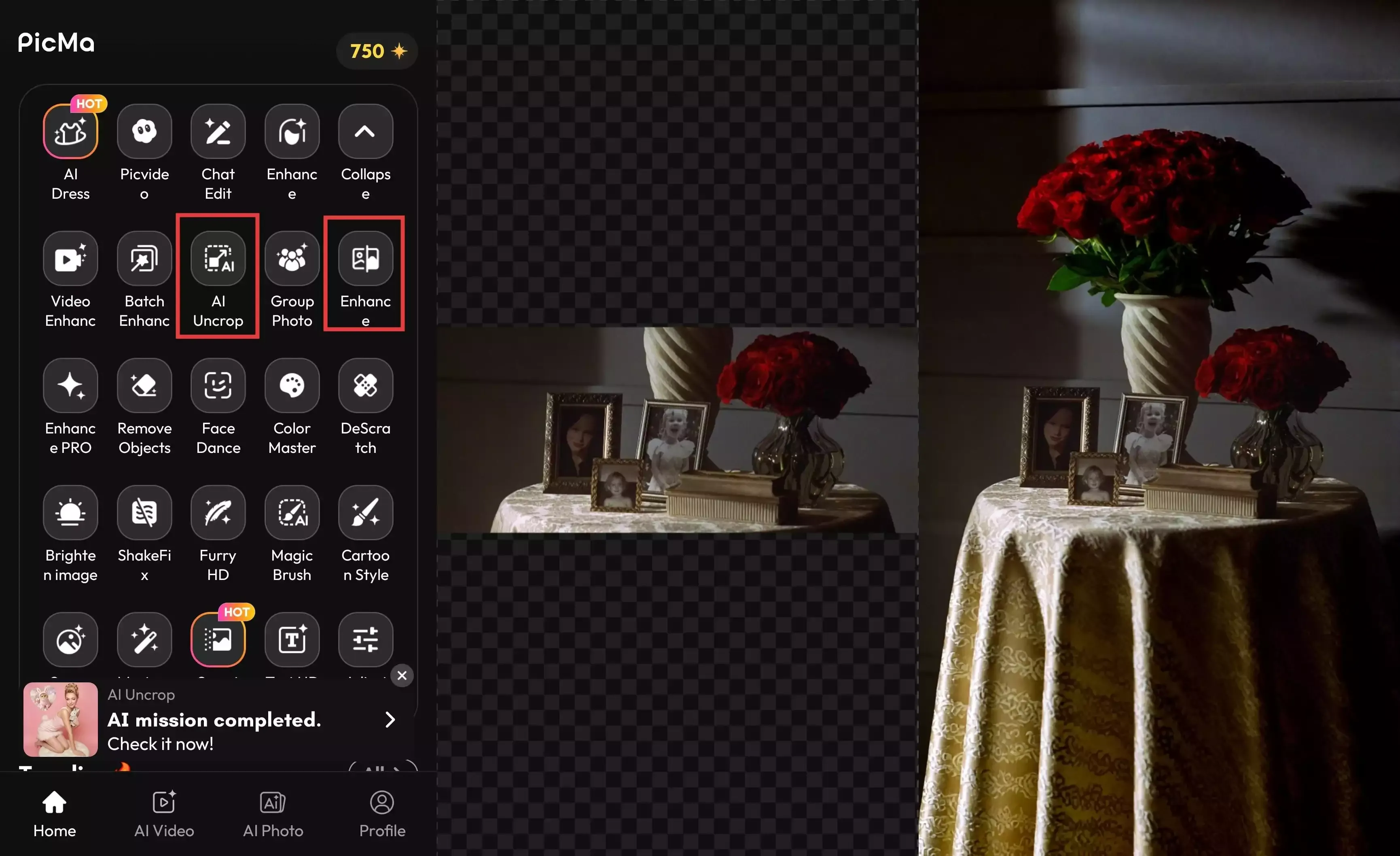
PicMa’s AI Uncrop flips the whole process. It intelligently expands the frame beyond the original boundaries.
Here’s what makes it powerful:
- Any Size You Want — Perfect for Phones & Tablets
Whether you need a phone wallpaper, tablet wallpaper, or a custom size, AI Uncrop lets you generate images in almost any aspect ratio.
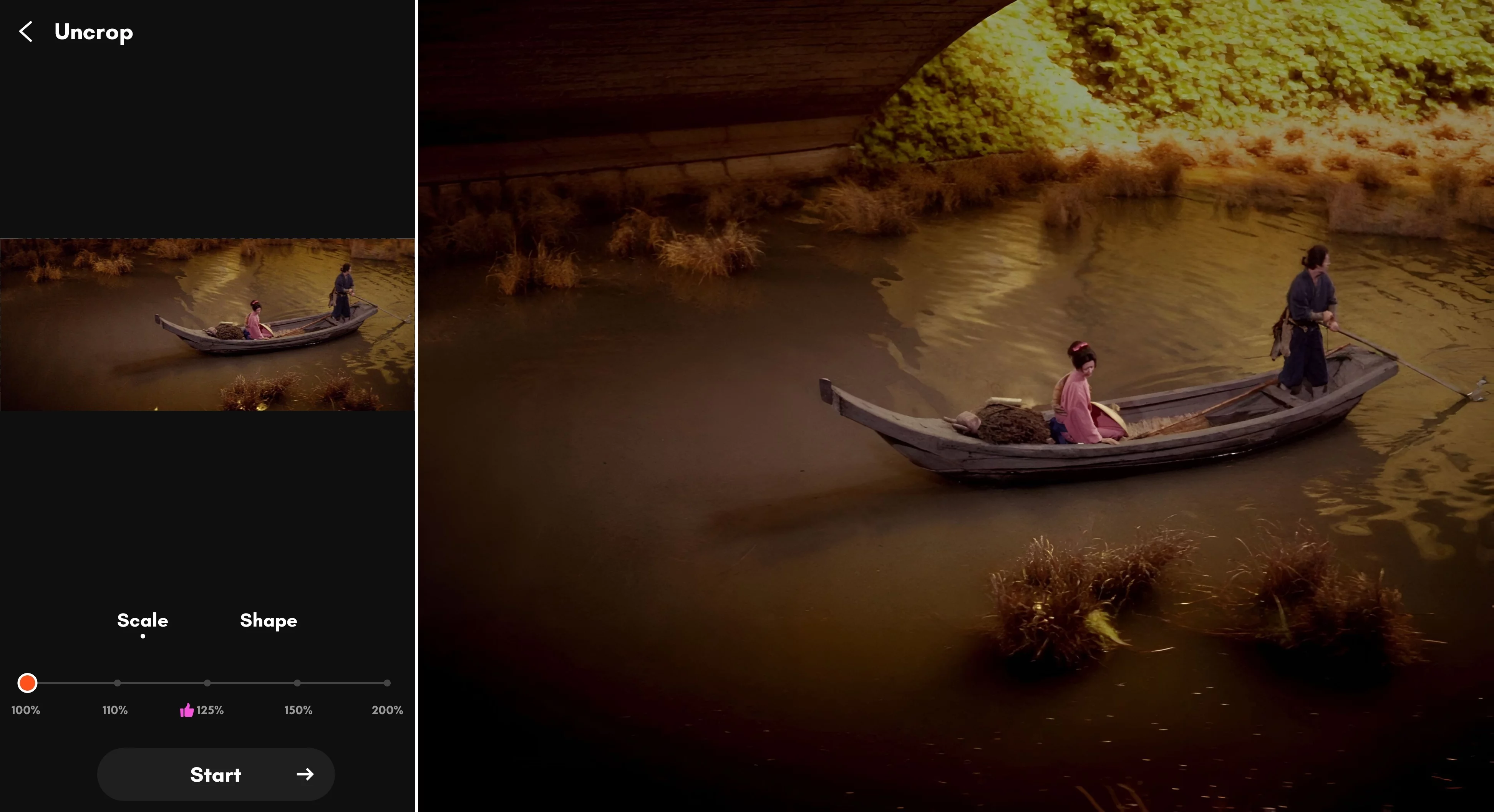
- Move, Zoom, and Reframe Freely
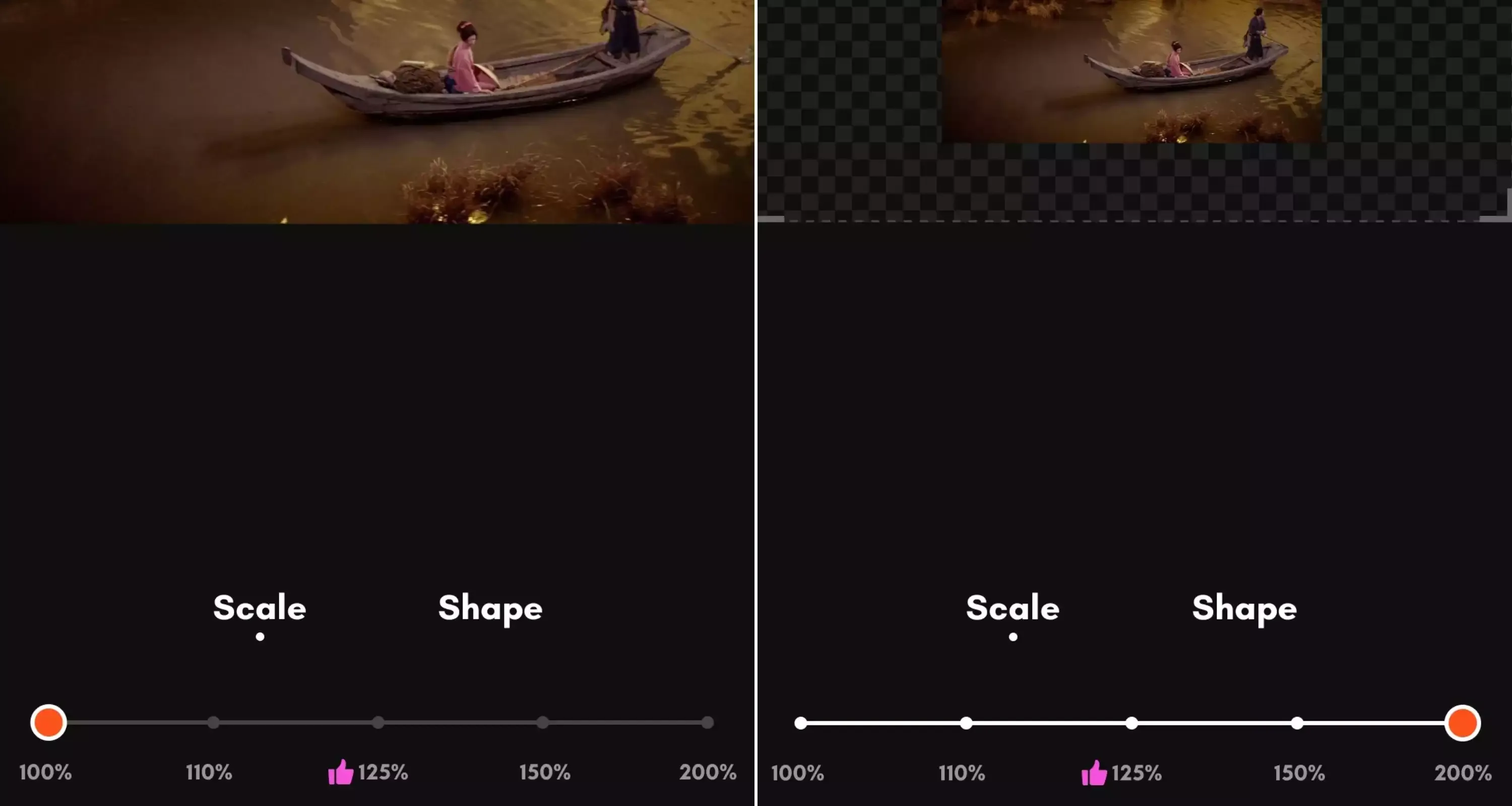
You’re not locked into the original composition. You can freely move the original image, zoom in or out, and resize or reposition it anywhere within the frame.
The scale can be adjusted from 100% to 200%, with around 125% often giving the most natural-looking results. This flexibility gives you complete creative freedom, allowing you to frame the wallpaper exactly the way you want.
- Smart AI Expansion That Feels Natural
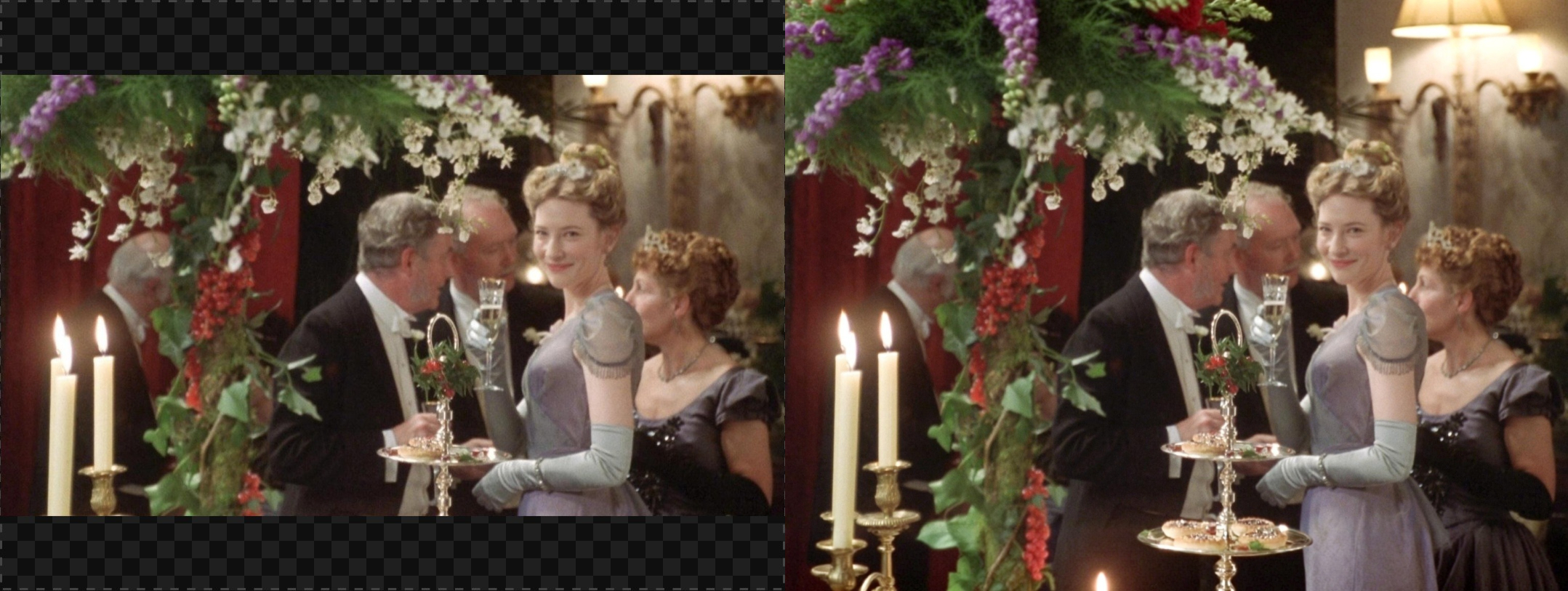
The best part? The new space isn’t just empty. AI Uncrop intelligently fills in the missing areas, extending backgrounds and details so the image looks natural and seamless.
No strange edges. No obvious cut lines. Just a beautifully expanded scene.
Steps: How to Turn a Movie Frame into a Wallpaper
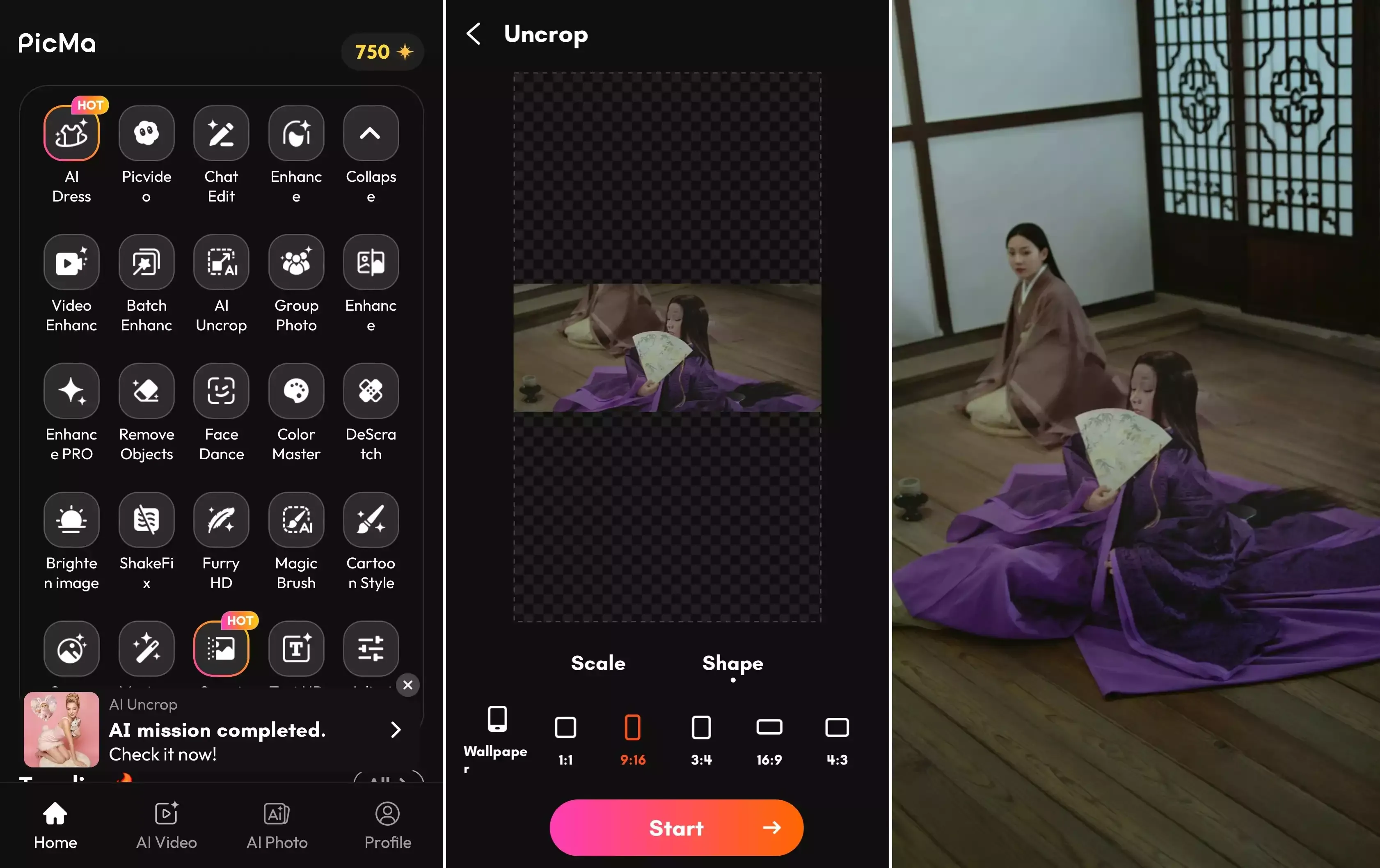
Step 1: Download the PicMa App (IOS / Android)
Open the app and tap AI Uncrop.
Step 2: Upload Your Image
Upload your movie screenshot or favorite still frame.
Then adjust the image position, scale, and choose the output shape.
Step 3: Let AI Work Its Magic
Tap generate and wait a few moments. The AI will automatically expand the image and fill in the missing space.
Step 4: Refine or Save
You can make further adjustments if needed, then simply save your new wallpaper.
One App for Ultra-HD Wallpapers
After expanding your image with AI Uncrop, you can use Enhance to boost the details and clarity.
The result is a bigger image with sharper quality and a resolution that’s perfect for wallpapers — all created in one app.
Turn Your Love for Movies into Creativity
Great films are full of unforgettable visual moments. With PicMa App, those moments don’t have to stay inside the movie.
You can expand the scene, and turn it into a beautiful wallpaper for your phone or tablet.
Download PicMa and start creating your own movie-inspired wallpapers today.


Frequently Asked Questions
Q: Is PicMa AI Uncrop free to use?
A: Yes. You can try the AI Uncrop feature for free and easily expand your images into wallpapers without extra cost.
Q: How fast does AI Uncrop work?
A: It’s usually very quick. In most cases, generating an expanded image takes about a minute or so, depending on the size of the image and how much the frame needs to be expanded.

 139
139

 English