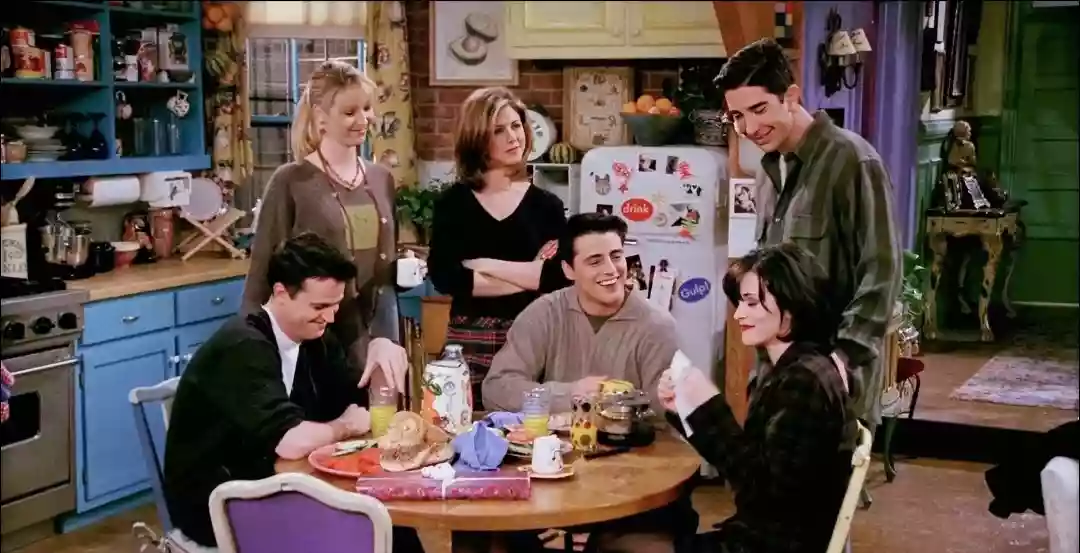
Remember those classic Friends moments—everyone laughing on the couch, sipping coffee at Central Perk, just living everyday life? Those snapshots are full of personality and nostalgia, but probably not something you’d use as a LinkedIn profile photo.
Now imagine if you could take any casual, candid photo—like those iconic sitcom scenes—and turn it into a polished, professional headshot in minutes.
That’s exactly what PicMa’s Chat Edit lets you do.
Why Your Professional Image Matters More Than Ever in 2026
First impressions still matter, especially in the professional world.
Before meeting you in person, recruiters, clients, and colleagues often see your profile photo on platforms like LinkedIn, company websites, or professional communities. A polished, professional image can immediately make you appear more confident, trustworthy, and credible.
The problem is that not everyone has the time, budget, or motivation to book a professional photoshoot. Let’s be honest: scheduling a professional photoshoot is a hassle. You have to book a photographer, plan outfits, fix your hair, travel to a studio… and often spend hundreds of dollars.
In 2026, there’s a much easier way. With PicMa’s Chat Edit, you can transform a normal photo into a polished professional headshot.
The Science Behind a “Professional Look”: How AI Optimizes Your Image
A great corporate headshot is not just about wearing a suit. Professional photographers carefully control lighting, posture, composition, styling, and skin tone to create a polished result.
The good news is that you do not need a perfect photo to start with. Almost any everyday photo can work. Even if you were not wearing makeup, did not style your hair, had an awkward expression, or were not posing professionally, AI can still help transform the image. As long as your face is clear, the photo can be used.
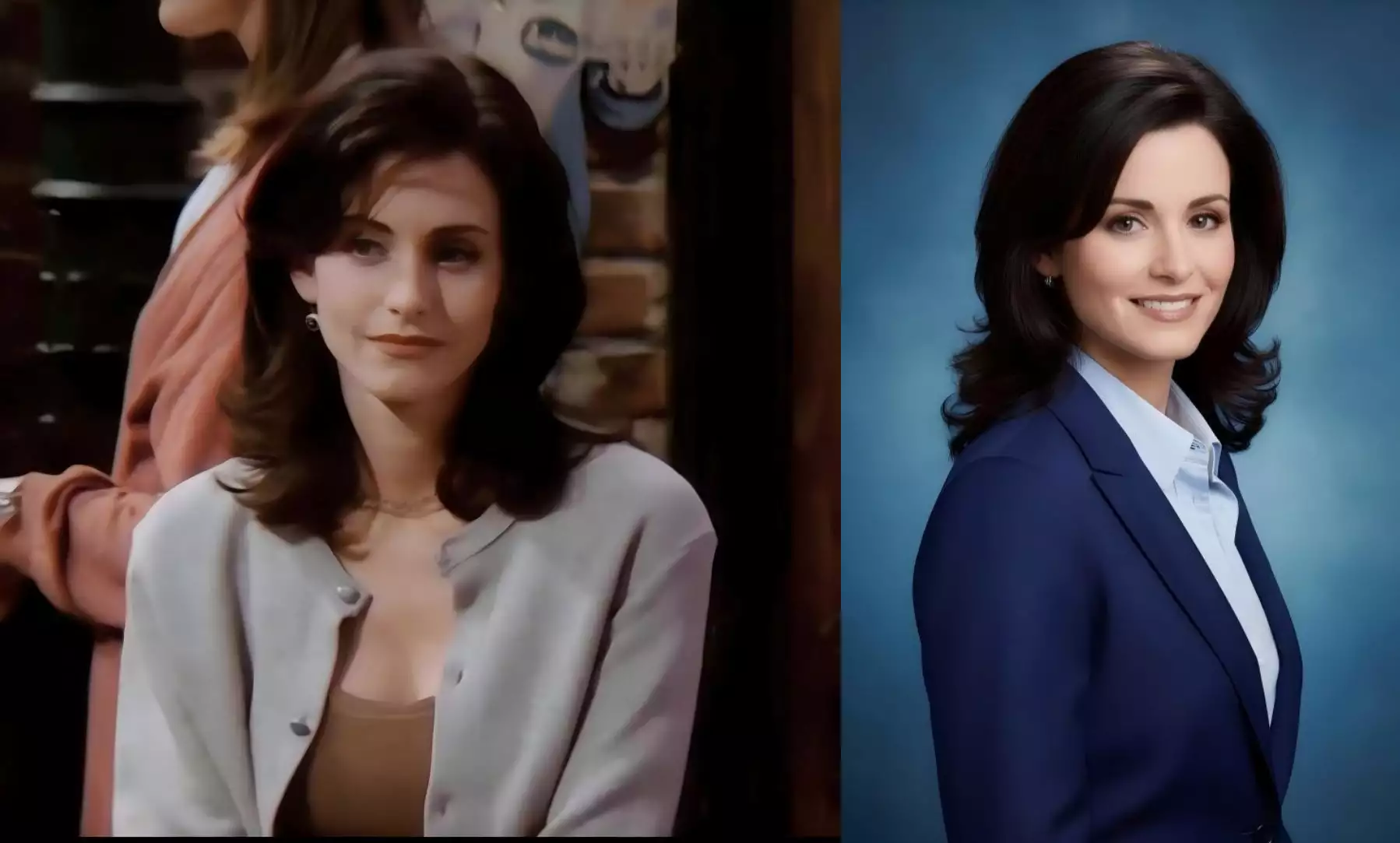
With AI editing tools like PicMa’s Chat Edit, many of the adjustments that photographers usually handle can now be done automatically.
The AI can intelligently:
- improve lighting to create a studio-quality look
- adjust posture and framing to make you appear more confident
- refine hairstyles and clothing into a business-professional style
- enhance natural skin tones while keeping the photo realistic
- generate the overall look of high-end corporate portrait photography
Steps to Generate a Professional Headshot in Minutes
1. Download the PicMa App (IOS / Android)
Open the app and locate the Chat Edit feature.
2. Upload Your Photo
Make sure your face is clearly visible for the best results. Any casual or everyday photo works.
3. Enter the Editing Prompt
For example:
“Professional American-style corporate headshot. Half-body portrait, blue textured studio background, soft natural studio lighting, high-definition clarity, realistic, 85mm portrait lens.”
Then wait for the AI to generate your headshot.
4. Refine Your Image
You can use the Enhancer to increase sharpness or enter additional prompts to adjust any details, such as hairstyle, clothing, background, or mood, until it looks exactly the way you want.
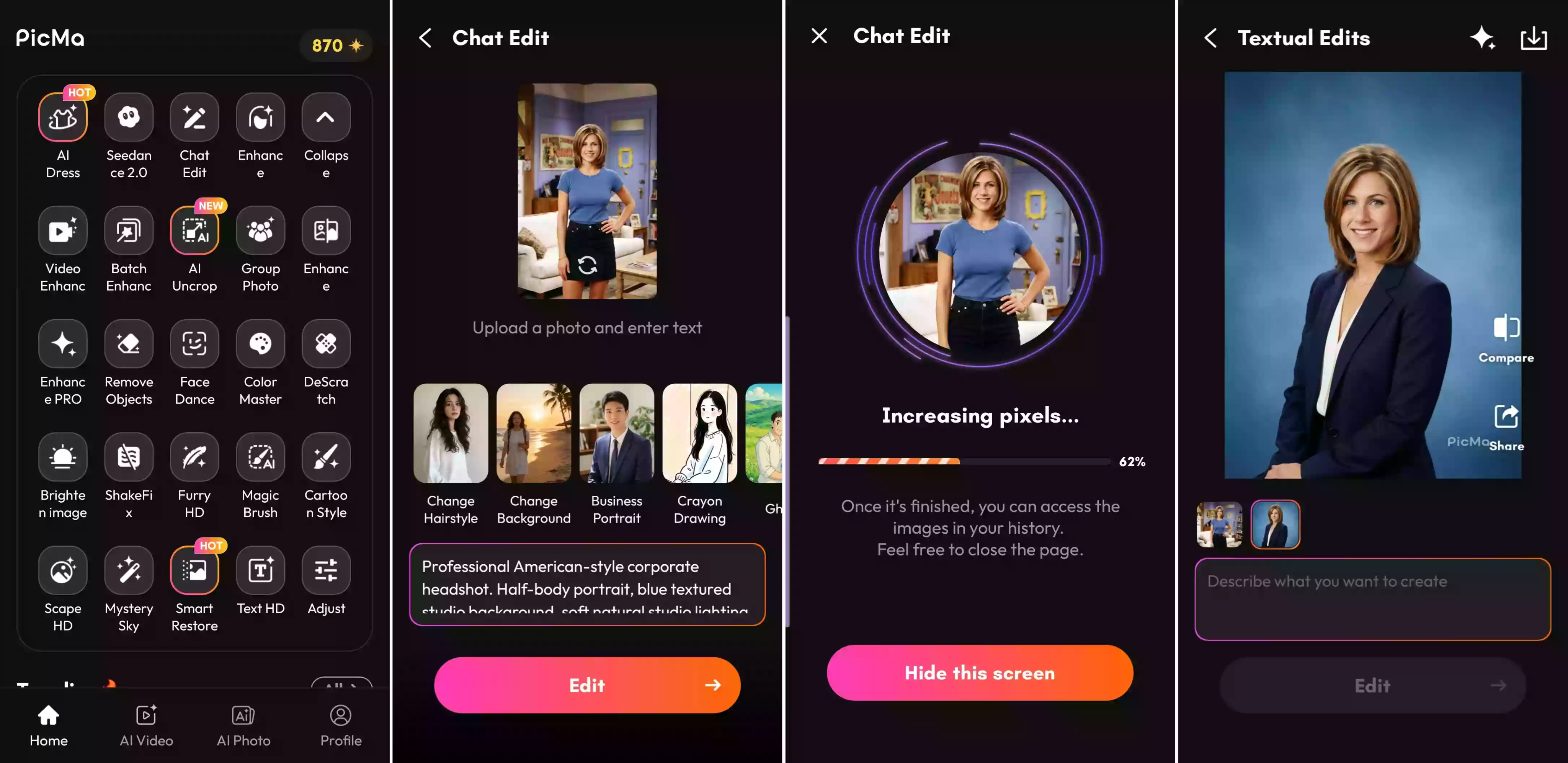
Within seconds, your casual photo becomes a professional headshot suitable for LinkedIn, resumes, or corporate profiles.
Unlimited Creative Freedom: More Than Just Headshots
One of the biggest advantages of Chat Edit is its flexibility. You’re not limited to a single corporate look.
Prompts to Generate Multiple Professional Images
1. General Headshot Prompt: Professional corporate headshot. Clean studio lighting, neutral background, sharp focus, professional business attire, confident expression, high-end profile photo, realistic skin tones, 85mm portrait lens, shallow depth of field.
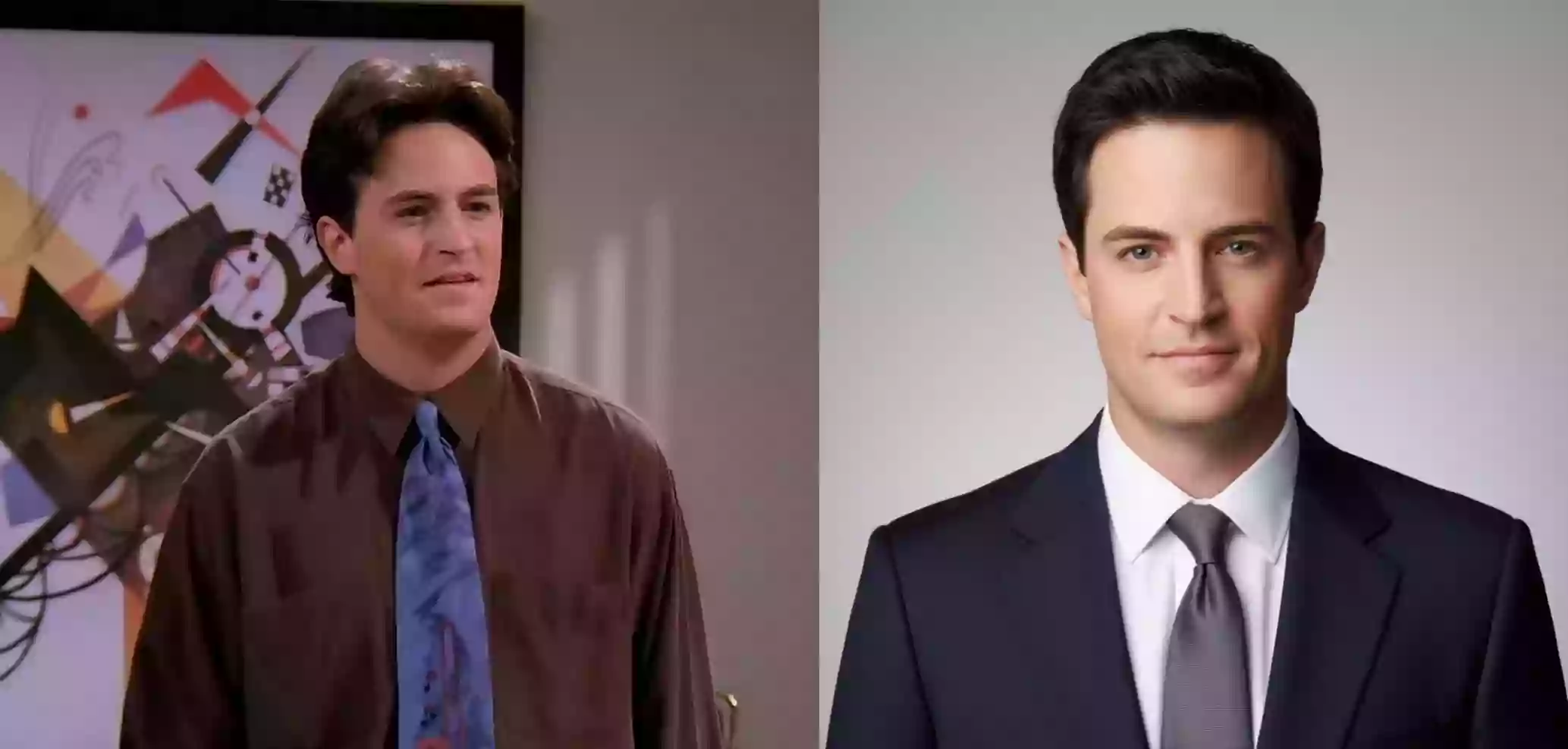
2. LinkedIn Version Prompt: Professional LinkedIn headshot. Business professional style, natural studio lighting, soft neutral background, confident and approachable expression, corporate portrait photography, high resolution, realistic details.
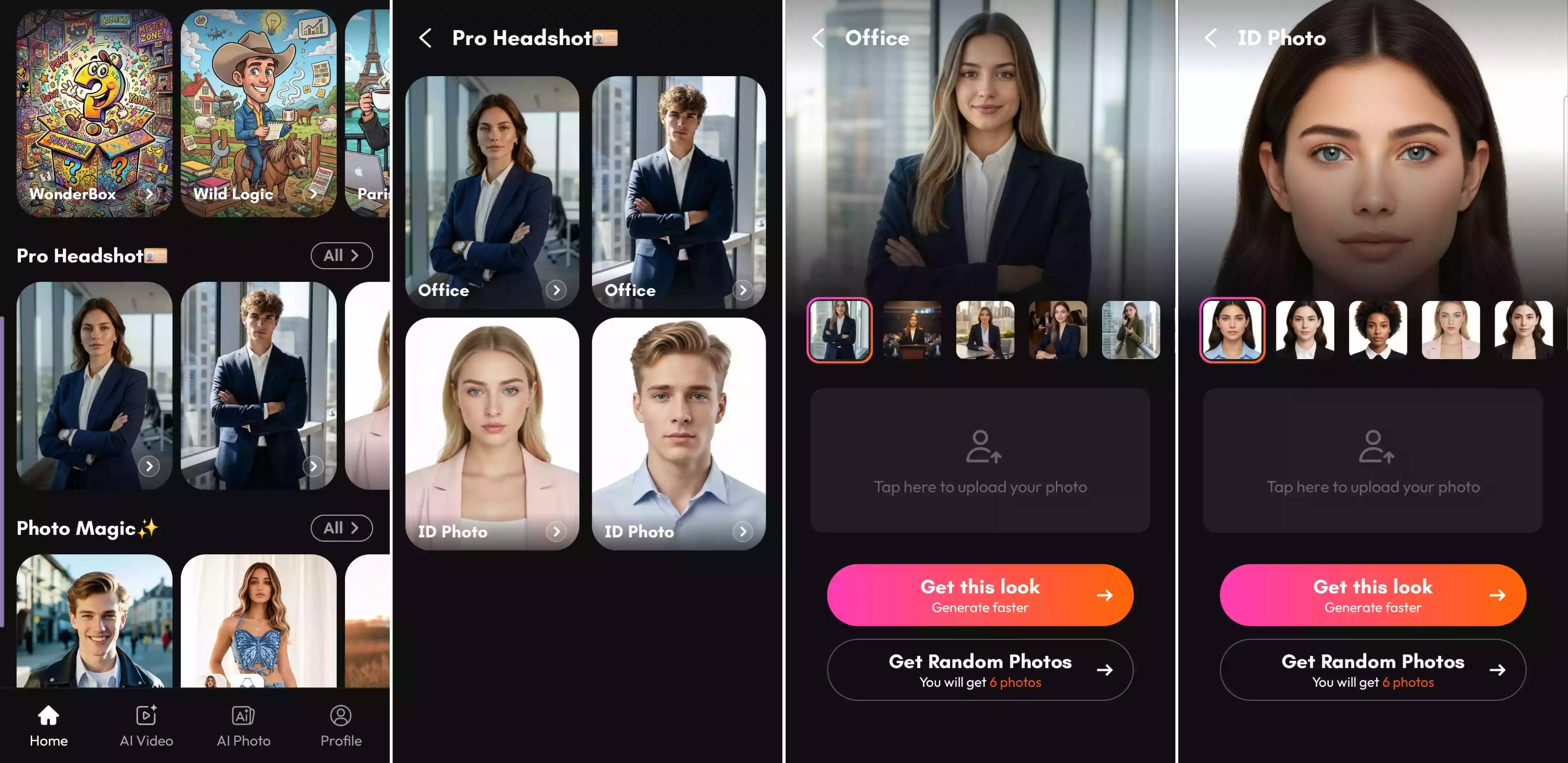
If you don’t want to write your own prompts, you can find Pro Headshot templates right in the PicMa app. These built-in templates let you generate different professional looks instantly. The creative freedom is incredible, whether you choose a ready-made style or customize every detail yourself.
The Possibilities Go Far Beyond Professional Portraits
You can also use Chat Edit to change hairstyles, clothing styles, background scenes, photography styles, mood, and atmosphere. In fact, you can modify almost anything you can think of.
Upgrade Your Career Image Today
Your professional image shouldn’t be an afterthought.
Whether you're job hunting, networking, building a personal brand, or growing your business, a strong professional headshot can make a real difference.
And thanks to AI tools like PicMa, you can create a professional headshot without the usual hassle. Upload a photo, describe the look you want, and let AI do the rest. Your next professional headshot might already be sitting in your camera roll. Try PicMa today and see how easily you can turn an everyday photo into a polished professional portrait.


Frequently Asked Questions
1. Is Chat Edit free to use?
Yes. Chat Edit is completely free to use. All you need to do is download the PicMa app (IOS / Android), and you can start generating and editing photos right away. There are no limits on how many times you can use it, so you can experiment with different looks and styles as much as you like.
2. Is Chat Edit difficult to use?
Not at all. The interface is designed to be simple—you just upload a photo and describe the style you want.
3. Can I generate other styles besides professional headshots?
Absolutely. Chat Edit isn’t limited to corporate portraits. You can also transform your photos with different outfits, hairstyles, backgrounds, artistic styles, and creative concepts.

 122
122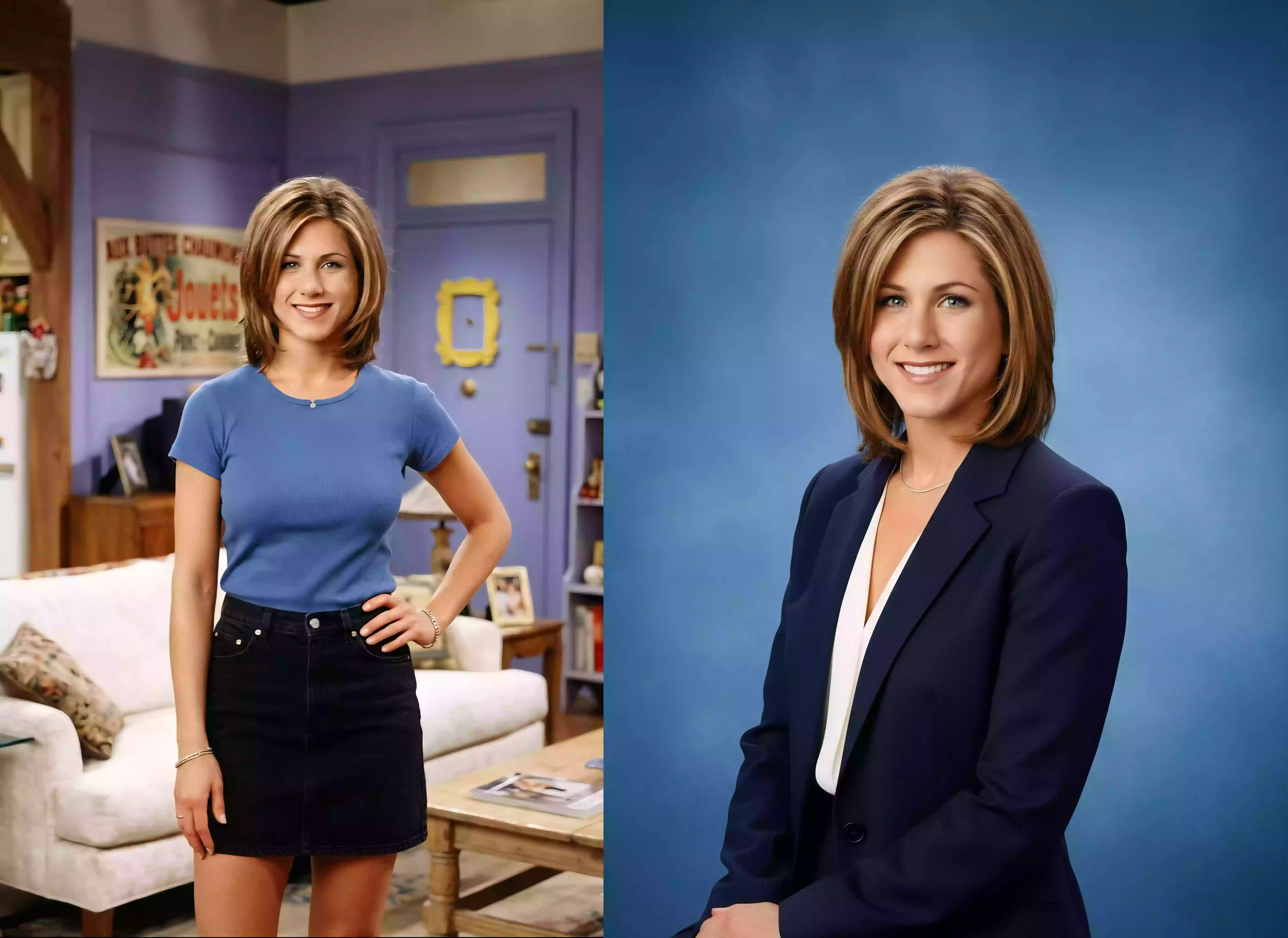

 English