AI-generated video technology has been evolving rapidly, and platforms like PixVerse are making it easier than ever to turn simple text prompts into animated visual content. Whether you’re creating concept clips, imaginative shorts, or eye-catching social media videos, PixVerse offers an accessible way to bring ideas to life.
But while the creativity flows, technical limitations still linger—low frame rates, blurry motion, and unstable facial details are some of the most common issues in current AI video output.
This is where PicMa Video Enhancer comes into play. With advanced video enhancement algorithms, PicMa significantly improves the clarity, stability, and overall quality of AI-generated videos, making them far more suitable for public publishing and commercial use. In this article, we’ll explore how combining PixVerse with PicMa unlocks the full potential of AI-powered video creation.
The Strengths and Gaps in PixVerse Output
PixVerse is a typical text-to-video platform. You enter a short prompt, and it automatically generates a video clip that visually interprets your idea. It’s fast, easy, and doesn’t require any experience with video editing or animation—perfect for solo creators, designers, or marketers looking to test ideas.
However, fast generation comes at a cost. Common issues include:
· Blurry frames during motion sequences
· Unstable or distorted faces when characters move or speak
· Low resolution and lack of texture clarity
While these videos are great for rough drafts or mood boards, they’re often not polished enough for publishing—especially on platforms like YouTube or TikTok, where audience expectations are high. That’s why PicMa Video Enhancer becomes such a valuable post-processing tool.
Why PicMa Is Ideal for Enhancing AI Videos
PicMa doesn’t just apply generic filters or sharpness tweaks. It uses deep learning-based video restoration and super-resolution technology that analyzes content frame by frame. That allows it to rebuild details intelligently and adaptively—something traditional editing tools struggle with.
Here’s what makes PicMa particularly effective for AI-generated videos:
· Sharper details: It can upscale low-res AI videos to HD or 4K quality, improving edges, textures, and definition.
· Facial refinement: PicMa includes facial region enhancement, which helps fix blurry or “melting” faces—one of the most common AI video artifacts.
· Smoother motion: Even low-frame-rate clips can be interpolated to look more fluid and stable.
· User-friendly interface: No technical expertise is needed. Just upload your video and let the system handle the rest in minutes.
Unlike traditional video editors, PicMa understands the unique imperfections of AI-generated footage—and that makes a big difference.
Enhancing Your PixVerse Video with PicMa
The workflow is refreshingly simple:
1. Create your video on PixVerse Generate your video using your desired prompt on PixVerse. Once it's ready, download the output file (preferably in the highest quality available).
2. Upload to PicMa
Go to PicMa’s website and navigate to the Video Enhancer tool. Upload your PixVerse video (MP4 format is supported). For best performance, keep the video under 1 minute in length.
3. Choose enhancement mode and start processing
You can select from Standard Enhancement, Super Resolution, and Face Optimization modes. PicMa will automatically suggest the best settings based on your video content. Click “Enhance” and wait a few minutes while the system processes the video.
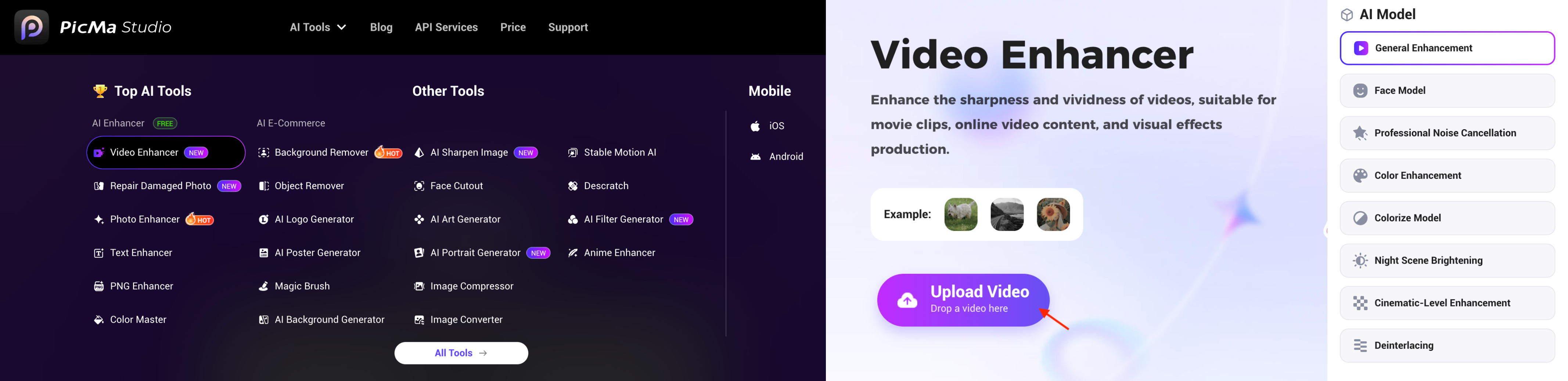
Once complete, you’ll be able to download a noticeably improved version—sharper, more stable, and more visually refined. Whether you're posting to social media, building a video portfolio, or pitching an idea, this level of polish can make a huge difference.
Real Results and Creative Takeaways
We tested PicMa on several PixVerse videos, including character monologues, sci-fi scenes, and fast-paced motion sequences. In almost every case, the results were striking—especially in facial expressions and eye clarity. Before enhancement, the videos looked rough and experimental; after enhancement, they felt cleaner and more professional.
For content creators, this pairing unlocks a new kind of workflow. Instead of spending hours modeling and animating from scratch, you can:
· Use PixVerse to quickly explore styles, scenes, and concepts
· Run the generated video through PicMa to clean it up
· Add music, captions, or final edits in your preferred editing software
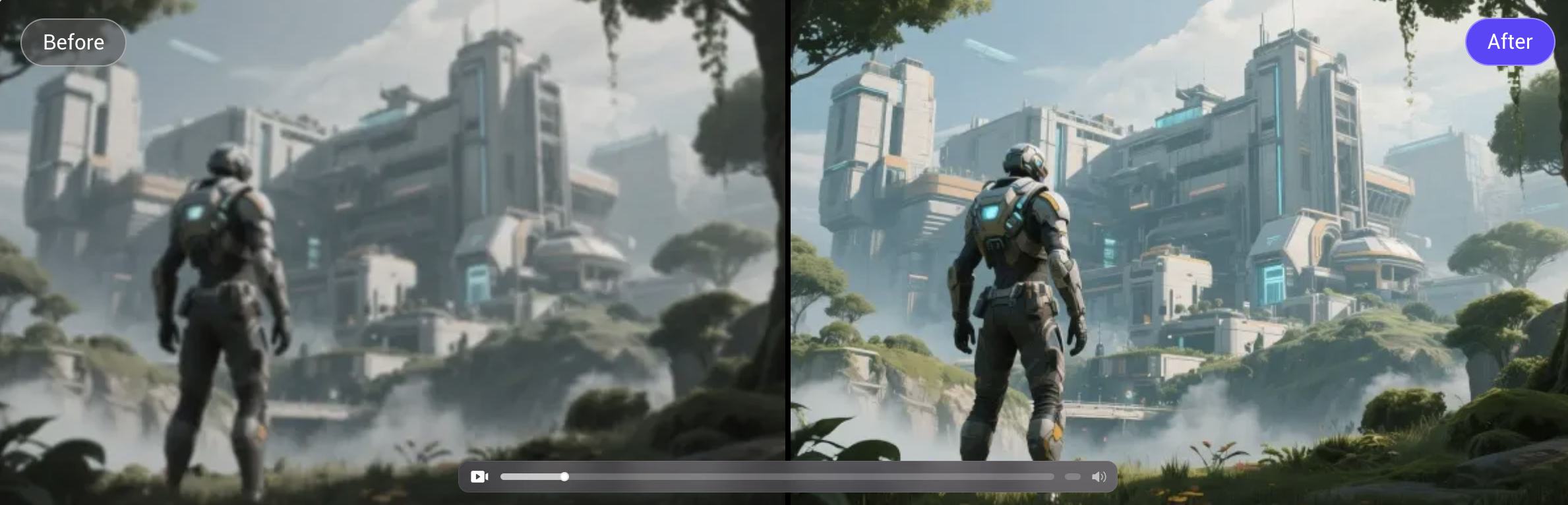
This dramatically improves creative speed without sacrificing quality, especially for solo creators or small teams.
If you’re already using PixVerse—or just getting started with AI video—PicMa is the missing piece that can take your creations to the next level. With just one enhancement pass, your video can go from “interesting concept” to “ready to publish.”
Try PicMa Video Enhancer now and give your AI videos the clarity and impact they deserve.



 339
339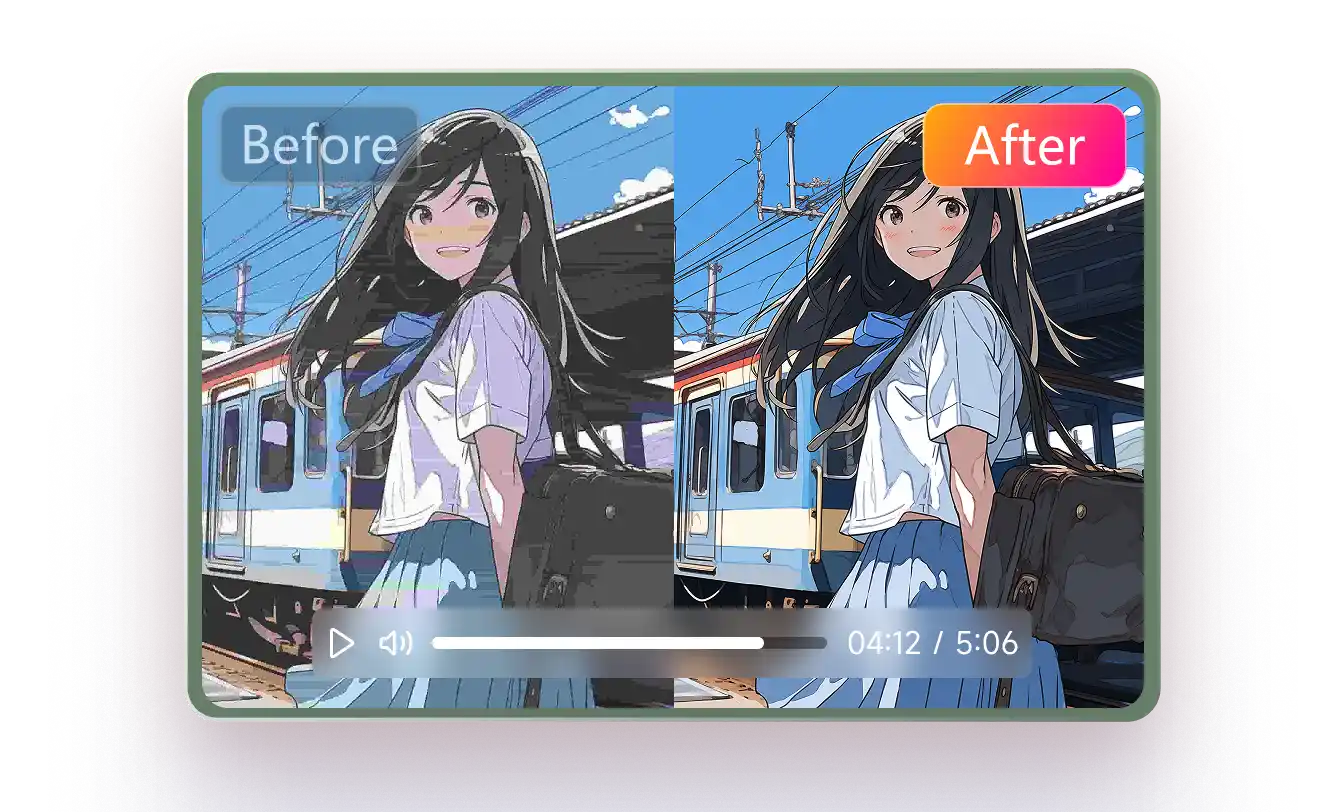

 English