Let's just say it out loud.
You were at World Cup, the greatest sporting event on the planet. You saw things that will genuinely be replayed on highlight reels for decades. You had your phone out at the exact right moment. But the photo looks like it was taken through a dirty car window in 1994.
The Expectation vs. Reality Nobody Warns You About
There's a very specific kind of disappointment that comes from scrolling through your camera roll after a live match.
In your head, you believe you just perfectly captured a dynamic moment of a goal celebration, the stadium lights blazing, 80,000 fans behind a striker with his arms wide open. But on your phone screen, it's a yellowish blur with some green smudges and what might be a human being somewhere in the middle distance.
This gap between what you experienced and what your camera captured is one of the most universally relatable things about attending live sports, and almost nobody talks about how to actually close it.
So let's talk about it.

Why This Keeps Happening (It's Not Just Your Phone)
Before we get into fixes, it helps to understand why stadium photography is genuinely one of the hardest conditions you can shoot in, even for people with expensive cameras.
1. The lighting is designed for TV cameras, not yours
Stadium floodlights broadcast beautifully for television because TV cameras are engineered to handle that specific type of light. Your phone camera is not. The result is color casts, uneven exposure, and faces that look like they're lit from a parking garage.
2. Motion blur is almost unavoidable
A professional footballer in full sprint moves faster than your phone's default shutter speed can freeze — especially when the light isn't great. This is why goal celebration photos so often look like abstract art instead of a sporting moment.
3. Digital zoom is just cropping with extra steps
When you pinch to zoom on your phone, you're not actually zooming but cropping the image and stretching the remaining pixels to fill the screen. Every time you do this, you're throwing away image quality. And when you're in row 34, you're zooming a lot.
4. The atmosphere creates terrible composition conditions
Flags, scarves, strangers' arms, the back of someone's head... Live sports crowds are chaos, and the camera doesn't know what you actually wanted to focus on.
The "Just Take More Photos" Advice Is Half Right
You'll often hear that the solution is simply to take more shots and keep the best one. And yes, that helps, but it doesn't solve the fundamental quality issue.
You can take 200 blurry photos and still end up with 200 blurry photos. What actually changes the outcome is what happens after you take the shot.
What Modern AI Enhancement Actually Does to Stadium Photos
This is the part that surprises most people when they first try it.
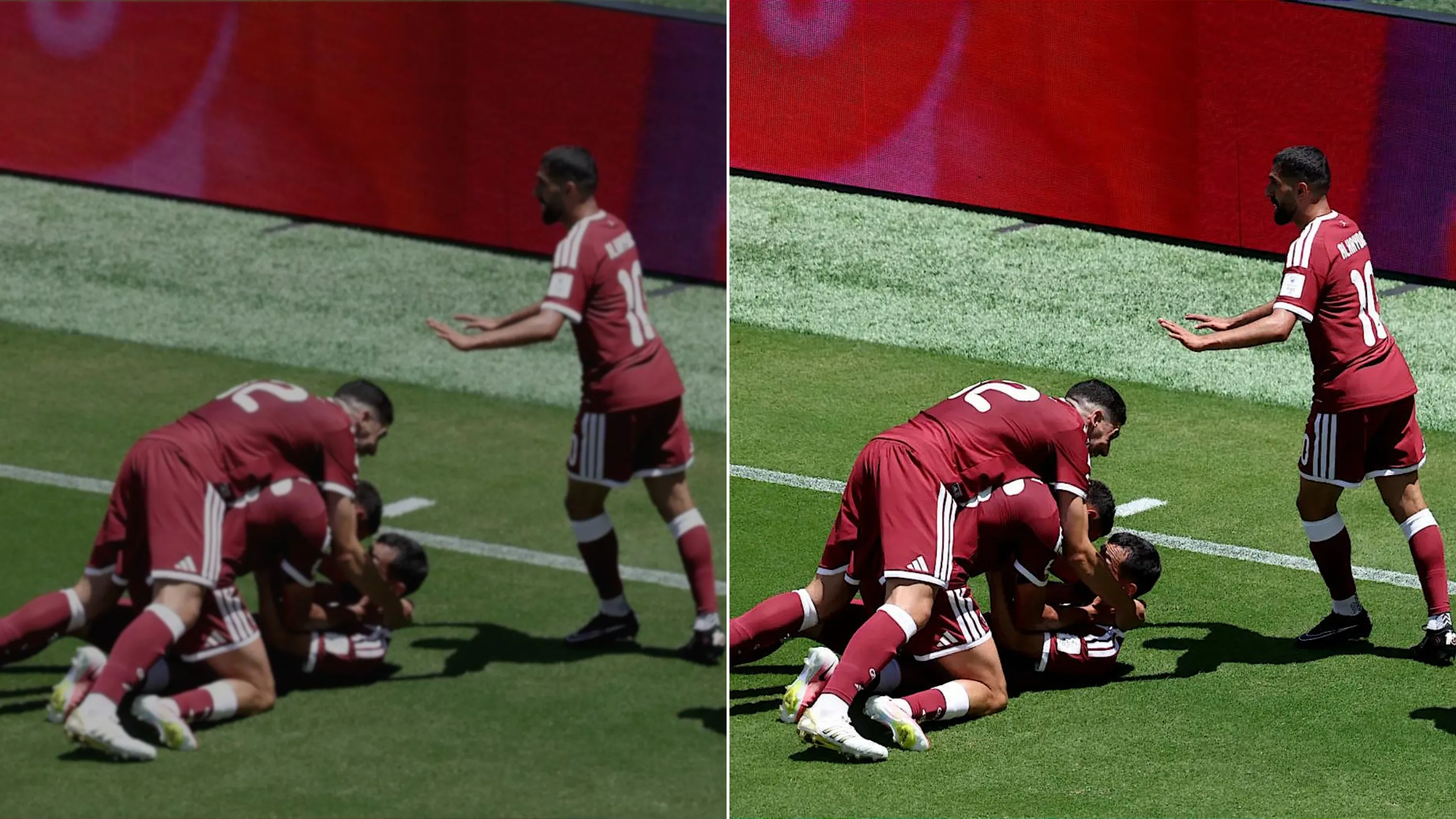
AI photo enhancement tools aren't applying a generic filter or just bumping up the brightness and contrast. They're doing something more specific: analyzing the actual content of your image and reconstructing detail that the camera couldn't render properly in the moment.
Think of it less like editing and more like... your photo getting a second chance to show what was actually there.
Here's where PicMa AI Photo Enhancer comes in, and here's exactly how it works on a typical bad World Cup shot:

How to Save Your World Cup Photos with PicMa AI Photo Enhancer
For website users,
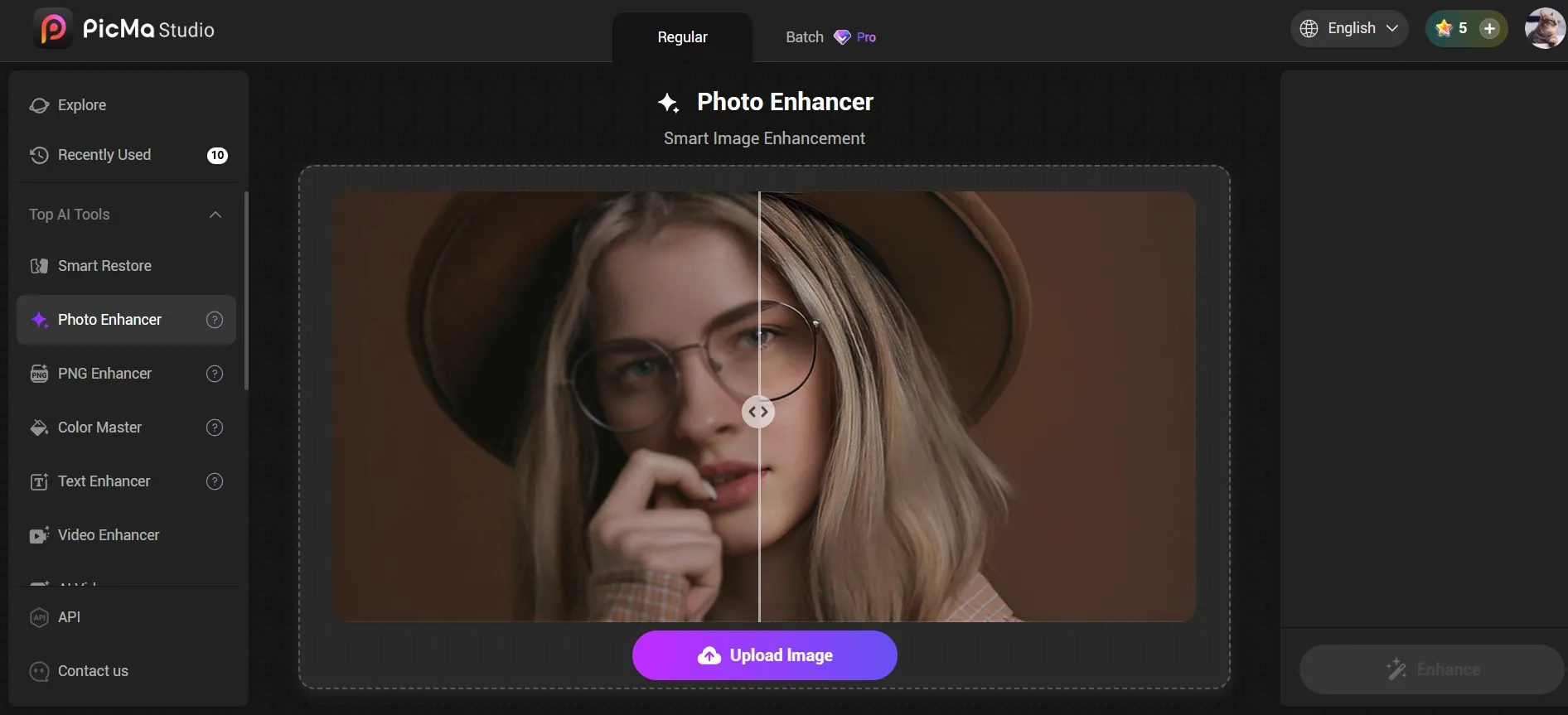
1. Open PicMa Studio directly in your browser.
2. Click "Get Started for Free" on the homepage to access the tool page, then select "Photo Enhancer." You can have your photos fixed one by one, or upload them in batch and fix them all at the same time. The enhanced photos will be ready in just a few minutes.
3. Directly download the enhanced images.
For mobile users, you can:
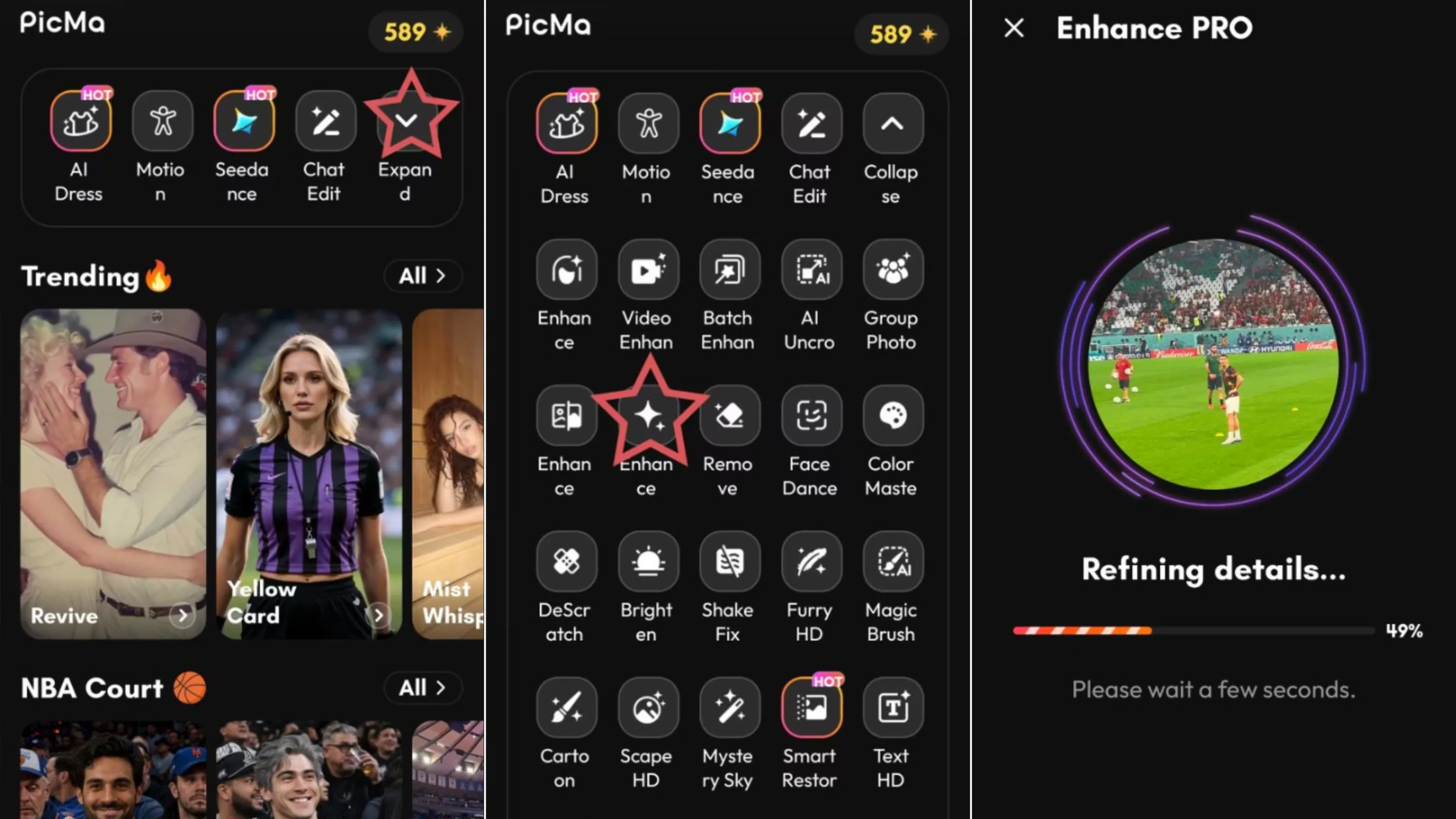
1. Download the PicMa app on Google Play or the Apple Store.
2. Click the Enhance Pro button on the PicMa homepage, select a photo you wish to improve, and start.
3. The generation process takes just a few seconds; once complete, you can download the image—or, utilizing the provided features, perform further edits on the generated result.
The Real Reason to Do This
World Cup attendance isn't something most people do every four years without sacrifice. Tickets, flights, accommodation, time off work, it adds up. You made that happen.
The photos from it should look like that. Not like a mistake.
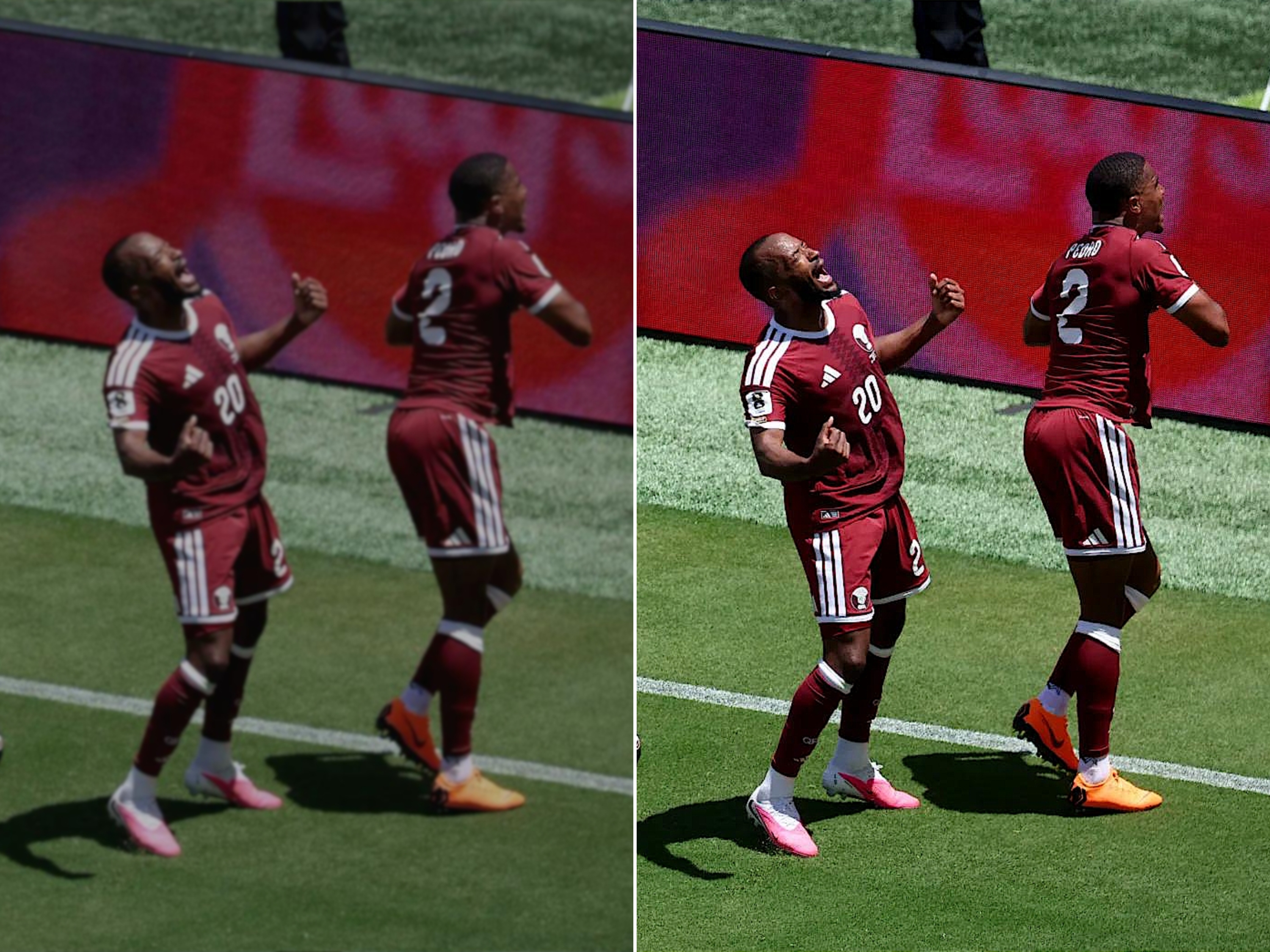
The difference between a photo you're slightly embarrassed to post and one you actually frame and put on a wall is often smaller than you think, and it doesn't require a new camera, a photography course, or three hours in Lightroom. It requires about two minutes and an honest look at what AI tools can actually do now.
Try the Comparison Yourself
Pull up the photo you're most disappointed with from the tournament so far. The one that had so much potential and just didn't come through.
Run it through PicMa. You'll be totally surprised!


Related Readings:


 English