The photos you actually want are probably blurry. I learned this the hard way at my sister's wedding last summer.
We paid $3,000 for a professional photographer. The photos were gorgeous. Perfectly lit, beautifully composed, everyone smiling at the camera. But here's the thing: they felt... staged.
The photo I kept coming back to? A blurry shot my uncle took on his iPhone during the reception. My sister laughing so hard she snorted while her new husband (my new brother-in-law) tried to feed her cake. Her eyes were closed. The focus was off. Someone's hand was in the corner of the frame.
It was perfect. Except it was also unusable and too blurry to print, too dark to share.
Sound familiar?
Why Wedding Guest Photos Beat Professional Ones
Professional wedding photographers are amazing at their job. But they can't be everywhere at once.
The spontaneous moments, the ones that actually make you feel something when you look back, usually happen when the photographer is setting up another shot, like your grandma tearing up during the father-daughter dance, the flower girl sneaking cake before dinner, your college friends recreating a photo from 10 years ago, or that inside joke moment only three people understood.
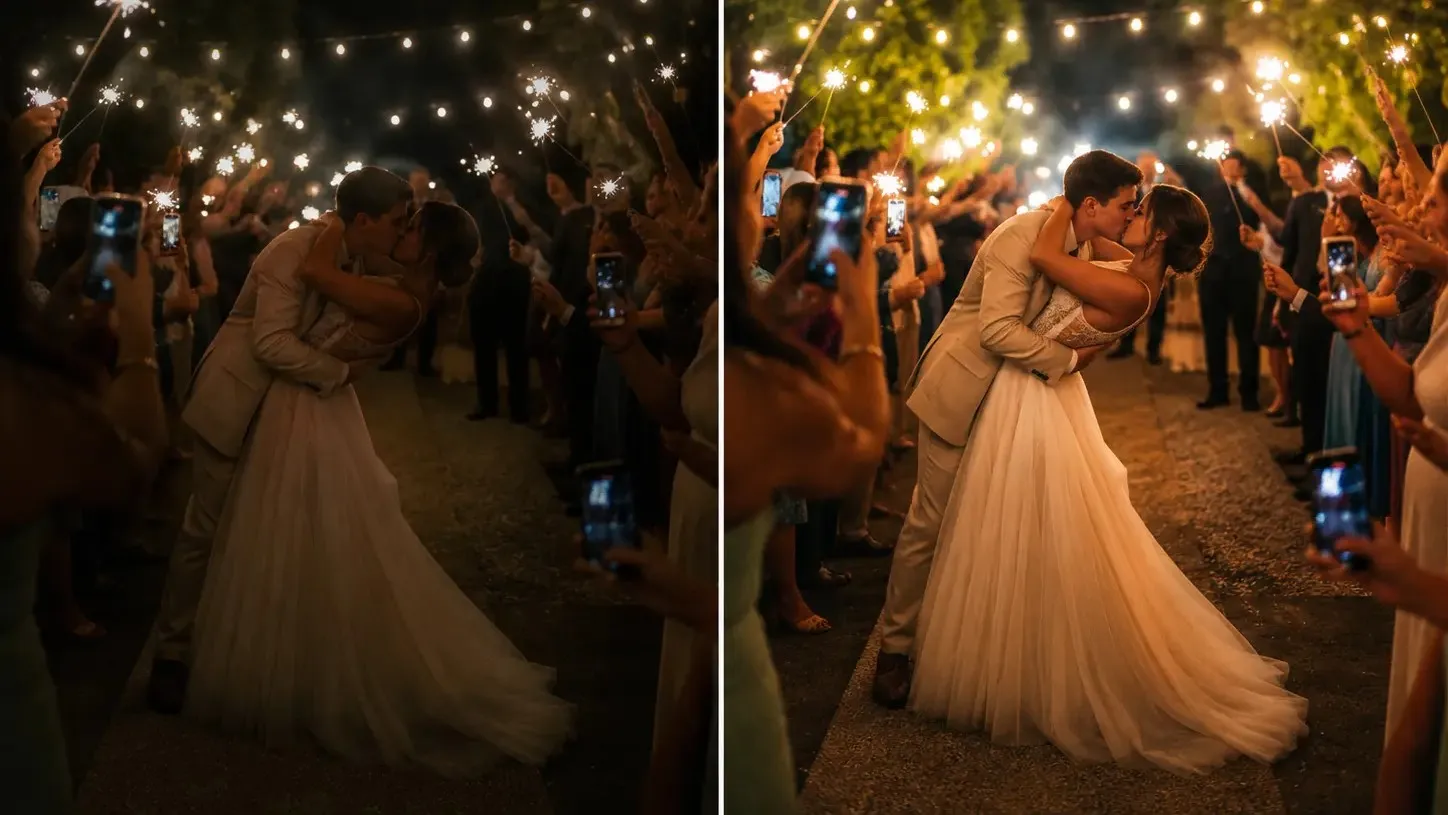
These are the photos guests capture on their phones. And they're almost always blurry, dark, grainy and poorly framed.
But they're also irreplaceable.
Can You Actually Fix Blurry Wedding Photos?
Short answer: Yes, way more than you'd think.
I spent hours googling "how to fix blurry photos" and "unblur wedding pictures" after my sister's wedding. Most advice fell into "You can't fix blur, you should have used a faster shutter speed" (Thanks, super helpful for photos I already took), or complicated Photoshop tutorials requiring skills I definitely don't have.
Then I found AI photo enhancers, and honestly, it felt like magic.
What I Used: My Experience with PicMa Photo Enhancer
Full transparency: I'm not a photographer, I'm not getting paid to write this, and I tried different tools before finding one that actually worked on these wedding disaster photos.
Why I stuck with PicMa:
- Actually fixed blur (not just sharpened it into a crunchy mess)
- Handled low-light photos without making them look fake
- Stupid-simple interface (drag, drop, done)
- Didn't require me to understand what "ISO" or "aperture" means
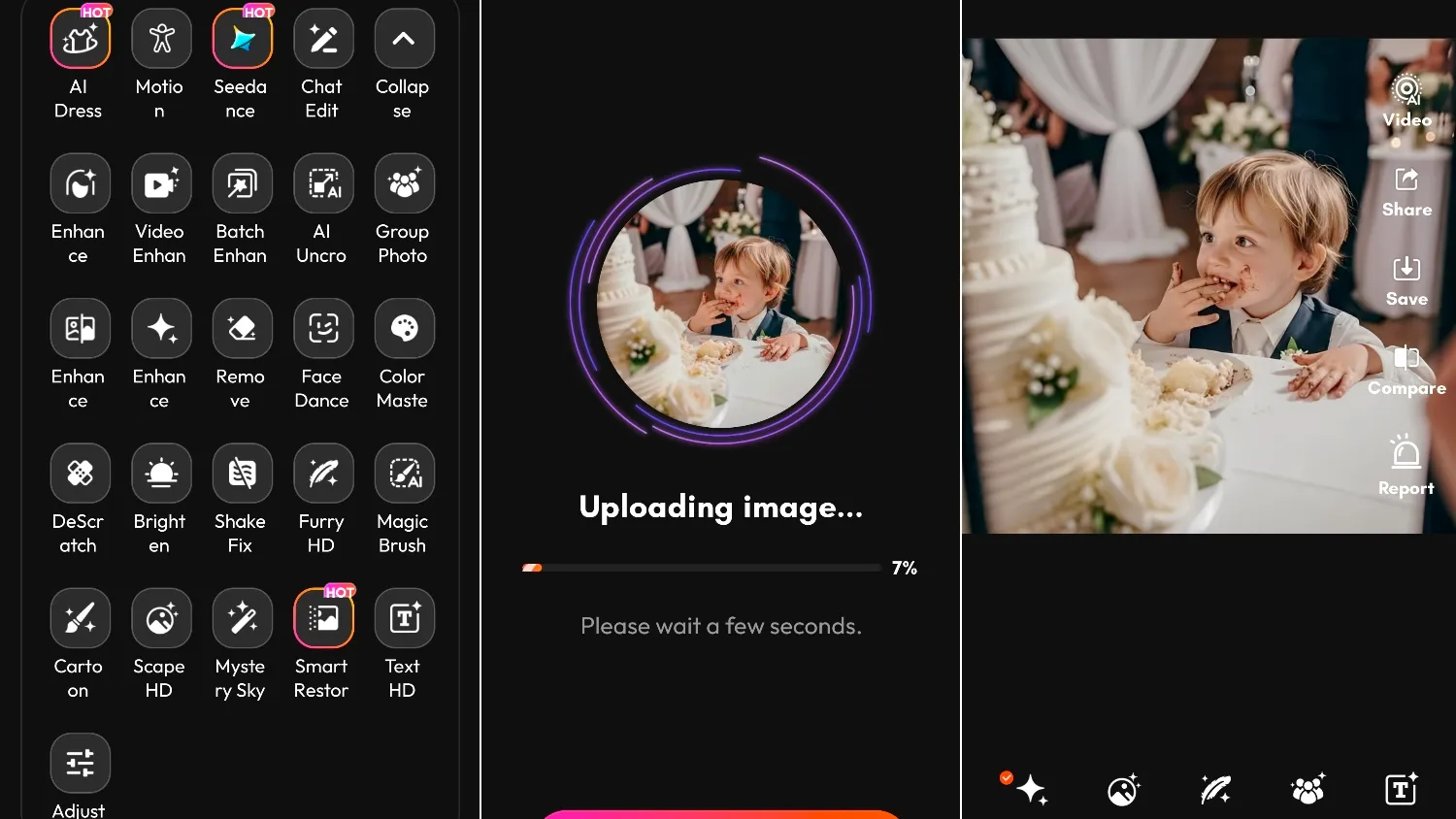
Here's What I Did with PicMa
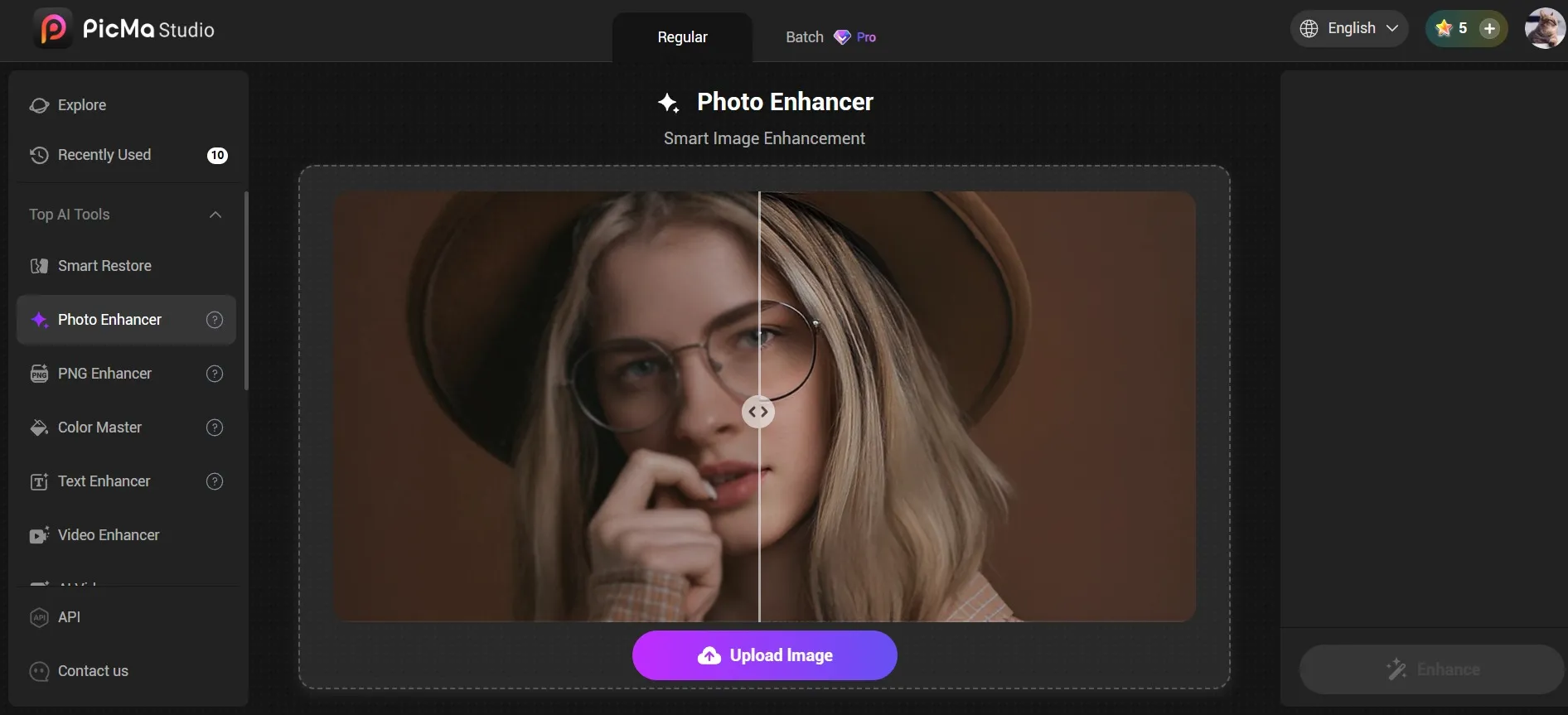
First, I gathered some of the photos from the wedding that I wanted to save but couldn't use. And than I used PicMa Studio directly in my browser:
1. Click "Get Started for Free" on the homepage to access the tool page, then select "Photo Enhancer." Instead of fixing photos one by one, I uploaded them in batch (super convenient), and the results was ready in just a few seconds. The before/after comparison viewer was eye-opening.
2. Directly download the enhanced images.
Of course, for mobile users, you can:
1. Download the PicMa app on Google Play or the Apple Store.
2. Click the Enhance Pro button on the PicMa homepage, select a photo you wish to improve, and start.
3. The generation process takes just a few seconds; once complete, you can download the image—or, utilizing the provided features, perform further edits on the generated result.

Practical Tips for Enhancing Wedding Guest Photos
After processing these wedding photos, here's what I learned:
1. Process the photo that captured the moment, not the "better" technical shot
Don't settle for the in-focus photo where everyone looks stiff. Enhance the blurry one where everyone's actually laughing.
2. Batch process similar photos together
All the dark reception photos at once, all the outdoor ceremony photos together. PicMa's AI seems to handle similar lighting conditions better in batches.
3. Use "High" enhancement selectively
For really precious moments (grandparent reactions, surprise proposals), use the highest enhancement setting. For general party shots, standard works fine and looks more natural.
4. Don't over-enhance
Some grain and imperfection adds authenticity. If a photo starts looking too perfect, it loses the candid feeling.
5. Compare before/after at 100% zoom
Sometimes enhanced photos look great at thumbnail size but weird up close. Always check before printing
Final Thoughts: Save Those Blurry Memories
Here's what changed my mind about guest photos. In 20 years, nobody will remember if the photos were perfectly sharp. They'll remember the feeling of that moment.
My sister doesn't look at her professional wedding album that often. It's beautiful, but it's also... expected. She does have that enhanced blurry photo of her cackling while covered in cake printed and framed in her kitchen. Because it's real.
Your wedding guest photos, the blurry, poorly-lit, imperfectly framed ones, probably captured moments the photographer missed. They're worth saving.
PicMa won't turn them into magazine covers. But it can turn them into something printable, shareable, and frameable. And sometimes, that's exactly what an irreplaceable memory needs.


Related Readings:

 127
127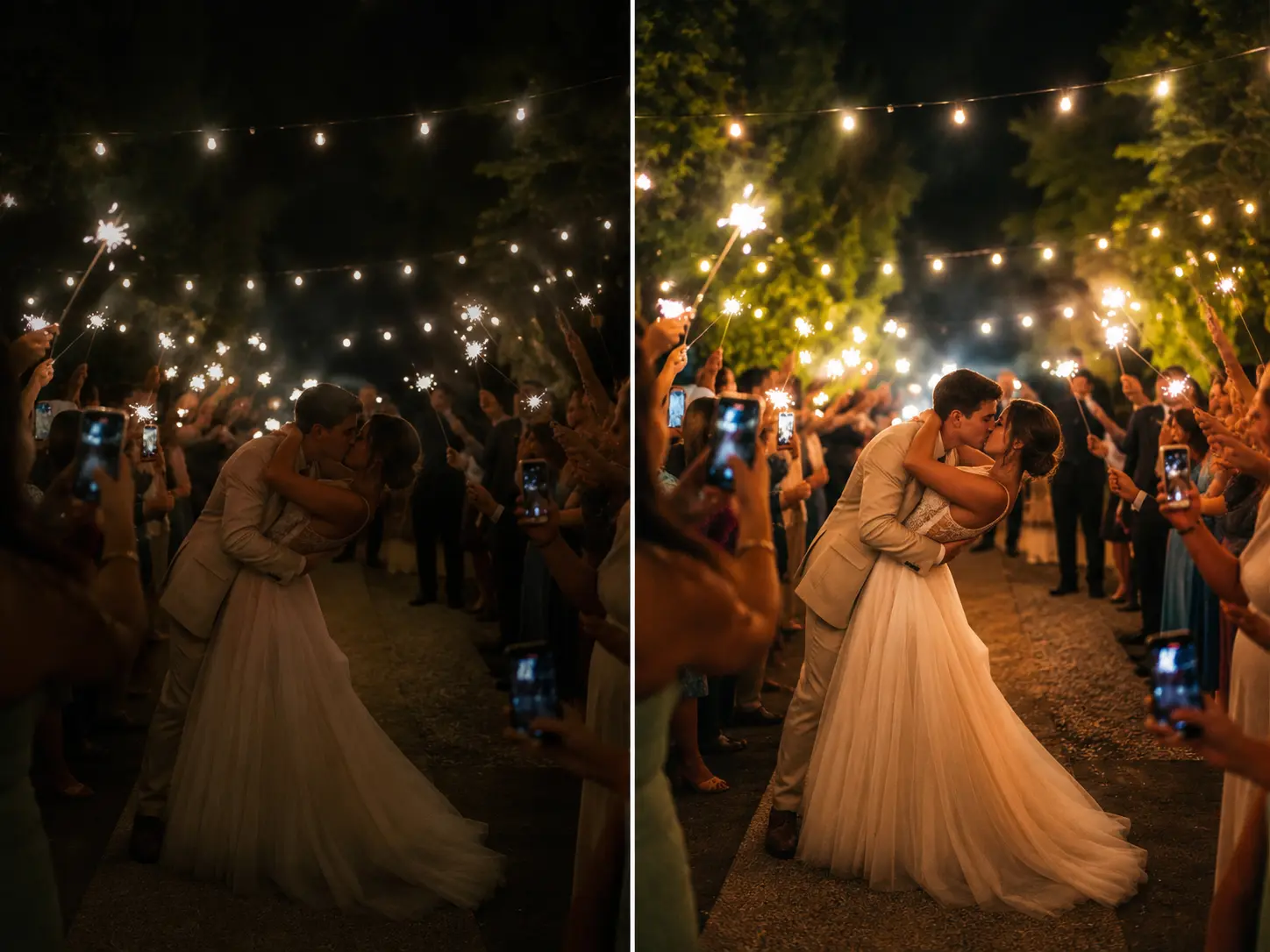

 English