Edit Your Photo with One Word
You might have imagined having a magic brush when you were a kid, which can turn anything you draw into a real one. It only happens in fairy tales or science fiction. But now you can "own" this treasure in PicMa!
PicMa is proud to introduce Magic Brush—a revolutionary AI-powered feature that lets you recreate your photos using simple words. Imagine circling an area, typing what you want, and watching the change happen right before your eyes. Sound like magic? That’s because it is.
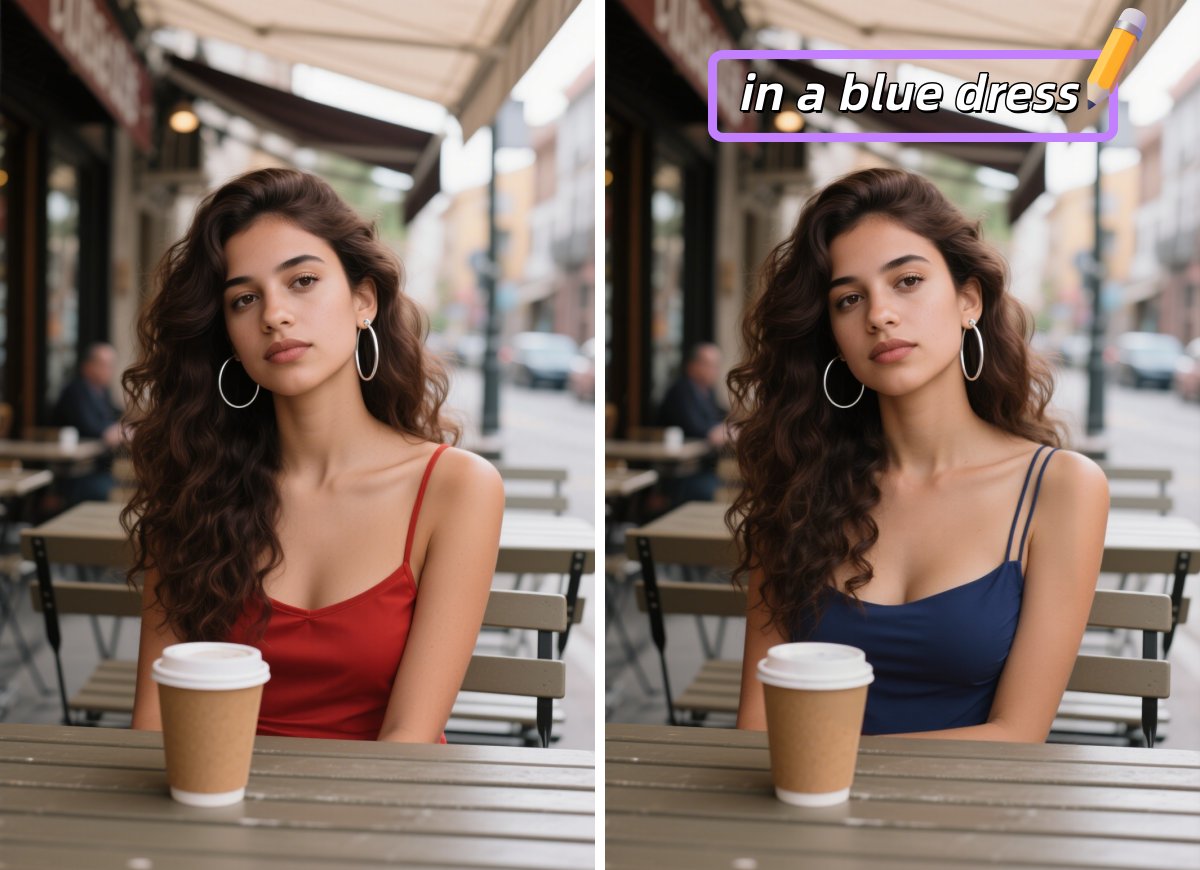
How to Wield Your Magic Brush
Magic Brush combines advanced AI recognition with prompt-driven AI generation technology.
The process is as simple as:
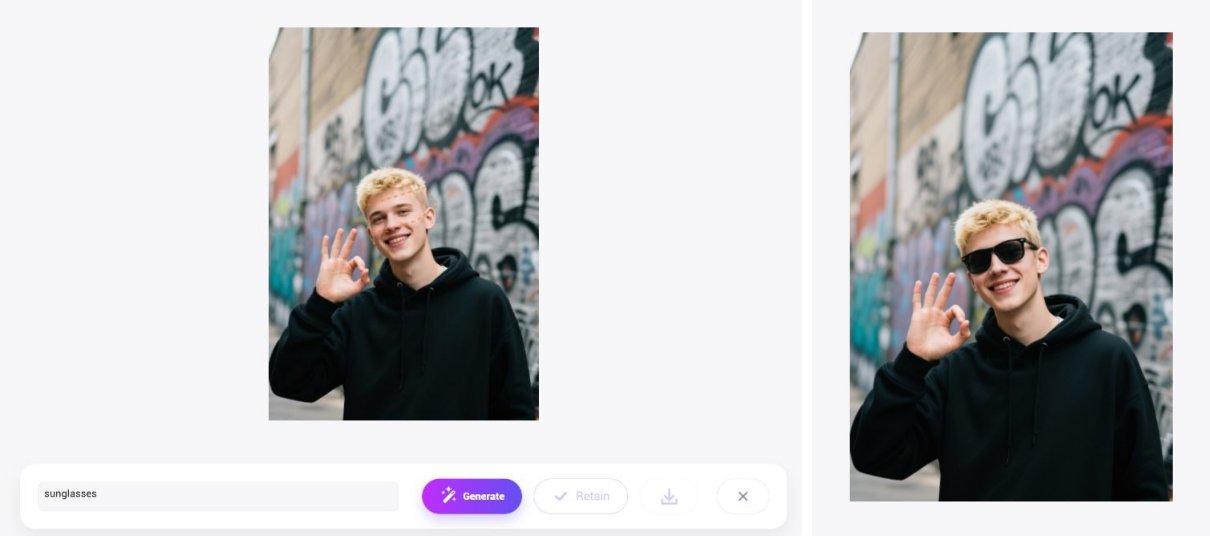
- Find "Magic Brush" in the PicMa Studio website
- Upload your photo, circle the part of the image you want to change
- Type what you’d like to see—like "add sunglasses", "change to a red dress"
- Leave the rest to AI. No more manual adjusting or complex layers. You will get your result in seconds.
Don't like the result? It's okay. You can try as many times as you want until you get satisfied.
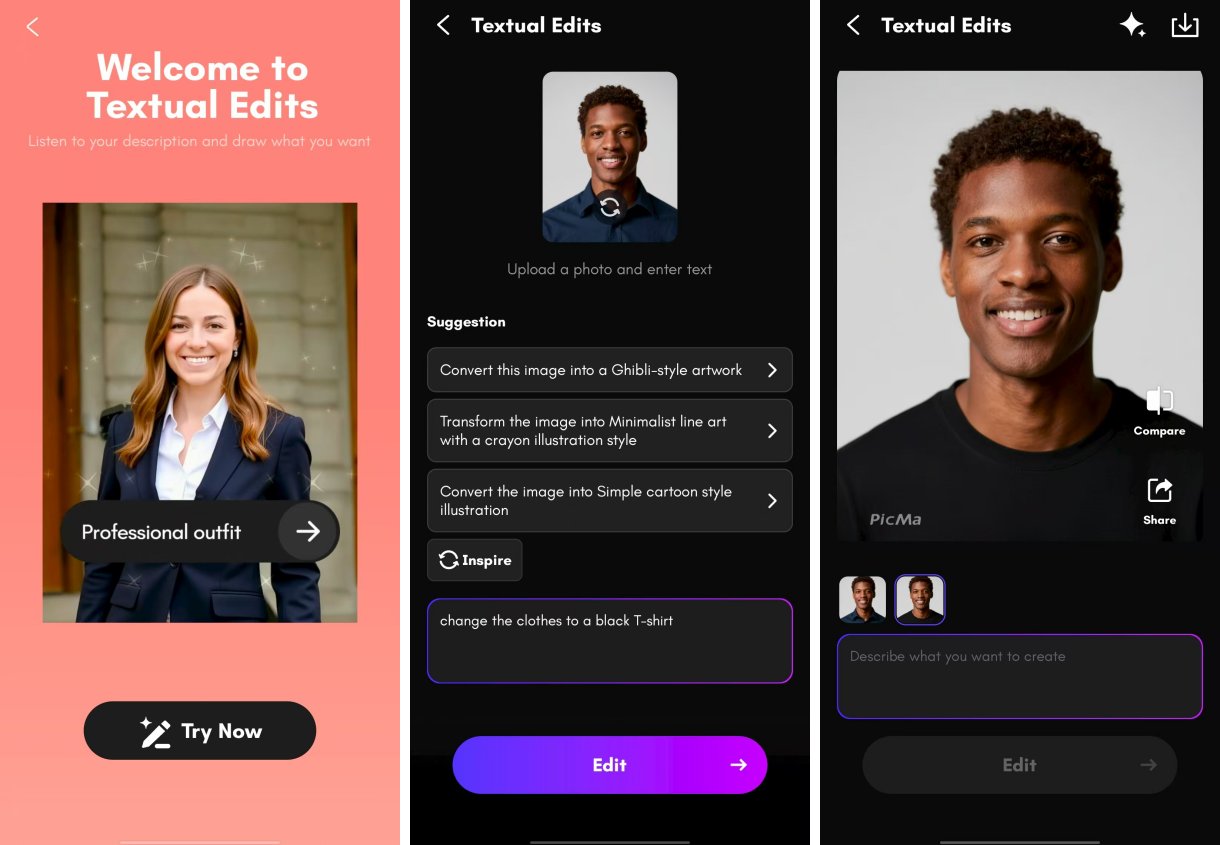
This feature is available on both the web and app. And for your convenience, the PicMa app (available on Android or IOS) has recently launched a brand new feature called "Textual Edits", with which you can edit your photo without even circling or brushing to select a part. All you need to do is type in your commands.
Visualize Your Imagination
Whether you're a photo-editing newbie or a pro, PicMa makes professional-level adjustments accessible to everyone with minimal effort and high efficiency. Here, your imagination is the only limit. You may enter prompts like
- Turn a cloudy sky into a starry night
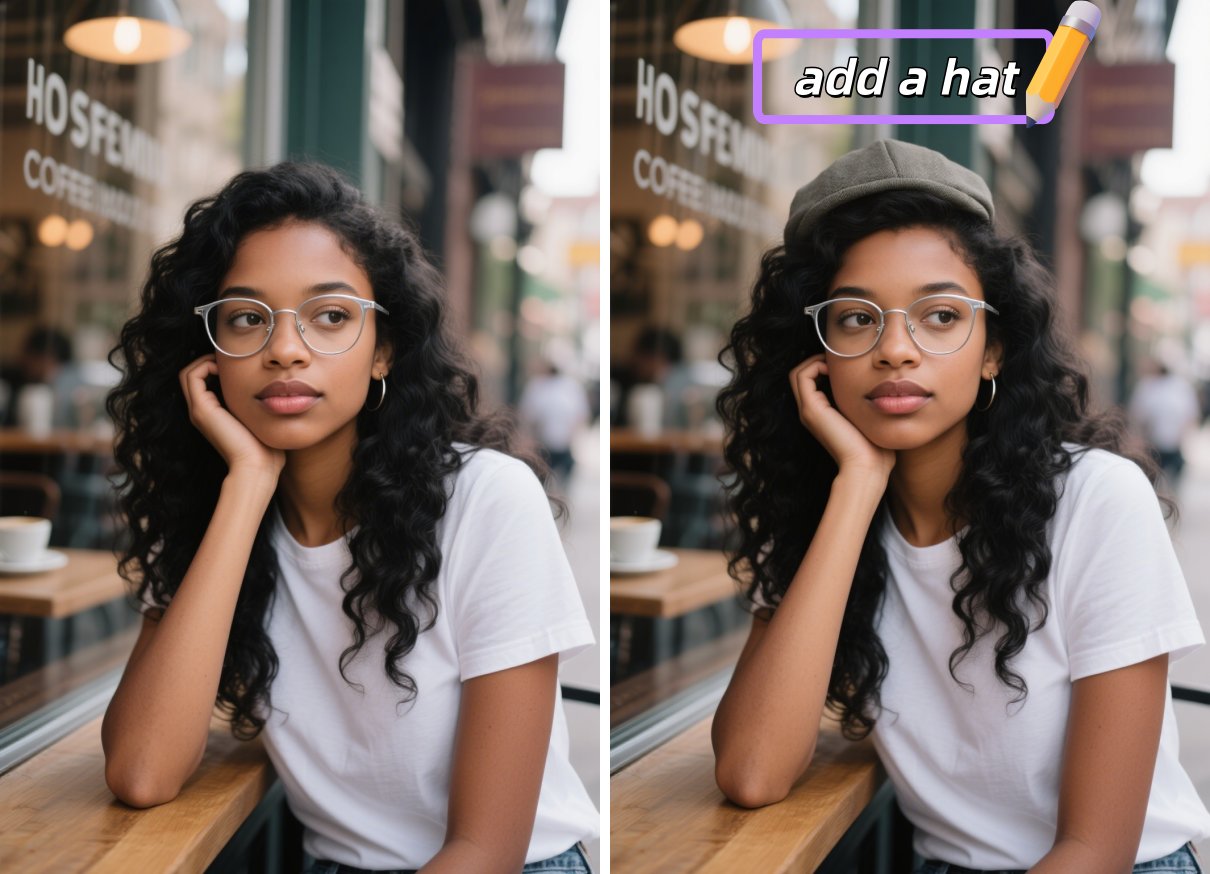
- Swap your hat, glasses, or even your hairstyle
- Add accessories like jewelry or makeup
- Create anything that makes you look cooler
This feature is ideal for social media influencers, photographers, online store owners, or anyone who loves creating visually striking content easily.
Explore More PicMa's AI E-Commerce Tools
For further editing, you can try some other amazing tools in PicMa:
●AI Background Generator/Background Remover: Create incredible backgrounds for your pictures or remove backgrounds perfectly from pictures
●Object Remover: Remove unwanted elements from the picture
●AI Logo/Poster Generator: Design your unique logo or poster for promotion or business.
It only takes seconds or 1-2 minutes to generate results. Amazed by PicMa's power? Why not give it a try now?

FAQ (Frequently Asked Questions)
Q1: What is the difference between Magic Brush and Textual Edits?
A: For Magic Brush, it's available on both the web and the mobile. To use it, you need to select an area in the picture, and changes will only apply to the selected part. But for Textual Edits, it's only available on the app. You just need to type in your prompts and you can also add AI filter or change the background with it.
Q2: Can I use Magic Brush on any photo?
A: You can use it on any clear and well-defined image. For best results, avoid overly blurry or low-light photos. Magic Brush supports a wide range of image formats, including JPEG, PNG, and more.
Q3: How accurate are the edits?
A: The AI is trained to produce highly realistic edits. The more specific your text instruction, the better the result!
Q4: Can PicMa’s e-commerce tools meet specific platform requirements?
A: Yes, PicMa’s AI E-Commerce tools are designed to meet the strict requirements of major e-commerce platforms like Amazon, eBay, and Shopify, producing high-quality & high-resolution images.


 314
314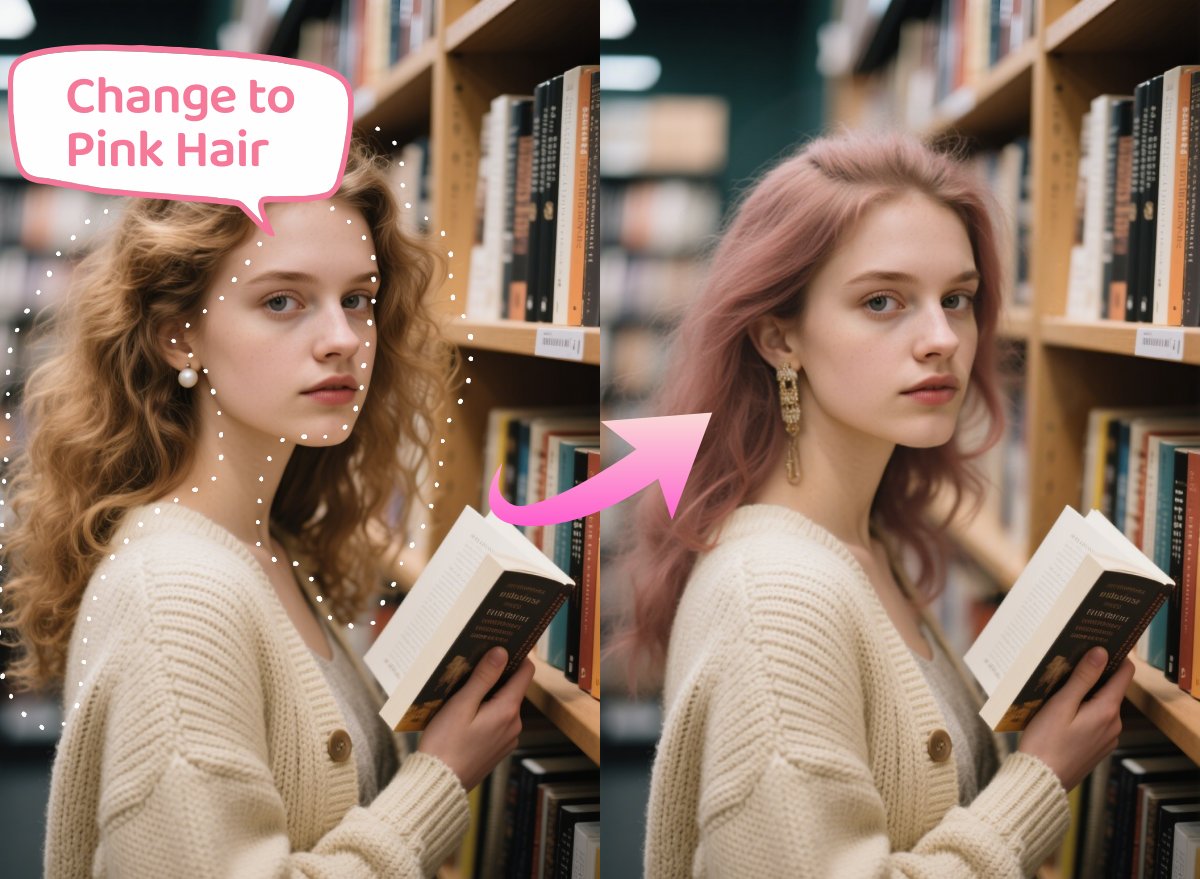

 English