Here's a question for every ecommerce seller reading this: How much is a bad visual costing you right now?
You've filmed a product video on your phone. The lighting was okay. The focus was mostly there. You've taken photos on a white background. They're fine. Good enough, right?
Wrong.
In 2026, "good enough" is the fastest way to lose a sale.
Here's what the data says: 73% of consumers are more likely to buy after watching a product video. Product pages with video see 80% higher conversion rates than those with images alone. And 88% of video marketers say video delivers a positive ROI.
But here's the thing: video is only part of the picture.
Your customers don't just watch a video and buy. They scroll through images. They zoom in on details. They imagine themselves wearing your product. They compare, they hesitate, they decide.
Every step of that journey is an opportunity — or a failure point.
That's why PicMa Studio built a complete ecommerce visual toolkit: not just video enhancement, but a full suite of AI tools designed to turn every visual on your product page into a conversion machine.
The Problem: Most Ecommerce Visuals Are Costing You Sales
Let's be honest about what's actually happening on your product page right now:
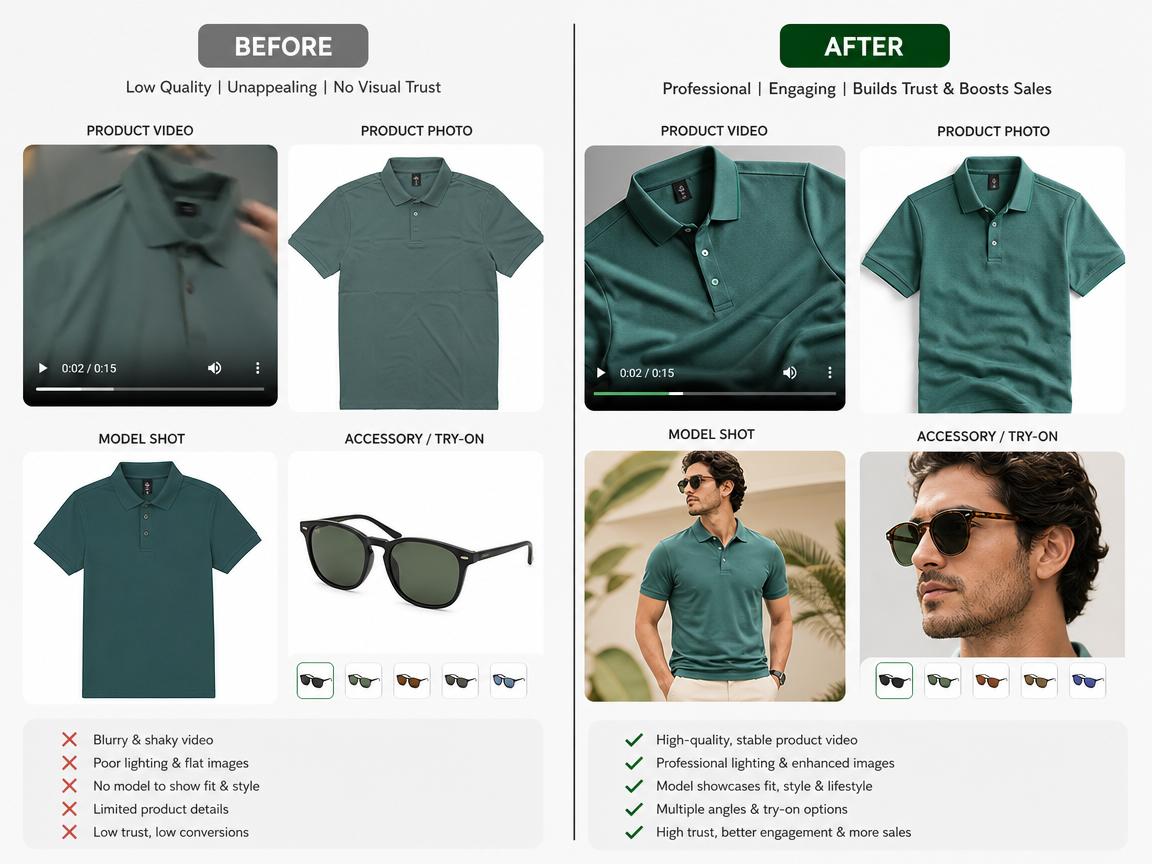
Your product video is blurry or dark. You shot it on your phone, and it shows. The colors are dull. The focus is soft. The customer scrolls past.
Your product images are decent but not great. They show the product, but they don't sell it. No lifestyle context. No model. No "this could be me" moment.
You don't have a model. Or you can't afford to hire one. Or the models you can afford don't look like your customers.
You can't show the product being worn. Jewelry, bags, accessories — they look great on a person, but flat on a table they're just... stuff.
Every one of these gaps is a leak in your conversion funnel.
The Solution: PicMa Studio's Ecommerce Visual Toolkit
PicMa Studio offers a complete suite of AI-powered tools designed specifically for ecommerce sellers. Here's how they work together to create a high-converting product page.
1. AI Video Enhancer — Turn Blurry Clips into Conversion Machines
The Video Enhancer sits at the heart of the toolkit. It's an AI-powered tool that analyzes every frame of your video to detect and correct imperfections — sharpening, noise removal, color correction, and more.
What it fixes:
| Model | What It Fixes | Best For |
|---|
| General Enhancement | Overall sharpness, noise, and contrast | Quick fixes for videos that are "almost there" |
| Face Model | Soft focus on faces, skin smoothing | Beauty, fashion, and lifestyle products featuring people |
| Professional Noise Cancellation | Grain and digital noise | Low-light or indoor product shots |
| Night Scene Brightening | Dark footage | Products shot in dim environments |
| Colorize Model | Dull or faded colors | Repurposed footage or archive clips |
| Cinematic-Level Enhancement | Premium film-like finish | Hero products, flagship items, ad creatives |
| Deinterlacing | Jagged edges, flickering, compression artifacts | Social media clips or re-encoded videos |
Supported formats: MP4, MOV, MKV (up to 5 minutes per clip). Output in HD, FHD, or 4K.
How to use it:
- Open PicMa Studio and navigate to Video Enhancer (under the "For Video" section)
- Drag and drop your product video into the upload area
- Choose the AI model that matches your issue
- Select your output resolution (HD, FHD, or 4K)
- Click Generate — your enhanced video is ready in seconds
2. Product Image Enhancer — Professional Product Photos Without a Studio
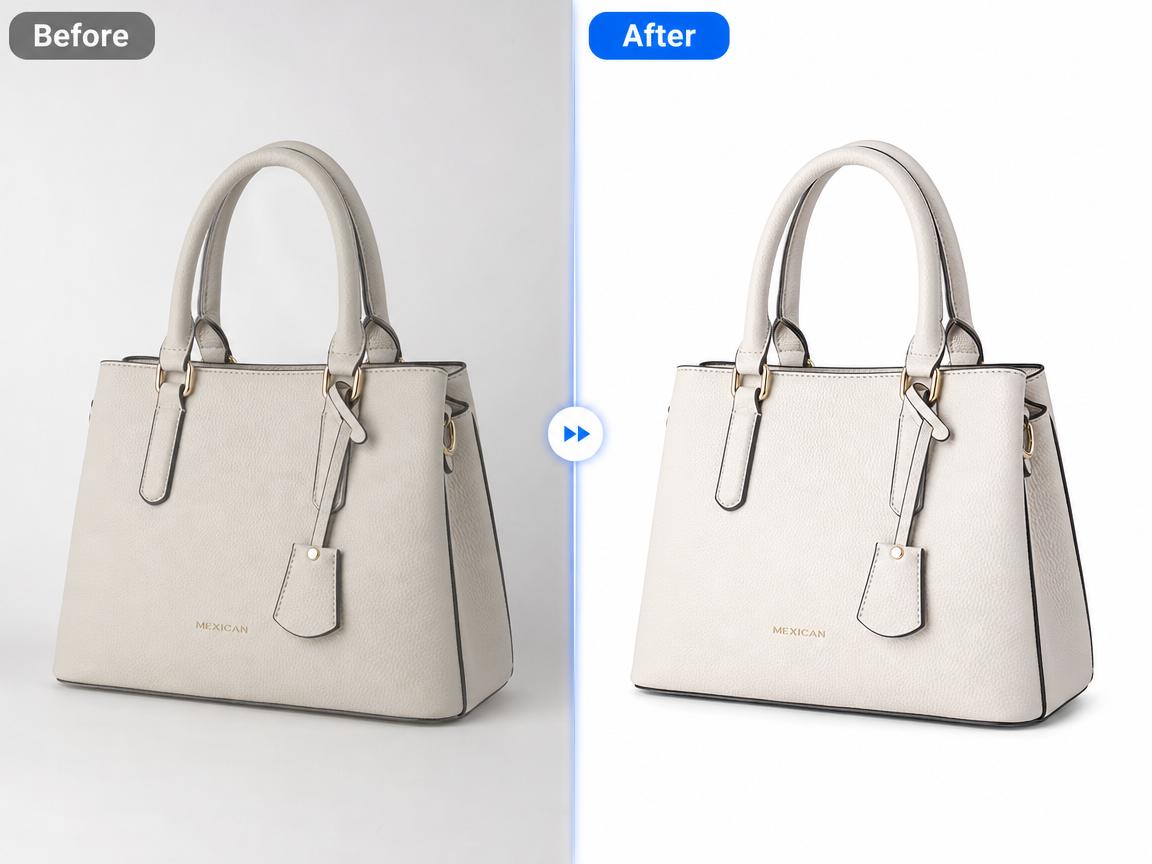
Video gets attention. Images close the sale. And the Product Image Enhancermakes sure your product photos look as professional as your video.
What it does:
- Professional-grade product image optimization
- Instant enhancement for ecommerce visuals
- High-conversion visual quality
Best for: Product photos that are decent but lack that "professional" finish. The kind of images that make customers think "this looks cheap" vs. "this looks premium".
How to use it:
- Upload your product photo
- Let the AI analyze and enhance the image
- Download your optimized product image
3. Virtual Model — Replace Expensive Photoshoots with AI
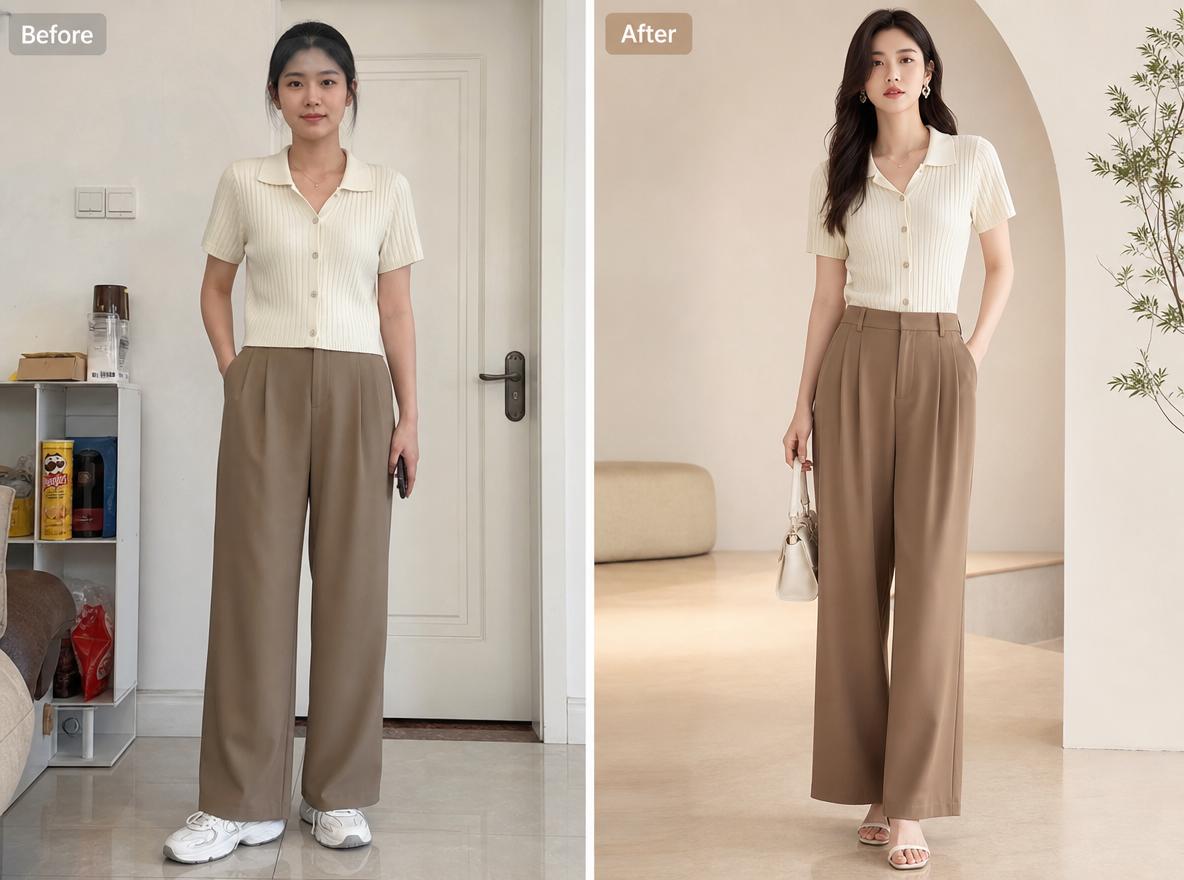
Here's a problem every apparel seller faces: models are expensive. And if you're selling to multiple demographics, you need multiple models — which means multiple photoshoots.
Virtual Model solves this.
What it does:
- Swap models in product photos with one click
- Generate professional-grade model shots without a photoshoot
- Choose from different model types and scenes
How it works:
- Upload a photo of your product being worn (by anyone)
- Choose a model from the library
- The AI replaces the model while keeping the product perfectly intact
Best for: Apparel brands, fashion sellers, and anyone who needs consistent model imagery across their catalog.
4. Accessory Try-On — Let Customers "Try Before They Buy"
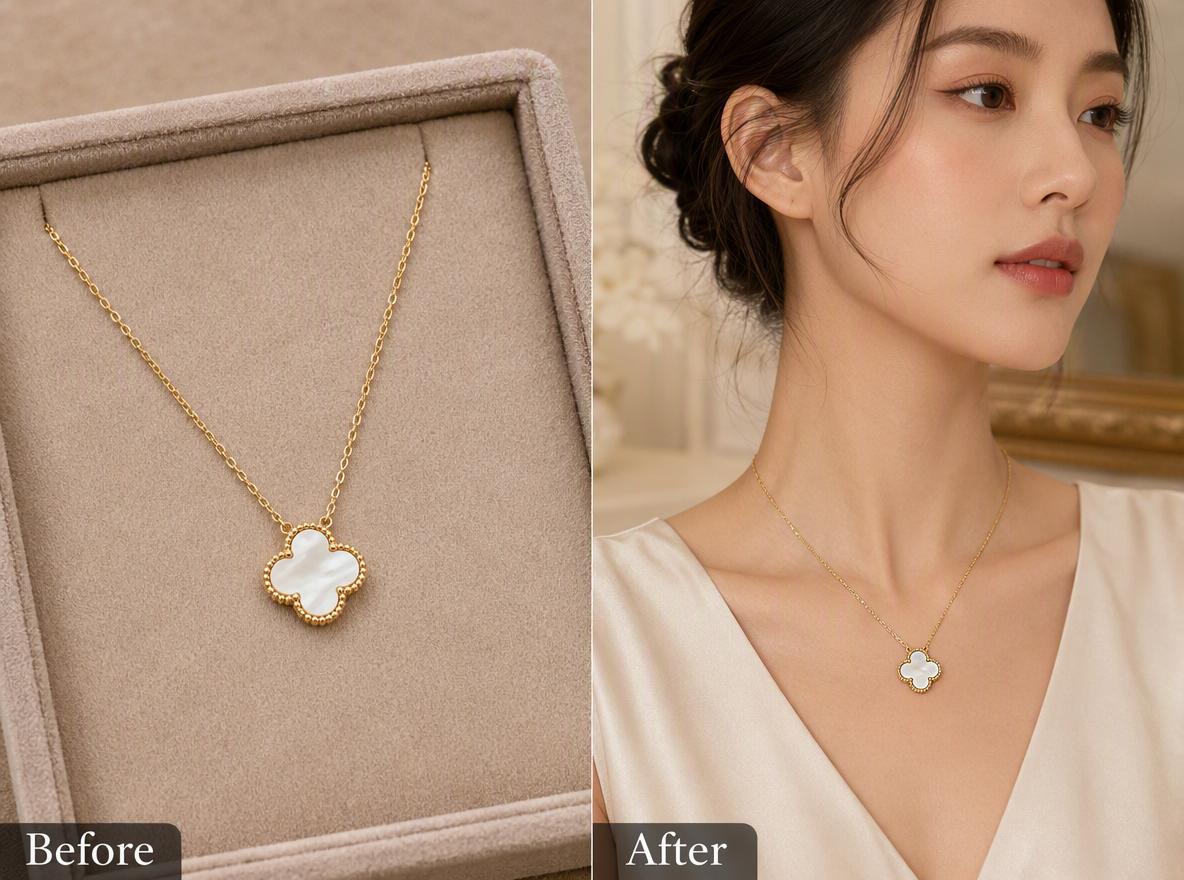
For jewelry, bags, and accessories, the biggest barrier to purchase is "will this look good on me?"
Accessory Try-On removes that barrier.
What it does:
- Generate natural, realistic product display images
- Show accessories being worn — without needing to actually photograph them on a person
- Create "try-on" visuals that help customers visualize the product on themselves
How it works:
- Upload a photo of your accessory (ring, necklace, bag, etc.)
- Choose a model or scene
- The AI places your accessory on the model naturally
Best for: Jewelry, watches, handbags, eyewear, and any accessory that sells better when shown on a person.
The Complete Ecommerce Workflow: How These Tools Work Together
Here's how a smart ecommerce seller uses the full toolkit:
| Step | Tool | What It Does |
|---|
| 1 | Product Image Enhancer | Polish your product photos to professional quality |
| 2 | Background Remover | Create clean, distraction-free product cutouts |
| 3 | Virtual Model | Show your apparel on real-looking models |
| 4 | Accessory Try-On | Show accessories being worn |
| 5 | AI Video Enhancer | Turn your product clips into high-quality videos |
| 6 | AI Poster Generator | Create promotional visuals for campaigns |
Why This Matters Right Now
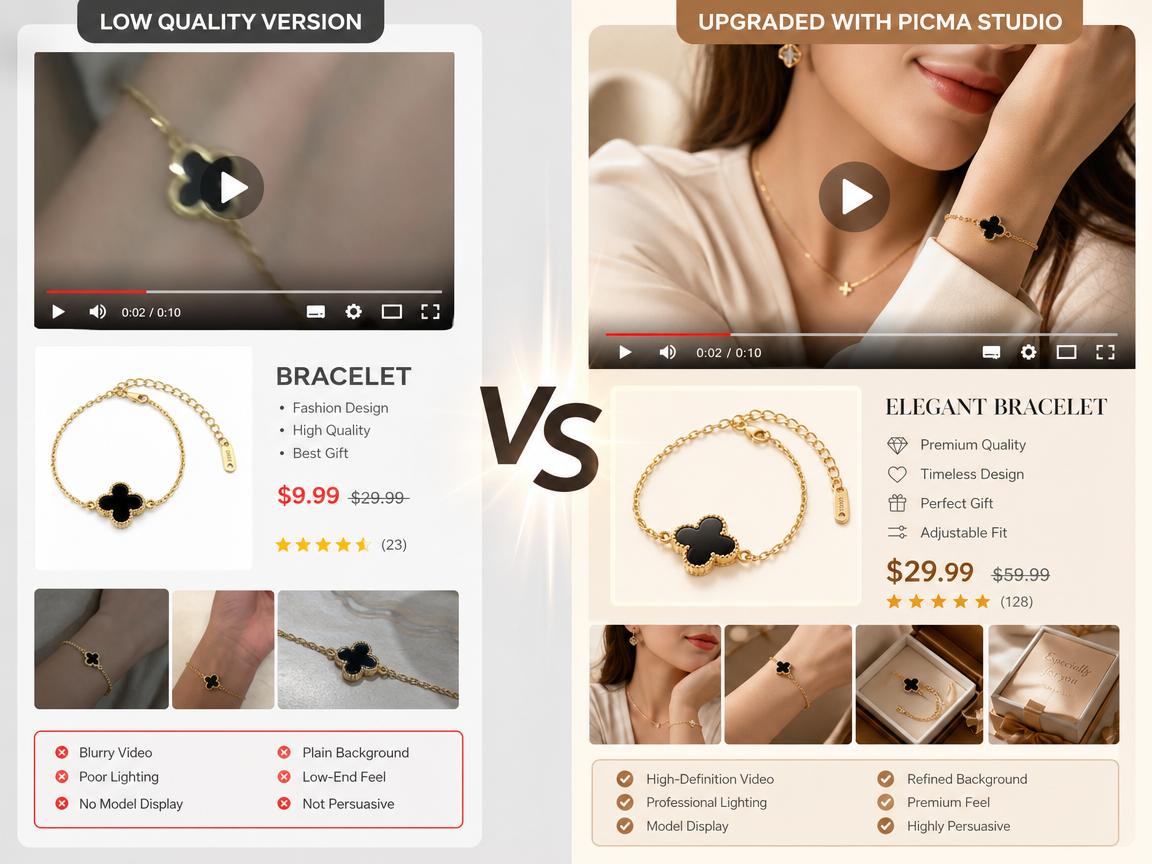
Ecommerce is becoming more visual every day. TikTok Shop, Instagram Shopping, Amazon Live — the platforms are pushing video and high-quality imagery because it works.
AI is making professional visuals accessible. What used to cost thousands in studio time now costs minutes of your time. No reshoots. No model fees. No waiting days for a retouch.
Your competitors are already using this. The brands winning right now are the ones who've figured out that "good enough" visuals are the fastest way to lose a sale.
Real Talk: What Happens When You Upgrade Your Visuals?
When you enhance your product videos and images with AI, you're not just making them look better — you're making them sell better.
Ecommerce brands using AI-enhanced visuals are already seeing:
- Higher conversion rates on product detail pages
- Lower bounce rates as shoppers stay engaged
- Better ad performance across social platforms
- Fewer returns because customers know exactly what they're getting
🚀 Ready to Upgrade Your Entire Product Page?
You don't need a film crew. You don't need expensive software. You don't need to hire models.
You just need PicMa Studio — and a product worth selling.
Start with video. Enhance your images. Swap your models. Show your products being worn.
All in one place. All with AI. Free to start — no credit card required.
👉 Start enhancing your ecommerce visuals now
Your product deserves better than "good enough." Give it the visuals it deserves.

 56
56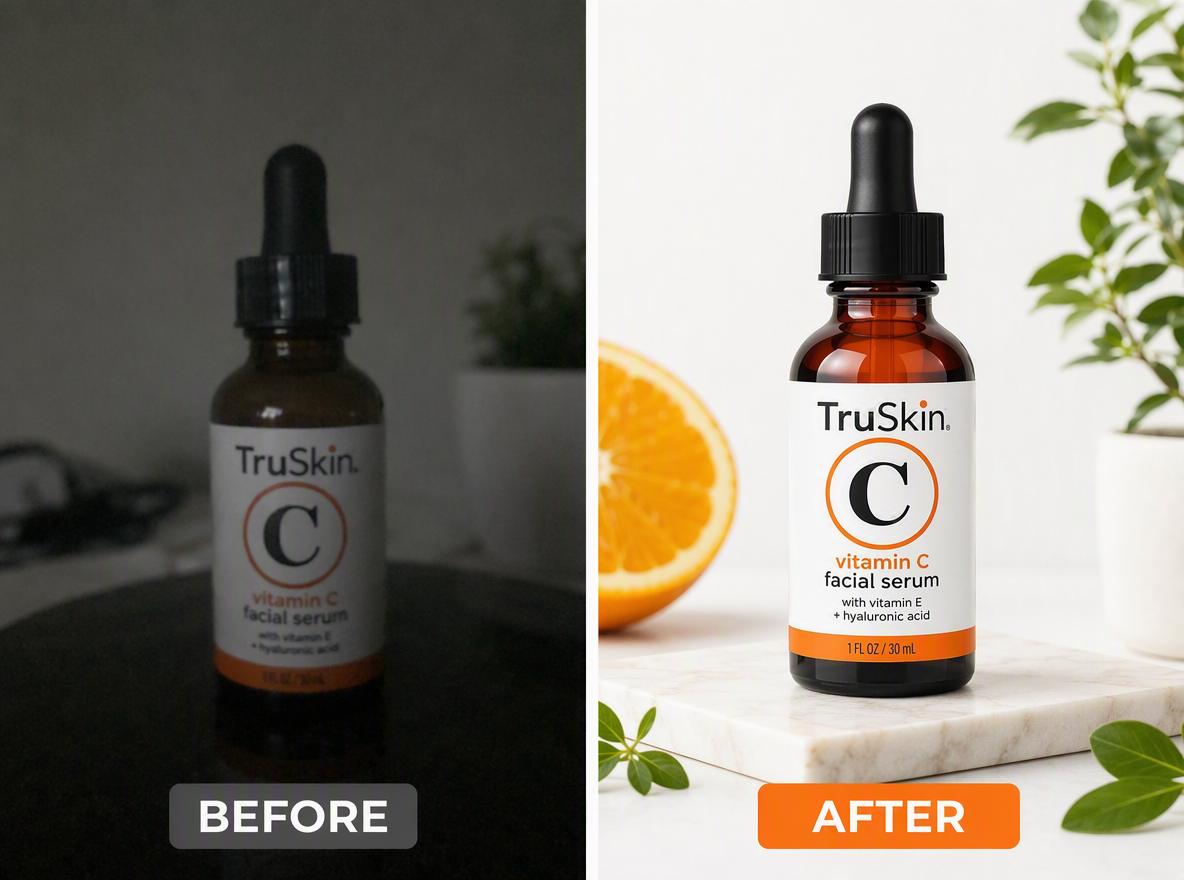

 English