If you’ve spent any time on social media recently, you’ve probably seen those mesmerizing “fan transformation” videos—a cinematic sequence using a rotating fan-blade transition that smoothly switches outfits. And now, with PicMa and its powerful Seedance 2.0, anyone can create them in just a few taps.
Seedance 2.0 Makes Everything Easy
What makes these videos so addictive is the combination of smooth motion and surprise transformation effects. They feel like something between a movie trailer and a digital fashion show.
Now, thanks to Seedance 2.0 in PicMa, this effect is no longer limited to professional editors or animation studios. Seedance 2.0 uses a multi-stage generation process that makes videos more stable and coherent, reducing distortion and improving overall consistency. It also enhances realism in lighting, motion, and transitions, giving the final output a more natural, cinematic look. Instead of manually editing frames or using complicated software, Seedance 2.0 does all the heavy lifting. It analyzes your face, generates motion flow, and applies stylized transformation templates automatically.
Steps to Create Your Own Transformation Video
Step 1: Download PicMa (IOS / Android)

Find and enter the Seedance 2.0 section to explore different transformation templates. Inside, you’ll see popular presets like Vortex Glam for female transformation styles and Cyclone Fit for male styles.
Step 2: Upload Your Photo
Next, upload any clear face photo. The AI works with almost any human face, so you don’t need a professional shot.
Step 3: Wait for the Magic
After uploading, simply wait for the AI to process your video.
Within about one minute, PicMa will generate a fully edited transformation video with smooth motion, lighting effects, and cinematic transitions.
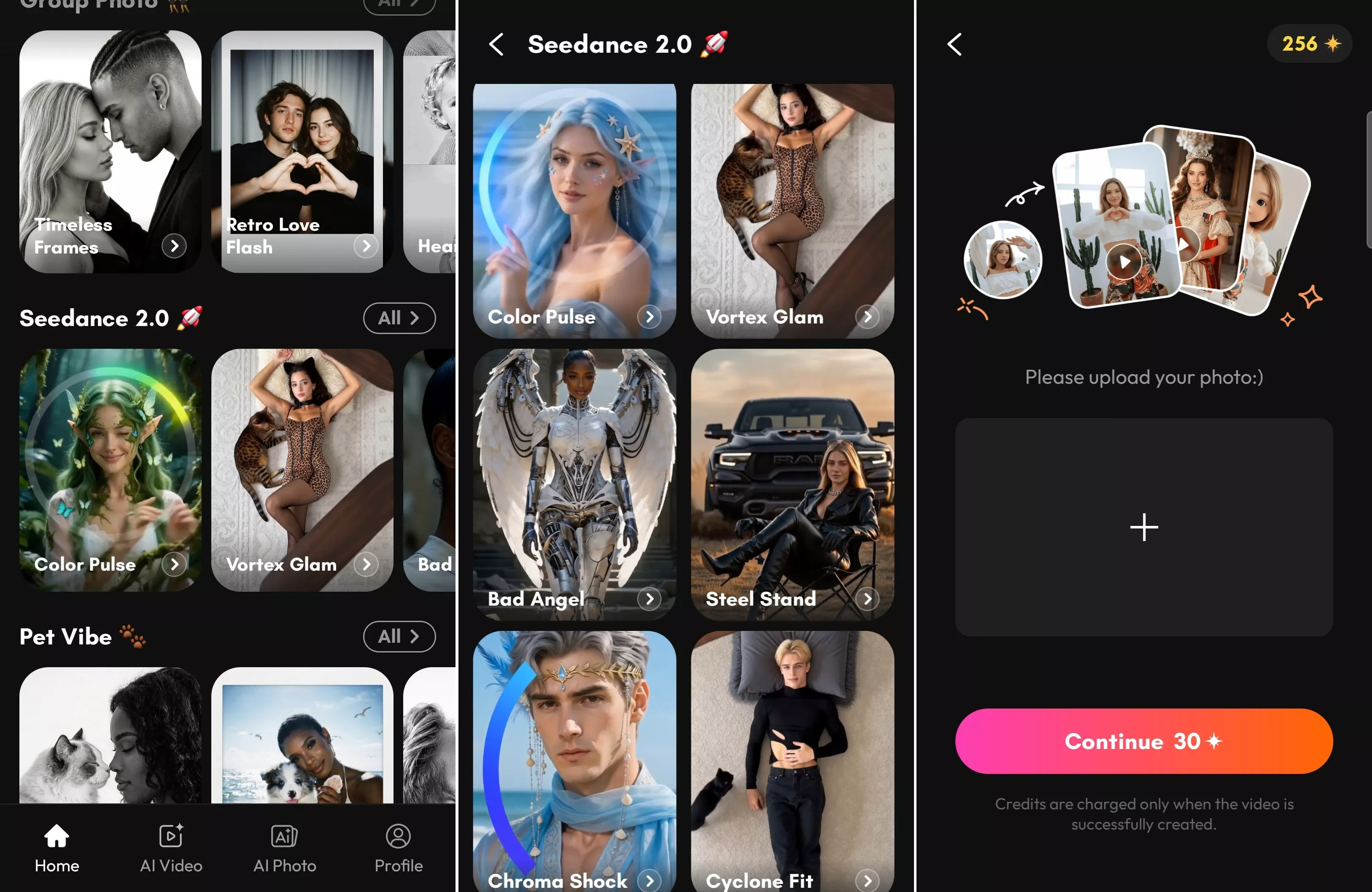
One Photo, Multiple Video Styles
1. Inside the Seedance 2.0 section, you can explore other creative templates such as:
- Fantasy battles with monsters
- And many more imaginative effects
Each template turns your photo into a completely different storyline. It’s like having a mini movie studio in your pocket. You don’t need to write prompts or instructions for most templates. Just upload and generate.
2. If you want more creative freedom, PicMa also supports custom AI generation.
Open the Seedance 2.0 tool from the PicMa homepage. It supports image-to-video generation, text-to-video generation, and hybrid creation using both an image and prompts. This means you can either upload a photo or simply type your own idea to create a customized AI video.
This feature is perfect for users who want to experiment beyond templates and build unique storytelling videos.
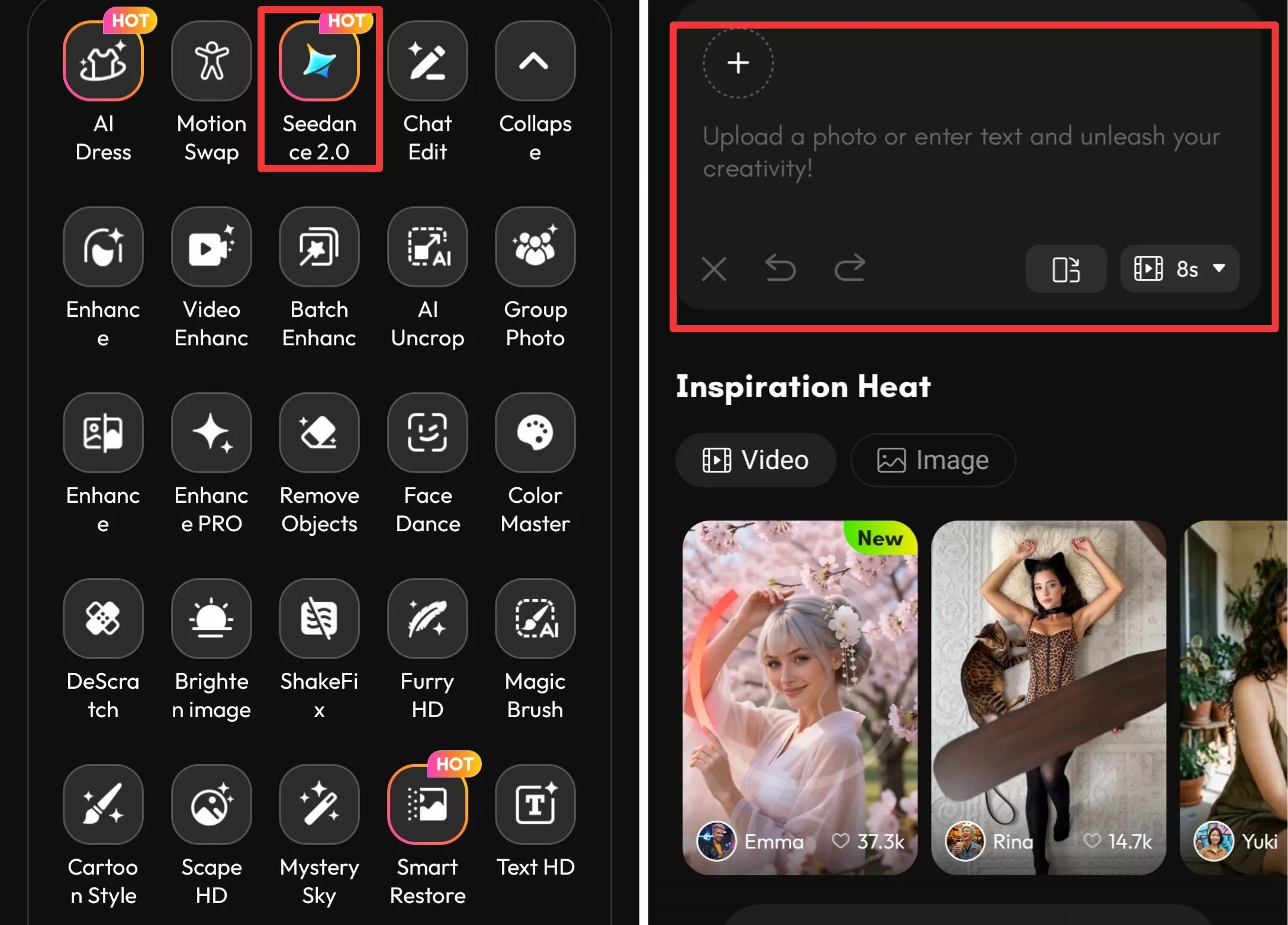
What used to take hours of editing can now be done in seconds with just one image. Whether you want to join the viral fan transformation trend or explore creative fantasy visuals, this tool opens up a new world of digital storytelling.
If you’ve ever wondered what you’d look like in a cinematic universe, a fantasy battle, or a high-fashion runway—now is your chance to find out with PicMa!


Frequently Asked Questions
1. Is my photo safe?
Yes. PicMa states that user photos are protected and handled securely. Your uploaded images are used only for generating the video and are not publicly shared.
2. How long does it take?
Most videos are generated in about one minute, depending on complexity and server load.
3. Do I need editing skills?
Not at all. Everything is automated. If you can upload a photo, you can create a transformation video.

 175
175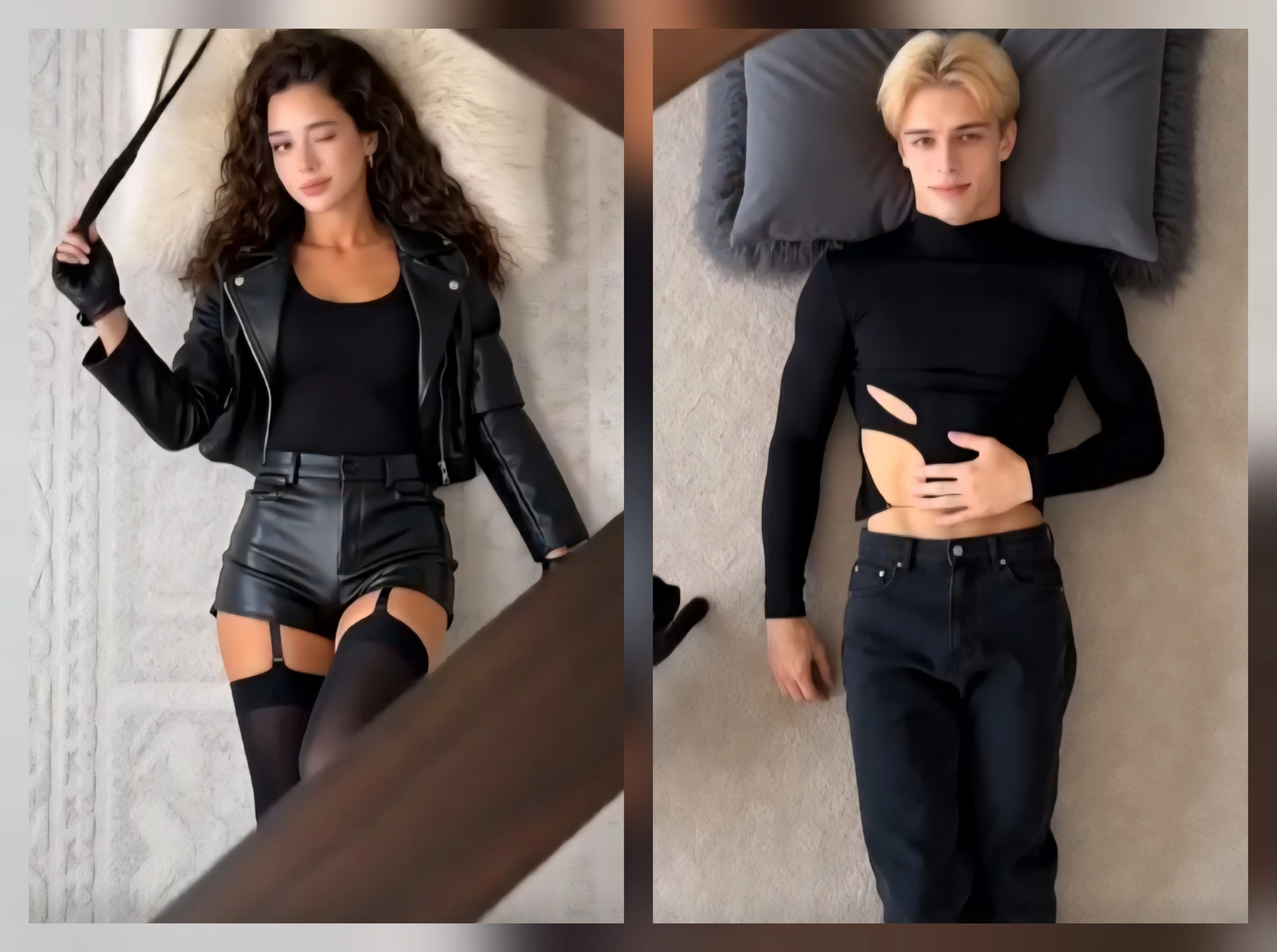

 English