AI ASMR videos are becoming increasingly surreal. Glass fruit cutting, crystal desserts, fantasy beds, and impossible pools combine striking visuals with immersive sounds and simple questions such as “Which one would you choose?”
Here are 10 ideas you can turn into a satisfying video series using Seedance 2.0 in PicMa Studio.
Why AI ASMR and Satisfying Videos Are So Addictive
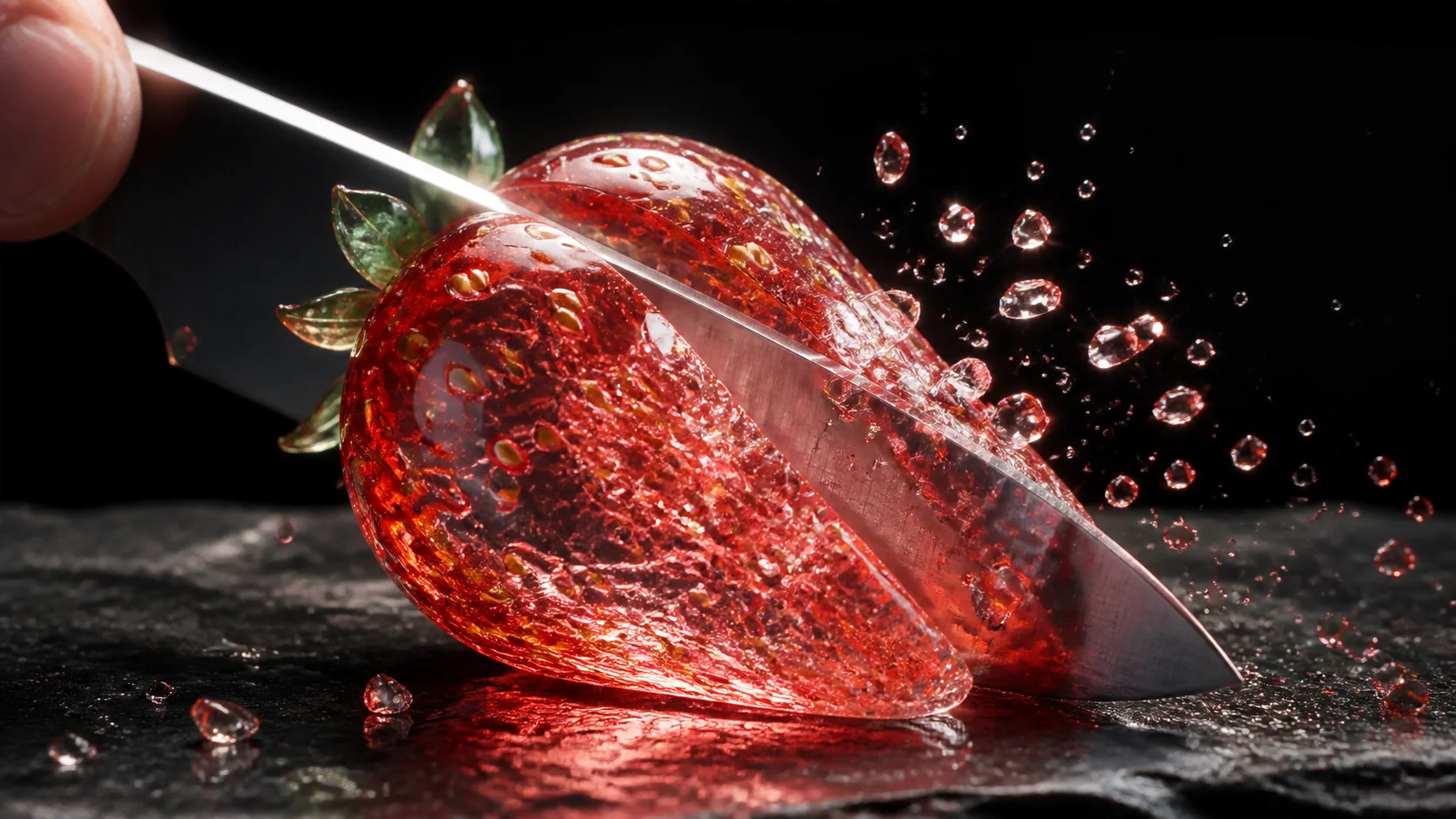
The best AI ASMR videos usually contain three elements: an impossible visual, realistic sound effects, and an interaction that encourages comments.
A strawberry made from glass immediately creates curiosity. A crisp slicing sound makes the imaginary material feel physical. A question such as “Which one would you pick?” gives viewers a reason to participate.
The concept should be clear within the first two seconds. Long introductions rarely help when viewers are already deciding whether to keep scrolling.
10 Viral AI ASMR Video Ideas to Try
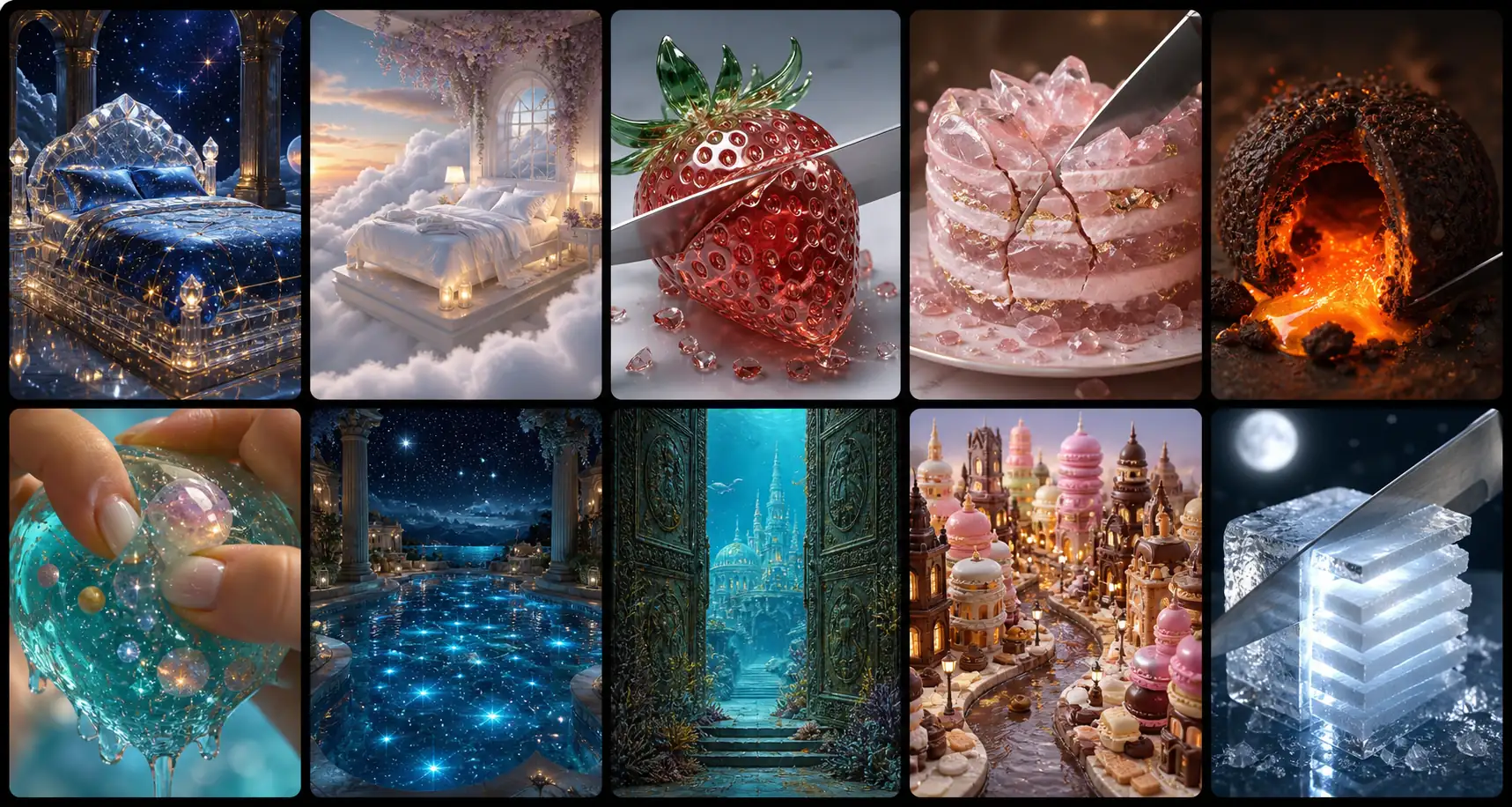
1. Choose Your Zodiac Bed
Create 12 fantasy beds inspired by the zodiac signs, using materials such as crystal, clouds, water, fire, and starlight.
Twelve luxurious zodiac beds made from different surreal materials, slow cinematic movement, soft fabric and sparkling ASMR sounds.
2. Choose Your Dream Bedroom
Show several impossible rooms, such as an underwater bedroom, a cloud room, or a cozy mushroom house.
A peaceful bedroom floating above the clouds, a bed forming from mist, gentle wind and soft fabric sounds.
3. Glass Fruit Cutting
Turn familiar fruits into transparent crystal and slice them in detailed macro shots.
Macro shot of a crystal strawberry being sliced slowly, glowing seeds, tiny fragments and crisp glass-cutting sounds.
4. Crystal Dessert Cutting
Transform cakes, macarons, jelly, or pastries into polished gemstones.
A rose-quartz cake cracking under a silver knife, macro lens, delicate crystal sounds and pastel lighting.
5. Lava Food
Add a glowing molten center to chocolate, bread, dumplings, or fruit.
A dark pastry pulled apart as orange lava flows from the center, gentle bubbling and crackling sounds.
6. Slime and Jelly Squeezing
Create jelly planets, translucent keyboards, or soft objects containing miniature worlds.
Hands squeeze a transparent jelly planet containing tiny clouds and oceans, with soft wet popping sounds.
7. Choose Your Fantasy Pool
Design pools filled with moonlight, glowing flowers, clouds, gemstones, or bioluminescent water.
A luxury pool filled with glowing starlight, slow camera orbit, gentle waves and peaceful water sounds.
8. Pick a Magic Door
Let each door open into a different fantasy world, from an underwater palace to a floating city.
An ancient door opens into an underwater palace, smooth camera push-in, wooden creak and rushing water.
9. Choose Your Dream Food World
Build an entire landscape from chocolate, candy, ramen, fruit, or desserts.
A miniature dessert city with macaron buildings and chocolate streets, aerial camera movement and delicate candy sounds.
10. Impossible Material Cutting
Cut objects made from moonlight, clouds, liquid metal, frozen fire, or other imaginary materials.
A cube of frozen moonlight sliced into glowing layers, cinematic macro shot and delicate icy chimes.
How to Make AI ASMR Videos With Seedance 2.0
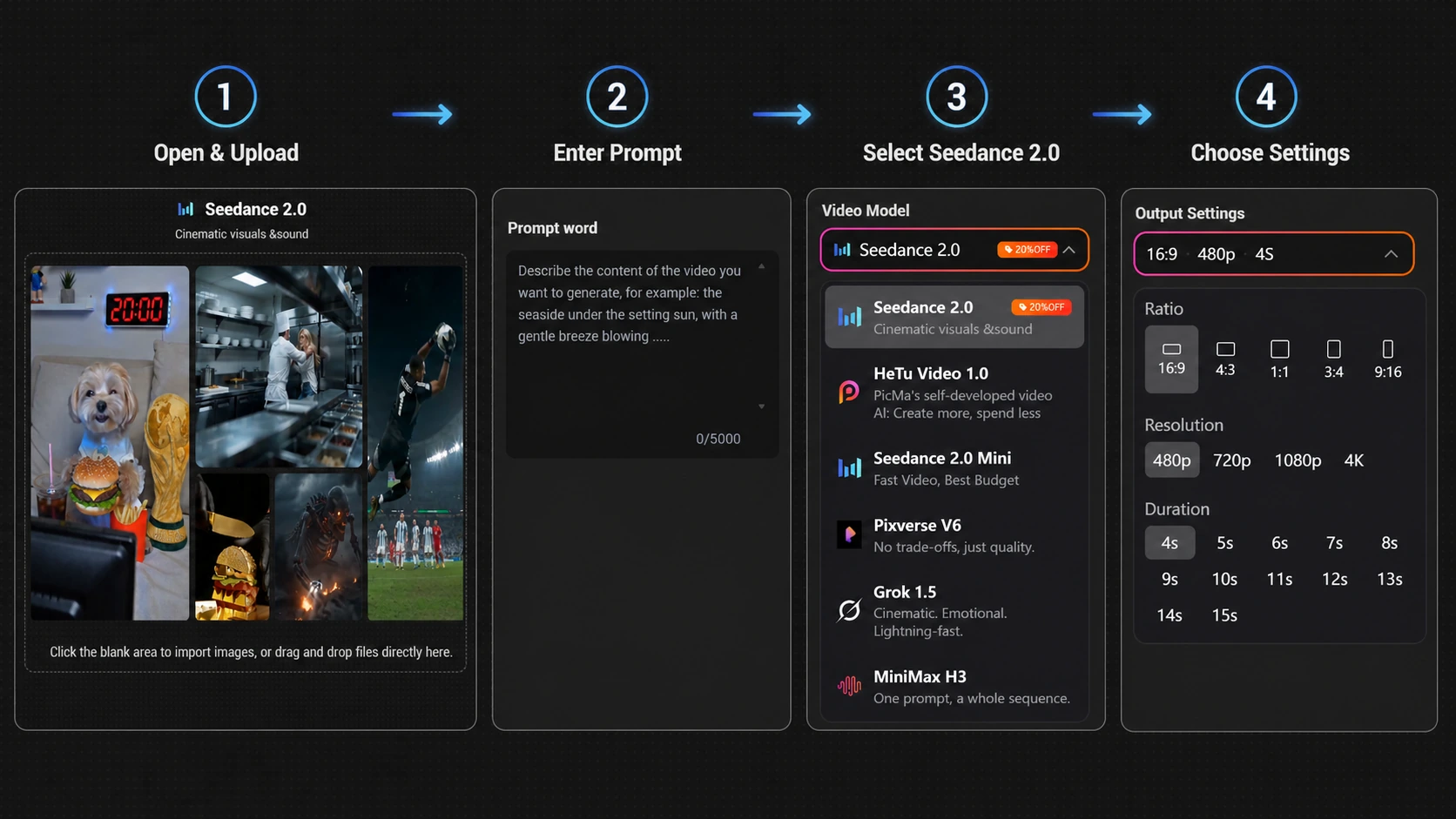
The PicMa Studio image-to-video tool combines image upload, prompting, model selection, generation, and downloading in one workflow.
Step 1: Upload a starting image
Choose a clear image that establishes the main object, material, and visual style.
Step 2: Select Seedance 2.0
Choose Seedance 2.0 from the available video models.
Step 3: Enter your ASMR prompt
Describe the main action, camera movement, material behavior, and desired sound.
Step 4: Choose the available settings
Set the duration, aspect ratio, resolution, and audio options shown for the selected model.
Step 5: Generate and compare versions
Try several variations and publish the one with the strongest opening moment and most satisfying movement.
Seedance 2.0 supports synchronized audiovisual generation, although the available controls in PicMa Studio may vary by model and generation mode.
Tips for Making AI ASMR Videos More Viral
Show the unusual material or action immediately. If the video is about cutting a glass strawberry, let viewers see the knife and crystal fruit within the first two seconds.
Keep the clip short and focused. One clear action—cutting, squeezing, opening, pouring, or pressing—usually works better than several unrelated events.
Use a simple question in the caption to encourage comments:
- Which one would you choose?
- What should I cut next?
- Would you sleep here?
- Which door should I open?
A successful concept can also become a series. “Choose Your Zodiac Bed” can expand into zodiac pools, houses, desserts, rooms, or fantasy pets. Keep the colors, camera style, and pacing consistent so viewers recognize the format.
Ready to create one? Try Seedance 2.0 in PicMa Studio and turn your next satisfying idea into an AI ASMR video.


Frequently Asked Questions
Can Seedance 2.0 generate ASMR sound effects?
Seedance 2.0 supports synchronized audio and video generation. Available audio controls may vary, so check the settings displayed in PicMa Studio before generating.
Do I need a starting image?
Yes. The linked PicMa Studio feature uses an image-to-video workflow. Upload a clear image that establishes the object, composition, and visual style.
How long should an AI ASMR prompt be?
Keep it concise and specific. Describe one main action, the material, camera movement, and desired sound instead of combining several unrelated events.
Related Readings:

 63
63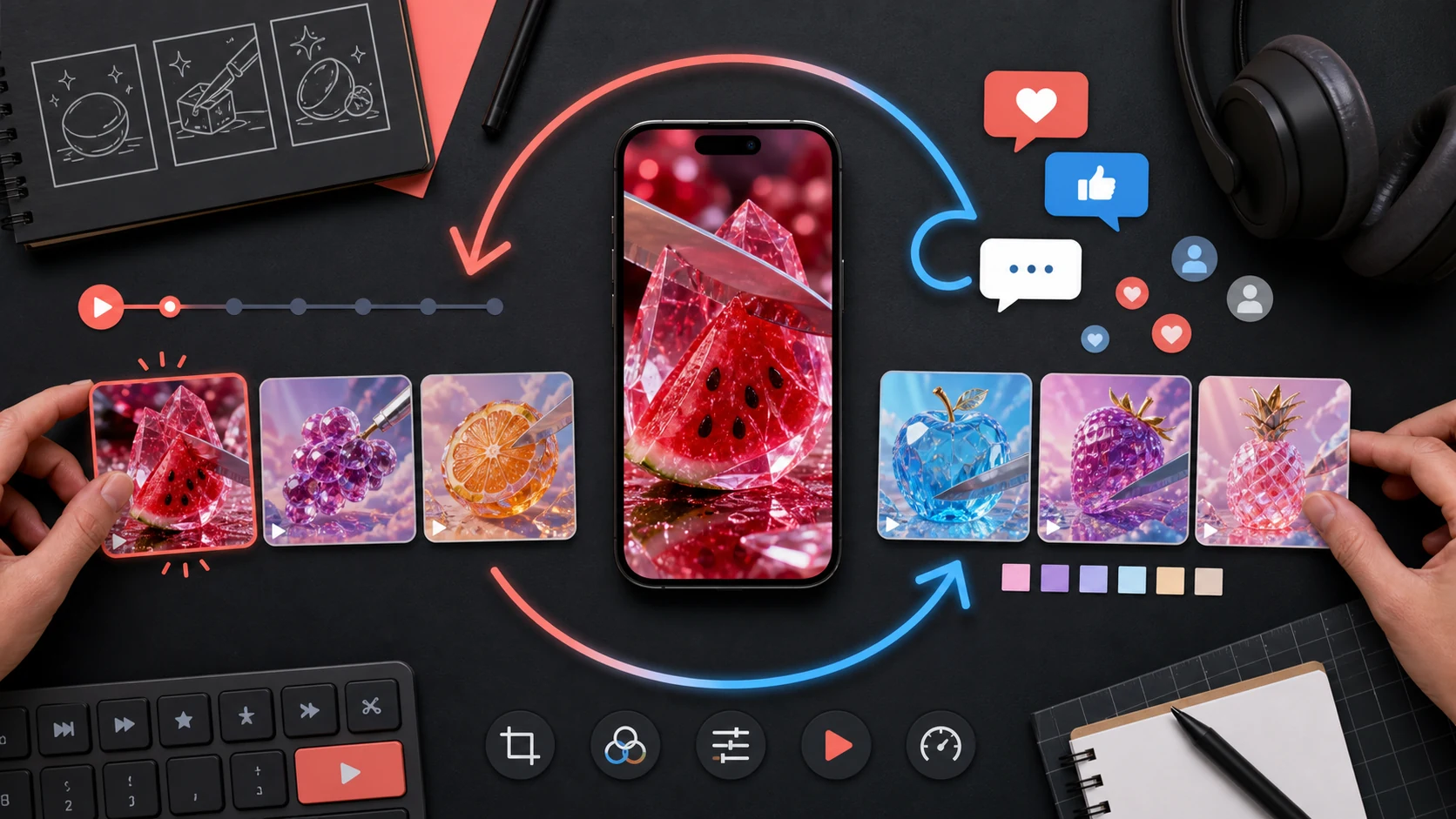

 English