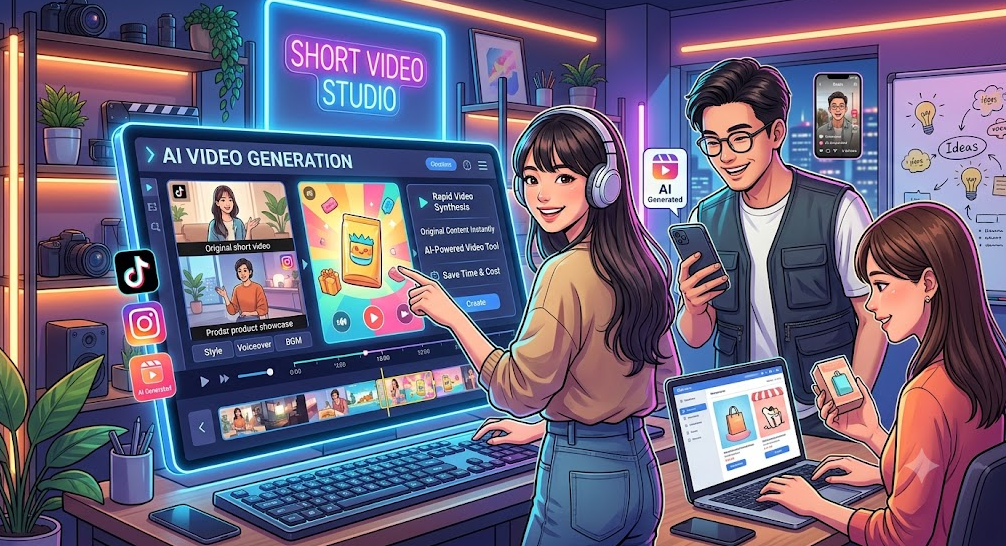
In recent years, demand for short-form video content like TikTok and Instagram Reels has skyrocketed. This has led to a surge in individual creators, social media managers, and e-commerce business owners thinking, "I want to easily create original content with AI-generated videos." AI video generation tools, which allow you to create high-quality videos without editing skills or production experience, are a powerful way to mass-produce content while keeping costs down.
This article introduces 8 popular AI video generation tools that offer free tiers. It also provides a detailed explanation of the features and specific operating procedures for PicMa Studio's AI video generation tool, which is packed with features and is very user-friendly for beginners. We've also compiled points to keep in mind when posting AI-generated videos to YouTube and various social media platforms, so please read through to the end.
Key Points for Choosing an AI Video Generation Tool
When choosing an AI video generation tool that suits your needs from the many available, keeping the following 3 points in mind will help you avoid mistakes.
- Free Tier Scope: Check the number of daily uses, the credits provided, and the length of videos you can generate to see if it matches your usage frequency.
- Supported Formats & Functions: Check if the tool supports the functions you need – whether you want your AI-generated video to be vertical or horizontal, whether you'll create it from an image or generate it from text.
- Commercial Usability: If you plan to use AI-generated videos for monetization, be sure to check each tool's terms of service in advance to see if commercial use is permitted under the free plan.
[Highly Recommended] The Appeal and Steps of Creating AI-Generated Videos with PicMa Studio
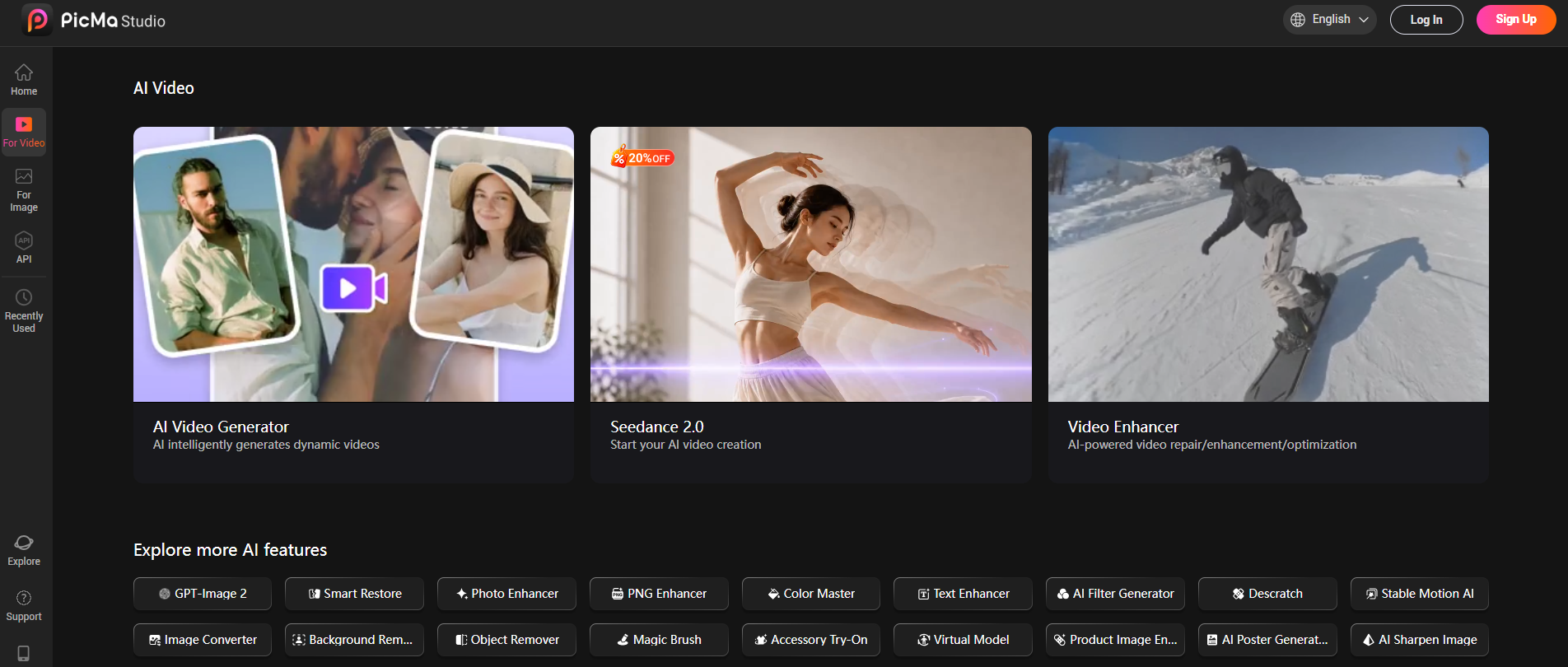
Among the many AI video generation tools, PicMa Studio is particularly well-suited for social media content management, e-commerce product introductions, and creative video production. Its AI video production toolkit features the high-performance model "Seedance 2.0," allowing even beginners to create high-quality AI-generated videos in a short time.
Four Robust Core Features
- Automatically create AI-generated videos from images. Just upload a single still image, and the AI will generate a video that adds natural motion while maintaining the subject and composition. You can turn product photos into dynamic introductory videos or add movement to illustrations and portraits – the possibilities for diverse expression are endless.
- Generate AI videos from text prompts. Simply type in the atmosphere or content of the scene you want to create, and the AI will automatically generate the corresponding video. The site features numerous trending prompts from other creators, making it a major plus for beginners who struggle with writing prompts to easily create AI videos that match their vision.
- Optimize for different platforms with diverse output options. You can choose from multiple playback durations and it supports both landscape and portrait aspect ratios. You can flexibly output AI-generated videos tailored to the display requirements of your target platforms, such as TikTok, Instagram Reels, YouTube Shorts, or e-commerce sites.
- Significantly boost production efficiency through integration with image tools. By combining it with the service's AI image generation tool, you can achieve a seamless workflow from "image creation to video conversion." This saves you the hassle of preparing materials in a separate service and greatly shortens the production time for AI-generated videos.
Complete Your AI-Generated Video in Just 3 Steps
Creating an AI-generated video with PicMa Studio is done in three very simple steps.
- Choose Tool & Prepare Material
Select "Seedance 2.0" from the AI video toolkit. Upload a reference image to use as a source, or prepare a text prompt describing the content of the video. - Set Video Parameters
Select the playback duration and aspect ratio, and specify the detailed atmosphere or motion using the prompt if needed. You can also refer to the popular prompts featured on the inspiration board. - Generate & Download
Once settings are complete, run the generation. The created AI video will appear in "Recent Items," where you can preview it or download it directly in high quality.
Recommended Use Cases
- Creating short videos for social media
- Making product introduction videos for e-commerce sites and online shops
- Prototyping and producing creative video works
7 Other AI Video Generation Tools You Can Try for Free
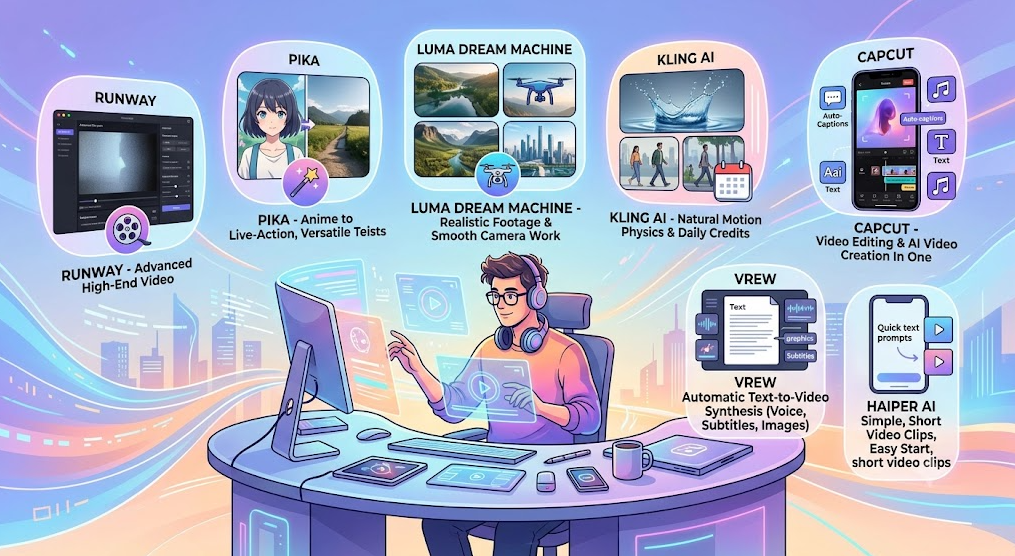
Besides PicMa Studio, here are 7 popular AI video generation tools available with free tiers. We recommend trying them out depending on the style or purpose of the video you want to create.
- Runway: A world-renowned, high-function AI video generation tool. You can experience cutting-edge video generation technology within the scope of regularly granted credits.
- Pika: An AI video generation tool that handles a wide range of styles, from anime to realistic. You can easily create short, dynamic videos just by entering prompts.
- Luma Dream Machine: Known for its realistic footage and smooth camera work. You can create high-quality AI-generated videos for free, from everyday scenes to cinematic works.
- Kling AI: An AI video generation tool skilled at expressing natural motion that follows the laws of physics. Free credits are granted by logging in daily.
- CapCut: A popular video editing app. It also has robust AI video generation and auto-captioning features, allowing you to go from creating AI videos to editing them all in one place.
- Vrew: Just input your script text, and it automatically synthesizes voice, images, and subtitles. Ideal for streamlining the production of AI-generated videos like explainer videos.
- Haiper AI: Allows you to create short video clips with simple, intuitive operation. Even beginners can easily start making AI-generated videos.
4 Points to Note When Posting AI-Generated Videos
While AI-generated videos created with various tools can be posted on YouTube and social media, there are some points to be aware of, especially when using free tiers. To avoid violating terms of service and ensure safe operation, be sure to check these points carefully in advance.
- Monetization Restrictions
Many tools prohibit commercial use on their free plans. If you intend to use AI-generated videos on a monetized channel generating ad revenue, you will need to subscribe to a paid plan that permits commercial use. - Watermark Display
When outputting AI-generated videos on the free tier, a tool logo watermark may appear on the screen. To remove the watermark, you will need to upgrade to a paid plan. - Copyright of Materials Used
Using built-in BGM or image materials from the tool could potentially lead to copyright claims on YouTube. To use them safely, use materials with clear rights, such as official royalty-free material libraries. - Obligation to Label AI-Generated Content
Under current YouTube rules, when posting realistic AI-generated videos that look like real people or scenery, you are required to declare them as "altered content" and display a label for viewers.
Frequently Asked Questions (Q&A)
Q1. What is the most recommended tool for a beginner creating an AI-generated video for the first time?
A. Considering the balance between ease of use and feature richness, PicMa Studio is the most recommended for beginners. You can create AI videos from both images and text, and the site has a wealth of trending example prompts, allowing you to create high-quality videos without worrying about how to write prompts. Output sizes are also compatible with various social media platforms, so you can use them for posting immediately after creation.
Q2. Can AI-generated videos created with PicMa Studio be used for commercial purposes?
A. The license scope for AI-generated videos varies depending on your plan. If you are considering commercial use, please check the latest PicMa Studio terms of service and confirm the copyright conditions of your contract plan in advance. If you intend to use them for monetization, subscribing to a paid plan that supports commercial use is recommended.
Q3. Are there any tips for creating high-quality AI-generated videos?
A. To create high-quality AI-generated videos, it is fundamental to clearly describe the four elements of "subject, action, scene, and style" in your prompt. Also, preparing and uploading a reference image close to your vision will help you get closer to your ideal result. By referring to the trending prompts on PicMa Studio's inspiration board, even beginners can easily create compelling videos without failure.
Summary
This article explained 8 free AI video generation tools and provided a detailed guide on how to use our top recommendation, PicMa Studio.
Among them, PicMa Studio supports AI video generation from both images and text, offers a variety of output options, and has robust support features for beginners, making it useful for a wide range of applications, including social media management, e-commerce content creation, and personal creative projects. By utilizing trending prompts, the barrier to prompt creation is low, allowing you to achieve high-quality results even on your first AI video project.

 1
1

 English