Christmas is the perfect time to create magical holiday photos. From glamorous candy-cane portraits to cozy mornings with pets, AI image generation can turn your everyday photos into festive, picture-perfect memories.
With PicMa Studio, you can use your own photo, a visual reference, and a detailed prompt to create personalized Christmas scenes. Here are 10 Christmas AI photo prompts to inspire your next holiday portrait.
Viral Christmas AI Glamour Photo Trend
One of the most eye-catching Christmas photo styles is the candy-cane glamour photoshoot. Think oversized peppermint decorations, sparkling outfits, snowy Christmas trees, and vibrant pink and red colors.
AI Christmas Photo Prompt:
Create an ultra-realistic 8K Christmas portrait of the woman in the uploaded photo, using a 55mm lens and bright, playful holiday lighting. Place her in a whimsical candy-cane-themed photoshoot surrounded by oversized pink peppermint decorations, snowy ground, festive Christmas trees, and shiny ornaments.
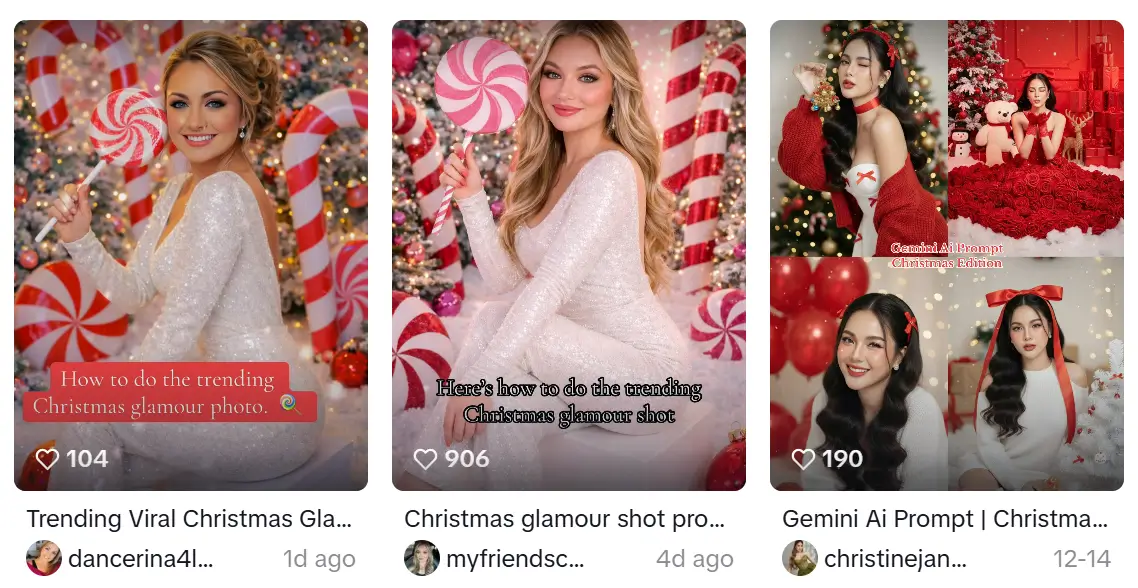
Preserve her real facial features and identity. Give her festive glam makeup with winged eyeliner, warm eyeshadow, rosy cheeks, and soft pink holiday lipstick. She wears a sparkling white sequin jumpsuit and sits on a white cube, posing confidently with one leg lifted and crossed.
She holds a giant pink-and-white peppermint lollipop over her shoulder. Add fluffy artificial snow, frosted Christmas trees decorated with pink ornaments and string lights, oversized candy canes, and a large shiny red Christmas ornament near her feet. Use bright, clean lighting and vibrant red, white, and silver tones for a magical North Pole studio atmosphere.
10 Christmas AI Photo Prompts to Try
Try these Christmas AI prompts to create cozy, playful, and magical holiday photos with your own pictures.
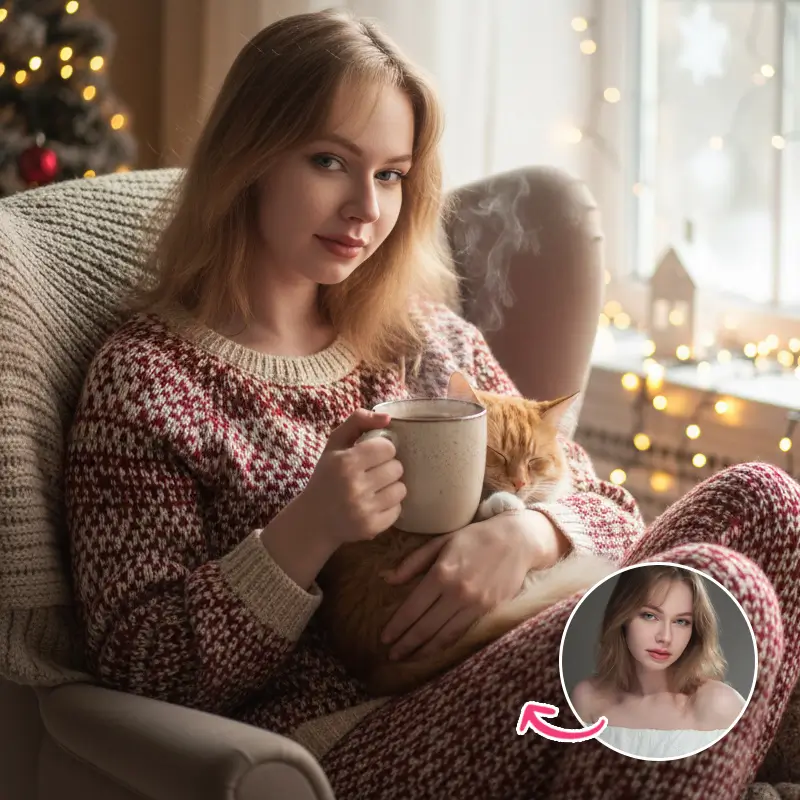
1. Cozy Morning Magic by the Window
Create a candid, cozy Christmas lifestyle photo of the person in the uploaded photo sitting by a window in soft morning light. They wear warm knit pajamas and hold a sleepy cat. Add softly glowing fairy lights in the background, a mug of cocoa with steam rising from it, and a natural handheld photography style. Make the scene feel magical and heartwarming.

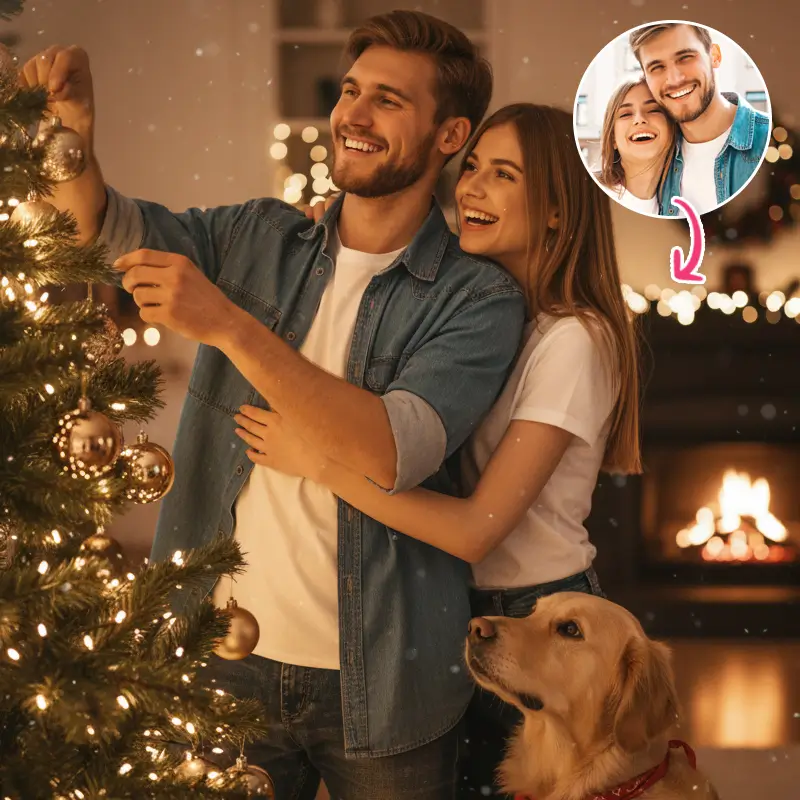
2. Tree Decorating Joy
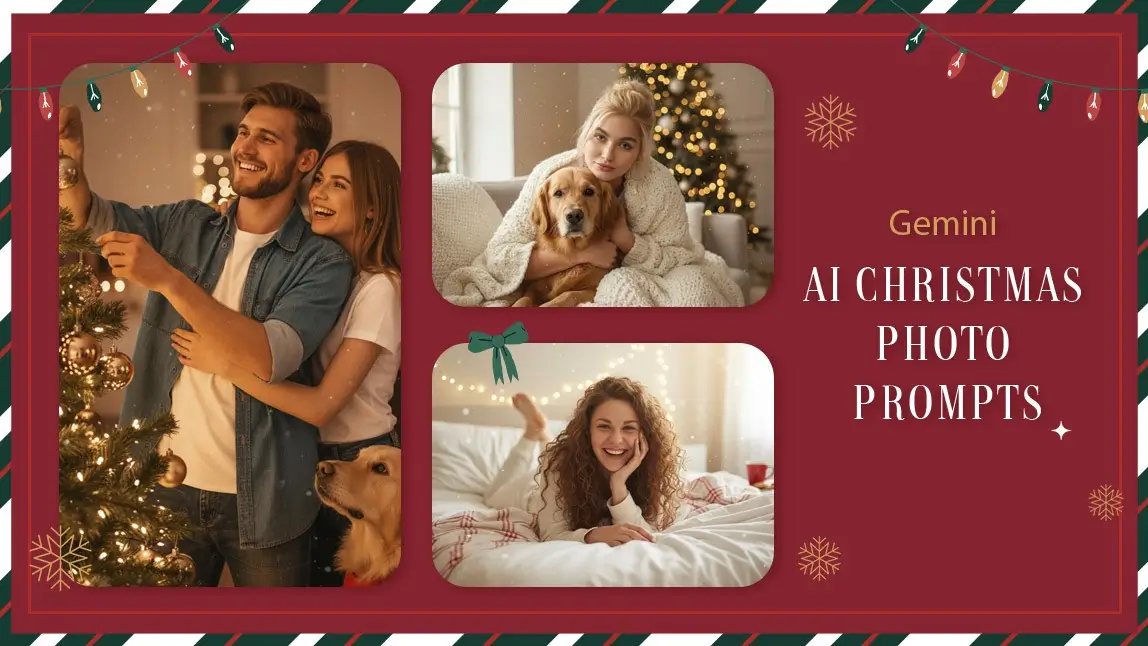
Create a warm, candid photo of the couple in the uploaded photo decorating a Christmas tree, with a golden retriever watching curiously. Add soft bokeh lights, natural shallow depth of field, cozy living room textures, and subtle magical sparkles. Make it feel like a spontaneous moment captured by a friend.
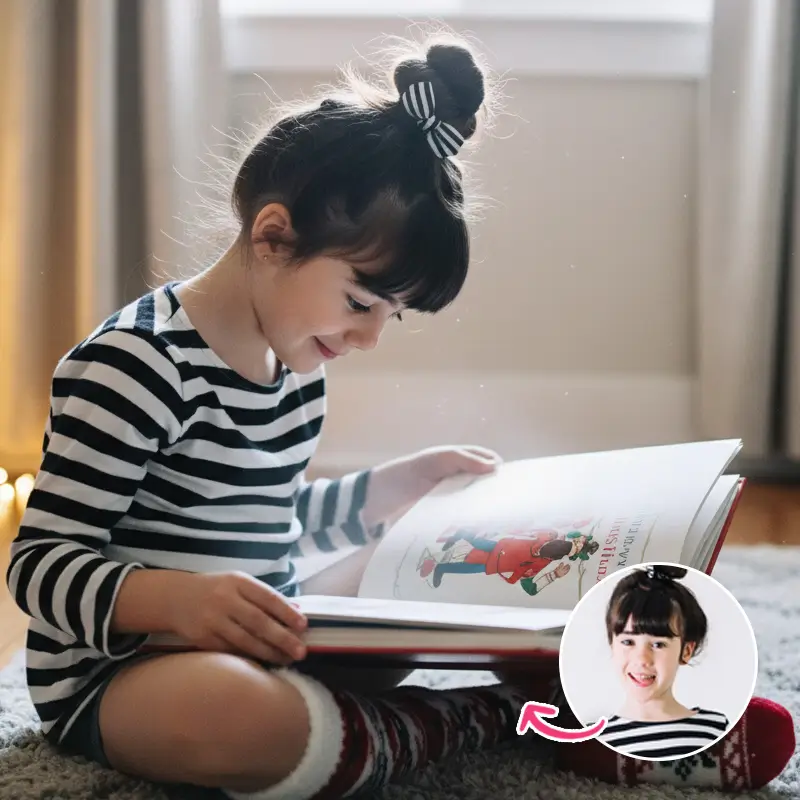
3. Whimsical Storytime Christmas Moment
Generate a cute lifestyle photo of the child in the uploaded photo wearing fuzzy socks and opening a Christmas storybook. Include warm wooden textures, soft ambient fairy lights, gentle morning film grain, and a subtle magical glow around the book. Create a cozy, whimsical atmosphere.
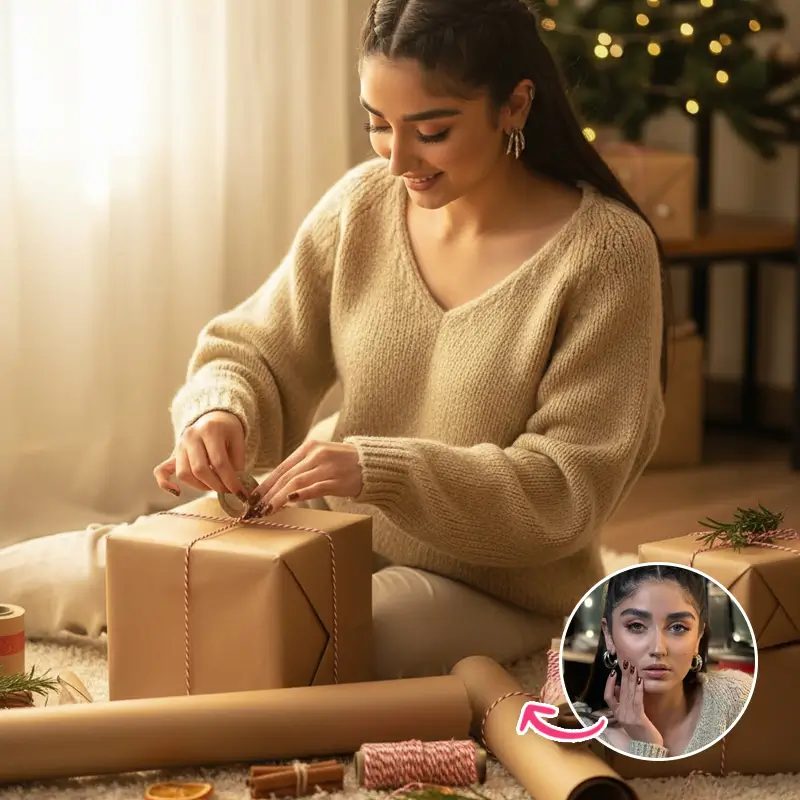
4. Gift Wrapping Magic
Create a candid Christmas photo of the girl in the uploaded photo wrapping holiday gifts. Include cozy textures, kraft paper, decorative twine, and neatly arranged presents. Use warm golden tones and natural photography lighting to create a cute, magical holiday moment.
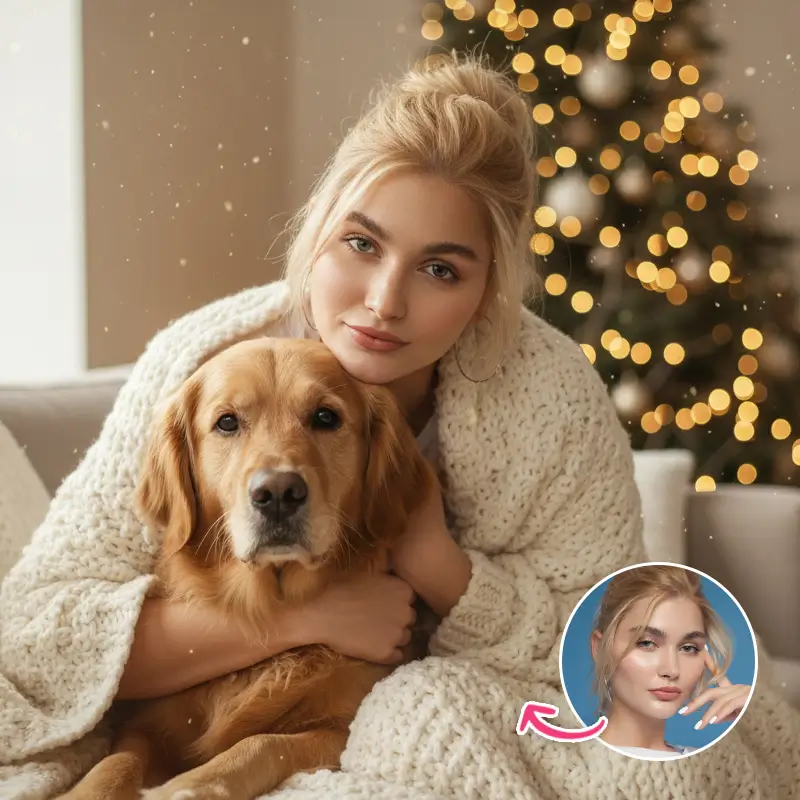
5. Holiday Snuggles
Generate a cozy living-room portrait of the person in the uploaded photo cuddling a dog under a chunky knit blanket. Place a Christmas tree softly blurred in the background. Add gentle window light, subtle floating sparkles, and a natural handheld lifestyle photography aesthetic.
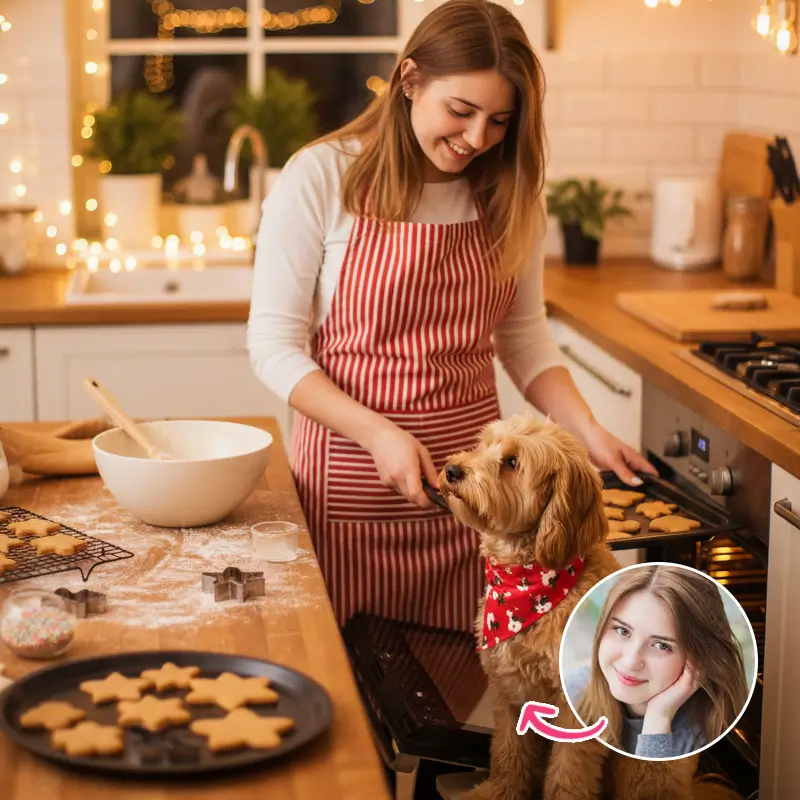
6. Sweet Christmas Baking Moment
Create a cute Christmas kitchen scene featuring the person in the uploaded photo baking cookies with a small dog wearing a festive holiday bandana. Add flour scattered across the counter, freshly baked cookies, warm ambient lighting, and a candid expression. Make the photo feel natural, cozy, and joyful.
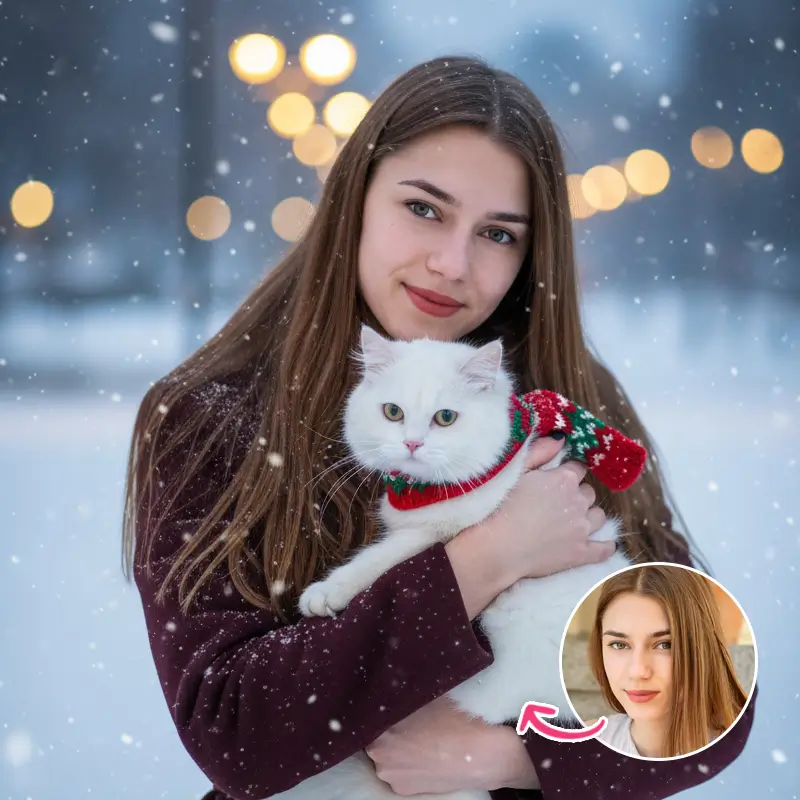
7. Snowy Outdoor Magic
Generate a candid outdoor Christmas portrait of the person in the uploaded photo holding a white cat wrapped in a tiny scarf. Add gently falling snow and softly glowing street lights in the background. Use a beautiful warm-versus-cool color balance to create a cozy winter atmosphere.
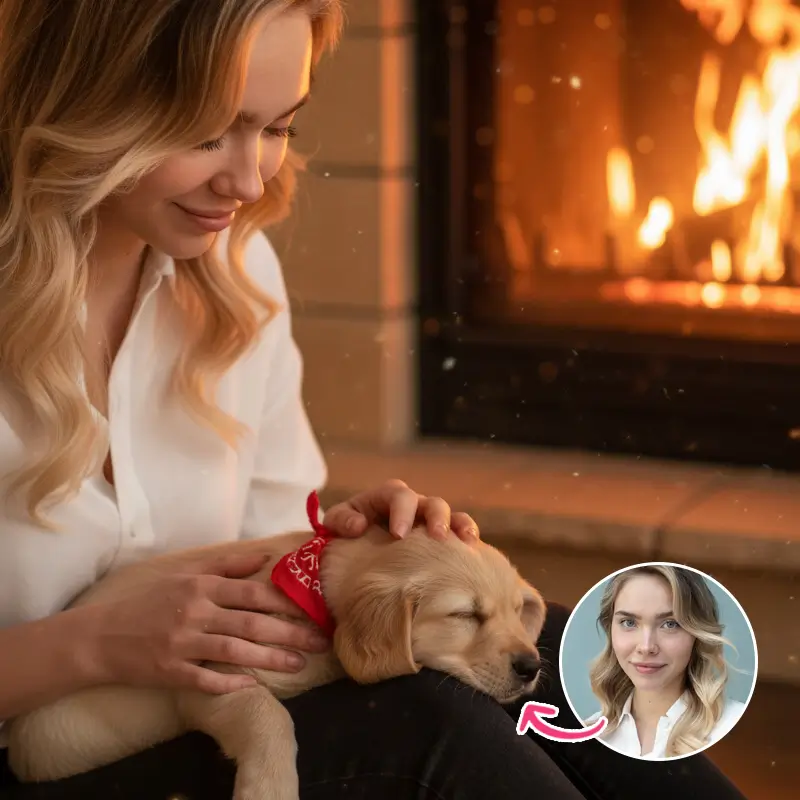
8. Fireplace Glow and Puppy Dreams
Generate a close-up cozy portrait of the person in the uploaded photo sitting beside a fireplace with a puppy sleeping on their lap. Use a warm orange firelight glow, fairy lights in the background, and soft magical sparkles drifting through the scene. Create a cinematic yet natural lifestyle photography look.
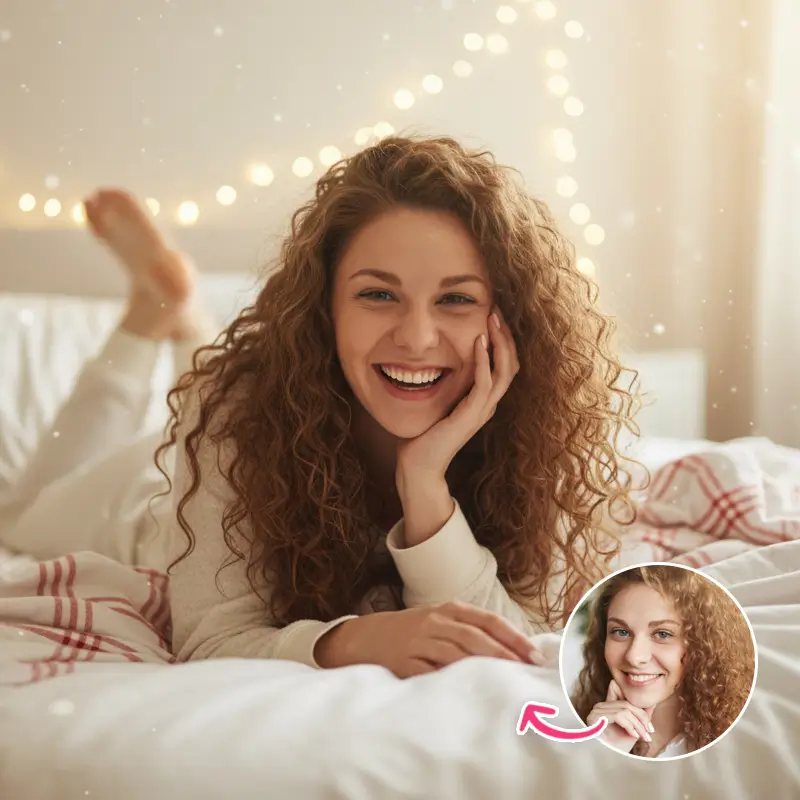
9. Candid Christmas Morning
Create a cute, candid Christmas morning photo of the person in the uploaded photo relaxing in a messy bed, wrapped in cozy blankets. Add string lights draped across the headboard, soft natural daylight, and a joyful laughing expression. Give the image a dreamy, warm holiday atmosphere.
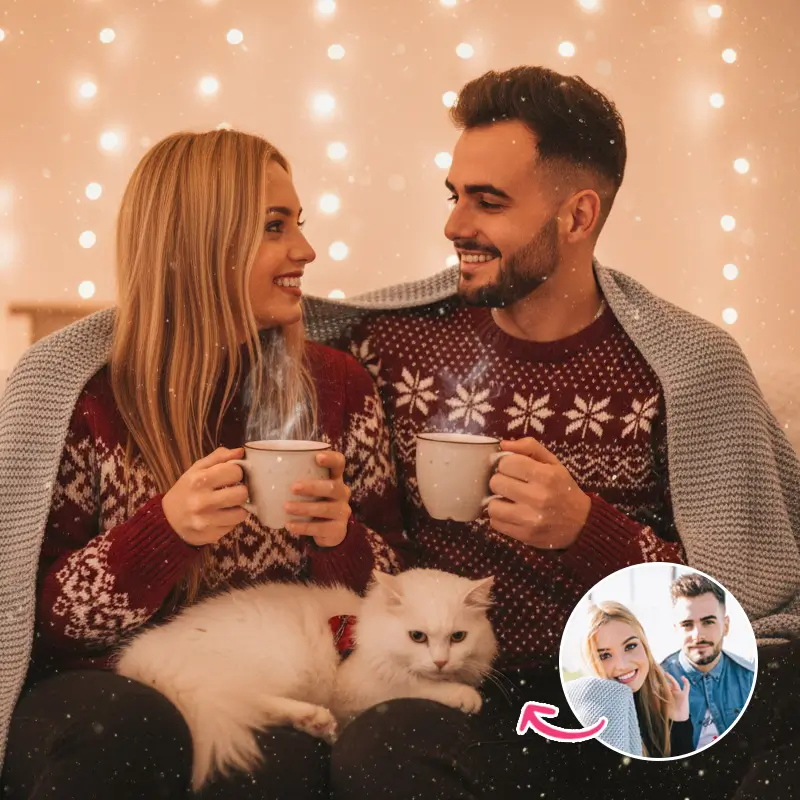
10. Warm Cocoa Moments
Create a cozy Christmas lifestyle portrait of the couple in the uploaded photo sipping hot cocoa together, with their cat lounging between them. Dress them in comfortable winter sweaters and add warm white fairy lights overhead. Use natural handheld photography, gentle depth-of-field imperfections, and subtle magical glitter in the air.
How to Create AI Christmas Photos with PicMa Studio
Ready to turn your favorite photo into a Christmas portrait? Follow these steps using PicMa Studio's Image-to-Image feature.
Step 1. Open PicMa Studio Image-to-Image
Visit PicMa Studio Image-to-Image to start creating your Christmas AI photo.
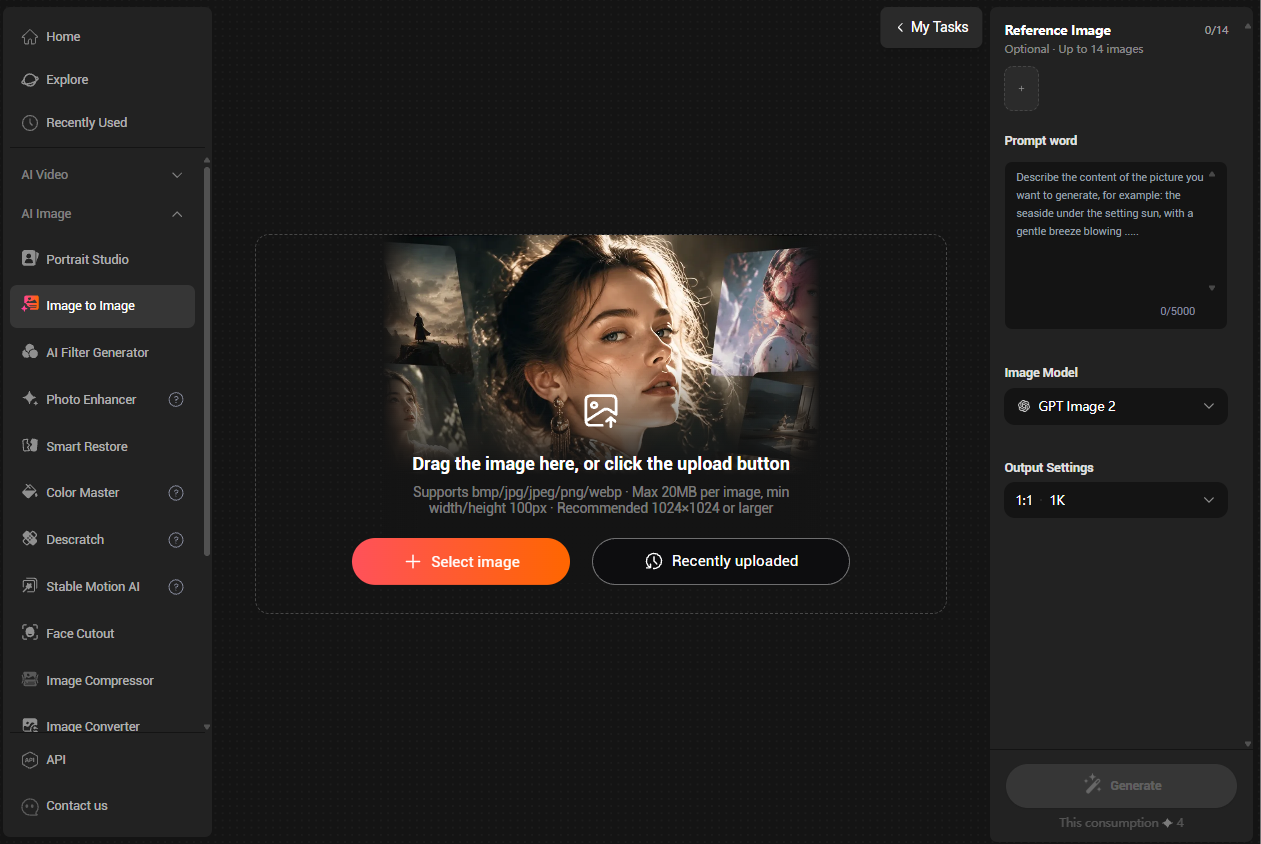
Step 2. Upload Your Photo
Upload the portrait you want to transform. You can also add a Christmas reference image to guide the visual style, outfit, or scene you want to recreate.
Step 3. Choose a Christmas Prompt
Pick one of the 10 prompts above and paste it into the prompt box. Adjust the details to match your preferred Christmas atmosphere, clothing, background, and lighting.
Step 4. Generate Your Christmas Photo
Generate your image and review the result. If the scene or details are not quite right, refine your prompt and generate again.
Tips for Better Christmas AI Photos
- Use a clear portrait: A well-lit photo with a visible face helps the AI understand your original appearance.
- Be specific: Describe the outfit, background, lighting, colors, and camera style rather than simply saying "Christmas photo."
- Use reference images: Upload a visual reference when you want to recreate a particular Christmas aesthetic.
- Keep your identity consistent: Include instructions such as "preserve the person's original facial features and identity" in your prompt.
AI Christmas Photo Prompts FAQs
1. What are the best AI prompts for Christmas photos?
Prompts that describe the scene, outfit, lighting, mood, and photography style tend to produce more detailed results. Candy-cane photoshoots, snowy portraits, and cozy Christmas mornings are popular ideas.
2. Can I use AI to turn my own photo into a Christmas picture?
Yes. Upload your own photo to an AI image-to-image tool and describe the Christmas scene you want to create.
3. Can I create Christmas AI photos with couples, families, or pets?
Yes. You can use individual, couple, family, or pet photos as the starting point and customize the prompt for your desired holiday scene.
4. How do I make my Christmas AI photos look realistic?
Use clear reference photos and include details about natural lighting, realistic textures, camera angles, and facial feature preservation in your prompt.
Create Your Own Christmas AI Photos
From glamorous candy-cane portraits to cozy family moments, these Christmas AI prompts offer plenty of inspiration for the holiday season. Try them with PicMa Studio and create festive photos worth sharing.
#ChristmasAIPhoto #ChristmasPhotoPrompts #AIChristmasPhotos #ChristmasPhotoIdeas #HolidayPortraits


 5

 English