If you have ever stared at a still photo and wished it could move just enough to feel alive, that is the real problem behind the search for what ai can create videos. Most people are not looking for a film studio in a browser. They want a fast way to turn an image into something more engaging for a post, a product page, a memory clip, or a simple social update. That is where PicMa AI Video fits, especially if you already use ai video platforms for quick visual work and do not need a complicated editing suite.
PicMa is worth looking at because it is not a single-purpose ai video generator. It is a broader platform with image tools, repair tools, enhancement tools, and a short video animation feature built around existing images. The key detail matters: PicMa’s AI Video starts from an image, then applies a motion template or effect to create a short animated clip. It does not work like a pure text-to-video tool, and that limitation shapes both its strengths and its realistic use cases.
What ai can create videos in PicMa AI?
PicMa can create short animated videos from existing images using its AI Video feature, which relies on templates or motion effects rather than a text prompt alone.
The most direct answer to what ai can create videos with PicMa is simple: it can animate a still image into a short clip. That may sound modest, but in practice it solves a common problem. A flat image often has enough content for a story, but not enough motion to stand out on a feed or product page. PicMa AI Video gives that image a controlled sense of movement without requiring professional editing skills.
The broader PicMa platform matters here because the output quality is tied to the source image. If the image is blurry, low-resolution, scratched, or badly compressed, the animated result will usually inherit some of those weaknesses. That is why PicMa’s other tools, such as Photo Enhancer, Smart Restore, Descratch, and Background Remover, are relevant to the video workflow even though they are not video features themselves. In other words, PicMa is not only an ai video generator; it is a multi-tool environment where you can prepare the image first and then animate it.
· AI Video starts from an existing image.
· Users choose a motion template or effect.
· The result is a short animated video clip, not a full timeline edit.
· PicMa also includes image tools that can improve the source before animation.
How the workflow actually feels in practice
The workflow is quick and low-friction: upload an image, pick a template, preview the motion, and export a short clip.
A realistic PicMa workflow usually begins before AI Video at all. If the image is soft, noisy, faded, or compressed, it often makes sense to run it through Photo Enhancer or Smart Restore first. For a damaged scan, Descratch may help remove obvious marks. For a portrait or product image with distracting surroundings, Background Remover can produce a cleaner starting point. This pre-step does not guarantee a better animation, but it often gives the motion effect a cleaner base to work from.
Once the image is ready, AI Video is intentionally simple. You do not spend time building a scene from scratch. You choose from the available motion template or effect, let the system generate the clip, and export the result. That simplicity is the main reason the feature is appealing to people who want quick results. It is also why it feels different from more ambitious ai video tools that promise complete creative control but require much more time and know-how.
· Best results usually start with a clean, clear image.
· Template-based motion keeps the workflow fast.
· Pre-enhancement can be more important than the animation step itself.
· The process suits users who want speed, not complex editing.
What PicMa AI Video does well
PicMa is strong when the goal is a usable short clip from an image, especially for social content, memory projects, and lightweight product visuals.
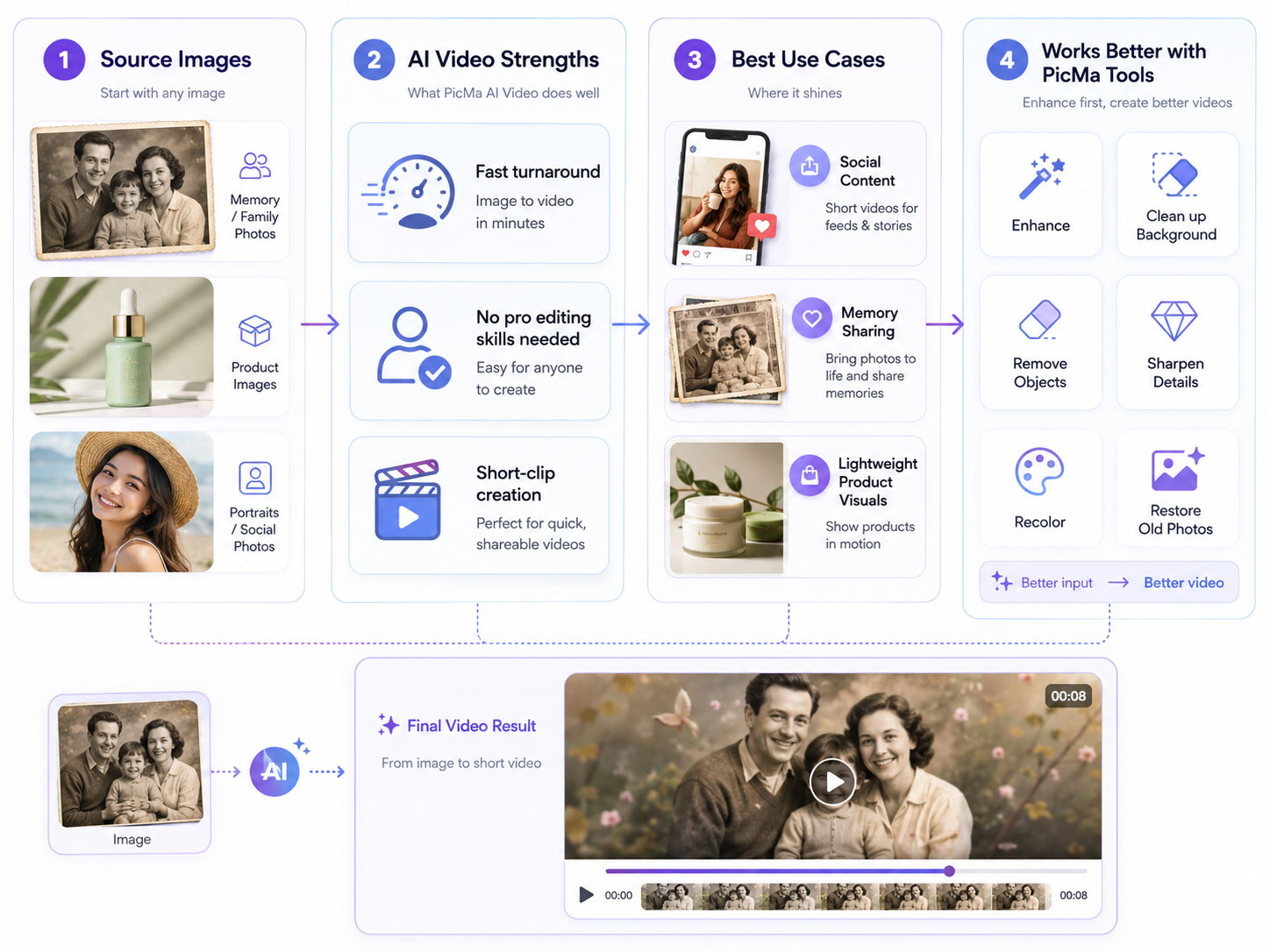
One of the main strengths of PicMa AI Video is that it lowers the effort required to make something motion-based. Many people do not need a cinematic sequence; they need a better way to present a single image. That might be a restored family photo that gently animates for sharing, a product image that feels a little more dynamic, or a portrait that becomes more eye-catching in a feed. In those scenarios, the feature is practical rather than flashy.
Another strength is how the video feature fits into the rest of PicMa. Because the platform includes image enhancement, background cleanup, object removal, sharpening, recoloring, and restore tools, you can make the source material more presentable before you animate it. That reduces the amount of post-processing you may need later. For people who do not want to jump between several ai video platforms and separate image-editing apps, that convenience is a real benefit.
· Fast turnaround from image to short clip.
· No professional editing skill required.
· Useful for social posts, memory content, and simple product visuals.
· Pairs well with PicMa image repair and enhancement tools.
Where the limitations show up
PicMa AI Video is limited by templates, source image quality, and the lack of frame-level manual editing.
The biggest limitation is creative freedom. Because the feature is template-based, you are working inside a defined motion structure. That is good for simplicity, but it also means you cannot expect the kind of open-ended scene control associated with more advanced video production software. If your project depends on very specific motion timing, custom choreography, or detailed storytelling, PicMa AI Video will feel constrained.
A second limitation is quality dependence. If the source image has blur, compression artifacts, poor cropping, or heavy damage, those problems can still be visible after animation. That is especially true with faces and fine details. A third limitation is that there is no frame-level manual editing control, so you cannot micro-adjust movement the way you would in a conventional timeline-based editor. For some users, that is the whole point of using it; for others, it is exactly why they will outgrow it.
· Template-based output reduces creative flexibility.
· Low-quality source images can produce weak results.
· There is no frame-by-frame manual editing control.
· It is not built for long-form or deeply customized video storytelling.
Who PicMa AI Video is best for, and who should look elsewhere
PicMa AI Video fits people who want fast, simple image animation; it is not ideal for users who need advanced video production control or text-only generation.
The best fit is a user who already has a decent image and wants a short animated result without a learning curve. That could be a creator making a quick post, a small business owner improving a product visual, or someone restoring a family photo and wanting a more shareable version. If the job is to turn one picture into a small piece of motion content, PicMa is a sensible choice. If you also need image cleanup before the animation, the platform makes that easier by keeping the tools in one place. You can explore the full platform at <a href="https://picma.magictiger.ai">PicMa AI</a> or read more about its toolset at <a href="https://picma.magictiger.ai/support">support</a>.
It is not ideal for users who want a full video studio, a timeline editor, or a workflow that begins only with text. The tool does not support the idea that you can simply type a scene prompt and get a fully formed video from scratch. That means people looking for elaborate AI storytelling, multi-shot sequences, or scene-by-scene creative direction should look at other options. PicMa is better thought of as a practical image-to-short-video feature inside a wider enhancement platform, not as a replacement for advanced video production software. If you want examples of adjacent use cases, the <a href="https://picma.magictiger.ai/blog">PicMa blog</a> is the best place to see how the platform is used for quick visual improvements.
· Good fit: social content creators.
· Good fit: small businesses and product visuals.
· Good fit: people restoring old photos who want a short animated version.
· Not a fit: advanced editors needing frame-level control.
· Not a fit: users expecting pure text-to-video scene generation.
Comparison
| Tool | Best for | Speed | Consistency | Main drawback |
| PicMa AI Video | Turning an existing image into a short animated clip | Fast | Fairly consistent when the source image is clean | Template-based motion limits creative freedom |
| PicMa Photo Enhancer | Improving clarity, sharpness, and resolution before animation | Fast | High for suitable images | Does not create motion by itself |
| PicMa Smart Restore | Repairing old or damaged photos before video use | Fast | High on aging artifacts and scratches | Best for restoration, not animation |
| Typical text-to-video AI tool | Generating scenes from written prompts | Varies | Varies widely | May not match the exact image you want to use |
| Advanced video editor | Frame-by-frame control and detailed timeline work | Slower | High with skilled editing | Requires more time and experience |
FAQ
· Q: What ai can create videos in PicMa?
A: PicMa’s AI Video feature can turn an existing image into a short animated video clip using a motion template or effect.
· Q: Is PicMa a text-to-video generator?
A: No. PicMa AI Video starts from an image, not from a text prompt alone. That is an important limitation if you are looking for a pure prompt-driven workflow.
· Q: Can I edit the animation frame by frame?
A: No. PicMa AI Video does not offer frame-level manual editing control, so it is better for quick template-based animation than detailed video production.
· Q: How can I improve results before animating an image?
A: You can use PicMa tools such as Photo Enhancer, Smart Restore, Descratch, Background Remover, or AI Sharpen Image to make the starting image cleaner and more usable.
· Q: Who should use PicMa AI Video?
A: It is best for users who want a fast, simple way to turn a good image into a short video clip for social posts, memory sharing, or lightweight product visuals.
Conclusion
So, what ai can create videos in the practical sense? With PicMa, the answer is a focused one: it can animate an existing image into a short video clip, quickly and with very little setup. That makes it useful for everyday content tasks, especially when you already have a strong image and want a small motion upgrade rather than a full production workflow.
The tradeoff is equally clear. PicMa AI Video is not a full creative studio, and it is not a text-to-video system. Its template-based structure, dependence on source quality, and lack of frame-by-frame control limit what it can do. But if you want a fast, reliable, image-first way to create short videos, PicMa is a sensible tool to try.

 5
5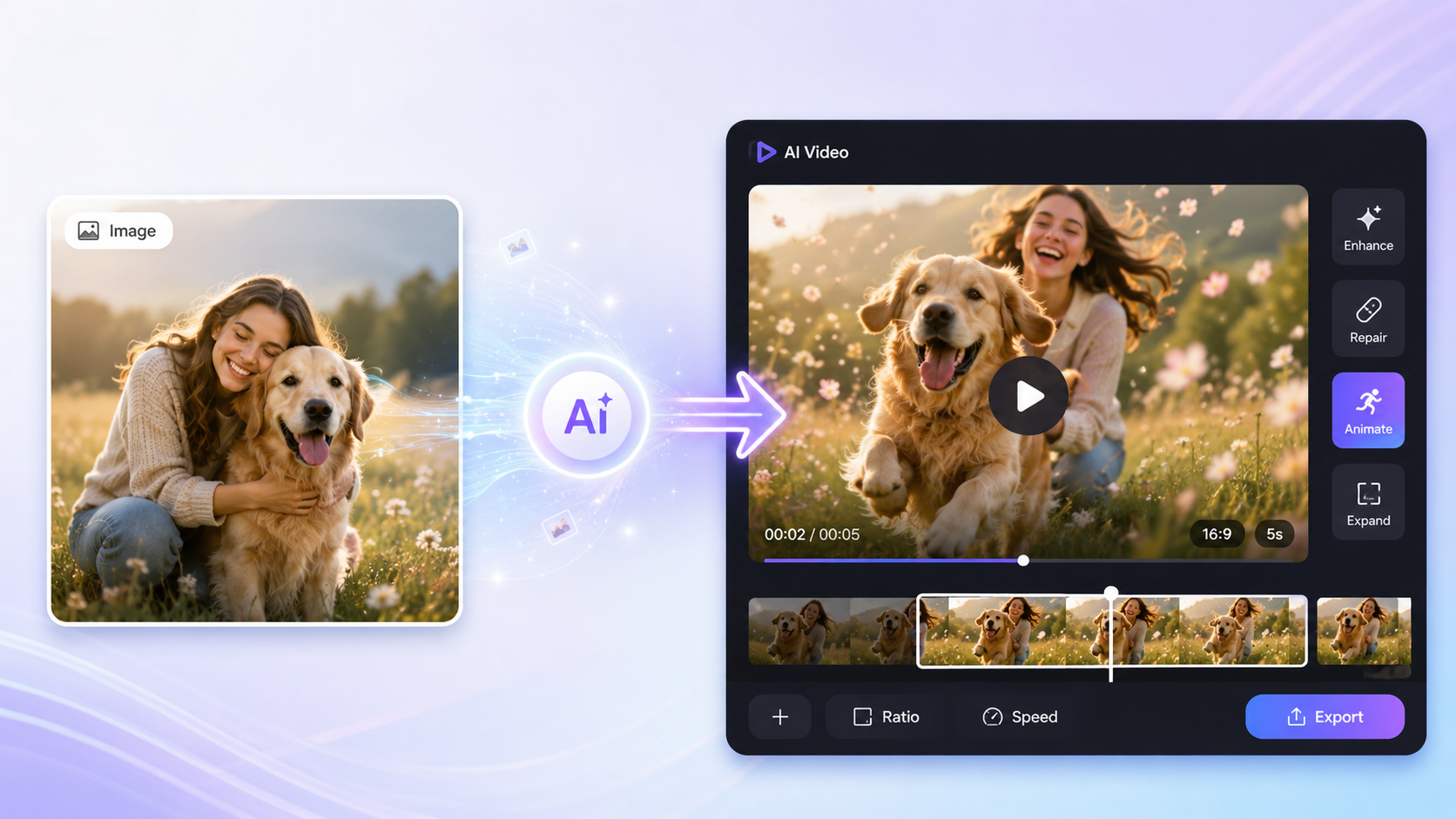

 English