If you have ever asked can ai create videos automatically, the short answer is yes — but only if you understand what kind of video creation you are actually asking for. The most reliable AI tools today are not replacing every part of editing. They are doing something narrower and, for many people, more useful: taking an existing image and turning it into a short animated clip with minimal effort. That is where the real value of ai auto video tools shows up.
This matters because a lot of people searching for automated video ai are really trying to solve one practical problem: they need video content faster than a manual editor can produce it. Maybe it is a product photo that needs movement for social media, a portrait that would be more engaging with subtle animation, or a flat visual that needs one more layer of life. The catch is that ai content creation still depends heavily on the source material, and the best tools make that tradeoff clear instead of pretending it does not exist.
What AI can actually automate when making videos
AI can create videos automatically when the task is narrow: it can transform an existing image into a short animated clip, apply motion patterns, and export something that looks more dynamic than a still photo. It cannot yet replace every kind of video production, especially when you need precise control or a fully custom story.
The phrase can ai create videos automatically sounds broad, but in practice the answer depends on the starting point. If you begin with a photo, many tools can automate the boring parts of motion creation: adding movement, simulating camera flow, and generating a short clip without manual keyframing. That is a real improvement for people who need quick visual content and do not want to open a full editing timeline.
The important limitation is that automation usually means guided automation, not unrestricted filmmaking. Most ai auto video systems work from templates or prebuilt motion styles. That makes them fast, but it also means the output follows a pattern. If your image is a strong fit for one of those patterns, the result can feel polished enough for social posting. If it is not, the motion may look generic, awkward, or simply too similar to every other automated clip you have seen.
· Best automation task: turning a still image into a short animated video
· Common output: subtle motion, template-based animation, short social-ready clips
· Not fully automated: scene writing, frame-by-frame editing, or complex visual storytelling
Where automated video AI works well in real life
Automated video AI works best when speed matters more than custom control. It is useful for social posts, lightweight ads, quick product content, and simple animated assets that need movement without a full production workflow.
A realistic test scenario makes this easier to understand. Imagine a small shop owner with one clean product photo and one portrait for a promotional post. The goal is not a cinematic ad. The goal is to make the post feel less static and more visible in a feed. In that situation, automated video AI is genuinely helpful because it reduces the process from editing dozens of settings to selecting a motion style and exporting a short clip.
That same logic applies to personal content, too. A family portrait, a travel photo, or a scanned memory can feel more engaging if it has gentle movement. These clips are not meant to be perfect substitutes for handcrafted video. They are shortcuts for attention. When people say they want AI content creation, they are often asking for exactly that kind of shortcut: enough motion to catch the eye, not a full production pipeline.
· Social media content that needs quick motion
· Product visuals that benefit from a light animated feel
· Personal images that become more engaging with subtle movement
· Simple content workflows where speed matters more than depth
What automated video AI still cannot do well
Automated video AI still struggles with deep creative control. It is not ideal for users who want frame-level editing, highly specific camera choreography, or fully custom scenes built from a text-only idea.
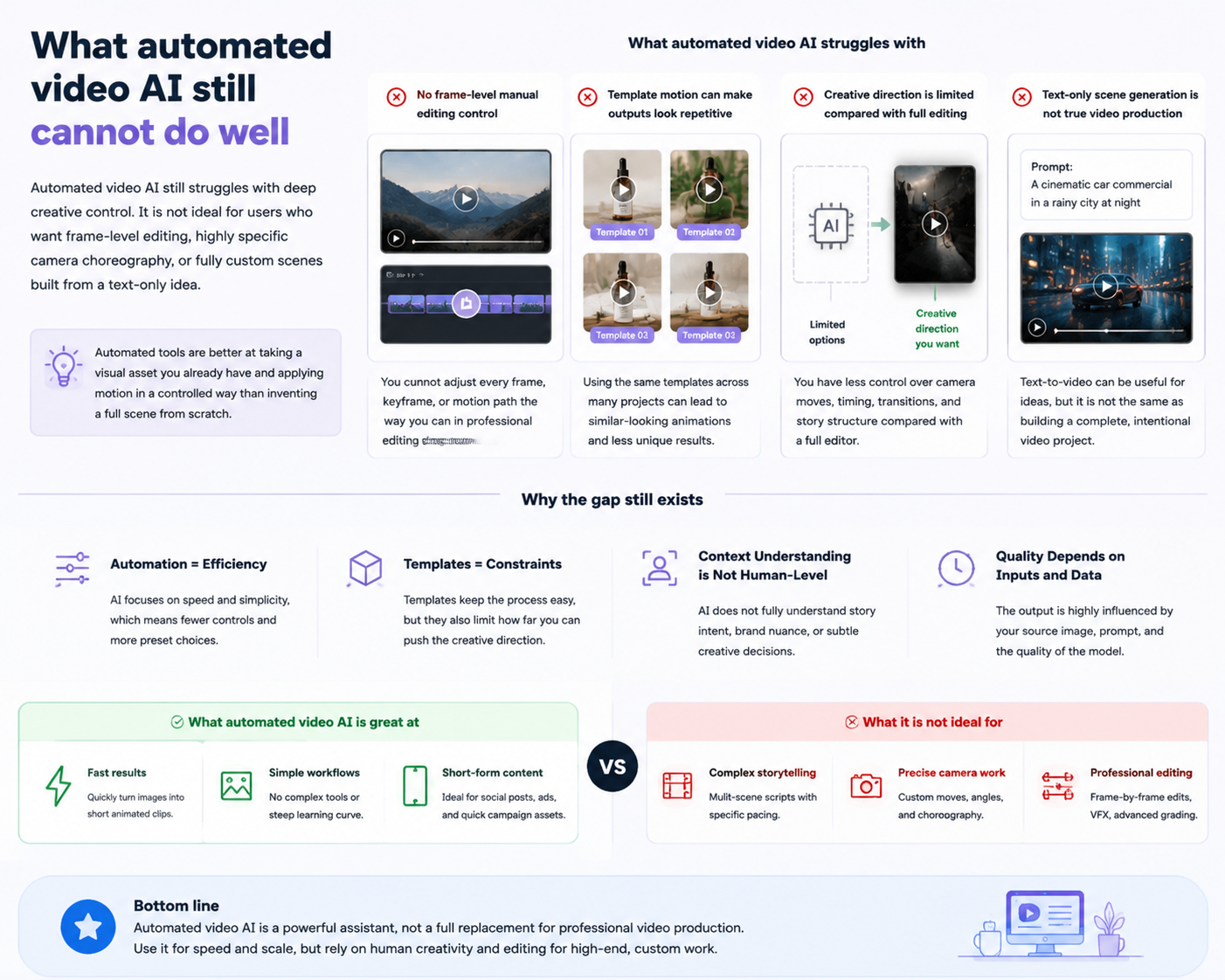
This is where expectations need to stay realistic. A lot of people hear ai auto video and imagine a system that can think through an entire video project the way a human editor would. That is not what current tools do. They are much better at taking a visual asset you already have and applying motion in a controlled way than they are at inventing a full scene from scratch.
The biggest limitation is rigidity. Template-based systems are efficient, but they do not give you the same freedom as a manual editor or motion designer. If you want a very specific camera path, exact timing, or a sequence of edits that follows a script beat by beat, automation will probably feel too boxed in. That does not mean the technology is weak. It means it is solving a different problem.
· No frame-level manual editing control in most automated workflows
· Template motion can make outputs look repetitive
· Creative direction is limited compared with full video editing software
· Text-only scene generation is not the same as true automatic video production
How to get better results from AI content creation workflows
The best results usually come from starting with a clean, well-composed image, choosing a motion style that matches the subject, and keeping expectations modest. If the source image is weak, automation will not magically solve everything.
A practical workflow matters more than the promise of automation. First, choose an image with enough detail and a clear subject. A blurry or compressed source gives the AI less to work with, which often shows up in the final clip as soft edges, awkward movement, or a lack of clarity. Second, use motion that suits the photo. A calm portrait usually works better with gentle movement than with aggressive animation. A product shot may need a different treatment from a lifestyle image.
Third, test one clip before you decide whether the tool is right for your project. That sounds obvious, but it saves time. One common failure in ai content creation is assuming the same motion style will work across every image. It usually does not. A system that can produce one polished result from one image may still struggle on the next if the framing, lighting, or subject shape changes. That is normal, not a bug in your workflow.
· Use sharp, well-lit source images whenever possible
· Match motion style to the subject instead of forcing the same effect everywhere
· Test a single clip first before batching content
· Treat automation as a draft generator, not a final answer for every asset
A related tool for image-based video animation: PicMa AI Video
If your main need is to animate an existing image into a short clip, PicMa AI’s AI Video feature is the most relevant bridge from still photo to automated motion. It is image-first, template-based, and designed for quick short-video creation rather than full custom scene generation.
This is where PicMa AI fits naturally into the conversation. The platform is broader than video alone: it includes photo enhancement, background removal, object removal, restoration, and several other AI image tools. But the feature that matters most here is AI Video, because it directly addresses the question of whether AI can create videos automatically from an image. The workflow starts with an existing image, then applies a motion template or effect, and exports a short animated clip.
That distinction is important. PicMa AI Video is useful when you already have a photo and want a quick animated version without learning a professional editor. It is not a pure text-to-video generator, and it should not be treated as one. If your image is low quality, using tools like Photo Enhancer, Smart Restore, or Descratch first can improve the starting point. You can explore the platform here: [PicMa AI](https://picma.magictiger.ai) and the broader tool set at [PicMa support](https://picma.magictiger.ai/support).
· AI Video starts from an existing image, not a text prompt
· Useful for short animated clips created quickly from photos
· Works best when the source image is already clean and clear
· Can be paired with restoration or enhancement tools before animation
Comparison
| Tool | Best for | Speed | Consistency | Main drawback |
| Manual video editing | Custom storytelling and precise control | Slow | High once edited | Needs skill and time |
| AI auto video tools | Quick image-to-video clips | Fast | Medium | Template limits |
| Automated video AI with text prompt | Idea exploration and rough scene generation | Fast | Variable | Often less predictable |
| PicMa AI Video | Turning existing images into short animated clips | Fast | Medium to high on suitable images | No frame-level manual editing control |
FAQ
· Q: Can AI really create videos automatically from nothing?
A: Not in the fully open-ended sense most people imagine. Current tools are much better at automating video from an existing image or a limited input set than generating a polished, fully custom video from scratch.
· Q: Is AI auto video good for social media?
A: Yes, especially for short posts where you want motion without spending time on traditional editing. It is less suitable for detailed brand films or complex campaigns.
· Q: What is the biggest limitation of automated video AI?
A: The biggest limitation is control. Template-based motion is fast, but it reduces creative freedom and can make outputs feel similar across different users.
· Q: Does source image quality matter?
A: Very much. If the starting image is blurry, compressed, scratched, or poorly lit, the final animated result will usually inherit those problems.
· Q: Who is not a good fit for AI video automation?
A: People who need precise editing, custom camera work, or fully scripted scene construction will probably find automated tools too limited.
Conclusion
So, can ai create videos automatically? Yes — if you mean turning an existing image into a short animated video with little effort. That is a real, useful form of automation, and it can save time for social content, simple promos, and quick visual experiments.
The honest answer is also that automated video is still bounded by templates, source quality, and limited manual control. For users who want that kind of fast image-to-video workflow, PicMa AI’s AI Video feature is a practical complement, especially when paired with stronger source-image tools first. For more details on the platform, visit [PicMa AI](https://picma.magictiger.ai).

 9
9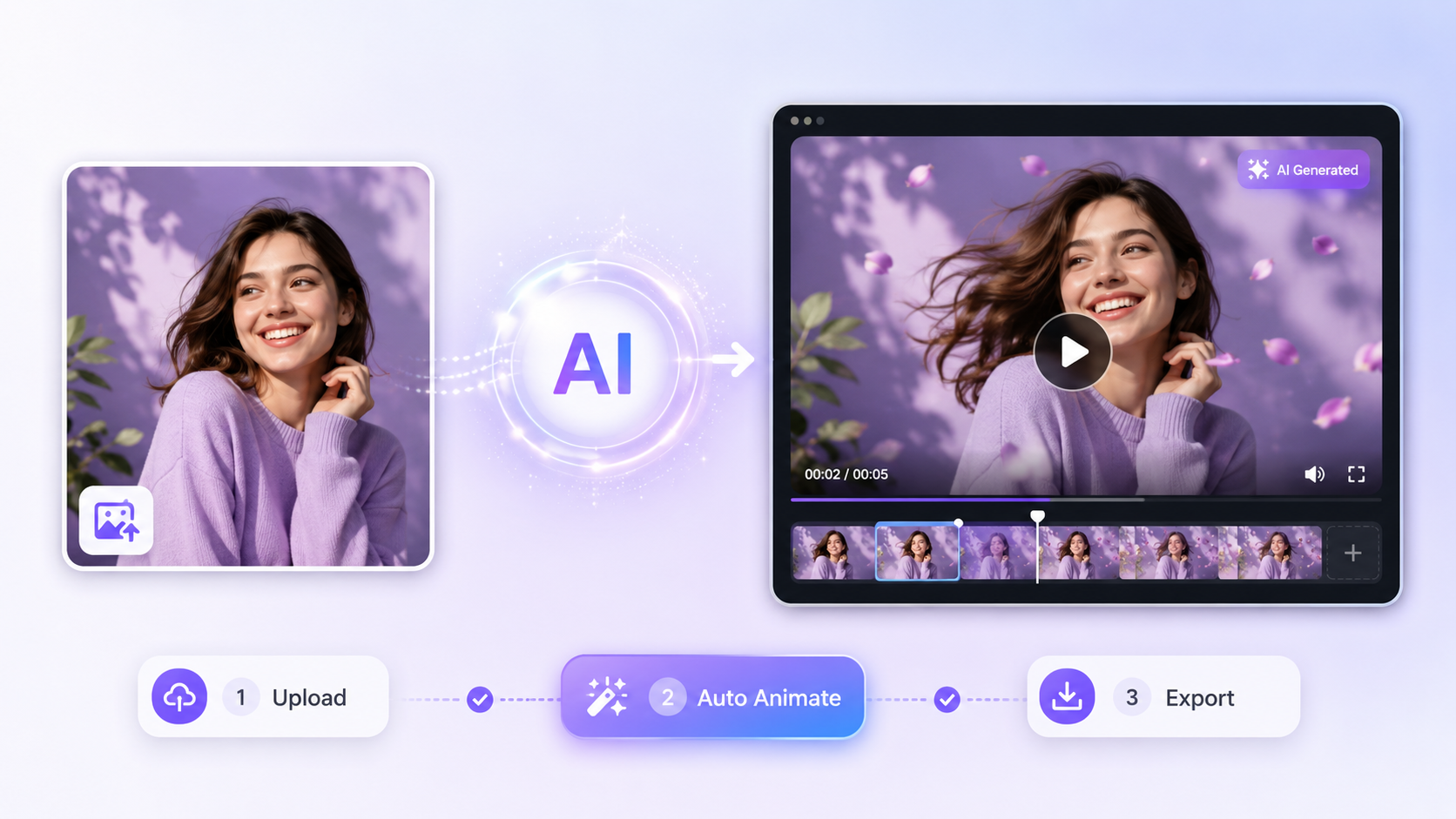

 English