If you are searching for the best ai video generator online, the real question is usually simpler than it sounds: can this tool turn a still image into a short video without wasting your time? For many people, the goal is not to build a studio-style animation pipeline. They just want a fast online ai video maker that can take one good photo and make it feel more alive.
PicMa AI fits that use case better than a lot of tools because it is not only a video feature. It is a broader ai generator online for image enhancement, cleanup, restoration, and light video creation. That matters because AI Video works from an existing image, not from a text prompt. If you understand that limitation up front, PicMa becomes easier to judge honestly.
What the best ai video generator online should actually do
The best tool is not the one with the most dramatic claims. It is the one that makes a short, usable video from a real image with the least friction and the fewest surprises.
A lot of people searching for the best ai video generator online are not looking for a full production suite. They want something practical: upload a photo, pick a motion style, preview the result, and export a short clip that looks clean enough for a post, ad, or message. That is the standard PicMa AI Video should be judged against. It is an image-to-video feature built for simple animation, not a prompt-driven scene builder.
That distinction matters because online ai video maker searches often mix together very different products. Some tools promise cinematic generation from text, others focus on avatars, and some are basically templated motion effects. PicMa belongs in the last category. It takes an image as the starting point, then applies a motion template or effect. If you want a fast result from a real photo, that workflow can be a strength. If you want full scene invention, it is the wrong fit.
· Best use case: animate an existing image into a short clip
· Input method: start from an image, not a text prompt
· Output style: template-based motion rather than frame-by-frame design
· Best evaluation metric: usefulness, speed, and consistency, not cinematic freedom
Where PicMa AI Video fits best in a real workflow
PicMa works best when the image is already strong, the motion need is modest, and you want to get from photo to short video without opening a traditional editor.
In practice, the cleanest workflow is usually image first, animation second. If the original picture is blurry, low-resolution, or badly compressed, it is worth improving it before you animate. That is where PicMa’s broader toolkit helps. Photo Enhancer can improve clarity and resolution, Smart Restore can repair old or damaged images, and Descratch can remove obvious scratch marks from scanned photos. Once the source image is in better shape, the AI Video feature has a better foundation to work with.
This is also why PicMa can feel more useful than a standalone ai video web tools product. It does not stop at motion. If you are preparing a product photo, you might use Background Remover first, then Product Image Enhancer, then animate the result with AI Video. If you are fixing a portrait, you might use Face Cutout or Photo Enhancer before choosing a motion template. The value is in the sequence, not just the final clip.
· Improve the source image first when quality is weak
· Use AI Video when you need a short clip, not a full scene
· Combine image tools and video tools for a cleaner result
· Choose the motion template based on the subject, not just the visual effect
What works well, and what does not, in the AI Video feature
The feature is strong for simplicity and speed, but weak on creative freedom and manual control.
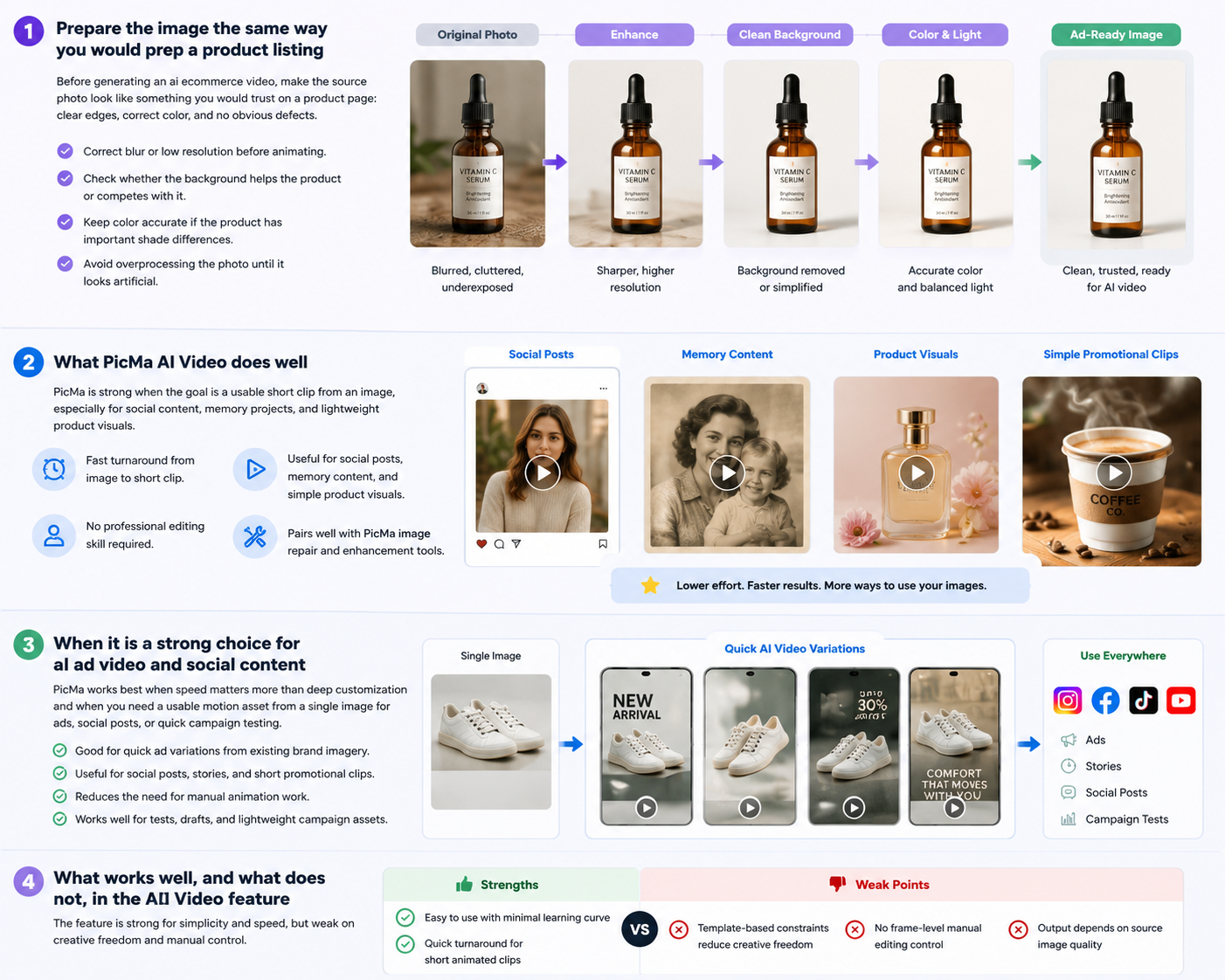
The biggest advantage is that the process is straightforward. You do not need to learn keyframes, timeline editing, or complicated export settings. For users who mainly want an online ai video maker that is easy to understand, that simplicity is valuable. It also reduces decision fatigue: instead of building a scene from scratch, you pick a motion style and see what happens.
Still, there are real tradeoffs. The templates shape the outcome, so your creative control is limited. You cannot expect frame-level manual editing, and you should not assume every image will animate well. A face photo, a portrait, or a product shot may produce useful motion, but some images will be better suited than others. The output quality also depends heavily on the source image. If the original is soft, cluttered, or underexposed, the result will usually reflect those weaknesses.
· Strength: easy to use with minimal learning curve
· Strength: quick turnaround for short animated clips
· Weak point: template-based constraints reduce creative freedom
· Weak point: no frame-level manual editing control
· Weak point: output depends on source image quality
Who should choose PicMa, and who should keep looking
Choose PicMa if you want a practical image-to-video workflow; keep looking if you need advanced video authoring or prompt-first generation.
PicMa is a strong fit for creators who already have an image and want to turn it into something more eye-catching with minimal effort. That includes social media managers, small business owners, casual creators, and people updating profile content or lightweight campaign visuals. It is also a sensible choice for users who want one platform that can enhance the image and then animate it, instead of bouncing between separate tools.
It is not ideal for users who want to generate a full video from text prompts, direct every motion decision, or edit individual frames. It is also not the best match for projects that need long-form narrative work. If your goal is more like filmmaking than photo animation, PicMa AI Video will probably feel too constrained. In that case, the tool may still be useful for prep work — for example, using Background Remover or Photo Enhancer — but not as the primary video solution.
· Good fit: social posts, profile clips, and simple marketing visuals
· Good fit: users who want image enhancement and animation in one platform
· Not ideal: frame-by-frame editors
· Not ideal: prompt-only video generation users
· Not ideal: long-form storytelling or highly customized motion design
How to judge PicMa against other ai video web tools
Compare the workflow, not just the promise. PicMa is best when the image matters more than the animation itself.
When comparing ai video web tools, many buyers focus on output style and forget to ask what the tool actually starts with. Some tools are text-first, some are avatar-first, and PicMa is image-first. That makes it a better match for people who already have a photo they trust and want a short animated result. It is also useful if you need supporting tools around the video step, such as Photo Enhancer, Smart Restore, or Background Remover.
The tradeoff is clear. If you want a platform that gives you maximal motion design freedom, PicMa will feel limited. If you want to move quickly from an existing image to a shareable clip, it may be exactly right. For a lot of people, that is what the best ai video generator online really means: not the most impressive demo, but the most reliable shortcut from source image to finished result.
· Compare starting input: image-first vs prompt-first vs avatar-first
· Compare control level: templates vs manual timeline editing
· Compare workflow depth: single feature vs multi-tool platform
· Compare practical speed: how fast you can get something usable
Comparison
| Tool | Best for | Speed | Consistency | Main drawback |
| PicMa AI Video | Turning existing images into short animated clips | Fast | Good when the source image is strong | Template-based, with limited manual control |
| Text-first video generators | Users who want prompt-driven scene creation | Variable | Depends on prompt quality | Not image-first and may not match a specific photo workflow |
| Traditional video editors | Advanced custom editing and timeline control | Slower | High in skilled hands | Requires more time and editing experience |
| Standalone photo-to-video apps | Simple animation from a photo only | Fast | Often basic | Usually fewer supporting tools than a multi-tool platform |
FAQ
· Q: Is PicMa really the best ai video generator online?
A: It can be one of the best choices if your goal is to animate an existing image quickly and you value simplicity over deep control. If you need prompt-first scene generation or advanced editing, another tool may fit better.
· Q: Does PicMa create videos from text prompts?
A: No. PicMa AI Video starts from an existing image and uses motion templates or effects. It is not a pure text-to-video generator.
· Q: Can I improve my image before animating it in PicMa?
A: Yes. That is one of PicMa’s strengths. You can use tools like Photo Enhancer, Smart Restore, or Descratch before using AI Video.
· Q: What is the main limitation of PicMa AI Video?
A: The main limitation is creative control. Because the feature is template-based, it does not offer frame-level manual editing, and the result depends a lot on the quality of the source image.
· Q: Who should not use PicMa for video creation?
A: It is not ideal for users who want long-form video creation, advanced motion design, or fully prompt-driven video generation from scratch.
Conclusion
If you define the best ai video generator online as the easiest way to turn a real image into a short, useful clip, PicMa makes a convincing case. Its AI Video feature is practical, quick, and easy to understand, and the broader platform adds value because you can improve the source image before you animate it.
Just be clear about what it is not. PicMa is not a full text-to-video studio, and it is not built for frame-by-frame control. For the right user, that is fine. In fact, that constraint is part of why it works: it keeps the workflow simple enough that you can finish something clean without spending an afternoon inside an editor.

 8
8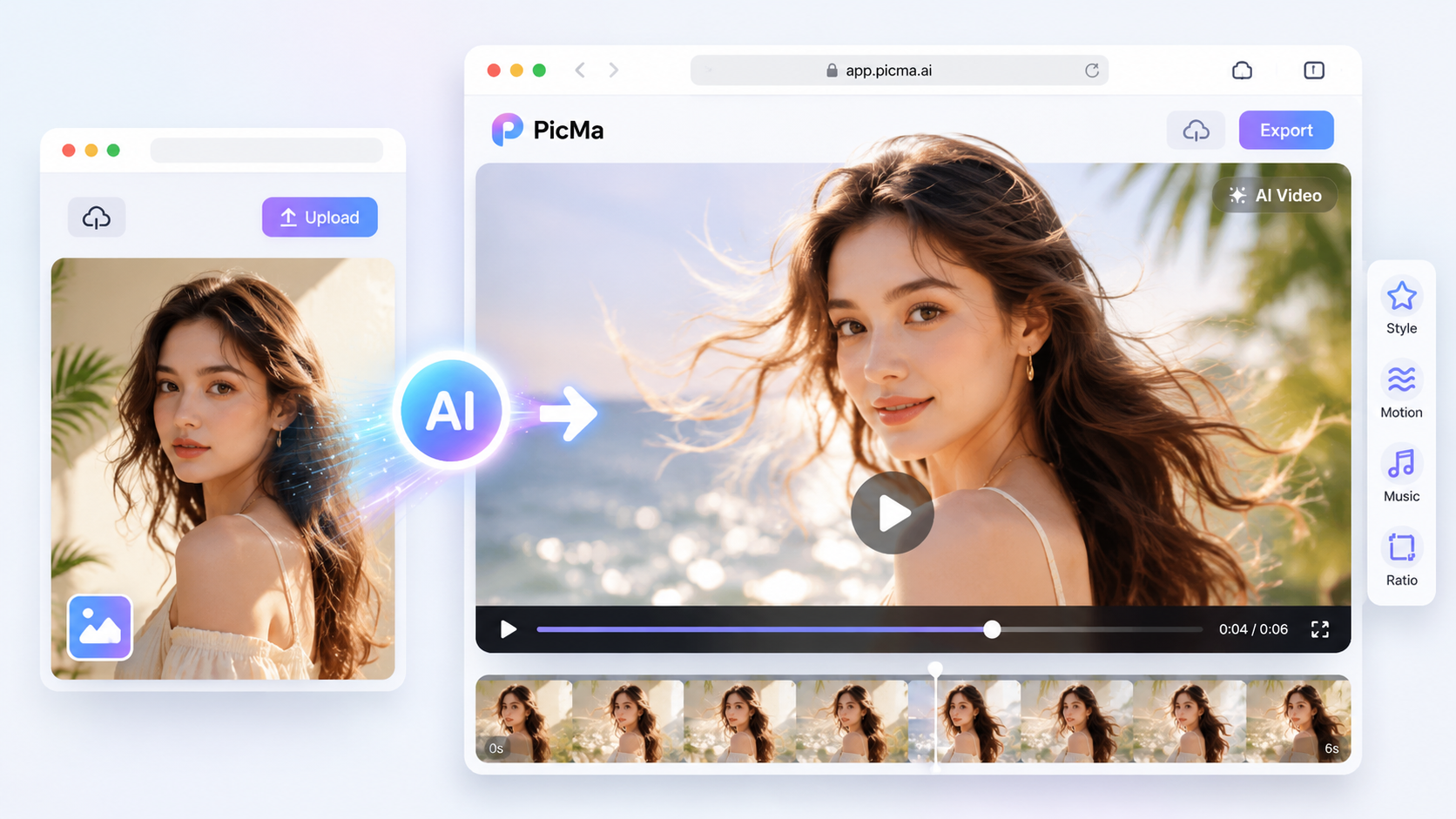

 English