If you need the best ai video generator for marketing, the real problem is usually not “Can I make a video at all?” It is whether you can turn a decent still image into something usable for an ad, a product post, or a social campaign without spending half a day inside editing software. That is the lane PicMa AI Video fits best. It is one of PicMa AI’s tools inside a wider platform of ai marketing tools, but the feature most relevant here is simple: start with an image, choose a motion template or effect, and export a short animated clip.
That makes it useful for quick ai ad video production and lightweight ai content video work, especially when you already have a product photo, portrait, or campaign visual that looks good enough to animate. It is not a pure text-to-video system, and that limitation matters. If you want a selection guide instead of hype, the right question is not whether PicMa can do everything, but whether its image-first workflow is the right fit for the kind of marketing video you actually need.
What PicMa AI Video actually does for marketing teams
PicMa AI Video is best for turning an existing image into a short animated marketing clip, not for generating a full video from a text prompt or building complex scenes from scratch.
In practice, the tool is straightforward: you upload an image, pick a motion template or effect, and export the result as a short video. That workflow makes sense for marketers who already have brand-approved visuals and want a quick layer of motion for paid social, story placements, product teasers, or homepage banners. It is especially useful when the goal is to add movement to an asset that already looks strong as a still image.
The most important thing to understand is that PicMa AI Video sits inside a much broader platform. PicMa AI is not only a video product. It also includes tools like Photo Enhancer, Background Remover, Smart Restore, Color Master, Object Remover, and several e-commerce utilities. For marketing work, that matters because a lot of video problems start with the source image. A blurred product shot, a cluttered background, or an old promo image usually needs cleanup before animation is worth exporting.
· Image-first workflow: upload a photo, then animate it.
· Built for short clips rather than long-form video production.
· Useful when you already have a usable product or brand image.
· Can be paired with other PicMa tools to improve the source asset first.
When it is a strong choice for ai ad video and social content
PicMa works best when speed matters more than deep customization and when you need a usable motion asset from a single image for ads, social posts, or quick campaign testing.
For small teams, the biggest advantage is speed. You do not need a motion designer, a complex timeline, or a long back-and-forth with a freelancer just to create a short clip for a product launch. If your campaign needs a few animated versions of a hero image, PicMa can get you there fast. That is why it fits naturally into a stack of ai marketing tools: not as the centerpiece of a whole production pipeline, but as a quick content multiplier.
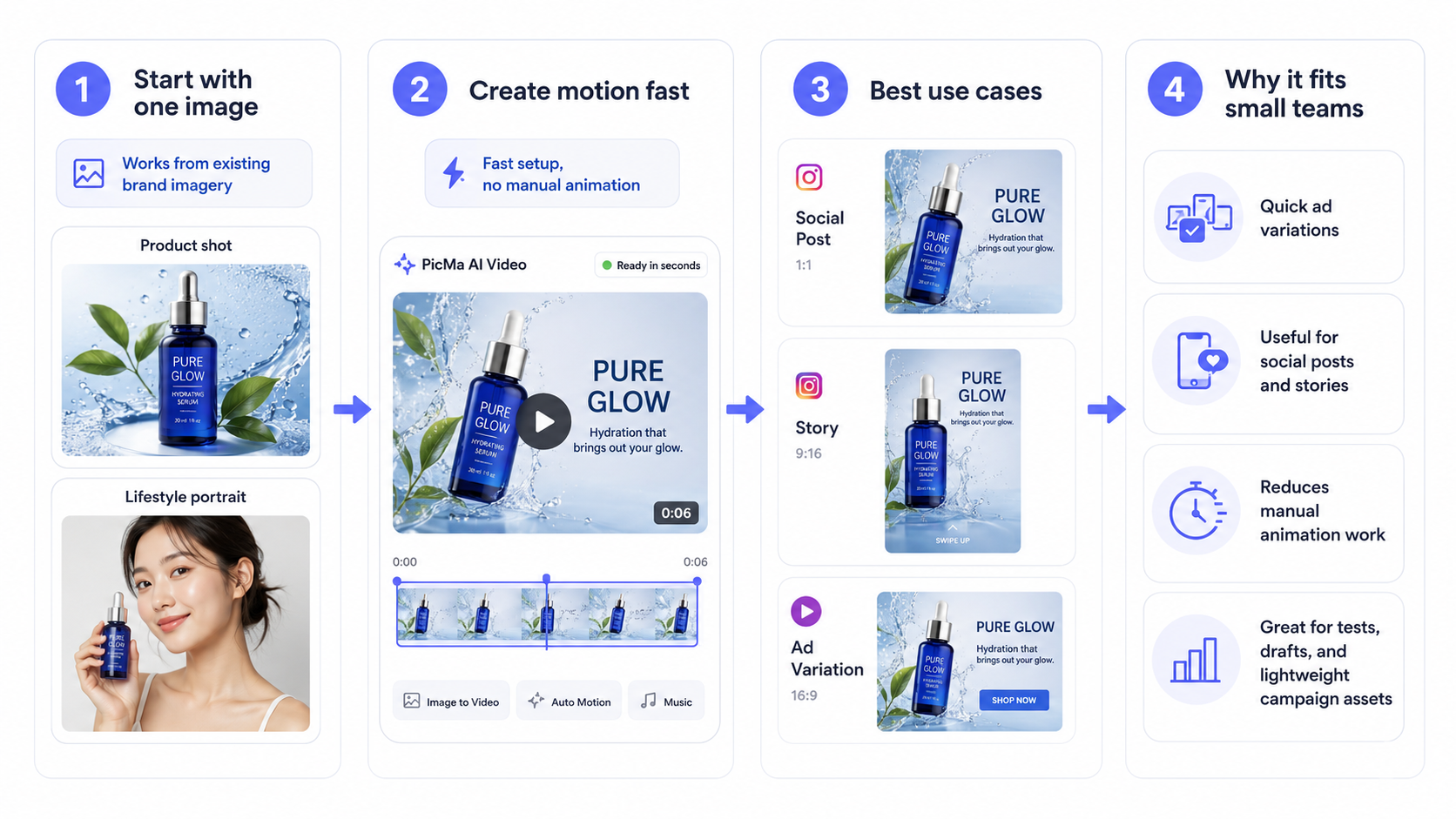
This is particularly helpful for e-commerce and direct-response marketing. A clean product shot can become a simple ai ad video with movement that draws attention without changing the core message. A portrait or lifestyle image can become a lightweight ai content video for an organic post or story format. If the visual already communicates the offer, animation can make it more noticeable without making the content feel overproduced.
· Good for quick ad variations from existing brand imagery.
· Useful for social posts, stories, and short promotional clips.
· Reduces the need for manual animation work.
· Works well for tests, drafts, and lightweight campaign assets.
How to judge fit before you rely on it
The best way to evaluate PicMa is to test it on a source image you would actually use in a campaign, then check whether the motion template helps or distracts from the message.
A realistic test scenario is simple. Take one clean product image and one portrait-style brand image. Run each through AI Video and compare the result against your usual social format. If the animated clip still looks on-brand, readable, and useful without extra editing, the tool is probably a good fit. If the motion feels generic or the image quality drops in a way you would not accept on a paid placement, then you already have your answer.
That workflow also shows where PicMa fits among other ai marketing tools. Before animating, you may want to use Photo Enhancer to sharpen a compressed image, Background Remover to isolate a product, or Smart Restore if you are working with an older brand asset. Those supporting steps matter because AI Video does not fix every underlying problem. If the source image is weak, the final clip will usually be weak too.
· Test with real campaign images, not sample graphics.
· Check whether the motion supports the message or competes with it.
· Improve the source image first if it needs cleaning or restoration.
· Use the output as a short marketing asset, not a full replacement for edited video.
Where PicMa falls short, and who should look elsewhere
PicMa is not ideal for users who need full creative control, scene-by-scene editing, or a text-prompt-first video generator.
The main limitation is freedom. PicMa AI Video uses templates, which is efficient, but that also means your options are shaped by the preset motion styles available. You can choose a template or effect, but you should not expect frame-level manual control or a full timeline editor. If your brand requires precise pacing, custom transitions, or a carefully art-directed sequence, this tool will feel constrained.
There are a few other weaknesses worth stating plainly. First, the result depends heavily on the quality of the starting image; a blurry or poorly composed image will not magically become a polished promo clip. Second, the best output is usually short and simple, which is fine for social and product marketing but not enough for more complex campaigns. Third, because the workflow starts from an image rather than a text prompt, it is not built for users who want to describe a scene and have the system invent the whole video. If that is your main need, PicMa is the wrong tool category.
· Template-based motion reduces creative freedom.
· No frame-by-frame manual editing control.
· Source image quality strongly affects the final result.
· Not a pure text-to-video workflow.
· Not suited to complex narrative or multi-scene ads.
Practical comparison: PicMa AI Video versus heavier video tools
Compared with full video editors or advanced AI generators, PicMa is faster and easier, but it trades away fine control and deeper scene-building.
If you compare PicMa AI Video to a full editing suite, the difference is obvious from the first use. A traditional editor can give you precise timing, layered effects, text animation, and more control over the final cut. PicMa does not try to compete on that level. Instead, it gets a marketing team from still image to short clip with less friction. That is a real advantage if your job is to publish on schedule, not to craft a complex motion story.
The tradeoff is that you should evaluate success by usefulness, not by technical ambition. For many brands, a simple animated product image is enough to improve attention on social or in a landing-page module. For others, especially those producing a full campaign launch video or a branded explainer, PicMa will feel too narrow. The honest answer is that it belongs in the middle ground: stronger than a static graphic, simpler than a professional motion workflow. If you treat it that way, it can earn a place in your ai marketing tools stack.
· Faster than traditional editing for simple motion assets.
· Easier for non-specialists to use.
· Less flexible than full video creation tools.
· Best as a utility for short marketing clips, not a studio replacement.
Comparison
| Tool | Best for | Speed | Consistency | Main drawback |
| PicMa AI Video | Turning existing images into short marketing clips | Fast | Good when the source image is strong | Limited customization and template-based motion |
| Photo Enhancer | Cleaning up blurry or low-resolution images before animation | Fast | High for clear restoration tasks | Does not create video |
| Background Remover | Preparing product shots or portraits for cleaner marketing visuals | Fast | High on suitable image types | Not a video tool |
| Traditional video editor | Custom branded campaigns with detailed control | Slower | High if edited well | Requires more skill and time |
FAQ
· Q: Is PicMa the best ai video generator for marketing if I only have one product photo?
A: It can be a strong option if the product photo is clean and on-brand, because AI Video is designed to animate an existing image into a short clip. If the photo is weak, though, you will usually get better results by improving it first with Photo Enhancer or Background Remover.
· Q: Can PicMa generate a video just from a text prompt?
A: No, that is not the core workflow for AI Video. The feature starts from an existing image, then applies a motion template or effect to create a short animated clip.
· Q: Is PicMa good for ai ad video production?
A: Yes, if you want quick, lightweight ad clips from existing visuals. It is a better fit for simple social ads, product teasers, and campaign variations than for fully custom commercial videos.
· Q: What should I do if the output looks underwhelming?
A: Start by checking the source image. Low resolution, compression artifacts, cluttered backgrounds, or awkward cropping often carry through into the final clip. In many cases, improving the image first makes a bigger difference than changing the motion template.
· Q: Who is PicMa AI Video not ideal for?
A: It is not ideal for marketers or editors who need deep manual control, multi-scene storytelling, or a text-prompt-first video generator. It is better suited to quick motion assets from strong still images.
Conclusion
If your goal is to create the best ai video generator for marketing in the broadest sense, PicMa is not the answer for every workflow. But if your real need is to turn existing brand images into short, usable marketing clips quickly, it makes a lot of sense. That is where its AI Video feature is strongest: simple, practical, and fast enough to fit the pace of everyday campaigns.
The smartest way to judge it is to treat it as part of a wider image-and-video toolkit. Improve the source image when needed, animate it with the right template, and accept the product for what it is: a useful shortcut for ai ad video and ai content video creation, not a replacement for full video production.

 4
4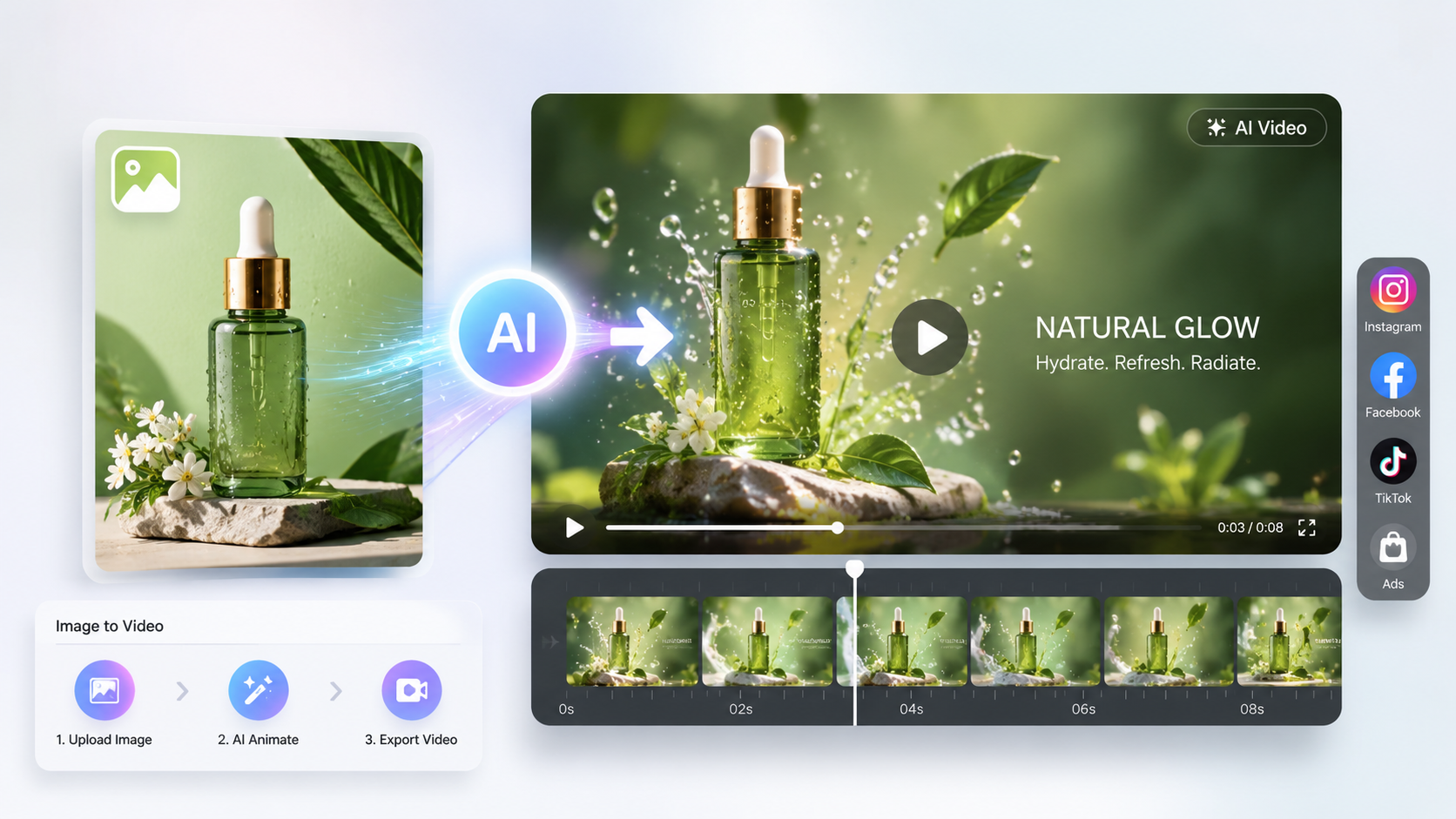

 English