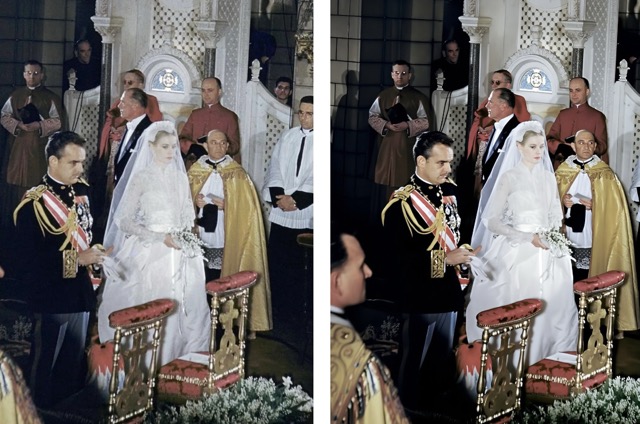
When you pull out your parents’ wedding VHS, the pain points are predictable: yellow/gray cast, jitter, tape noise, and A/V drift—and often no working VCR. Shop-based fixes can be slow, costly, and involve repeated copying that risks further degradation; DIY in an editor means a steep learning curve with underwhelming results. This guide offers a calmer route: PicMa Video Enhancement for wedding video restoration and 4K upscaling—one click handles deinterlacing, denoise, stabilization, color/skin tuning, and a natural 4K lift.
Classic Fixes vs. AI Enhancement: Different Paths, Different Costs
AI video enhancement takes a fundamentally different route from shop-based or manual NLE restoration. The classic approach relies on frame-by-frame hand tuning—slow and hard to replicate—whereas AI applies model-driven batch processing for faster, more consistent results. On risk, traditional pipelines often involve repeated copies and exports, lengthening the chain and inviting additional degradation; an AI, file-first flow shortens the steps and keeps processing cleaner. Budget-wise, bespoke grading and denoise work are high and variable costs; AI starts with presets, adds light tweaks, and keeps per-clip spend predictable. As for experience, the old route leans on jargon and long back-and-forth, while AI makes choices visual with instant previews and side-by-side comparisons.
PicMa’s Five-Step Flow: Bringing Old Footage to 4K Today
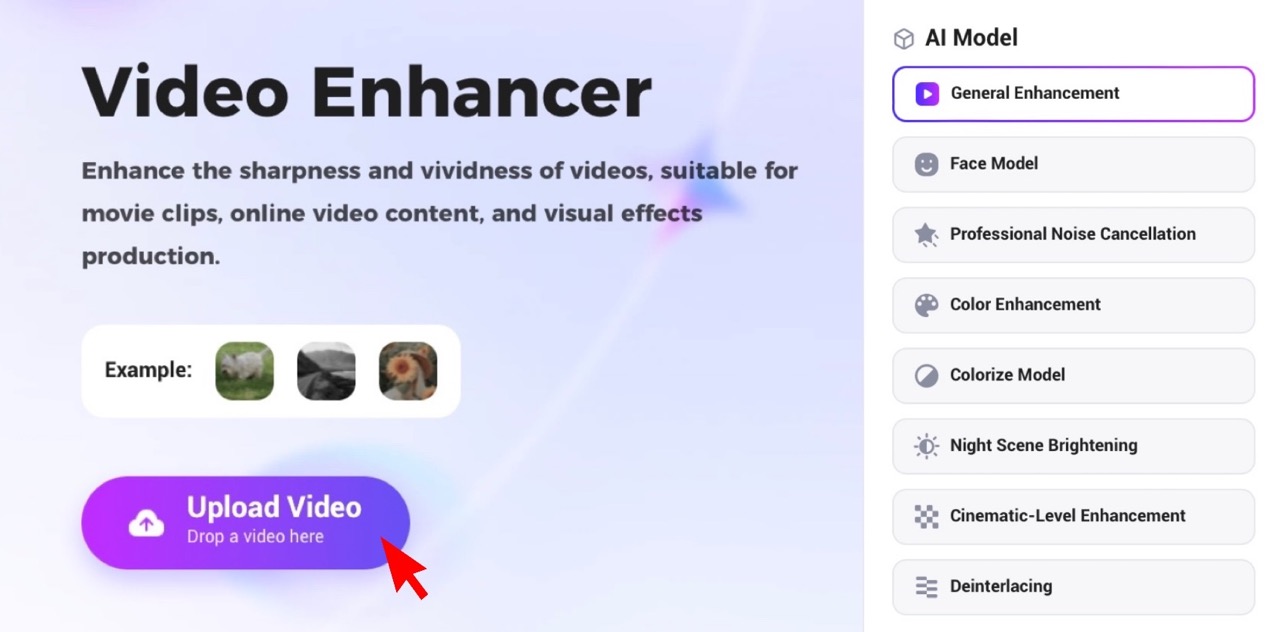
1.Open PicMa web or install the PicMa app (iOS/Android) to find Video Enhancer.
2.Upload your blurry/yellow/noisy wedding clip.
3.Choose an enhancement model: General Enhancement, Face Model, Professional Noise Cancellation, and more. There are eight models in total.
4.Click Enhance—PicMa automatically handles de-interlacing, denoise, stabilization, color/skin tuning, and resolution upscaling.
5.Download your result in up to 4K.
No editing experience required. No heavy installs on web. Just upload, enhance, and download.
What AI Fixes in Wedding Footage
- Color/Low Light: fix yellow/gray casts; keep warm ambience, restore whites and skin tones.
- Noise/Blocks: reduce snow and macroblocking while preserving veil, suit, and hair.
- Shake/Smear: stabilize for comfortable long viewing.
- Interlace Artifacts: de-comb for cleaner motion.
- Portrait Clarity: enhance eyes/features without plastic smoothing.
What You’ll See: Before/After That Actually Matters
After wedding video restoration and 4K upscaling, the footage simply feels right: skin tones look natural, expressions are readable, and eyes during the vows are clearly defined. Ceremony details come back—veil meshes, boutonnieres, and table textures—while lighting loses its muddy cast. The viewing experience is steadier and cleaner, making long scenes comfortable to watch. Export is effortless, with both horizontal and vertical versions plus a 1–3 minute highlight reel ready for anniversaries or social posts.
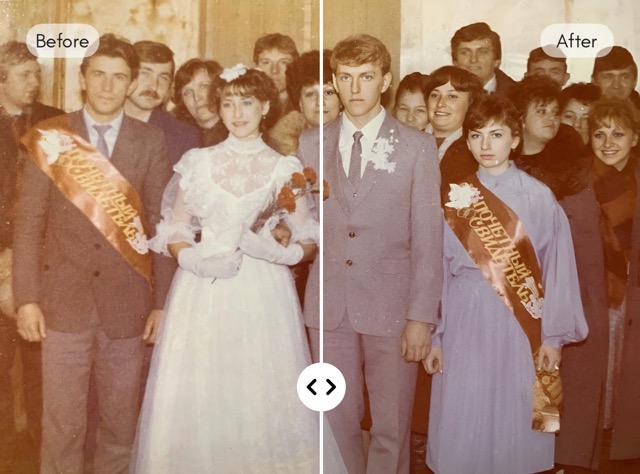
PicMa give their vows the clarity they deserve. Turn a fragile VHS into a faithful 4K keepsake—true color, steady motion, and faces you can linger on. Your family story, restored with care.


 81
81